



Keep reading
Rather we just did it for you?
Let's get your business seen.
Social media, websites, SEO and ads from a team you can actually meet.
If you have ever commissioned a new website, app, or digital tool and felt a knot in your stomach as the build began, you are not alone. That feeling usually comes from one simple fear: what if we spend all this money and it does not work the way we hoped? UX prototyping is the smart, low-risk way to remove that fear before you commit to a full build. It lets you test your ideas, watch real people use them, and refine the experience long before a developer writes a single line of code. In this guide, we will walk through what prototyping actually involves, why it saves time and money, how to choose the right level of detail, and the practical steps you can take on your next project. No technical background required.
Table of Contents
- What Is UX Prototyping?
- Why Bother Prototyping? The Real Business Benefits
- Low-Fidelity vs High-Fidelity Prototypes: Which Do You Need?
- The Prototyping Process: A Simple Step-by-Step Guide
- Prototyping in the Age of AI: What’s Changing in 2026
- Common Prototyping Mistakes to Avoid
- Getting Started: Prototyping Tools and Next Steps
What Is UX Prototyping?
UX prototyping is the process of creating an interactive, testable model of a product or website before it is fully built. Think of it as a rehearsal rather than the final performance. You are not polishing every detail; you are working out whether the basic flow makes sense and whether people can complete the tasks you care about.
It helps to clear up a common confusion here. Wireframes are the blueprint: simple, static outlines of where things go. Mockups are the static visual: they show colours, typography, and imagery, but you cannot click them. A prototype is different because it is interactive. You can tap buttons, move between screens, and experience the journey in a way that feels close to the real thing.
Prototypes can range from simple paper sketches to fully clickable digital models that look and feel like a finished product. The goal is not perfection. The goal is learning what works and what does not before you invest in development. A rough prototype that reveals a broken user journey is worth far more than a polished mockup that hides a fundamental flaw.
Why Bother Prototyping? The Real Business Benefits
For a business owner, every pound spent on digital work needs to justify itself. Prototyping does that by catching usability issues early, when they are cheap to fix, rather than after launch when changes are expensive and disruptive. Industry patterns suggest that prototyping can reduce rework in development by 40 to 60 percent. That is not a small saving; it is often the difference between a project that stays on budget and one that spirals.
A prototype also gives you something tangible to show stakeholders and team members. Instead of describing what you think the new customer portal will do, you can hand them a clickable version and say, “This is the journey.” Everyone aligns on what is being built before a single line of code is written, which reduces misunderstandings and keeps projects moving.
Testing a prototype with real users, even just a handful, reveals how people actually interact with your site or app, not how you assume they will. You might think the checkout button is obvious, but watching five people struggle to find it tells you otherwise. That insight is gold.
Prototyping also reduces the risk of building something nobody wants. When you validate the concept first, you protect your marketing budget for activity that actually drives results. And when you do move into development, a tested prototype helps you communicate your vision to designers and developers, reducing back-and-forth and keeping the schedule on track.
Low-Fidelity vs High-Fidelity Prototypes: Which Do You Need?
Not every prototype needs to look like a finished product. In fact, starting too polished can work against you. Prototypes exist on a spectrum, and the right level of detail depends on what you are trying to learn.
Low-Fidelity Prototypes
Low-fidelity prototypes are quick and rough. Think paper sketches, simple wireframes, or basic clickable flows that take hours to a couple of days to create. They are perfect for early-stage idea exploration, testing basic layouts, and getting feedback on structure before visual design begins.
Because they are cheap to create and even cheaper to change, you can experiment freely without becoming attached to any single approach. If a layout does not work, you bin it and try another. There is no sunk-cost guilt.
High-Fidelity Prototypes
High-fidelity prototypes are detailed, interactive models that closely resemble the final product. They include colours, typography, realistic content, and polished interactions. Building one typically takes days to weeks.
These are ideal for testing with real users, presenting to stakeholders, and getting sign-off before development begins. They are also useful for validating the finer details, like whether buttons are in the right place or whether the user journey feels intuitive from start to finish.
How to Choose
Start low-fidelity to explore ideas quickly, then move to high-fidelity as you narrow down your direction. Consider your audience: if you are testing with clients or investors, a high-fidelity prototype will make a stronger impression. But remember that fidelity is a spectrum. You can add just enough detail to answer the specific question you are testing, and no more.
The Prototyping Process: A Simple Step-by-Step Guide
You do not need a design degree to follow a prototyping process. The key is iteration: build, test, learn, refine. Here is a straightforward way to approach it on your next project.
Start by understanding the problem you are trying to solve and the key user needs. What is the main task someone wants to complete on your website or app? What is getting in their way right now? This shapes everything that follows.
Next, sketch out your initial ideas quickly, whether on paper or using a simple digital tool. Map the core user journey from entry point to completed task. Do not worry about colours or fonts yet. Focus on the flow.
Then build a basic interactive version of your idea. Functionality matters more than polish at this stage. You want something people can click through, even if it looks rough.
Test it with real users. Colleagues and friends can be useful for a first pass, but ideally you want people who match your target audience. Watch how they interact with the prototype. Where do they hesitate? Where do they click the wrong thing? What do they say out loud?
Refine your prototype based on that feedback, then repeat the cycle until you are confident in the direction. Once you have validated the concept, develop a high-fidelity version that can be handed to developers as a clear blueprint.
Prototyping in the Age of AI: What’s Changing in 2026
AI-powered design tools are making it faster than ever to generate prototype variations, so you can explore more ideas in less time. What used to take a designer days can now be produced in hours, which changes the economics of prototyping for small businesses.
Generative AI can help create realistic placeholder content, images, and even user flows. That means you can test concepts without waiting for final copy or design assets. You can see how a landing page feels with realistic headlines and product descriptions before your copywriter has finished the first draft.
Some platforms now offer AI-assisted usability testing, automatically identifying patterns in how users interact with your prototype. This gives you quantitative insight without needing a dedicated research team.
The fundamentals still matter. AI speeds up the process, but the core principle of testing and refining with real users remains unchanged. For business owners, this means prototyping is more accessible and affordable than ever. There is no excuse for skipping this step before a website or app build. If you are planning a new site, a team that understands both interactive websites and the prototyping process can help you avoid costly missteps.
Common Prototyping Mistakes to Avoid
The most expensive mistake you can make is skipping the prototype stage entirely and jumping straight to development. It feels decisive, but it is really just gambling with your budget.
Another common error is over-investing in high-fidelity prototypes too early. When you are still exploring ideas, you should be working quickly and cheaply. A polished prototype at the wrong stage slows you down and makes people reluctant to suggest changes.
Testing with the wrong people is a trap. Your team and friends will often tell you what you want to hear. You need people who represent your actual customers, and who have no reason to soften their feedback.
Ignoring negative feedback because you are attached to your idea defeats the entire purpose. The whole point of prototyping is to learn what does not work. If three out of five testers cannot find your contact page, that is not a user problem; it is a design problem.
Finally, watch out for prototype creep. This happens when the prototype becomes so polished that stakeholders mistake it for the final product and resist necessary changes. Keep the prototype clearly labelled as a work in progress, and remind everyone that refinement is a sign of a healthy process.
Getting Started: Prototyping Tools and Next Steps
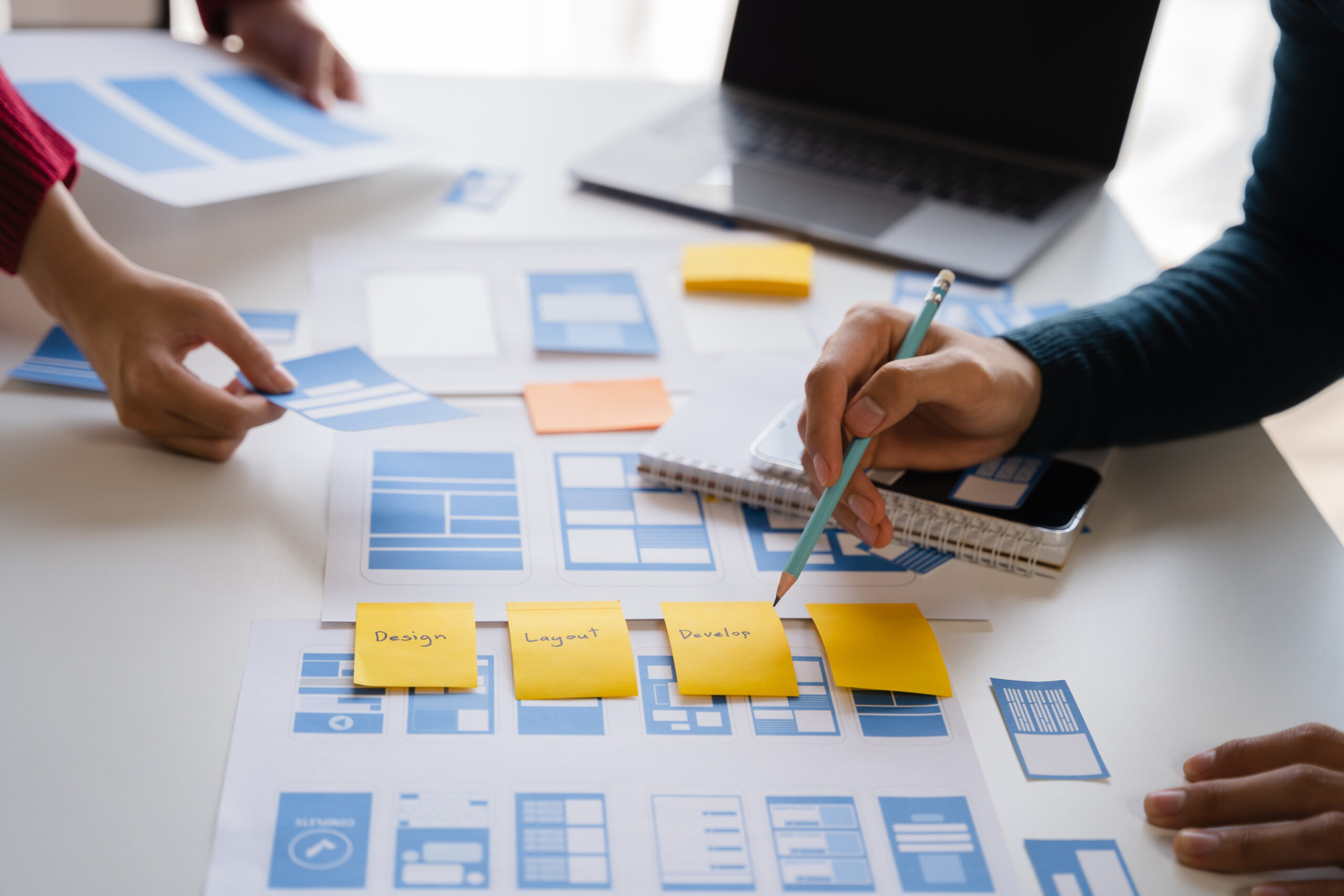
You do not need expensive software to start. Paper and sticky notes work perfectly well for your first prototype. Sketch a few screens, draw arrows between them, and ask someone to talk through what they would tap next. That simple exercise can reveal more than weeks of internal debate.
When you are ready for digital tools, look for options that let you create clickable flows without coding. Many offer free trials or free tiers, so you can experiment before committing.
If you are planning a website or app project, ask your design or development partner how they incorporate prototyping into their process. A good team will be happy to show you prototypes before you commit to a build. It is a sign of transparent, measured working, and it protects your investment at every stage.
If you would like a no-pressure chat about how prototyping could de-risk your next digital project, our free Social Media Clinics and initial consultations are a great starting point. We will help you work out what to test first, how to test it, and what to do with what you learn.
































