




In This Article
A small agency may manage a surprising number of valuable accounts: social profiles, advertising platforms, websites, analytics, email tools and shared drives. When the team works from home, a café or a client’s office, the obvious concern is the network. Yet the bigger weakness is often much less technical. Nobody is quite sure who owns each account, who still has access or where the recovery codes are kept.
That uncertainty may stay hidden when three people sit in one room. It becomes a business risk when work is distributed. A practical security plan begins with account ownership, then covers access, devices and connections.

Make the client the owner whenever possible
Client accounts should normally sit under an address the client controls, with the agency invited through named user access. Handover is then easier, and the campaign does not depend on an employee’s personal email address.
Some tools use an agency-level account or have awkward permission systems. Record those exceptions. A simple register can list the platform, owner, administrators, recovery method and next review date.
This is not glamorous work, but it answers the question that matters during an incident: who can regain control? If the answer is “probably the person who set it up two years ago”, the account is already harder to protect.
Replace shared passwords with named access
Sharing a password feels quick until something changes. A shared login makes it difficult to see who edited a campaign, downloaded a contact list or removed a page administrator. The team may also need to change that password whenever a contractor leaves.
Use individual accounts where the platform allows them. Give each person the lowest level of access needed for the job. A copywriter may need to create drafts but not change billing details. A freelance designer may need a shared asset folder but not the client’s entire drive.
Where a shared credential cannot be avoided, keep it in a business password manager rather than a spreadsheet or group chat. It should control who can use the credential and make revocation straightforward.
Use MFA, but plan for recovery too
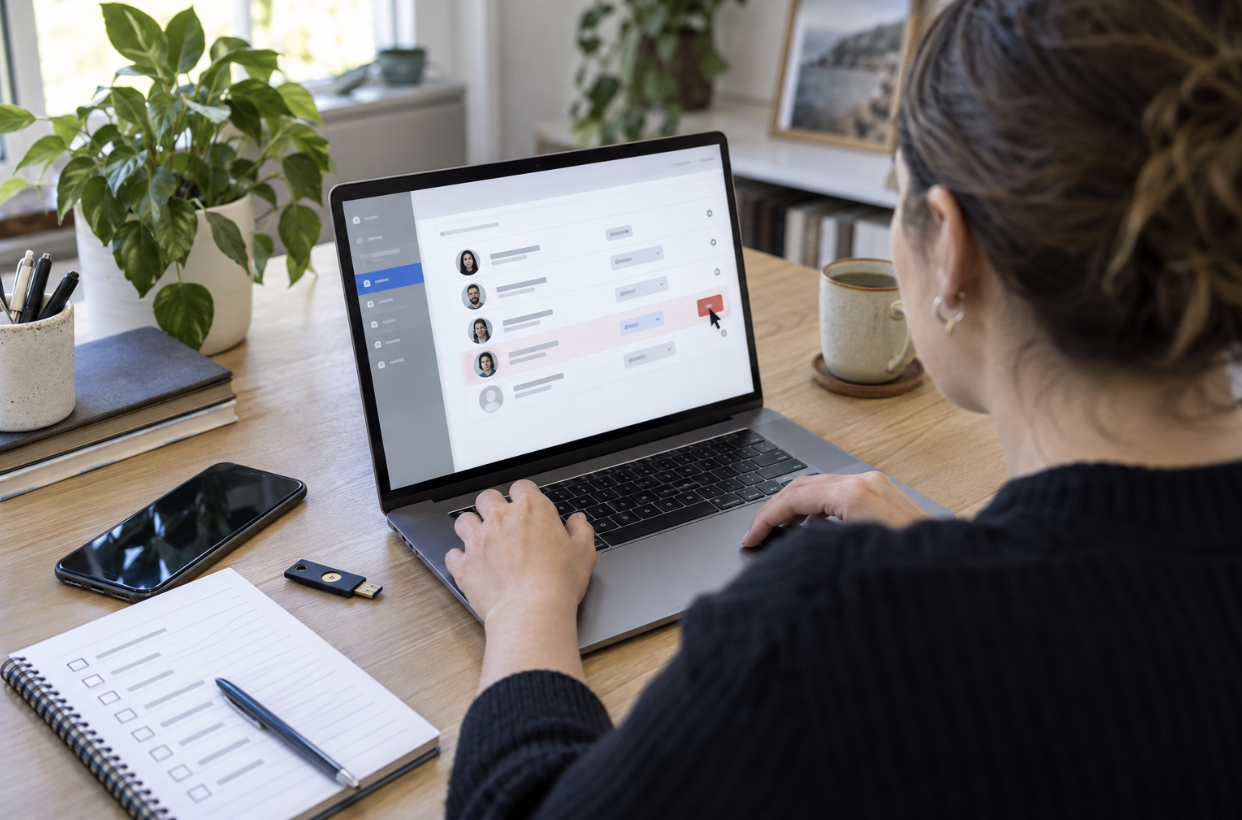
Multi-factor authentication, or MFA, adds a second check when somebody signs in. It is one of the most useful controls for email, advertising and social accounts. Authenticator apps or security keys are generally stronger choices than text messages, although any supported second factor is better than a password alone.
The part teams forget is recovery. If the only authenticator sits on one employee’s phone, losing that phone can stop urgent client work. Store backup codes securely, nominate more than one trusted administrator and document the platform’s recovery route. Do not place recovery codes beside the password they are meant to protect.
Set a minimum standard for work devices
A personal laptop can feel private while still being a poor place for client access. Family members may use it, software may be out of date, and files may remain in the downloads folder long after a project ends. Basic rules do not require an expensive device-management programme.
Require a supported operating system, automatic security updates, screen locking and full-disk encryption. Keep browser extensions to a sensible minimum. Client exports should go into an approved workspace, not remain on the desktop or in a personal cloud account.
For team members using company PCs away from the office, a managed VPN for Windows can protect traffic between the device and the VPN endpoint on networks the agency does not control. It does not check whether a login page is genuine, so MFA, password hygiene and staff judgement still matter.
Treat public working as a different environment
A café table is not a smaller version of the office. Screens are visible, calls can be overheard and devices can be left behind. Staff need a clear line between tasks that can be done in public and those that should wait. Scheduling a post may be fine; downloading a customer database or discussing an unreleased campaign may not be.
Before joining Wi-Fi, confirm the network name with the venue. Disable automatic connection to remembered public networks and avoid leaving file sharing enabled. A mobile hotspot is often a straightforward alternative when the task is sensitive or the venue’s network is unreliable.
Physical habits count too. Use a privacy screen where needed, keep devices with you and lock the screen even during a short coffee refill.
Test tools against the agency’s actual workflow
A security tool that breaks publishing, reporting or client portals will soon be bypassed. Test it with the services the team uses, from Meta Business Suite and Google Ads to the CMS and video-call platform. Check connection stability, sign-in alerts and whether location changes cause repeated verification requests.
A VPN free trial can be useful for this limited evaluation before the agency commits to a wider rollout. The test should involve real work systems but not live sensitive exports. Record any conflict and decide whether a setting, a different server location or another tool is appropriate.
Build access removal into every handover
Offboarding should happen when a person leaves, a contract ends or an agency stops serving a client. Remove the user from advertising accounts, social profiles, password vaults, shared drives, project tools and recovery contacts. Rotate any credential that was genuinely shared.
For client offboarding, confirm that the client controls the primary account, provide an access list and agree when agency permissions will be removed. Delete working copies according to policy.
A good system does not depend on somebody remembering every platform under pressure. Turn the register into a short checklist for joining, role changes and leaving. That one document connects ownership, permissions, devices and remote access.
Start with control, then add protection
Remote account security is not mainly about where people sit. It is about whether the agency can identify its accounts, limit access and remove it promptly. Secure devices and protected connections support that foundation; they cannot replace it.
For a small agency, the first useful step is modest: choose five critical client accounts and document their owner, administrators, MFA method and recovery route. Fixing the gaps in those five will teach the team more than buying another tool without a process behind it.
Share This Article
About the Author: Penelope Klein































