



Keep reading
Rather we just did it for you?
Let's get your business seen.
Social media, websites, SEO and ads from a team you can actually meet.
Can you schedule posts for Instagram? Yes, and it’s one of the simplest ways to stay consistent without being glued to your phone. You can schedule feed posts, carousels and Reels directly in the Instagram app, plan them on a computer in Meta Business Suite, or use a third-party tool to manage several platforms at once. This guide explains how to schedule Instagram posts step by step, what can and can’t be scheduled, the best tools, and a simple weekly routine that keeps your account active.
Can you schedule posts on Instagram?
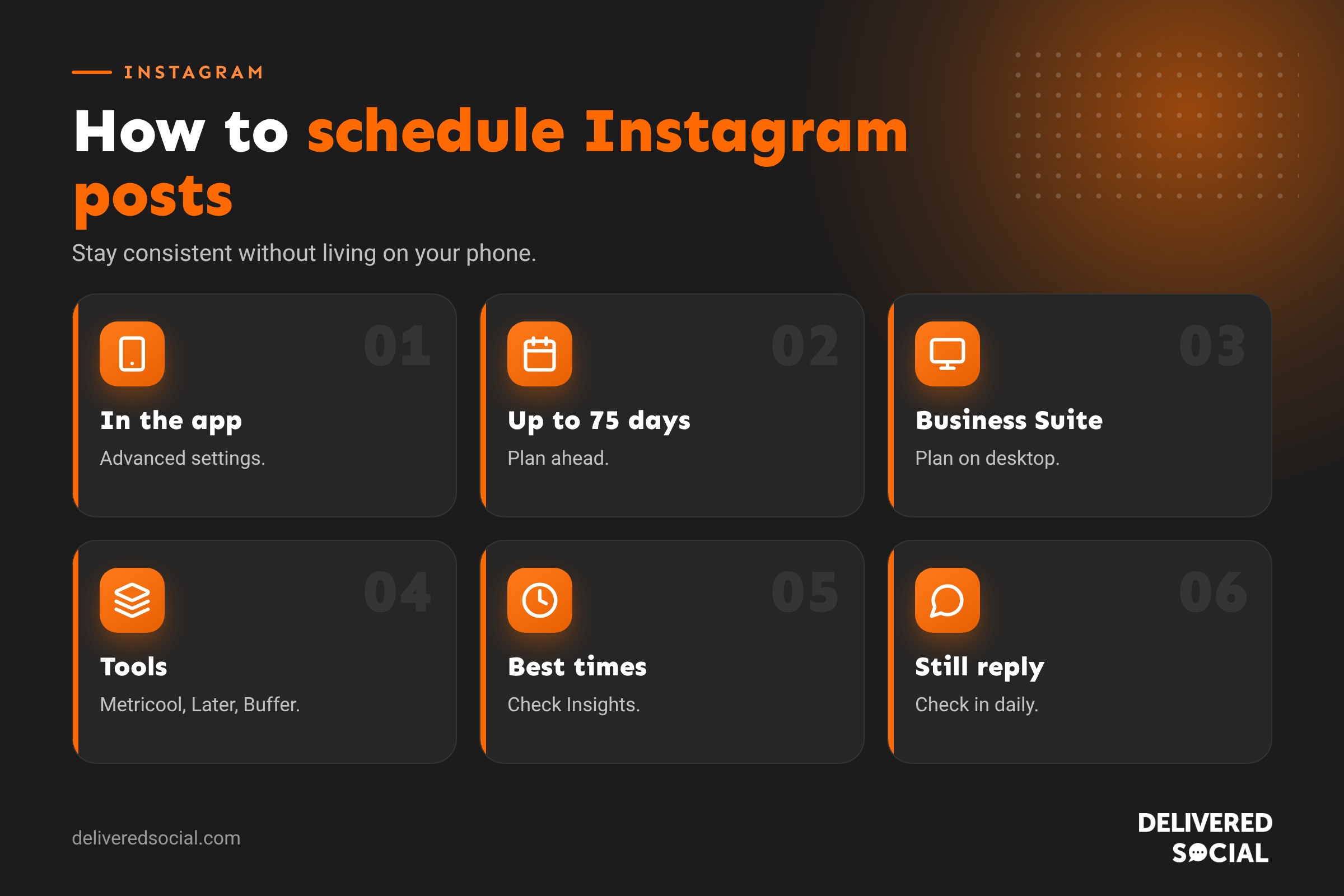
Yes. Professional accounts (business and creator) can schedule posts and Reels in the Instagram app, usually up to 75 days in advance. Meta Business Suite and approved third-party tools can also schedule posts, carousels, Reels and Stories.
What can you schedule on Instagram?
| Content | Instagram app | Meta Business Suite | Third-party tools |
|---|---|---|---|
| Feed posts | Yes | Yes | Yes |
| Carousels | Yes | Yes | Yes |
| Reels | Yes | Yes | Yes |
| Stories | Limited | Yes | Many tools, some with limits on stickers |
| Live videos | Can schedule a live event announcement | No | No |
Features vary by account and change over time, so check what’s available to you.
How to schedule Instagram posts in the app
- Tap + and choose Post or Reel.
- Select your photo or video, edit it and tap Next.
- Write your caption, add tags, location and any music.
- Tap More options (or Advanced settings).
- Turn on Schedule this post.
- Choose the date and time and tap Done.
- Tap Schedule.
How to see or edit scheduled posts
Go to your profile, tap the menu and look for Scheduled content. From there you can edit the caption, reschedule, post now or delete.
How to schedule Instagram posts in Meta Business Suite
- Go to Meta Business Suite on a computer and choose your account.
- Click Create post or Create Reel.
- Choose Instagram (and Facebook if you want to post to both).
- Upload your media and write your caption.
- Click the arrow next to Publish and choose Schedule.
- Pick your date and time and confirm.
Meta Business Suite also has a Planner calendar view, so you can see your whole month at a glance. Our guide to Facebook Business Manager explains how to set it up.
Third-party scheduling tools
If you manage several platforms, a scheduling tool saves time. Popular options include:
- Metricool: scheduling, analytics and a content calendar across most platforms.
- Later: visual planning, with a preview of your Instagram grid.
- Buffer: simple scheduling with a clean interface.
- Hootsuite: scheduling, monitoring and team features for larger businesses.
- Planoly: a visual planner built around Instagram.
Use tools that connect through Instagram’s official systems. Never give your password to an app you don’t trust.
Scheduling Instagram Stories
Stories can be scheduled through Meta Business Suite and several third-party tools. Interactive stickers, such as polls, questions and links, aren’t always supported when scheduling, so some tools send a reminder to your phone to post manually. For Stories that rely on stickers, a reminder is often the simplest option.
When is the best time to post on Instagram?
There’s no single best time for every business. For many UK audiences, early morning, lunchtime and evenings perform well, but your own data matters most. Check Insights, then Total followers, then Most active times to see when your followers are online. Schedule your most important posts for those windows, then test and adjust.
A simple weekly Instagram scheduling routine
- Monday morning, 30 minutes: plan three to five posts for the week, mixing Reels, carousels and photos.
- Batch create: film and design everything in one session.
- Write captions with a hook, useful detail, keywords and a call to action.
- Schedule them for your best times.
- Add Stories daily, either scheduled or posted live for behind-the-scenes moments.
- Check in daily for 10 minutes to reply to comments and messages.
- Friday: look at what performed best and plan more of it.
What should you schedule and what should you post live?
| Schedule | Post live |
|---|---|
| Planned content, tips and promotions | Breaking news and timely updates |
| Product launches and offers | Behind-the-scenes moments |
| Evergreen posts and educational carousels | Responses to trends |
| Weekly series content | Events as they happen |
Common scheduling mistakes
- Scheduling and disappearing. Always reply to comments after a post goes live.
- Scheduling during a crisis or sensitive news without checking tone.
- Forgetting to update offers that change after you schedule.
- Using trending audio in tools that don’t support it, so Reels go out silent.
- Posting identical content everywhere without adapting captions and sizes.
Does scheduling hurt your reach?
No. Instagram has said scheduled posts through its own tools and approved partners aren’t penalised. What matters is the quality of your content and how people engage with it. Scheduling actually helps reach because it makes you more consistent.
Scheduling for other platforms
The same routine works across your other platforms. See our guides to scheduling TikTok posts and scheduling LinkedIn posts.
Planning a month of Instagram content
Scheduling works best when you plan by theme. A simple monthly framework for a small business could be:
| Content type | How often | Example |
|---|---|---|
| Helpful tips | Weekly | A carousel of “5 ways to…” |
| Behind the scenes | Weekly | A Reel of a typical day |
| Products or services | Weekly | A photo or Reel showing what you sell |
| Social proof | Fortnightly | A customer review or before and after |
| Personality and team | Fortnightly | Meet the team or a founder story |
| Offers and news | As needed | A seasonal promotion |
Plan these in a simple spreadsheet or your scheduling tool’s calendar, then batch create and schedule.
Writing captions in advance
Captions often take longer than the post itself. Write them in batches using a simple structure: a strong first line, two or three lines of useful detail, a question or call to action, and a few relevant hashtags. Include the words people would search for, such as your service and town, because Instagram search increasingly reads captions. Keep a document of your best-performing captions to use as templates.
Scheduling for a team
If several people help with your Instagram, use a tool with approval workflows so posts can be reviewed before they go live. Agree on who replies to comments and messages, especially at weekends, so scheduled posts never go unanswered.
Quick glossary
- Scheduled content: posts set to publish automatically at a future time.
- Planner: Meta Business Suite’s content calendar.
- Batch creation: making several posts in one session.
- Professional account: an Instagram business or creator account.
Keeping scheduled content fresh
Scheduling saves time, but it can make an account feel robotic if every post is planned weeks ahead. Leave gaps in your schedule for timely posts, such as a quick Reel responding to a trend, a photo from today’s job or a thank you to a customer. A good balance for many businesses is around 70% planned content and 30% spontaneous posts and Stories.
What to do when a scheduled post fails
Occasionally a scheduled post doesn’t publish, usually because of an expired login connection, a change in the app or an unsupported feature such as certain music. Check your scheduled content list regularly, keep your tools connected, and turn on notifications so you know if something goes wrong. If a post fails, publish it manually as soon as you can.
Key takeaways
- You can schedule posts and Reels in the Instagram app with a professional account.
- Meta Business Suite lets you schedule Instagram and Facebook together on a computer.
- Third-party tools suit businesses managing several platforms.
- Use Insights to schedule for when your followers are active.
- Schedule planned content, but still check in daily to reply.
Scheduling and accessibility
When you schedule posts, take the extra moment to add alt text to images and captions to videos. In the Instagram app, tap Advanced settings, then Accessibility, to write alt text. Many scheduling tools also have an alt text field. Accessible posts reach more people, including those using screen readers or watching without sound, and they can help platforms understand what your content is about.
Instagram updates its scheduling features from time to time, so check the app and Meta Business Suite occasionally for new options, such as scheduling more formats or longer planning windows. Keeping your app updated makes sure you have the latest tools.
Frequently asked questions
Can you schedule posts for Instagram?
Yes. Professional accounts can schedule posts and Reels in the app, Meta Business Suite or approved tools.
How far in advance can I schedule Instagram posts?
Usually up to 75 days in the Instagram app.
Can I schedule Instagram Stories?
Yes, through Meta Business Suite and many third-party tools, though some stickers may not be supported.
Where do I find my scheduled Instagram posts?
In your profile menu under Scheduled content.
Do scheduled posts get less reach?
No. Scheduling through official tools doesn’t reduce reach.
Want your Instagram planned for you?
We plan, create and schedule Instagram content for businesses across Surrey, Hampshire and the UK. See our social media management services or call us on 01483 608 303.































