



Keep reading
Rather we just did it for you?
Let's get your business seen.
Social media, websites, SEO and ads from a team you can actually meet.
Running social media for a business usually means juggling several platforms, plus the tools you need to create, schedule and measure your content. The right apps can save hours every week; the wrong ones just add clutter. This guide covers the best social media apps for business: the platforms themselves, the apps that help you design, edit, schedule and track, and how to choose a simple set of tools that fits your business and budget.
Two types of social media apps
When people talk about social media apps, they usually mean one of two things:
- Platforms: the social networks themselves, such as Instagram, Facebook, TikTok, LinkedIn and YouTube.
- Tools: apps that help you create and manage content for those platforms, such as Canva, CapCut and Metricool.
Most businesses need a few of each.
The main social media platforms for business
| App | Best for | Business features |
|---|---|---|
| Local customers, communities, adults 25+ | Pages, groups, events, Marketplace, ads | |
| Visual brands, lifestyle, food, beauty | Reels, Stories, shopping, ads, Insights | |
| TikTok | Reach, younger audiences, personality | Short video, TikTok Shop, ads |
| B2B, professional services, recruitment | Company pages, newsletters, ads | |
| YouTube | Tutorials, explainers, long-term search | Long videos, Shorts, live |
| Home, weddings, food, fashion, gifts | Pins, boards, shopping, ads | |
| Threads | Conversation, Instagram audiences | Text posts, replies, ads |
| WhatsApp Business | Customer messaging | Catalogues, quick replies, broadcast lists |
| Google Business Profile | Local search and Maps | Posts, reviews, photos, messages |
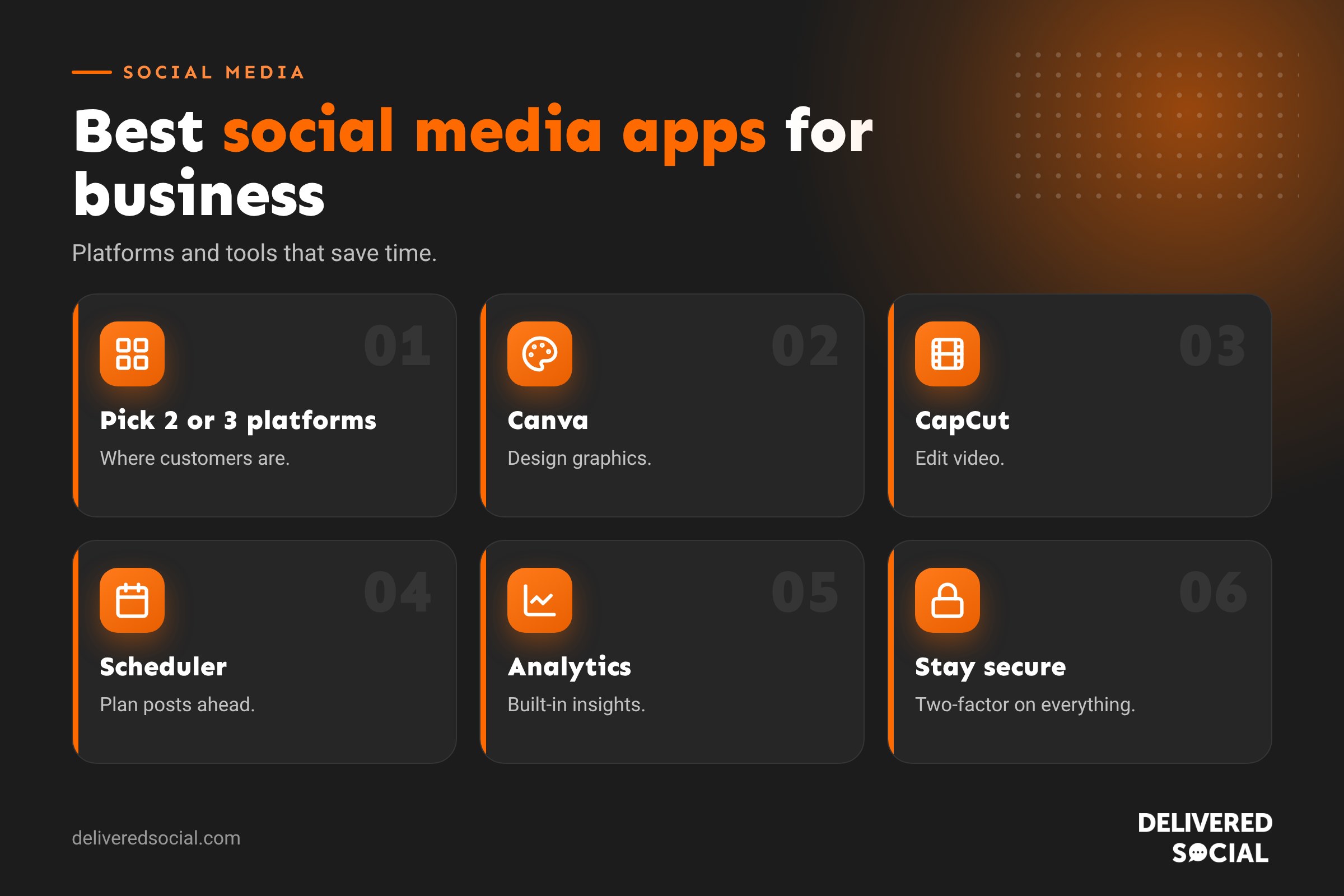
You don’t need all of them. Most small businesses do best focusing on two or three platforms where their customers spend time.
Apps for designing social media graphics
- Canva: templates for posts, Stories, carousels and covers, with brand kits on paid plans. The go-to for most small businesses.
- Adobe Express: quick designs and simple video, with Adobe fonts and stock.
- Figma: for teams with design experience who want more control.
Apps for editing video
- CapCut: easy, powerful editing with captions, templates and effects. Popular for TikTok and Reels.
- Instagram Edits and the native editors in TikTok, Instagram and YouTube: handy for quick edits inside the app.
- InShot: simple trimming, text and music for quick videos.
- Adobe Premiere Rush or Premiere Pro: for more advanced editing.
Apps for scheduling and managing posts
- Meta Business Suite: free scheduling for Facebook and Instagram, plus a shared inbox.
- Metricool: scheduling, analytics and reporting across most platforms in one place.
- Later: visual planning with an Instagram grid preview.
- Buffer: simple, clean scheduling for small teams.
- Hootsuite: scheduling, monitoring and team tools for larger businesses.
- TikTok Studio and YouTube Studio: native scheduling for those platforms.
Our guides to scheduling Instagram posts and scheduling TikTok posts explain the native options.
Apps for analytics
- Built-in insights: Instagram Insights, Facebook insights, TikTok analytics, LinkedIn analytics and YouTube Studio are free and detailed.
- Metricool and similar tools: combine data across platforms into one report.
- Google Analytics: shows what social visitors do on your website.
Apps for photos and content
- Your phone camera: modern phones are more than good enough. Learn portrait mode and clean your lens.
- Lightroom Mobile or Snapseed: quick photo editing and consistent looks.
- Background remover tools: clean product shots in seconds (built into Canva Pro and some phones).
Apps for captions and writing
- Notes or Google Docs: keep a bank of caption ideas and templates.
- Grammarly: catch typos before posting. Set it to UK English.
- AI writing assistants: helpful for first drafts and ideas, but always edit to sound like you.
Apps for messaging and customer service
- Meta Business Suite inbox: Facebook, Instagram and Messenger messages together.
- WhatsApp Business: quick replies, labels and away messages.
- TikTok Professional inbox: business messages kept separate from personal ones.
A simple starter toolkit for small businesses
| Job | Suggested app | Cost |
|---|---|---|
| Design | Canva | Free or paid |
| Video editing | CapCut | Free or paid |
| Scheduling | Meta Business Suite or Metricool | Free or paid |
| Analytics | Built-in insights plus Google Analytics | Free |
| Messaging | Meta Business Suite inbox and WhatsApp Business | Free |
That’s five apps, most of them free, covering everything a small business needs to run its social media well.
How to choose social media apps
- Start with your platforms. Pick the two or three social networks your customers use most.
- Fill gaps, not shelves. Only add a tool when it solves a real problem, such as running out of time to post.
- Check integrations. Make sure scheduling tools support the platforms and formats you use.
- Try free plans first. Upgrade only when you hit a limit.
- Think about your team. Choose tools with shared access if others help with social media.
- Review yearly. Cancel tools you no longer use.
Security tips for social media apps
- Turn on two-factor authentication on every account.
- Only connect apps that use official login and permissions.
- Never share your password with third-party apps or freelancers.
- Remove access for apps and people you no longer work with.
- Use a business email address you’ll always control.
Common mistakes
- Signing up to every platform and spreading yourself too thin.
- Paying for tools you don’t use.
- Relying only on AI for captions, so posts sound generic.
- Ignoring native analytics, which are free and often the most accurate.
- Using personal accounts for business instead of proper business profiles.
Choosing platforms by business type
| Business type | Start with |
|---|---|
| Café, restaurant or bakery | Instagram, Facebook, Google Business Profile |
| Trades and home services | Facebook, Google Business Profile, YouTube |
| Salon or beauty | Instagram, TikTok, Facebook |
| Professional services | LinkedIn, Facebook, YouTube |
| Online shop | Instagram, TikTok, Pinterest |
| Charity | Facebook, Instagram, LinkedIn |
Start with one or two, do them well, and add more only when you have the time and content to keep them going.
Using AI tools sensibly
Many social media apps now include AI features, from caption suggestions and background removal to automatic video captions and clip creation. They can save real time, especially for editing and first drafts. Use them as an assistant rather than a replacement: always check facts, edit captions so they sound like you, and keep real photos and videos of your business at the heart of your content. Audiences can quickly tell when everything is generic.
Keeping your tools organised
Keep a simple list of every social media tool your business uses, who has access, what it costs and when it renews. Review it once a year, cancel anything unused, and make sure accounts are registered to a business email rather than an individual’s personal address. That way, if someone leaves, you don’t lose access to your content or accounts.
Quick glossary
- Native tools: features built into the platform itself.
- Scheduler: an app that posts content automatically at set times.
- Brand kit: saved logos, colours and fonts in a design app.
- Shared inbox: messages from several platforms in one place.
Free vs paid apps
Most small businesses can run their social media well on free tools: native platform apps, Meta Business Suite, free versions of Canva and CapCut, and built-in analytics. Paid plans become worthwhile when you need brand kits and premium templates, scheduling across many platforms, team access, approval workflows or combined reports. Start free, note what’s slowing you down, and only pay to fix those specific problems.
Key takeaways
- Focus on two or three social platforms your customers use.
- Canva, CapCut and a scheduler cover most content needs.
- Built-in analytics are free and valuable.
- Add tools only when they solve a real problem.
- Keep accounts secure with two-factor authentication.
Apps for teams
If several people help with social media, look for tools that support shared access without sharing passwords. Meta Business Suite, LinkedIn page admin roles, YouTube Studio permissions and TikTok’s business tools all let you give team members access safely. Scheduling tools often add approval workflows, so a manager can check posts before they go live. Agree who replies to messages and when, so nothing slips through the cracks.
The best toolkit is the one you actually use. Pick a handful of apps, learn them well and build a routine around them, rather than chasing every new tool that appears.
Review your toolkit once a year and keep only the apps that genuinely save you time or bring results.
Simple and consistent always wins.
Frequently asked questions
What is the best social media app for business?
It depends on your customers. Facebook and Instagram suit most local businesses, LinkedIn suits B2B and TikTok suits reaching new audiences.
What app do businesses use to schedule social media?
Popular choices include Meta Business Suite, Metricool, Later, Buffer and Hootsuite.
What is the best free app for social media graphics?
Canva’s free plan is the most popular choice.
How many social media apps does a business need?
Usually two or three platforms and a handful of tools for design, video and scheduling.
Are social media management apps worth paying for?
They’re worth it once you manage several platforms or work as a team.
Want social media handled for you?
We manage social media for businesses across Surrey, Hampshire and the UK, with the right tools and a clear plan. See our social media management services or call us on 01483 608 303.































