



Keep reading
Rather we just did it for you?
Let's get your business seen.
Social media, websites, SEO and ads from a team you can actually meet.
Many businesses build a beautiful new website, launch it, and then wonder why nobody finds it on Google. The problem is usually that SEO was treated as something to “add later”. In reality, web design and SEO are deeply connected: the way a site is planned, structured, built and written decides how well it can ever rank. This guide explains how web design affects SEO, the decisions that matter most, what to ask your web designer, and a checklist to make sure your next website is built to be found.
Why SEO starts at web design
Search engines need to find, understand and trust your website before they’ll recommend it. Every one of those depends on design and build decisions:
- Finding pages depends on site structure, internal links and technical setup.
- Understanding pages depends on headings, content and code.
- Trusting a site depends on speed, security, mobile experience and quality content.
Fixing these after launch is possible, but it’s slower and more expensive than getting them right from the start.
Web design decisions that affect SEO
| Design decision | SEO impact |
|---|---|
| Site structure and navigation | Helps Google find and understand your pages |
| Page speed | A ranking factor and a big influence on visitors staying |
| Mobile design | Google uses the mobile version of your site for ranking |
| URL structure | Clear URLs help users and search engines |
| Headings and content layout | Show what each page is about |
| Images | Size affects speed; alt text helps search and accessibility |
| Internal linking | Spreads authority and guides users to key pages |
| Security (HTTPS) | A trust signal for users and Google |
| Accessibility | Better for users and often for SEO |
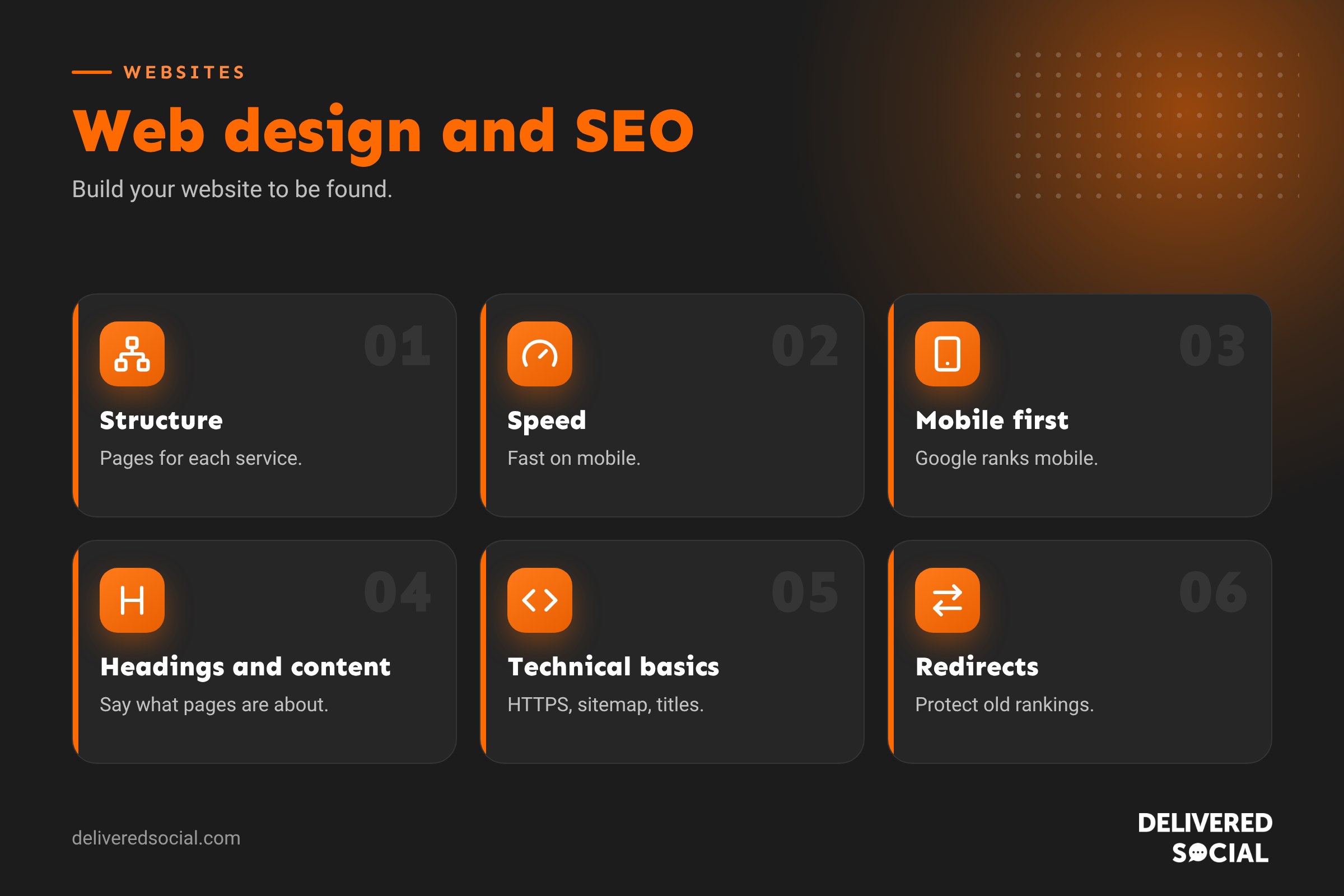
1. Plan your structure around what people search
Before any design work, research the words your customers use. If people search for “kitchen fitter Woking”, “kitchen design” and “kitchen worktops”, those could each deserve their own page. A good structure usually includes:
- A clear home page explaining who you are, what you do and where.
- One page per main service.
- Location pages if you serve several towns, written properly rather than copied.
- About, reviews, case studies and contact pages.
- A blog or guides section answering customer questions.
2. Design for speed
Slow sites lose visitors and rankings. Speed is affected by hosting, theme, plugins, image sizes and code. Ask your designer to:
- Use fast, reliable hosting.
- Compress images and use modern formats such as WebP.
- Keep plugins and scripts to a minimum.
- Use caching and a content delivery network where appropriate.
- Test with Google PageSpeed Insights before launch.
3. Design mobile first
Most visitors arrive on phones, and Google ranks sites based on their mobile version. Design for small screens first: readable text, big buttons, simple menus, and phone numbers that can be tapped to call. Don’t hide important content on mobile.
4. Use clear headings and content
- One H1 heading per page that says what the page is about.
- Logical H2 and H3 subheadings.
- Enough written content to explain your service properly, not just a few words over a big photo.
- Answers to common questions, which can help you appear in search features and AI answers.
5. Get the technical basics right
- HTTPS with a valid security certificate.
- Clean URLs, such as /kitchen-design/ rather than /page?id=123.
- XML sitemap submitted to Google Search Console.
- Robots settings that allow search engines to index the live site.
- Title tags and meta descriptions for every page.
- Schema markup for your business, reviews and FAQs where relevant.
- No broken links or orphan pages.
6. Plan redirects when redesigning
If you’re replacing an existing website, the biggest SEO risk is losing rankings because old pages disappear. Before launch, list every old URL that gets traffic or has links, and set up 301 redirects to the most relevant new page. Keep important content and keywords, and check Search Console closely for errors after launch.
7. Design for conversions too
SEO brings visitors; design turns them into customers. Clear calls to action, trust signals such as reviews and accreditations, simple contact forms and a fast, friendly experience all help. Good conversion design also helps SEO indirectly, because people who find what they need stay longer and come back.
Questions to ask your web designer
- Will you plan the site structure around keyword research?
- How will you make sure the site loads quickly on mobile?
- Will I be able to edit titles, meta descriptions and content myself?
- How will you handle redirects from my old site?
- Will you set up Google Search Console and Analytics?
- Is the site accessible and built to current standards?
- Who looks after updates, security and backups after launch?
Web design and SEO launch checklist
- Keyword research done and pages mapped to keywords.
- Unique title and meta description on every page.
- One H1 per page, logical subheadings.
- Images compressed with alt text.
- Mobile layout tested on real phones.
- PageSpeed Insights scores checked.
- HTTPS working everywhere.
- Sitemap submitted, site indexable.
- 301 redirects from old URLs.
- Google Business Profile linked to the website.
- Analytics and conversion tracking working.
After launch: keep SEO going
A well-built website is the foundation, not the finish line. Keep adding helpful content, update service pages, collect reviews, build local citations and links, and check Search Console monthly for issues and opportunities. Our guide to social media optimisation explains how your social profiles can support your website too.
Local SEO and your website design
If you serve customers in specific areas, your website should make that obvious to people and search engines. Include your address and phone number in the footer, add a contact page with a map, mention the towns you serve naturally in your content, create genuinely useful location pages where it makes sense, and link your website to your Google Business Profile. Reviews displayed on the site and on Google add trust for both visitors and search engines.
Accessibility and SEO go hand in hand
Many accessibility practices also help SEO. Descriptive alt text helps screen reader users and image search. Clear heading structures help people who navigate by headings and help Google understand the page. Good colour contrast, readable font sizes and descriptive link text, such as “view our kitchen design service” rather than “click here”, make sites easier for everyone to use. An accessible website reaches more customers and sends positive signals to search engines.
Content management matters
Choose a website platform that lets you, or your team, easily edit text, add pages, update titles and meta descriptions, and publish blog posts. If every change needs a developer, your website will quickly go out of date, and fresh, helpful content is one of the most important long-term SEO factors. WordPress is popular for this reason, but whatever platform you choose, make sure you can manage the basics yourself.
Quick glossary
- Indexing: Google adding your pages to its database.
- 301 redirect: a permanent redirect from an old URL to a new one.
- Schema markup: code that helps search engines understand your content.
- Core Web Vitals: Google’s measures of loading, responsiveness and visual stability.
- Search Console: Google’s free tool for monitoring how your site appears in search.
Signs your current website is holding back your SEO
- It’s slow to load on mobile.
- Service pages have only a few lines of text.
- All your services are crammed onto one page.
- You can’t easily edit content or page titles.
- It looks dated or breaks on some phones.
- Search Console shows lots of errors or unindexed pages.
If several of these apply, a well-planned redesign could improve both rankings and enquiries.
Key takeaways
- SEO should be planned from the start of a web design project.
- Structure, speed, mobile design and content all affect rankings.
- Plan redirects carefully when replacing an old website.
- Good design turns search visitors into customers.
- Keep improving the site after launch.
Plan SEO in from the very first conversation with your web designer, and your new website will be far better placed to bring in customers from day one.
If you already have a website, start with a free audit in Google Search Console and PageSpeed Insights to see where you stand.
Then fix the biggest issues first.
Frequently asked questions
Does web design affect SEO?
Yes. Structure, speed, mobile design, code and content all affect how well a site ranks.
Can a new website hurt my SEO?
It can if old pages are removed without redirects or important content is lost. Careful planning prevents this.
Should I hire a web designer who understands SEO?
Yes. It’s far easier to build SEO in than to fix it later.
How long after launch will a new site rank?
It varies, but it usually takes weeks to months, depending on competition and content.
Is WordPress good for SEO?
Yes, when it’s built well, kept fast and managed properly.
Want a website built to be found?
We design and build SEO-friendly websites for businesses across Surrey, Hampshire and the UK. Read our guide to what SEO is, see our digital marketing services or call us on 01483 608 303.































