



Keep reading
Rather we just did it for you?
Let's get your business seen.
Social media, websites, SEO and ads from a team you can actually meet.
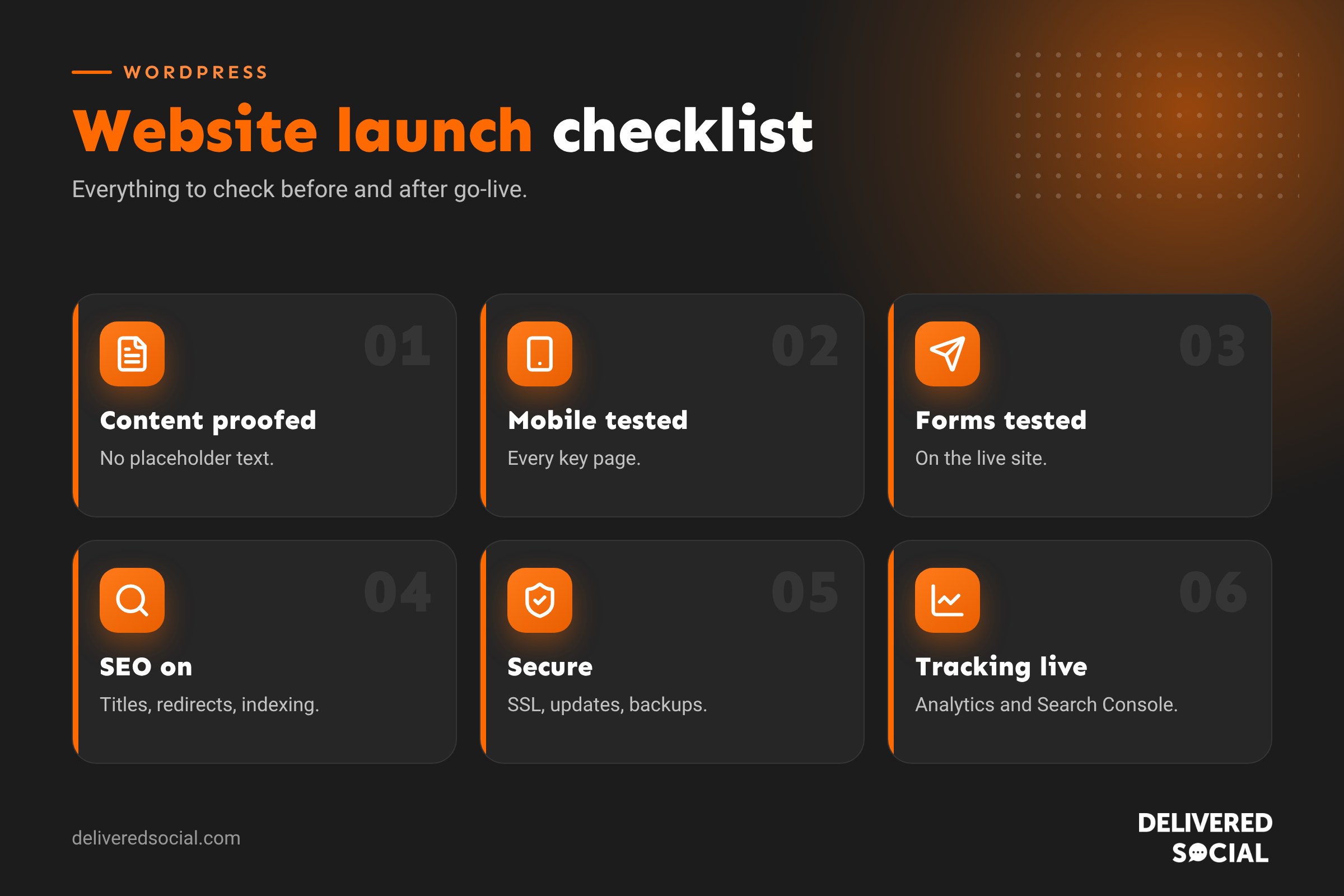
Launching a new website is exciting, but it’s also when small oversights cause big headaches: a contact form that sends nowhere, a site still hidden from Google, or broken links on the pages that matter most. A simple checklist catches these before your customers do. This WordPress website launch checklist walks through everything to check before, during and after go-live, from content and SEO to speed, security, tracking and legal pages, so your new site launches smoothly and starts bringing in enquiries from day one.
Before you start: set a launch plan
- Pick a launch day and time when someone is available to fix problems. Avoid Friday afternoons and your busiest trading days.
- Agree who does what: who checks content, who tests forms, who handles DNS and who announces the launch.
- Take a full backup of the old site, if there is one, and of the new site before go-live.
- List your old URLs if you’re replacing a site, so you can redirect them.
1. Content checks
- Every page has final, proofread copy. No “lorem ipsum” or placeholder text.
- Spelling and grammar checked, using UK English consistently.
- Phone numbers, email addresses and opening hours are correct everywhere.
- Prices, offers and service descriptions are up to date.
- Images are your own or properly licensed, with no watermarks.
- Every image has descriptive alt text.
- Team photos and bios are current.
- Reviews and testimonials are real and used with permission.
- The footer shows the right company details, address and copyright year.
2. Design and mobile checks
- Test every key page on a real phone, tablet and desktop.
- Check menus open and close properly on mobile.
- Buttons are large enough to tap and clearly labelled.
- Text is readable without zooming, with good colour contrast.
- Nothing overlaps, cuts off or scrolls sideways on small screens.
- The favicon (the small browser tab icon) is set.
- Check the site in different browsers, such as Chrome, Safari, Edge and Firefox.
3. Forms and functionality
- Submit every form and confirm the email arrives in the right inbox.
- Check the confirmation message or thank-you page appears.
- Make sure autoresponders, if used, read well.
- Test spam protection without blocking real enquiries.
- Click-to-call phone numbers and email links work on mobile.
- Booking systems, maps, live chat and other integrations work.
- For shops: test the full checkout, payments, order emails, delivery options and stock levels.
- Check 404 pages show a helpful message and links.
4. Links and navigation
- Run a broken link check across the whole site.
- Make sure links point to the live domain, not a staging or development address.
- Social media icons link to the right profiles.
- Internal links between related pages are in place.
- The logo links back to the home page.
5. SEO checks
- Turn off “Discourage search engines” in Settings, then Reading. This is the most common launch mistake.
- Every page has a unique SEO title and meta description.
- Each page has one clear H1 heading.
- URLs are short, readable and use hyphens.
- An XML sitemap is generated and accessible.
- Robots.txt doesn’t block important pages.
- 301 redirects are set up from old URLs to the matching new pages.
- Structured data, such as LocalBusiness or Organisation schema, is in place where relevant.
- Open Graph images and titles are set for social sharing.
Our WordPress SEO checklist and site migration SEO checklist go into more detail.
6. Speed and performance
- Images are compressed and sized correctly, ideally in modern formats like WebP.
- Caching is switched on and working.
- Unused plugins and themes are removed.
- Test key pages with a speed tool and fix the biggest issues.
- Check Core Web Vitals on mobile.
Read why website loading speed matters for conversions and SEO.
7. Security checks
- An SSL certificate is installed and the whole site loads on https.
- http pages redirect to https automatically.
- WordPress, themes and plugins are fully updated.
- Admin accounts use strong passwords and two-factor authentication.
- Old test users and developer accounts are removed or downgraded.
- A security plugin or host-level firewall is active.
- Automatic, off-site backups are scheduled.
See our guide: is WordPress safe?
8. Tracking and analytics
- Google Analytics is installed and recording visits.
- Conversion events are set up for forms, calls, bookings and sales.
- Google Search Console is verified and the sitemap submitted.
- Any advertising pixels, such as Meta or LinkedIn, are installed.
- Cookie consent works and respects visitors’ choices.
- Google Business Profile links to the new website address.
9. Legal and accessibility
- A privacy policy explains how you collect and use personal data.
- A cookie policy and consent banner are in place.
- Terms and conditions are published if you sell online.
- Company registration details appear where required for UK limited companies.
- Accessibility basics are covered: headings, alt text, contrast, keyboard navigation and form labels.
10. Go-live day
- Take a final backup.
- Point the domain or switch hosting as planned.
- Check the site loads on the live domain with https.
- Confirm search engine visibility is switched on.
- Test forms again on the live site.
- Clear all caches.
- Submit the sitemap in Search Console.
- Check email still works if DNS records were changed.
11. After launch: the first 30 days
- Watch Search Console for crawl errors and 404s, and fix them.
- Monitor rankings and traffic for drops on important pages.
- Check enquiries are arriving as expected.
- Ask a few customers to try the site and share feedback.
- Update your email signatures, social profiles and directories with the new links.
- Announce the launch on social media and in your newsletter.
- Plan regular content, such as blogs and case studies, to keep the site growing.
Common launch mistakes
| Mistake | What happens | How to avoid it |
|---|---|---|
| Leaving “Discourage search engines” on | Google won’t index the site | Check Settings, then Reading, at launch |
| No redirects from old URLs | Lost rankings and broken links | Map old URLs to new pages before launch |
| Untested forms | Missed enquiries | Submit every form on the live site |
| Staging links left in | Broken pages and duplicate content | Search and replace old domains |
| No backups | No safety net if something breaks | Schedule automatic backups from day one |
| Email stops working | Lost messages after DNS changes | Check MX records before switching |
Who should sign off the launch?
Ideally, two people: someone who knows the business well, to check content, prices and tone, and someone technical, to check forms, redirects, tracking and security. A fresh pair of eyes catches mistakes that the people who built the site can’t see any more.
Keeping the site healthy after launch
A website isn’t finished at launch. Regular updates, backups, security monitoring and fresh content keep it fast, safe and ranking. Our guide on backing up a WordPress site is a good place to start, and a website maintenance plan covers the ongoing work for you.
Printable quick checklist
- Content final and proofread.
- Tested on mobile, tablet and desktop.
- All forms tested on the live site.
- No broken links or staging URLs.
- Search engine visibility on.
- Titles, descriptions and redirects done.
- SSL and https working.
- Caching and image compression on.
- Analytics, conversions and Search Console set up.
- Privacy and cookie policies live.
- Backups scheduled.
Telling the world
Once everything checks out, make some noise. Post about the new site on every social channel, email your customers, update your Google Business Profile and directory listings, and ask partners to share it. A launch is a great excuse to remind people what you do.
Quick glossary
- Staging site: a private copy of your website used for building and testing.
- 301 redirect: a permanent redirect from an old URL to a new one.
- DNS: the settings that connect your domain to your website and email.
- XML sitemap: a file listing your pages for search engines.
- SSL: the security certificate that enables https.
Key takeaways
- Plan launch day carefully and take full backups first.
- Test every form, link and checkout on the live site.
- Switch search engine visibility on and redirect old URLs.
- Check speed, security, tracking and legal pages.
- Keep monitoring for the first 30 days after launch.
Frequently asked questions
What should I check before launching a WordPress website?
Content, mobile design, forms, links, SEO settings, speed, security, tracking and legal pages.
Why isn’t my new website showing on Google?
Check “Discourage search engines” is switched off, submit your sitemap in Search Console and give Google time to crawl it.
Do I need redirects when launching a new website?
Yes, if you’re replacing an old site. Redirect old URLs to the matching new pages to keep rankings.
When is the best time to launch a website?
Early in the week, during working hours, when someone is available to fix any problems.
How long does it take Google to index a new website?
Often days to a few weeks. Submitting a sitemap and linking to the site helps speed things up.
Should I keep my old website live until launch?
Yes, keep it live until the new site is ready, then switch over with redirects in place.
Planning a new website?
We design, build and launch WordPress websites for businesses across Surrey, Hampshire and the UK, with every check covered. Call us on 01483 608 303 to talk about your project.































