



Keep reading
Rather we just did it for you?
Let's get your business seen.
Social media, websites, SEO and ads from a team you can actually meet.
You do not need a film crew to make great social media videos. Most of the Reels, TikToks and Shorts that perform well for small businesses are shot on a phone. But a few affordable pieces of kit make a big difference to how professional your videos look and sound. This guide covers the video equipment for social media that is actually worth buying: phones and cameras, microphones, lighting, tripods and gimbals, plus starter kits for different budgets. It is based on what our own videographers use every week.
Start with what matters most
If you only remember one thing: sound and light matter more than the camera. People will watch a slightly soft video with clear audio, but they swipe away from crisp footage with echoey or muffled sound. Get your audio and lighting right before you think about upgrading your camera.
Camera: your phone is probably enough
Recent iPhones, Samsung Galaxy and Google Pixel phones shoot excellent 4K video, handle low light well and are perfect for vertical content. Tips to get the best from yours:
- Use the main rear camera rather than the selfie camera where you can; it is usually better quality.
- Clean the lens before every shoot.
- Shoot in 4K at 30 frames per second for most content, or 60 for movement.
- Lock focus and exposure by tapping and holding on the screen.
- Turn on Do Not Disturb so calls do not interrupt recording.
When might you need a dedicated camera? For longer YouTube content, interviews with two angles, or when you want a blurred background look. Compact vlogging cameras and mirrorless cameras from Sony, Canon, Panasonic and DJI are popular options.
Microphones
A microphone is the single best upgrade for talking to camera videos.
- Wireless clip on microphones: small transmitters that clip to your clothing and send audio to a receiver on your phone. Brands like DJI, Rode and Hollyland are popular. Ideal for talking heads, interviews and walking tours.
- Wired lavalier microphones: a cheaper option for sit down videos.
- Shotgun microphones: mount on a camera or phone rig and pick up sound in front of you; good for filming in one spot.
- USB microphones: for podcasts and voiceovers recorded at a desk.
Always film a short test and listen back with headphones before recording the real thing.
Lighting
Natural light from a window is free and flattering. Face the window, rather than having it behind you. When natural light is not enough:
- Ring lights give even, flattering light for talking heads and beauty content.
- LED panels are more flexible; use one as a key light and a second as fill.
- Small pocket LEDs help on location or for product shots.
- Softboxes create soft, professional light for studio style videos.
Avoid mixing warm and cool light sources, and turn off harsh overhead lights where you can.
Tripods and stabilisers
- Phone tripod: essential for talking heads, recipes, tutorials and time lapses. A tripod that extends to eye level is worth the extra money.
- Flexible tripod: wraps around railings and branches for creative angles.
- Gimbal: smooths out walking shots for tours, events and behind the scenes. Many phones now have good stabilisation built in, so try that first.
- Phone clamp and cold shoe: lets you attach a light or microphone to your rig.
Other useful extras
- Teleprompter app to read scripts while looking at the lens.
- Portable power bank for long shoot days.
- Spare storage: 4K video fills a phone quickly.
- Simple backdrop or a tidy, branded corner of your office.
- Editing apps such as CapCut, InShot or Adobe Premiere Rush. See our guide to video editing apps.
Starter kits by budget
| Budget | What to buy | Good for |
|---|---|---|
| Under £100 | Phone tripod, wired clip microphone, small LED light | Talking heads, product videos |
| £100 to £300 | Eye level tripod, wireless microphone kit, ring light or LED panel | Regular Reels, TikToks, interviews |
| £300 to £800 | Wireless mics, two LED panels, gimbal, tripod | Tours, events, polished content |
| £800 plus | Vlogging or mirrorless camera, lenses, audio recorder, lighting kit | YouTube, brand films, multi camera |
Prices vary and change regularly, so treat these as rough guides.
Setting up a simple filming corner
- Pick a quiet room with soft furnishings to reduce echo.
- Face a window or set your main light at 45 degrees to your face.
- Place the phone at eye level on a tripod, about an arm’s length away.
- Clip on your microphone and test the sound.
- Keep the background tidy, with a touch of branding if possible.
- Film in vertical (9:16) for Reels, TikTok and Shorts.
Check our social media video sizes guide for each platform’s specs.
Common mistakes
- Buying an expensive camera before a microphone.
- Filming with a bright window behind you.
- Recording in empty, echoey rooms.
- Holding the phone at a low, unflattering angle.
- Forgetting to film in vertical for short form platforms.
- Never checking footage until editing, when it is too late to reshoot.
Filming on location
Many small business videos are filmed out and about: at a client’s home, a market stall, a building site or an event. A small grab bag makes these shoots far easier. Pack your phone, a wireless microphone kit, a pocket LED light, a flexible tripod, a power bank and a cloth for the lens. Check the weather and the light before you go, and film a few seconds of extra footage at the start and end of each shot to give yourself room when editing. If you are filming customers or members of the public, ask permission first and be clear about where the video will be posted.
When to bring in a videographer
Phone content is perfect for day to day social media. Bring in a professional for brand films, adverts with a bigger budget, events, case study interviews and anything that will be used for a long time. A good videographer will also help with planning, scripting and editing so the result works for your goals. Many businesses mix the two: a professional shoot every few months for hero content, plus regular phone videos in between.
Accessories that make filming easier
Once you have the basics, a few small extras save time on every shoot. A phone cage or rig gives you mounting points for a light and microphone. A remote shutter or the microphone’s built in record button lets you start and stop filming without walking back to the phone. A small reflector bounces window light onto the shadow side of your face. And a simple clapperboard app or a hand clap at the start of each take makes syncing audio easier if you record sound separately.
Buying tips
- Check compatibility with your phone’s port (USB-C or Lightning) before buying microphones.
- Read reviews from people filming similar content to yours.
- Buy from retailers with good return policies, so you can test kit at home.
- Look at refurbished or second hand cameras and lenses to stretch your budget.
- Avoid kit with lots of features you will not use; simple is quicker on a busy day.
Looking after your kit
Keep microphones and lights charged the night before a shoot, store kit in one bag so nothing gets forgotten, and clean your phone lens before every take. Label cables and spare batteries, and back up footage to cloud storage straight after filming so nothing is lost if a phone is dropped or stolen.
Key takeaways
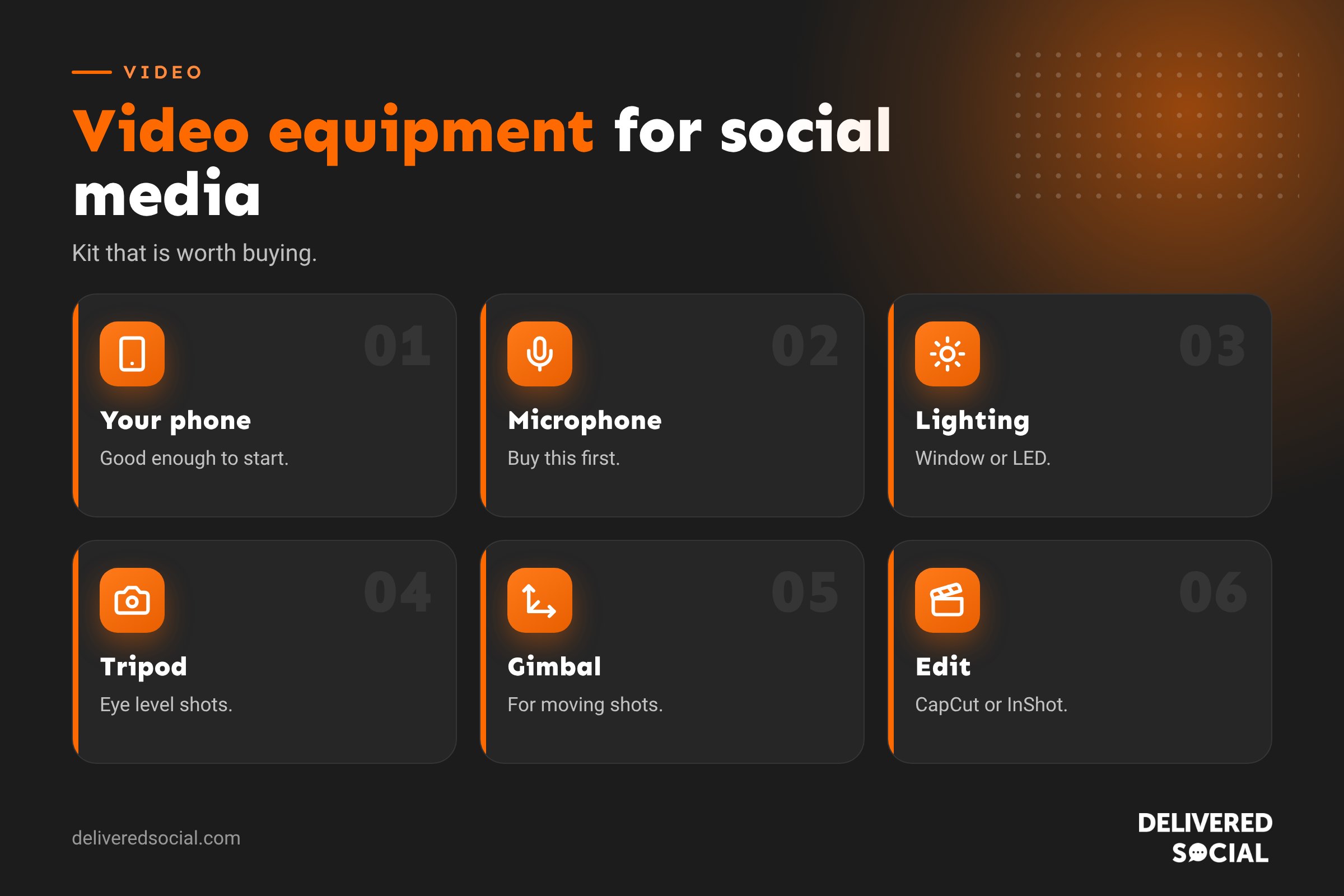
- Your phone is probably good enough to start.
- Buy a microphone first, then lighting, then a tripod.
- Use window light and film at eye level.
- Upgrade gradually as you post more often.
- Use professionals for brand films and key campaigns.
Frequently asked questions
What equipment do I need for social media videos?
A phone, a microphone, a light and a tripod cover most needs.
Is an iPhone good enough for social media video?
Yes. Recent iPhones and Android flagships shoot excellent video.
What is the best microphone for social media?
A wireless clip on microphone kit suits most talking head and interview content.
Do I need a ring light?
Not if you have good window light, but it helps for consistent results.
Do I need a gimbal?
Only for lots of walking or moving shots; phone stabilisation is often enough.
Should I film in 4K?
Yes, it gives you room to crop and looks sharp.
What frame rate should I use?
30 frames per second for most content, 60 for action.
How much should a small business spend?
£100 to £300 gets a very capable starter kit.
Which editing app should I use?
CapCut and InShot are easy, free or low cost options.
Should I hire a videographer?
For brand films, adverts and key campaigns, it is usually worth it.
Can I use my laptop webcam?
It is fine for video calls, but a phone usually gives much better quality.
Is a tripod really necessary?
For talking to camera and tutorials, yes. It keeps shots steady and frees your hands.
Want professional video for your social media?
Our videographers film and edit social media content for businesses across Surrey, Hampshire and the UK. Call us on 01483 608 303.
































