



Keep reading
Rather we just did it for you?
Let's get your business seen.
Social media, websites, SEO and ads from a team you can actually meet.
Meta ads (Facebook and Instagram advertising) can bring a steady flow of leads and sales for small businesses, but they can also eat a budget with little to show for it. The difference usually comes down to a handful of fundamentals: tracking, campaign structure, audiences, creative and testing. This guide sets out Meta ads best practices for UK small businesses in plain English, based on what we see working across client accounts.
1. Set up tracking before you spend
Meta’s algorithm learns from conversions. Without good data, it cannot find the right people.
- Install the Meta Pixel on your website.
- Add the Conversions API (server side tracking) for more reliable data. Many WordPress and Shopify integrations make this easy.
- Track the actions that matter: purchases, leads, bookings, calls.
- Verify your domain in Meta Business Manager.
- Check events are firing correctly in Events Manager before launching.
2. Choose the right objective
Meta optimises for whatever objective you pick. If you choose Traffic, it finds people who click, not necessarily people who buy. Match the objective to the result you want:
| Goal | Objective |
|---|---|
| Online sales | Sales |
| Enquiries and form fills | Leads |
| Bookings on your website | Sales or Leads, optimised for the booking event |
| Local awareness | Awareness |
| Video views to build an audience | Engagement |
3. Keep the account structure simple
Many small accounts are split into too many campaigns and ad sets, each with a tiny budget. The algorithm needs enough data to learn. Consolidate:
- One prospecting campaign for new customers.
- One retargeting campaign for website visitors and engaged audiences, if you have the volume.
- Several ads inside each ad set, rather than lots of ad sets with one ad each.
4. Let the algorithm find your audience
Detailed interest targeting matters less than it used to. Broad targeting, or Advantage+ audience, with strong creative often performs better because Meta can find buyers you would never have guessed. Do set sensible limits, such as location, age where relevant, and exclusions for existing customers if you are targeting new ones.
For local businesses, target a realistic radius around your premises or service area.
5. Creative is your targeting
Because audiences are broad, your creative does the targeting. The message, visuals and hook decide who stops scrolling.
- Use vertical video (9:16) for Reels and Stories, and 4:5 for feeds.
- Hook people in the first two or three seconds.
- Show the product, service or result early.
- Add captions; many people watch without sound.
- Use real people, real customers and real results.
- Include a clear call to action.
See our guide to Facebook ad sizes for specs.
6. Test creative, not just settings
The biggest gains come from new creative. Test different:
- Hooks and opening lines.
- Formats: video, carousel, static image.
- Angles: price, quality, speed, social proof, problem and solution.
- Offers and calls to action.
Add two or three new ads every couple of weeks, and switch off the weakest performers.
7. Give campaigns time to learn
New ad sets go through a learning phase. Constant tweaks reset it. Make changes in planned steps, avoid editing daily, and judge performance over at least a week, ideally longer.
8. Budget sensibly
Your budget should allow enough conversions for the algorithm to learn. If your target cost per lead is £30 and you spend £5 a day, you will get very little data. Start with a test budget, prove the cost per result, then scale gradually, increasing budgets by around 20 per cent at a time. Our guide to Facebook ads costs in the UK has typical figures.
9. Make the landing page match
A great ad sending people to a slow, confusing page wastes money. Make sure your landing page:
- Loads quickly on mobile.
- Matches the ad’s message and offer.
- Has one clear action, such as book, buy or enquire.
- Shows trust signals: reviews, guarantees, accreditations.
For simple lead generation, Meta’s instant forms can work well, but add a qualifying question to filter out low quality leads.
10. Measure what matters
Judge success on cost per lead, cost per sale and return on ad spend, not likes or clicks. Cross check results in Google Analytics and your own sales records, because platforms attribute conversions differently.
Best practice checklist
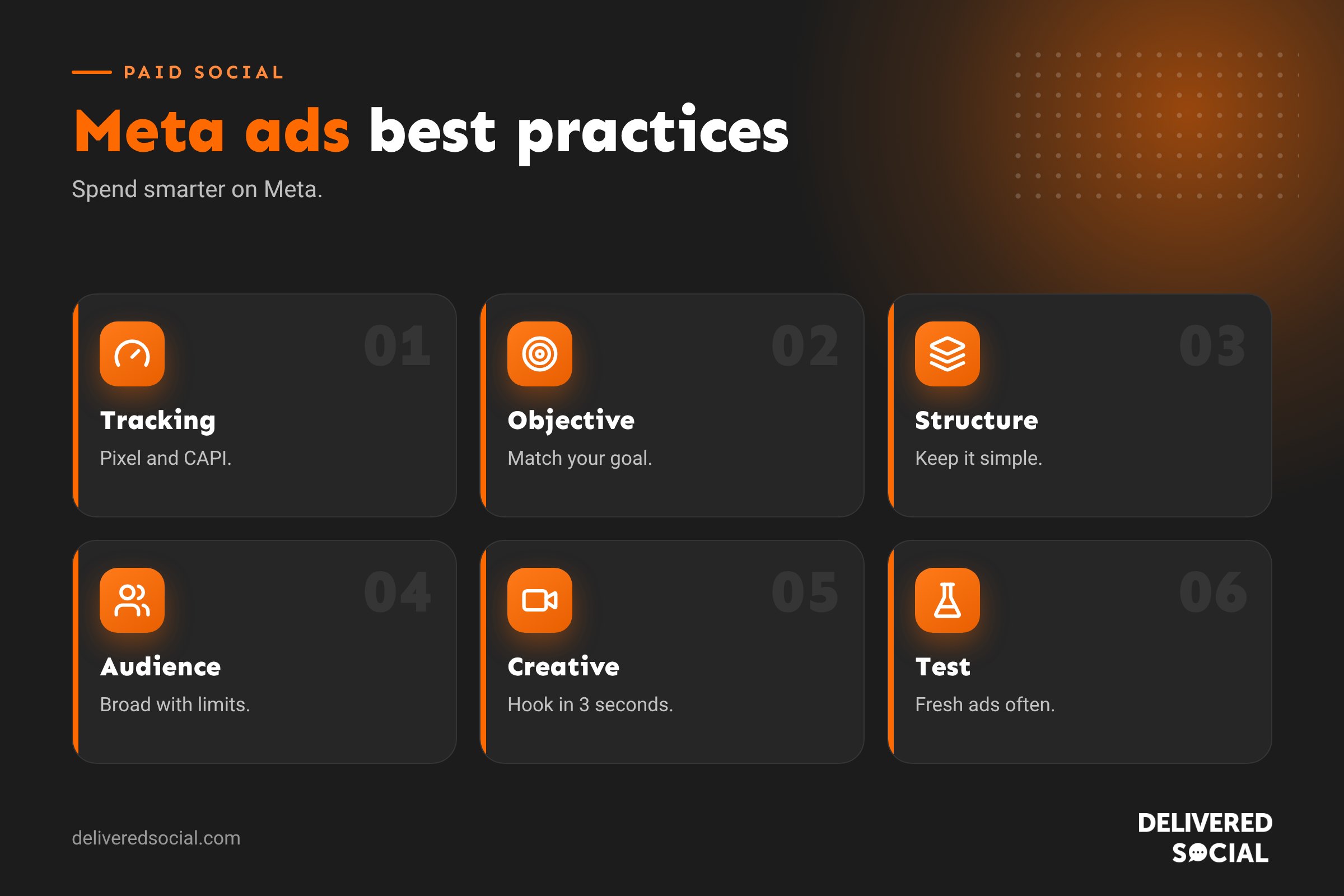
| Area | Best practice |
|---|---|
| Tracking | Pixel plus Conversions API, events tested |
| Objective | Matches the business goal |
| Structure | Few campaigns, consolidated budgets |
| Audience | Broad or Advantage+, sensible limits |
| Creative | Vertical video, strong hook, captions |
| Testing | New creative every couple of weeks |
| Budget | Enough to learn, scale gradually |
| Landing page | Fast, relevant, one clear action |
Common mistakes
- Using the Boost button instead of Ads Manager.
- Optimising for clicks or engagement when you want sales.
- Too many tiny ad sets.
- Running the same creative for months until it fatigues.
- Switching campaigns off after two days.
- No tracking, so no way of knowing what works.
If you are still deciding between boosting and full campaigns, see our guide to boosting Facebook posts.
Retargeting done well
Most people do not buy the first time they see an advert. Retargeting shows ads to people who have already shown interest, such as website visitors, people who watched your videos or those who engaged with your Instagram. It is often the cheapest source of sales, but it needs care:
- Use different messages for different stages: reminders, reviews and offers for warm audiences rather than repeating the first advert.
- Limit how often people see your ads so you do not annoy them.
- Exclude people who have already bought or enquired.
- Keep windows sensible: 30 days for most services, shorter for impulse purchases.
Special ad categories
If you advertise housing, employment, credit or financial products, or social and political issues, Meta requires you to declare a special ad category. This limits targeting by age, gender and postcode. Plan for broader targeting and stronger creative in these sectors, and check Meta’s advertising policies before you launch.
Ad copy that works
Your visuals stop the scroll; your copy closes the deal. Keep the first line short and specific, because only the first sentence or two shows before “more”. Lead with the benefit or the problem you solve, add proof such as reviews or numbers, and finish with one clear action. Write as you would speak to a customer, avoid jargon and keep claims accurate. Test a short version against a longer, story led version; the winner often surprises people.
Using Advantage+ features
Meta now offers many automated Advantage+ options: audiences, placements, creative enhancements and full Advantage+ shopping campaigns. These can work very well because the algorithm has more freedom to find results. Our advice is to use them, but keep an eye on the details. Check which creative enhancements are switched on, review where ads are being shown, and make sure automation is optimising towards your real conversion event, not a softer one.
Reviewing performance each week
A short weekly check keeps campaigns healthy without constant tinkering. Look at cost per result against your target, frequency (how often the same people see your ads), click through rate as a sign of creative fatigue, and the quality of leads or sales that came through. If frequency is climbing and results are slipping, it is usually time for fresh creative rather than new targeting.
Key takeaways
- Tracking comes first.
- Pick the objective that matches your goal.
- Keep structure simple and audiences broad.
- Creative is the biggest lever; test it constantly.
- Give campaigns time and measure real business results.
Frequently asked questions
What are Meta ads best practices for small businesses?
Good tracking, the right objective, simple structure, broad audiences and strong, regularly refreshed creative.
Should I use broad targeting on Meta?
Often, yes, combined with strong creative and sensible location limits.
How often should I change my Meta ads?
Add fresh creative every couple of weeks and avoid daily setting changes.
What is the Conversions API?
Server side tracking that sends conversion data directly to Meta, improving accuracy.
How long is the learning phase?
Usually until an ad set gets around 50 conversions in a week, or several days.
Is boosting a post the same as running ads?
No. Ads Manager gives far more control over objectives, targeting and tracking.
What ad format works best?
Short vertical video often performs best, but test carousels and images too.
How much should I spend on Meta ads?
Enough to generate meaningful results; start with a test, then scale.
Why are my Meta ads not working?
Common causes are poor tracking, the wrong objective, weak creative or a poor landing page.
Do Meta ads work for B2B?
They can, especially for lead magnets and retargeting, alongside LinkedIn.
What is Advantage+?
Meta’s set of automated targeting, placement and creative features.
How long should ad copy be?
Test both; keep the first line short and compelling either way.
Should I hire an agency for Meta ads?
If you lack time or results have stalled, an experienced agency can set up tracking, creative testing and reporting properly.
Want your Meta ads managed?
We plan, create and manage Facebook and Instagram ads for businesses across Surrey, Hampshire and the UK. Call us on 01483 608 303.
































