




Keep reading
Rather we just did it for you?
Let's get your business seen.
Social media, websites, SEO and ads from a team you can actually meet.
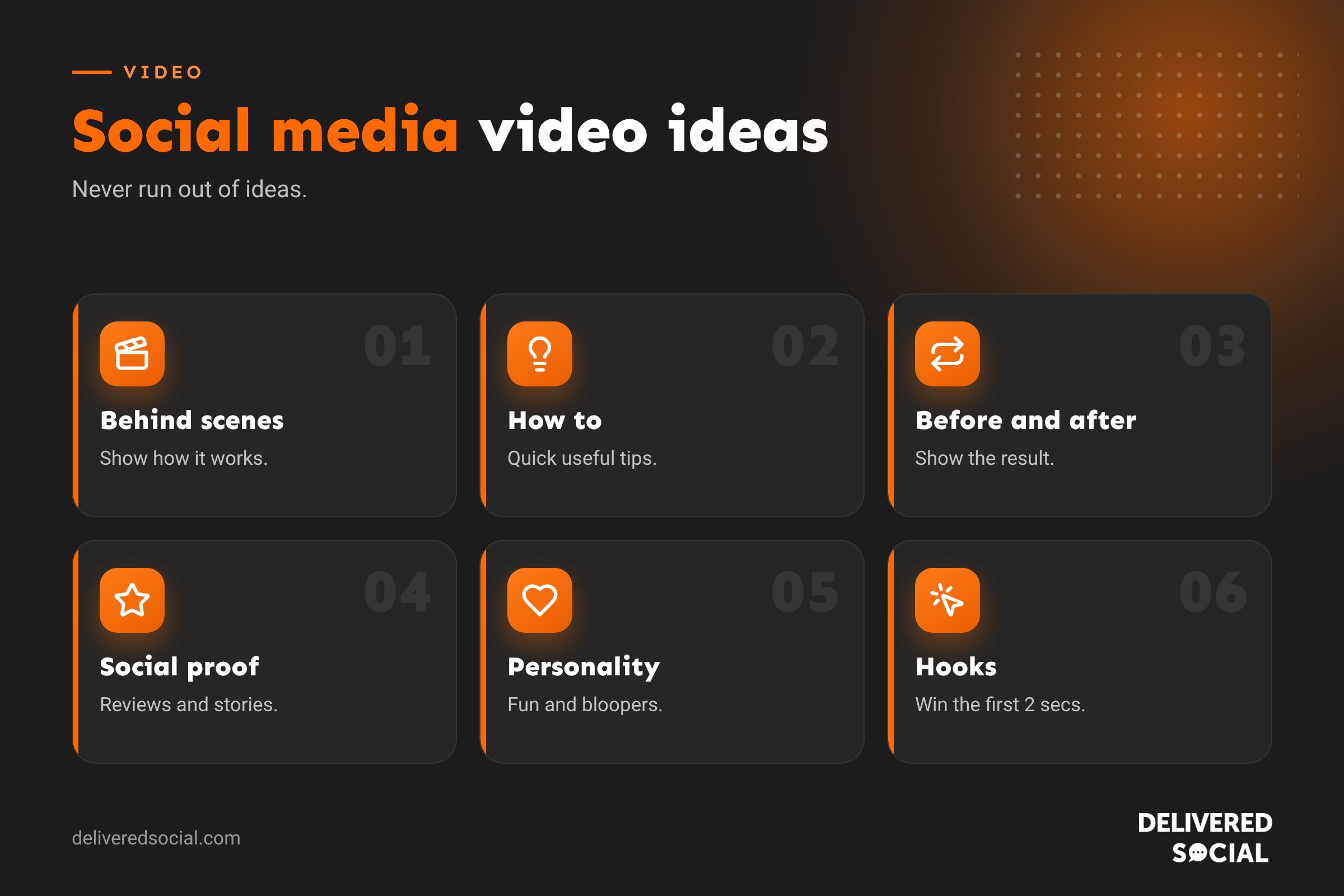
Video is the most powerful format on social media right now. Reels, TikToks, YouTube Shorts and LinkedIn videos reach more people than almost any other type of post. The hardest part for most businesses is not filming; it is knowing what to film. This guide gives you dozens of social media video ideas for businesses, scroll stopping hooks, and simple tips to plan, film and post consistently.
Why video works
- Platforms push short video to new audiences.
- Video builds trust faster than photos: people see and hear you.
- It shows products and services in action.
- It works across Instagram, TikTok, YouTube, Facebook and LinkedIn.
Behind the scenes ideas
- A day in the life of your business.
- How a product is made or packed.
- Setting up for an event or opening the shop.
- Meet the team, one person at a time.
- Your office dog, workshop or kitchen.
- A sneak peek of something new.
Educational and how to ideas
- Three tips your customers would find useful.
- Common mistakes to avoid.
- How to use your product properly.
- Myth versus fact in your industry.
- A quick tutorial or demo.
- Answer one frequently asked question per video.
Before and after ideas
- Project transformations: rooms, gardens, hair, cars, websites.
- Time lapses of work in progress.
- Product before and after use.
- Then and now: your business years ago versus today.
Social proof ideas
- Customer testimonials filmed on a phone.
- Reading out a five star review.
- Unboxing videos from customers (with permission).
- Case study in 30 seconds: problem, solution, result.
- Awards, accreditations and milestones.
Personality and fun ideas
- Bloopers and outtakes.
- Team reactions to industry trends.
- Trending audio with your own twist.
- “Things only [your industry] people understand”.
- Quick polls answered on camera.
Product and service ideas
- New arrivals or seasonal ranges.
- Your three best sellers.
- Comparison of two options and who each suits.
- What is included in your service, start to finish.
- Pricing explained simply.
Local and community ideas
- Your favourite local spots or suppliers.
- Events and charity work you support.
- Collaborations with neighbouring businesses.
- Local news reacted to from your business’s point of view.
Video ideas by industry
| Industry | Ideas |
|---|---|
| Restaurants and cafés | Dish of the day, chef tips, kitchen prep, regulars |
| Trades | Job time lapses, tool tips, common problems, before and after |
| Retail | New stock, styling tips, packing orders, try ons |
| Beauty and wellbeing | Treatment demos, aftercare tips, transformations |
| Professional services | Quick advice, myth busting, client wins, team intros |
| Charities | Impact stories, volunteer days, appeals, thank yous |
Hooks that stop the scroll
The first two seconds decide whether people keep watching. Try:
- “Stop doing this if you want…”
- “Three things I wish I knew before…”
- “This is what [price] gets you at…”
- “Watch this transformation.”
- “The biggest mistake we see is…”
- “POV: you just…”
- Start with the result, then show how you got there.
Tips for filming
- Film vertically (9:16) for Reels, TikTok and Shorts.
- Use natural light and a microphone for talking videos.
- Keep most videos between 15 and 60 seconds. See how long a social media video should be.
- Add captions; many people watch on mute.
- End with a clear call to action.
Our guide to video equipment for social media covers the kit worth buying.
Plan and batch your videos
- Pick four or five video themes from the lists above.
- Write a simple monthly plan: two or three videos a week.
- Film several videos in one session, changing outfits or backgrounds.
- Edit in a simple app such as CapCut or InShot.
- Schedule posts across platforms, adapting captions for each.
Repurpose every video
One good video can work across several platforms. Post it as a Reel, a TikTok and a YouTube Short, use clips in Stories, turn the key points into a carousel, and add it to a blog post or email newsletter. Remove watermarks before cross posting.
Measure what works
Each month, look at which videos got the most views, watch time, shares and saves. Make more of the themes and hooks that worked, and drop the rest.
Turning ideas into a content calendar
A list of ideas is only useful if it gets used. Here is a simple four week rotation that most small businesses can manage alongside day to day work:
| Week | Video 1 | Video 2 | Video 3 |
|---|---|---|---|
| 1 | Behind the scenes | Three quick tips | Customer review |
| 2 | Before and after | Answer an FAQ | Meet the team |
| 3 | Product or service demo | Myth versus fact | Trend with your twist |
| 4 | Local or community | Common mistake | Month in review |
Repeat the rotation each month with fresh topics. Keep a running note on your phone of questions customers ask; each one is a future video.
Videos for each platform
| Platform | What works best |
|---|---|
| Instagram Reels | Polished but natural, transformations, tips, behind the scenes |
| TikTok | Raw, personality led, trends, storytelling, humour |
| YouTube Shorts | Quick tutorials, answers to search questions, highlights from longer videos |
| Community stories, local news, events, longer videos for older audiences | |
| Expert tips, team culture, client results, talking heads |
Scripting a 30 second video
A simple structure keeps short videos tight:
- Hook (0 to 3 seconds): a bold line, question or the end result.
- Problem (3 to 8 seconds): what your viewer is struggling with.
- Value (8 to 25 seconds): two or three tips, steps or reveals.
- Call to action (25 to 30 seconds): follow, comment, save or book.
Write the script as bullet points rather than full sentences, so you sound natural rather than reading. Film each section separately if that helps, and cut out pauses when editing.
Videos when you do not want to be on camera
- Hands only demos and tutorials.
- Product close ups with on screen text.
- Voiceover over footage of your work.
- Screen recordings for software and digital services.
- Slideshows of photos with captions and music.
- Customer and team members telling the story instead.
Making videos accessible
Add captions to every video, both for accessibility and because many people scroll with the sound off. Most platforms and editing apps can auto generate captions; always check them for mistakes. Use high contrast text, avoid flashing effects, and describe key visuals in your caption where it helps. Accessible videos reach more people and show your business cares.
Seasonal video ideas
| Time of year | Ideas |
|---|---|
| January | New year goals, fresh starts, quiet season behind the scenes |
| Spring | New collections, spring cleaning tips, outdoor projects |
| Summer | Events, holidays, team days out, summer opening hours |
| Autumn | Back to school or work, cosy products, planning for winter |
| Christmas | Gift guides, wrapping, office party, thank you messages, year in review |
Add awareness days relevant to your industry, local events and your own milestones such as anniversaries and new hires.
Video ideas that drive enquiries
Not every video needs to sell, but some should. Videos that tend to bring enquiries include clear explanations of what you offer and who it is for, price guides, walkthroughs of the customer journey from first call to finished job, quick client success stories and limited time offers with a clear deadline. End these with one simple action: book a call, send a message or visit the website.
Getting customers on camera
Customer videos are some of the most persuasive content you can post. Ask happy customers at the end of a job if they would be willing to say a few words on camera, give them two or three simple questions in advance, and keep the clip short. Film in good light with a microphone if possible, and always get written permission to post.
Key takeaways
- Mix behind the scenes, education, proof, product and personality.
- Hook viewers in the first two seconds.
- Film vertically with good light and clear sound.
- Batch film to stay consistent.
- Repurpose every video across platforms.
Frequently asked questions
What videos should a business post on social media?
Behind the scenes, tips, before and after, testimonials and product demos all work well.
How often should I post videos?
Two or three short videos a week is a strong, sustainable target.
How long should social media videos be?
Mostly 15 to 60 seconds for short form platforms.
Do I need to appear on camera?
It helps build trust, but product, hands only and voiceover videos work too.
What makes a good hook?
A bold statement, a question or the end result shown first.
Should I use trending audio?
Yes, when it fits your brand, but use commercially licensed music for business accounts.
Can I post the same video everywhere?
Yes, adapted for each platform and without watermarks.
What app should I use to edit?
CapCut and InShot are easy options for beginners.
How do I know which videos work?
Check views, watch time, shares and saves in each platform’s insights.
What if I run out of ideas?
Use customer questions, reviews and your daily work as endless inspiration.
How do I film a video without feeling awkward?
Start with hands only or voiceover videos, then build confidence with short talking clips.
Want help creating social media video?
Our team plans, films and edits social media video for businesses across Surrey, Hampshire and the UK. Call us on 01483 608 303.
































