



Keep reading
Rather we just did it for you?
Let's get your business seen.
Social media, websites, SEO and ads from a team you can actually meet.
Instagram is one of the best free marketing tools a small business can have. Customers use it to discover local shops, check out restaurants before booking, compare tradespeople’s work and find gifts. But many owners open an account, post a few photos, see little happening and give up. Instagram works when you treat it as a shop window and a conversation, not a noticeboard. This guide explains how to use Instagram for a small business: setting up properly, what to post, how to grow, how to turn followers into customers and how to fit it into a busy week.
Why Instagram works for small businesses
- Visual discovery: people browse photos and videos to find products, places and services.
- Local reach: location tags, local hashtags and Reels help nearby customers find you.
- Trust building: regular posts show your work, team and reviews.
- Direct conversations: customers ask questions and book through DMs.
- Free to start: you can grow without paying for ads, then add ads when ready.
Step 1: Set up a professional account
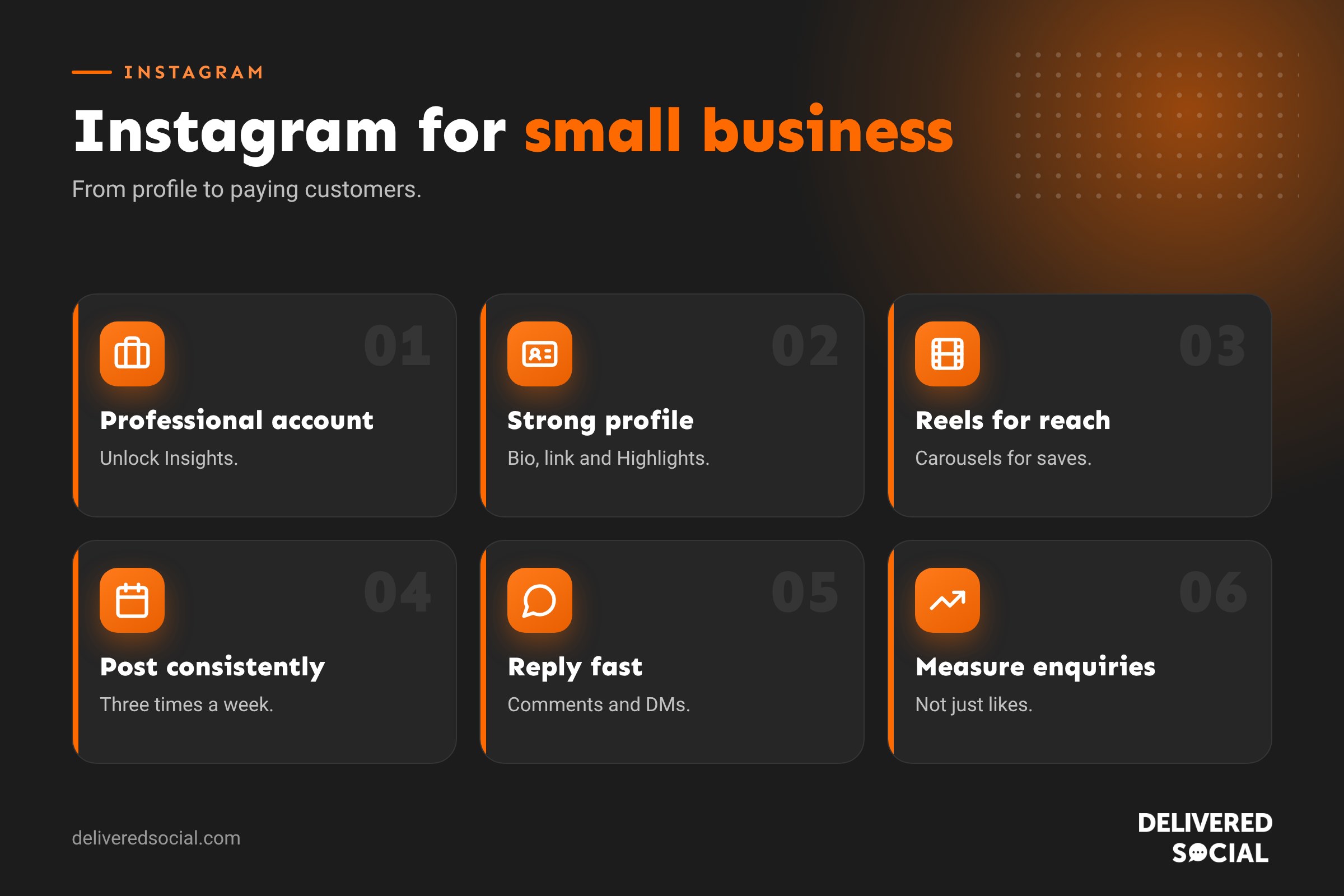
Switch to a professional account (business or creator) in your settings. This unlocks Insights, contact buttons, ads and scheduling tools. Our guide to Instagram business vs creator accounts helps you choose.
Step 2: Optimise your profile
- Profile photo: your logo or a clear photo of you if you are the face of the business.
- Name field: include your business name and a keyword, such as “Rosie’s Bakery | Guildford Cakes”, to help search.
- Bio: what you do, who you help, where you are and a call to action.
- Link: your website, booking page or a link page with key links.
- Contact buttons: add email, phone, directions or booking buttons.
- Highlights: menus, prices, services, reviews, FAQs and how to order.
Step 3: Know your audience and goals
Decide who you want to reach and what you want them to do: visit the shop, book a table, request a quote or buy online. Everything you post should help that goal. A florist might focus on wedding enquiries and gift orders; a plumber on trust and local recommendations.
Step 4: Plan a content mix
- Show your work: products, finished jobs, dishes, before and afters.
- Behind the scenes: making, packing, preparing and your team.
- Helpful tips: quick advice related to what you sell.
- Social proof: reviews, customer photos and testimonials.
- Offers and news: new stock, events, seasonal offers.
- Personality: the story of your business and the people behind it.
Our list of Instagram post ideas for business has dozens more.
Step 5: Use the right formats
Reels
Short vertical videos are the best way to reach people who do not follow you yet. Show a process, a quick tip or a satisfying transformation. Keep them short and hook viewers in the first second. Our guide to Instagram Reels size covers the technical side.
Carousels
Swipeable posts with several images are great for tips, product ranges and step by step guides. They tend to get saved and shared.
Stories
Everyday updates that disappear after 24 hours. Use polls, questions and link stickers. See our guide on how to post an Instagram story.
Photos
Strong single images still work, especially for products and food.
Step 6: Post consistently
Consistency matters more than volume. Three good posts a week plus a few Stories most days is a strong routine for most small businesses. Batch create content once a week and schedule it so it goes out even when you are busy. Our guide to scheduling Instagram posts explains how.
Step 7: Engage with your community
- Reply to comments and DMs quickly and warmly.
- Like and comment on posts from local businesses and customers.
- Reshare customer posts that tag you.
- Collaborate with nearby businesses using collab posts.
Instagram rewards accounts that start conversations, and customers remember businesses that reply.
Step 8: Help people find you
- Add your location to posts and Reels.
- Use a few relevant hashtags, including local ones. See our guide to Instagram hashtags.
- Write keyword rich captions, as Instagram search reads text as well as hashtags.
- Put your Instagram QR code on packaging, menus and your counter.
Step 9: Turn followers into customers
- Include a clear call to action: book, order, message or visit.
- Use link stickers in Stories to send people to your website.
- Set up Instagram Shopping if you sell products online.
- Offer follower only promotions with a code.
- Make booking and enquiry easy through contact buttons and DMs.
Step 10: Measure what works
Check Insights monthly. Look at reach, saves, shares, profile visits, website clicks and messages, not just likes. Note which posts lead to enquiries and sales, and make more like them. Our guide to social media KPIs explains what to track.
Should you pay for Instagram ads?
Ads can speed up growth, promote offers and reach people by location and interests. Start with a small budget boosting your best performing posts, then try targeted campaigns. Our guide to Instagram marketing costs explains typical budgets.
Instagram in 30 minutes a day
- 10 minutes: reply to comments and DMs.
- 10 minutes: post a Story and engage with local accounts.
- 10 minutes: capture photos and clips for future posts.
Then spend an hour once a week planning and scheduling your main posts.
Common mistakes
- Only posting adverts and offers.
- Posting in bursts then going quiet for weeks.
- Ignoring comments and messages.
- No clear bio, link or contact details.
- Judging success on likes instead of enquiries and sales.
Content you can create in an hour a week
Time is the biggest barrier for most small businesses. A simple weekly routine makes Instagram manageable. On Monday, spend 20 minutes taking photos and short clips around your business: products, the team at work, a finished job, the shop front. On Tuesday, spend 20 minutes writing three captions and creating one carousel from a template. On Wednesday, spend 20 minutes scheduling the week’s posts. Then use spare moments each day for Stories and replies. You will have a consistent presence without Instagram taking over your week.
Instagram tips for different types of business
- Cafés and restaurants: mouth watering close ups, specials boards, behind the counter Reels and customer tags.
- Trades: before and afters, quick tips, finished jobs and reviews.
- Salons and beauty: transformations, product recommendations and booking links.
- Retail: new arrivals, styling ideas, gift guides and shoppable posts.
- Professional services: tips, myth busting, team introductions and client stories.
Working with local influencers
Local creators with a few thousand engaged followers can be more effective than big names. Invite them to try your product or service, give them freedom to share their honest experience and make sure any gifted or paid content is clearly labelled as an ad.
Using Instagram alongside your website
Instagram is rented space; your website is owned. Use Instagram to attract attention and build trust, then guide people to your website to book, buy or enquire. Embed your Instagram feed on your site, link to useful pages in Stories and make sure your website matches the look and feel of your Instagram so the journey feels seamless.
Give it three months of consistent effort before judging results, and keep notes on what each post achieved so you learn quickly.
Key takeaways
- Use a professional account and a clear, keyword rich profile.
- Mix your work, behind the scenes, tips, reviews and offers.
- Use Reels for reach, carousels for saves and Stories for daily contact.
- Post consistently, engage with your community and make it easy to buy.
- Measure enquiries and sales, not just likes.
Frequently asked questions
Is Instagram good for small businesses?
Yes, especially for visual, local and consumer businesses, and it is free to start.
How often should a small business post on Instagram?
Around three feed posts a week plus regular Stories is a good target.
Should I use a business or creator account?
Most businesses suit a business account; creators and personal brands may prefer a creator account.
Do hashtags still work?
A few relevant hashtags help, but keywords in captions and great content matter more.
How long does it take to grow on Instagram?
Expect steady growth over months with consistent posting and engagement.
Can I sell directly on Instagram?
Yes, with Instagram Shopping, product tags and links to your online shop.
Do I need a separate business account?
Use a professional account, separate from your personal profile.
Should I post the same content on Facebook?
You can cross post, but tailor captions for each audience.
How do I get my first 100 followers?
Invite customers, add your QR code in store, post consistently and engage with local accounts.
What should I avoid posting?
Blurry photos, constant sales posts and anything you would not want customers to see.
Can Instagram replace my website?
No. Use it to drive people to your website, which you own.
Want Instagram done for you?
We create and manage Instagram for small businesses across Surrey, Hampshire and the UK. Find out more about our Instagram marketing services. Call us on 01483 608 303.
































