



Keep reading
Rather we just did it for you?
Let's get your business seen.
Social media, websites, SEO and ads from a team you can actually meet.
This guide breaks down the top options available in 2026, what to look for before choosing one, and how to use these tools without burning your LinkedIn reputation.
Best LinkedIn Messaging Automation Tools to Scale Your Outreach in 2026
If you’ve ever spent hours sending connection requests, writing follow-up messages, and tracking responses on LinkedIn manually, you already know the problem. It’s slow, inconsistent, and nearly impossible to scale — especially when you’re managing a pipeline of hundreds of prospects at once.
The best LinkedIn messaging automation tools solve this by handling repetitive outreach tasks, keeping your sequences running, and giving you the data you need to improve over time. But not all tools are built the same. Some put your account at risk. Others are too rigid to personalize at scale. And a few are genuinely worth the investment.
This guide breaks down the top options available in 2026, what to look for before choosing one, and how to use these tools without burning your LinkedIn reputation.
What Is LinkedIn Messaging Automation?
LinkedIn messaging automation refers to software that sends connection requests, follow-up messages, InMails, and engagement actions on your behalf — either automatically or through semi-automated sequences you define.
Rather than logging in every day and manually following up with dozens of contacts, automation tools let you build multi-step campaigns that run in the background.
Done right, it means:
- More outreach, less manual work — sequences run even when you’re not at your desk
- Consistent follow-up — no prospect falls through the cracks
- Better personalization at scale — dynamic variables let you customize messages without typing each one
- Trackable performance — you can see what’s working and iterate quickly
The catch? LinkedIn actively monitors for unusual activity. Tools that mimic bot behavior or send too many actions at once can trigger restrictions or permanent bans. That’s why choosing the right tool — and using it responsibly — matters.
Key Features to Look for in LinkedIn Automation Tools
Before comparing specific platforms, here’s what separates quality tools from risky ones:
Cloud-Based vs. Browser-Based
Browser-based tools run as Chrome extensions and operate through your browser. They’re often cheaper but more detectable — LinkedIn can see unusual patterns when your browser activity doesn’t match a human’s.
Cloud-based tools run on dedicated servers, mimicking natural human behavior with randomized delays and activity limits. They’re generally safer for accounts you can’t afford to lose.
Personalization Capabilities
Look for dynamic variables (first name, company, job title, recent post, etc.) that let messages feel individual rather than templated. The best tools also support conditional logic — sending different messages based on whether someone accepted your request, visited your profile, or engaged with your content.
Campaign Automation & Sequences
Multi-step drip sequences are the core of any LinkedIn outreach automation setup. You want full control over timing, delays, conditions, and branching logic.
Analytics & Reporting
Acceptance rates, reply rates, and campaign-level performance metrics help you identify what’s working. Without data, you’re optimizing blind.
CRM Integrations
If your team uses HubSpot, Salesforce, Pipedrive, or another CRM, you’ll want native integration or at least Zapier/webhook support to sync contact data without manual exports.
Team & Agency Features
If you’re managing outreach across multiple accounts (for an agency or a sales team), look for tools that support multi-user access, role permissions, and consolidated reporting.
Best LinkedIn Messaging Automation Tools in 2026
1. Dripify
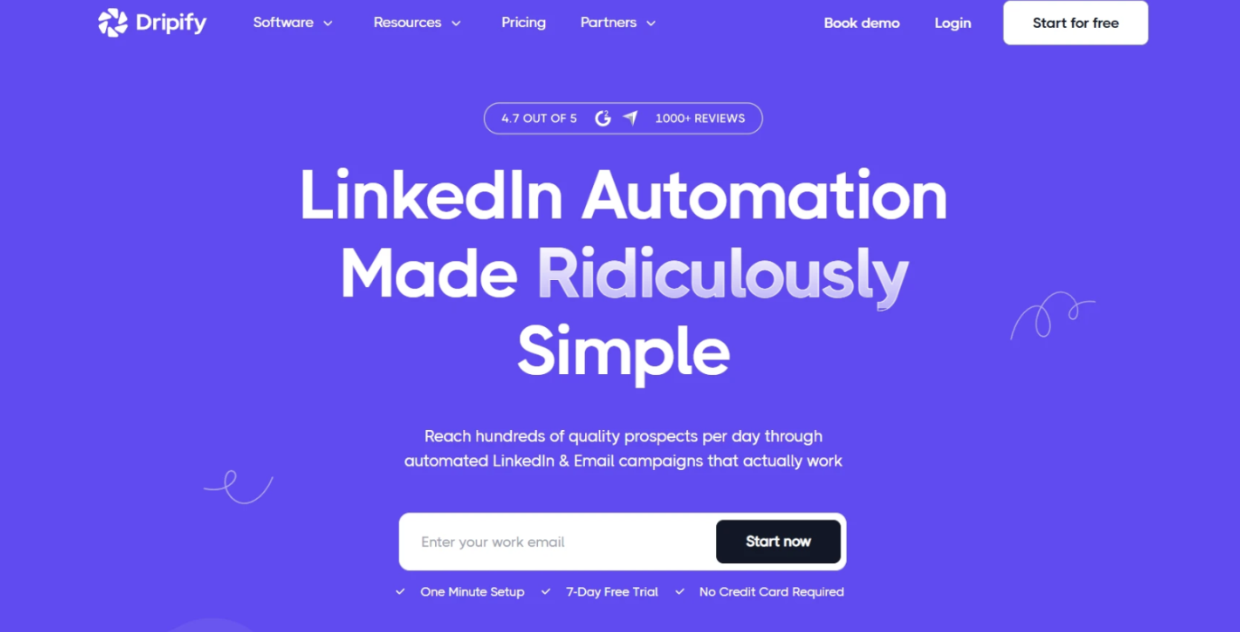
Dripify is a cloud-based LinkedIn automated messaging tool built specifically for sales teams, SDRs, and agencies that need to scale outreach without compromising account safety.
What sets it apart is the combination of smart automation workflows, built-in safety controls, and team management features — all in a clean, approachable interface.
Key Features:
- Cloud-based operation with built-in daily activity limits and human behavior simulation
- Multi-step drip campaigns with conditional logic and branching sequences
- Dynamic personalization (name, company, role, and more)
- Team dashboard with individual seat management and performance tracking
- Built-in analytics: acceptance rates, reply rates, campaign comparisons
- CSV import and LinkedIn Sales Navigator integration
- Zapier and webhook support for CRM syncing
Pros:
- Safer than most browser extensions due to its cloud architecture
- Easy to set up even without a technical background
- Good fit for teams — managers can monitor individual rep performance
- Campaigns can run 24/7 without keeping your browser open
Cons:
- LinkedIn Sales Navigator required for more advanced filtering
- No native email outreach (LinkedIn-only for core functionality)
Ideal for: Sales teams, SDRs, and agencies managing outreach across multiple LinkedIn accounts who want a reliable, cloud-based LinkedIn automation tool without a steep learning curve.
2. Linked Helper
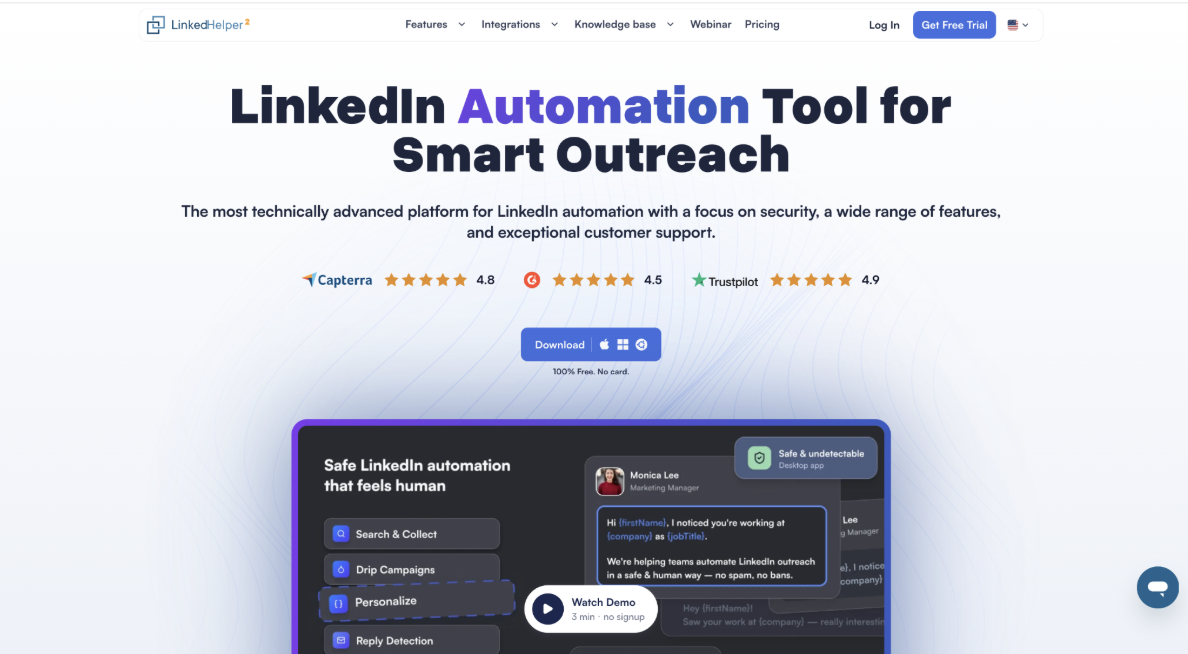
Linked Helper is a desktop-based LinkedIn automation tool that mimics real human clicks and typing. Your session stays on your own machine rather than on a vendor’s server, which is why it is the safest option.
Key Features:
- Multi-step message sequences with conditional logic and smart reply detection
- AI personalization plus AI ICP filtering to target only high-fit prospects
- Built-in email finder, data enrichment, and full conversation-history export
- Built-in CRM with native HubSpot, Salesforce, Pipedrive, and Zoho integrations
- Invite and message LinkedIn event and group members from one campaign
Pros:
- Session token stays on your own machine, unlike most cloud tools
- Widest range of LinkedIn actions in one platform, including events and groups
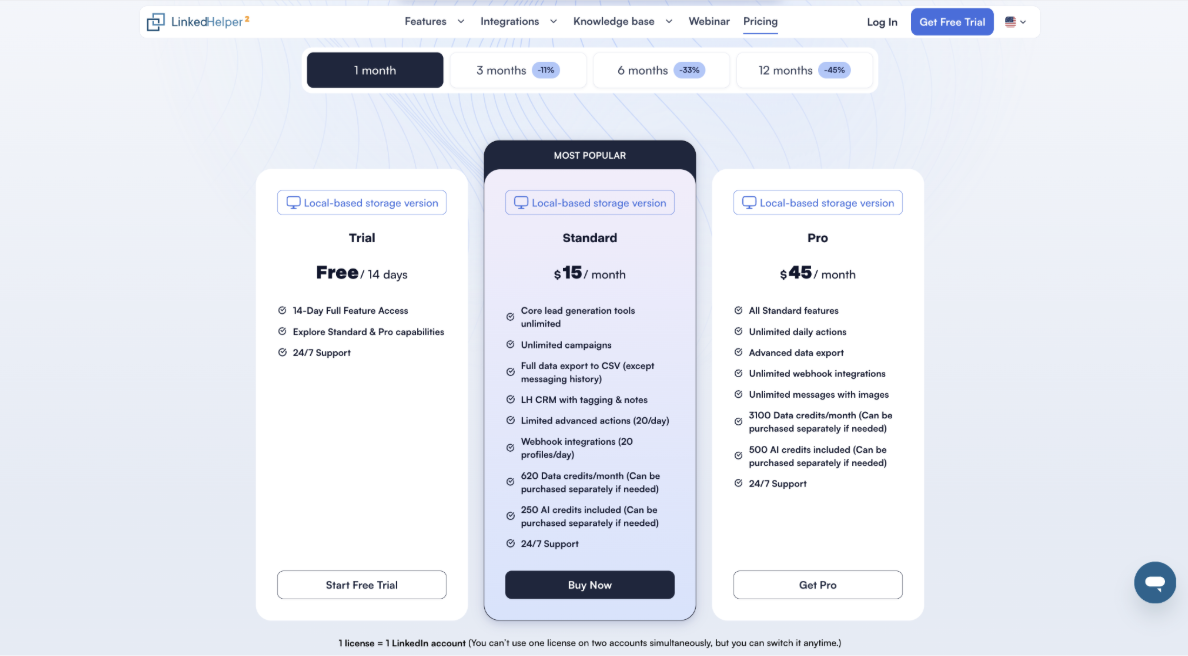
- Affordable entry point at $15/month with a 45% annual discount
- Runs on Windows, macOS, and Linux
Cons:
- Desktop-based, so it needs your machine or a VPS running for campaigns to continue
- LinkedIn-only, with no native email channel
- One license covers a single LinkedIn account
Ideal for: Sales teams, agencies, and solo founders who want the widest range of LinkedIn actions with maximum account safety and full control over their data.
3. Expandi
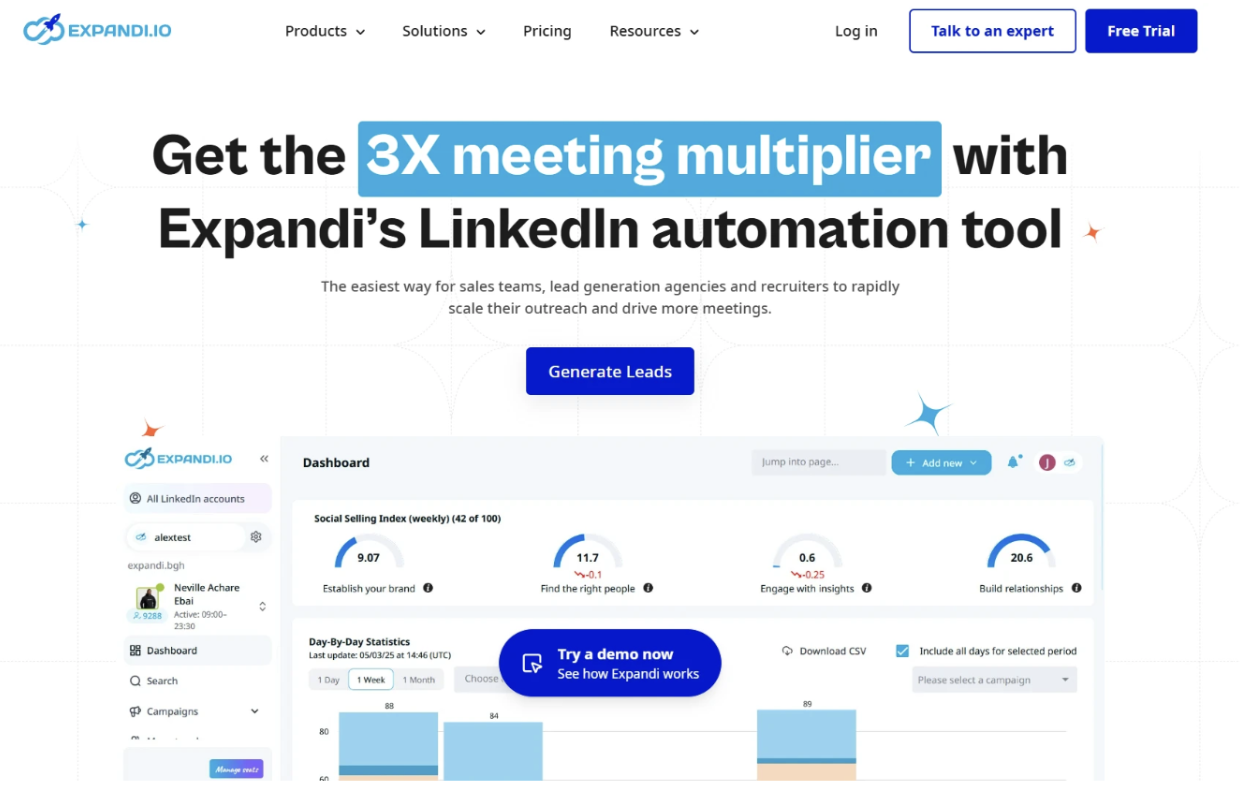
Expandi is another cloud-based LinkedIn automation tool that’s built with agency use cases in mind. It supports image and GIF personalization — a feature that helps messages stand out in crowded inboxes.
Key Features:
- Dynamic image/GIF personalization in messages
- Smart sequences with event-based triggers
- Webhook and Zapier integrations
- Agency dashboard for managing multiple client accounts
Pros:
- Creative personalization features
- Good multi-account management
- Active community and educational resources
Cons:
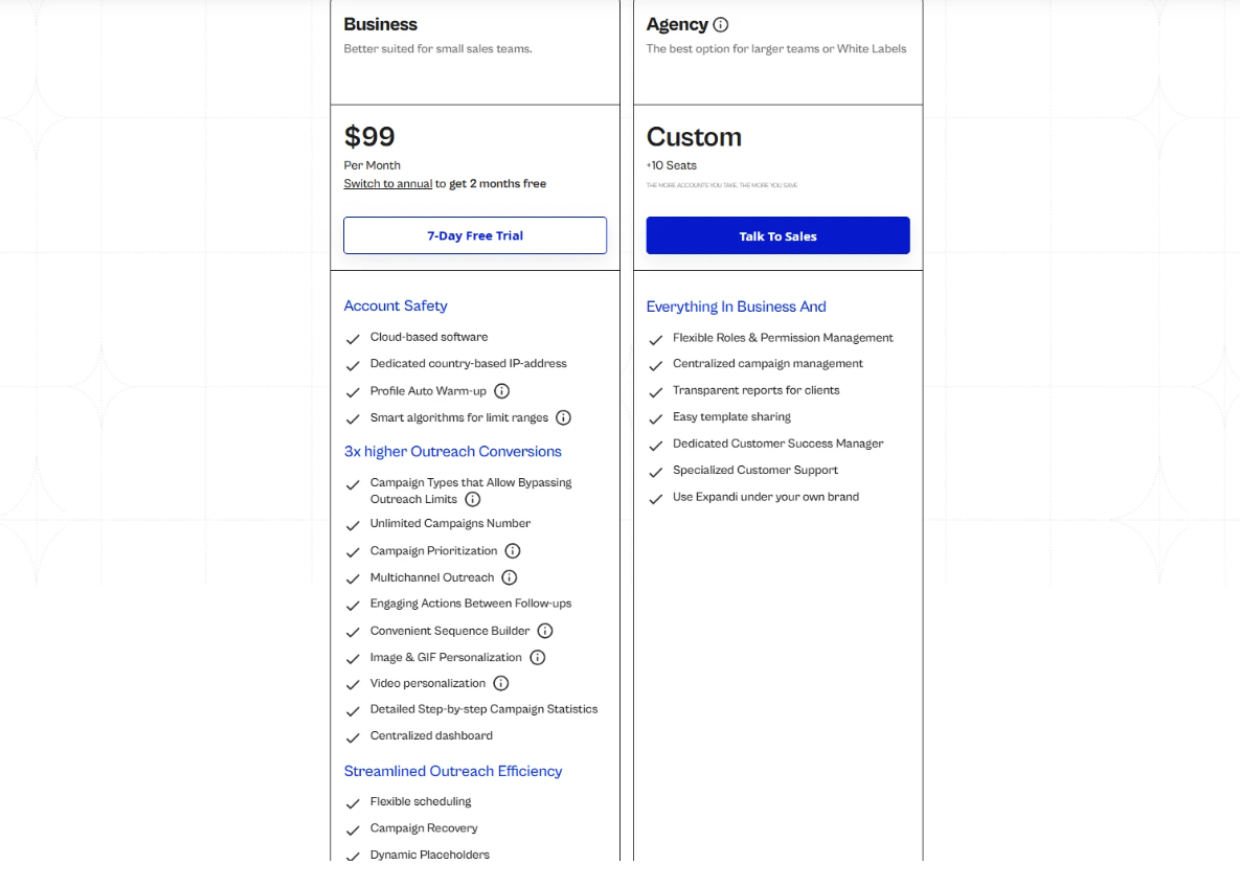
- Pricing is higher than some alternatives
- UI can feel cluttered for new users
Ideal for: Agencies and growth hackers who want more creative personalization options.
4. Lemlist
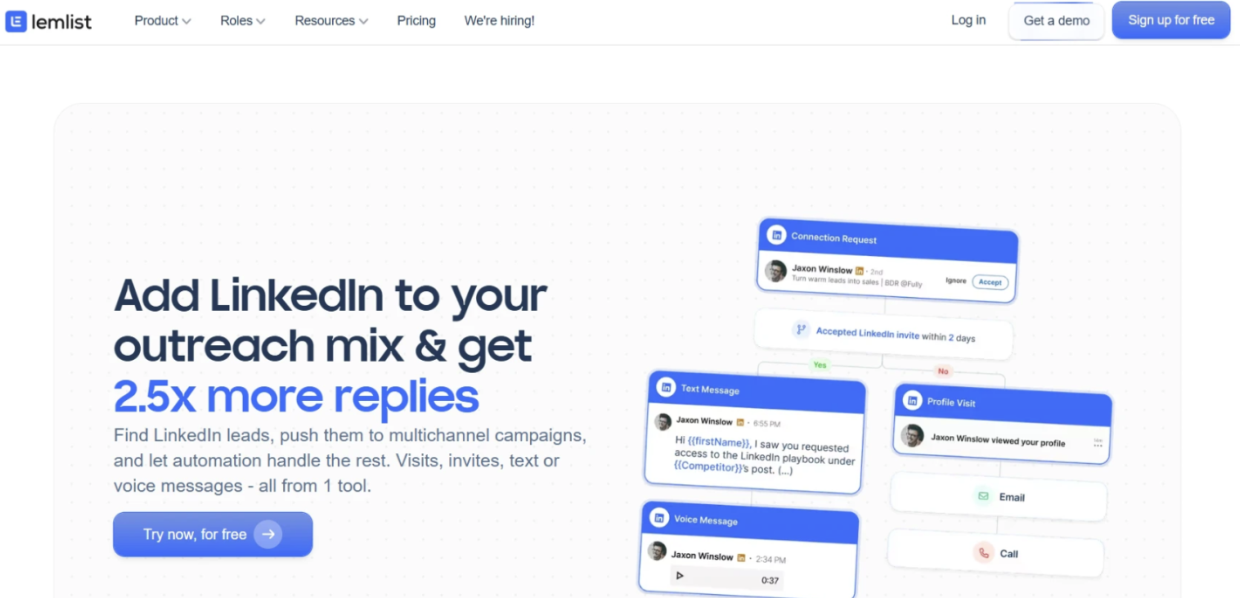
Lemlist is primarily an email outreach tool, but its LinkedIn steps make it a strong option for true multichannel outreach — combining email, LinkedIn messages, and calls in a single sequence.
Key Features:
- Multichannel sequences (email + LinkedIn + calls)
- Personalized images and video thumbnails
- Lemwarm email warming (for email deliverability)
- A/B testing at the sequence level
Pros:
- Best-in-class for multichannel outreach
- Strong email deliverability tools
- Extensive integration library
Cons:
- LinkedIn automation is secondary to email — fewer LinkedIn-specific features
- Can get expensive when combining multiple channels
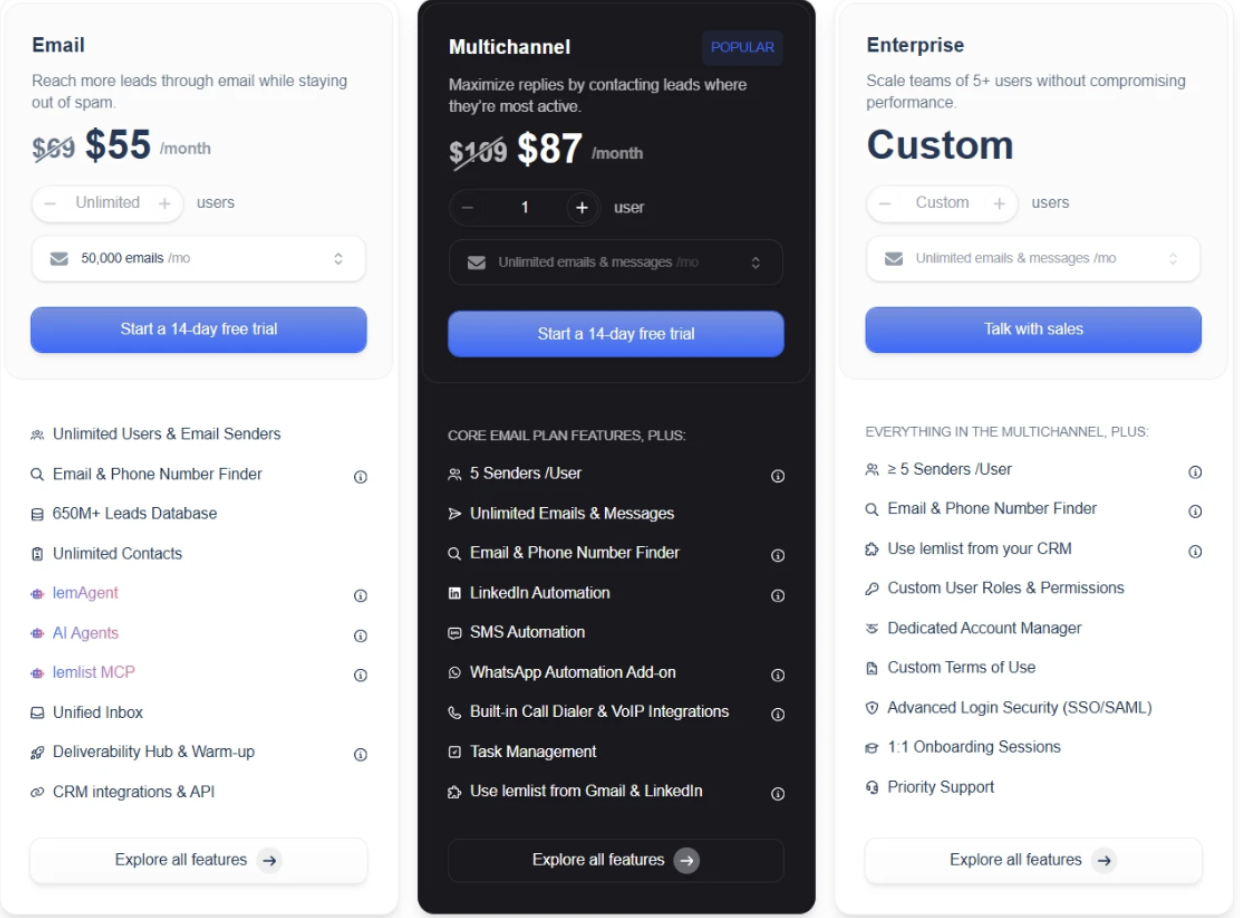
Ideal for: Teams running coordinated email + LinkedIn campaigns where email is the primary channel.
5. Meet Alfred
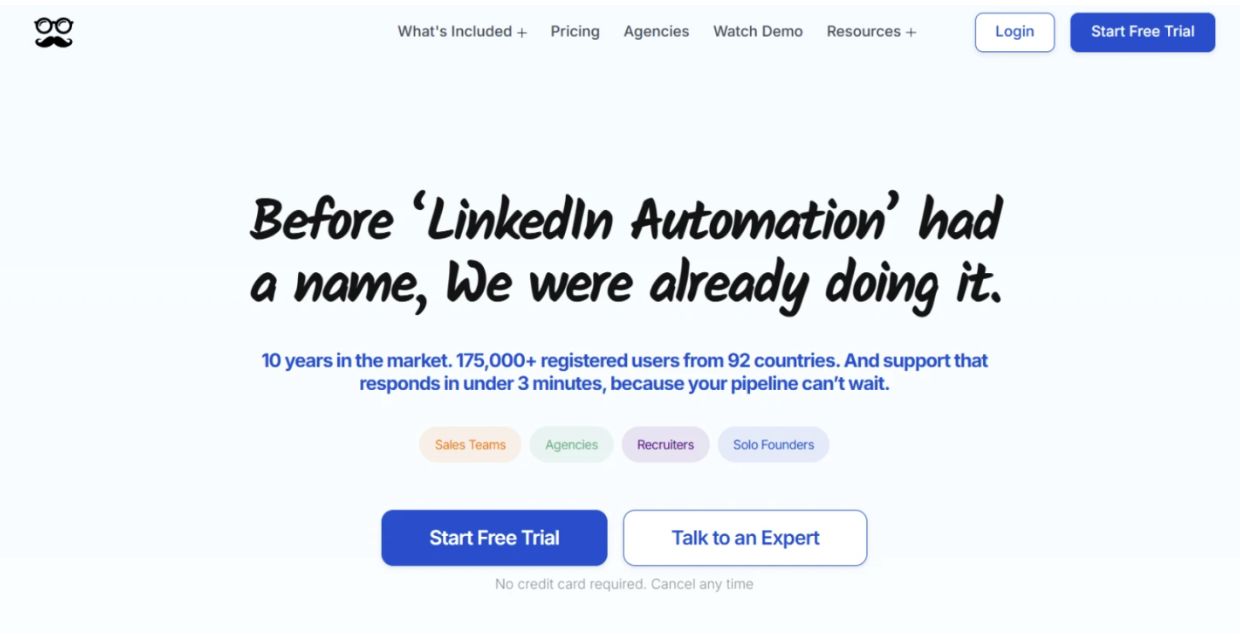
Meet Alfred (formerly Leonard) is a multi-channel LinkedIn outreach tool that supports LinkedIn, email, and Twitter outreach in one platform. It’s designed for individual sellers and small teams.
Key Features:
- LinkedIn + email + Twitter sequences
- CRM-style contact management built in
- Campaign templates and sequence library
- Team collaboration features
Pros:
- All-in-one for social + email outreach
- Good for solo sellers managing everything in one place
- Built-in contact database
Cons:
- Browser-based component raises some safety concerns
- Interface has a learning curve
- Less suited for large enterprise teams
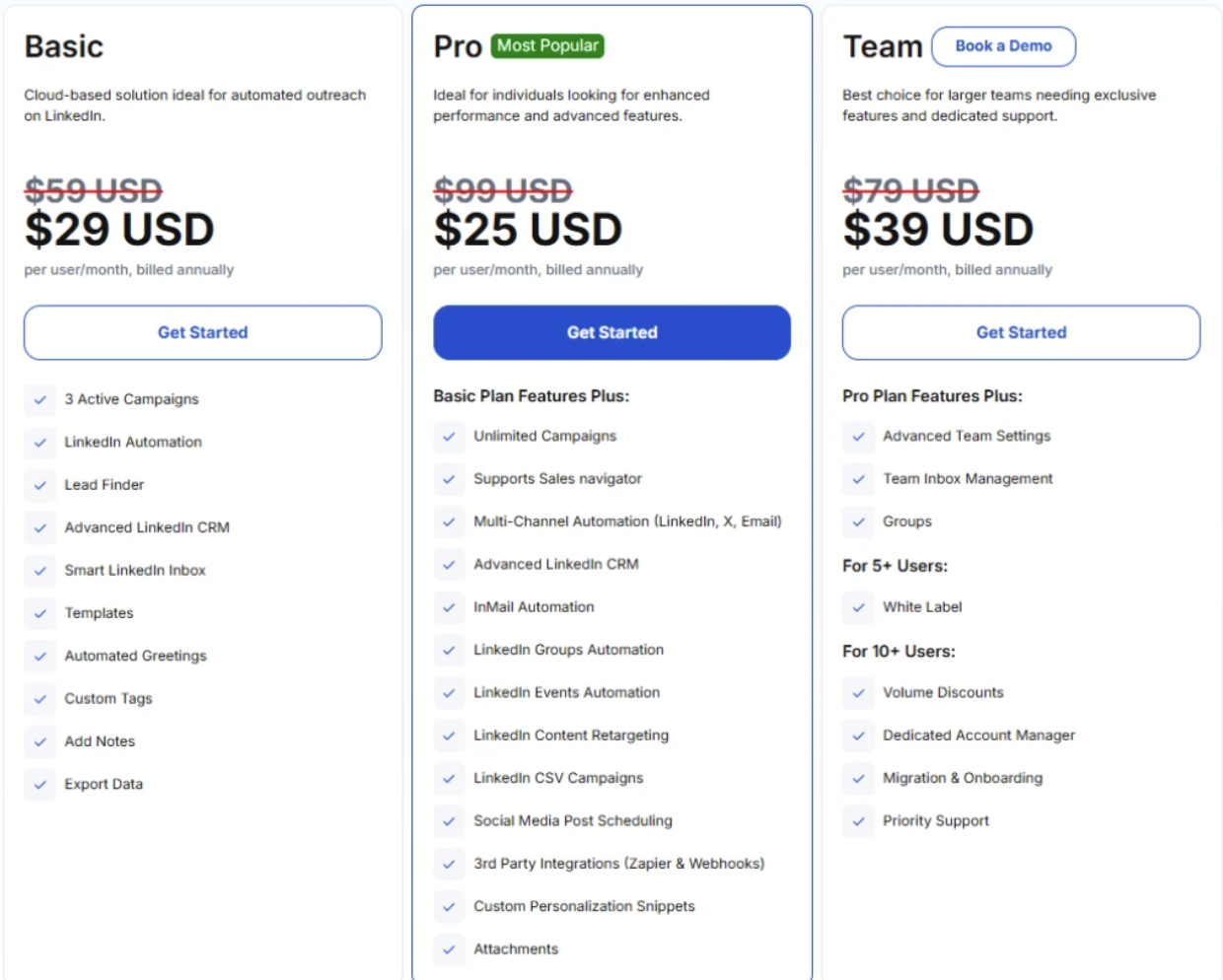
Ideal for: Individual sellers and small teams who want to manage LinkedIn and email outreach without juggling multiple tools.
6. Salesflow
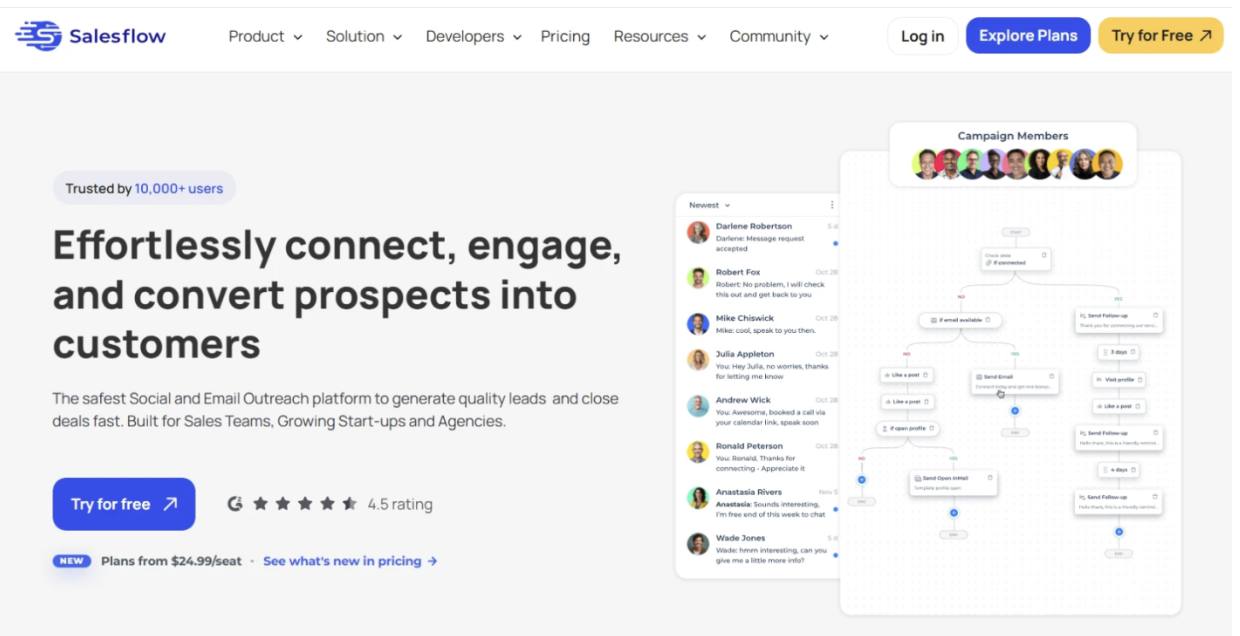
Salesflow is a cloud-based LinkedIn automation tool focused on simplicity and scalability. It’s popular among agencies that manage a high volume of client accounts simultaneously.
Key Features:
- Cloud-based with safety limits
- Inbox management across multiple accounts
- Campaign analytics and A/B testing
- Agency-friendly multi-account dashboard
Pros:
- Clean, straightforward interface
- Good for high-volume agency use
- Responsive customer support
Cons:
- Fewer advanced personalization options compared to competitors
- No native multichannel support
Ideal for: Agencies running LinkedIn-only outreach at volume across many clients.
7. Waalaxy
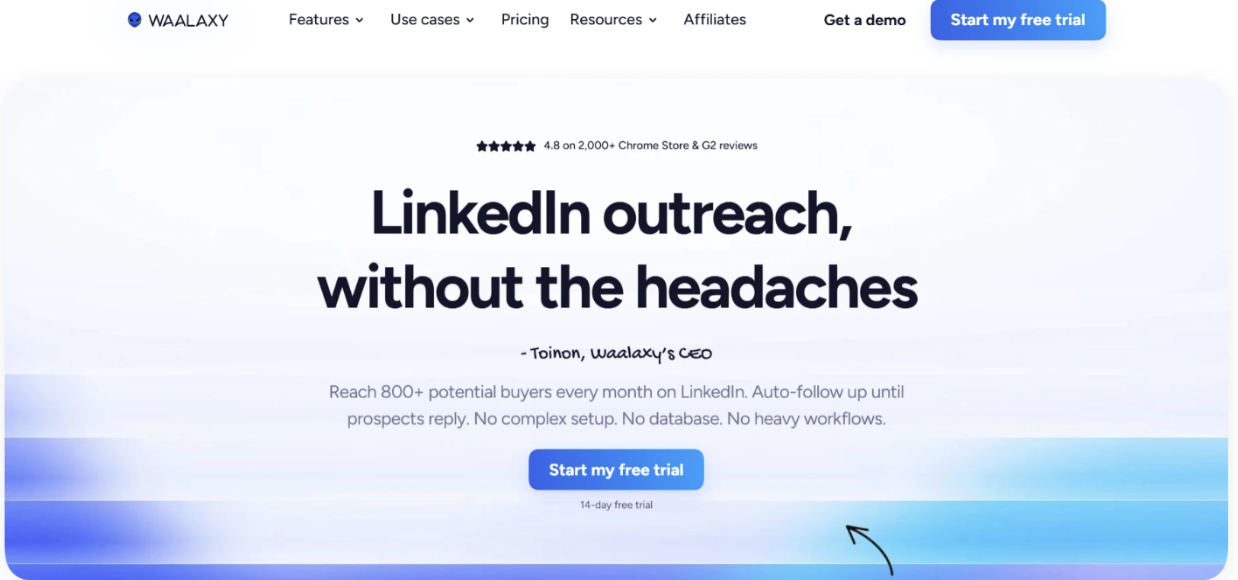
Waalaxy (formerly ProspectIn) is a LinkedIn automation tool with an embedded email finding feature, making it easy to build multichannel sequences without separate email enrichment tools.
Key Features:
- LinkedIn + email sequences
- Built-in email finder (credits-based)
- Chrome extension-based with cloud sync
- Affordable entry-level pricing
Pros:
- Good value for small teams and solopreneurs
- Easy to get started
- Email finder reduces need for third-party enrichment tools
Cons:
- Chrome extension dependency adds some risk
- Advanced features require higher-tier plans
- Less powerful analytics than cloud-native tools
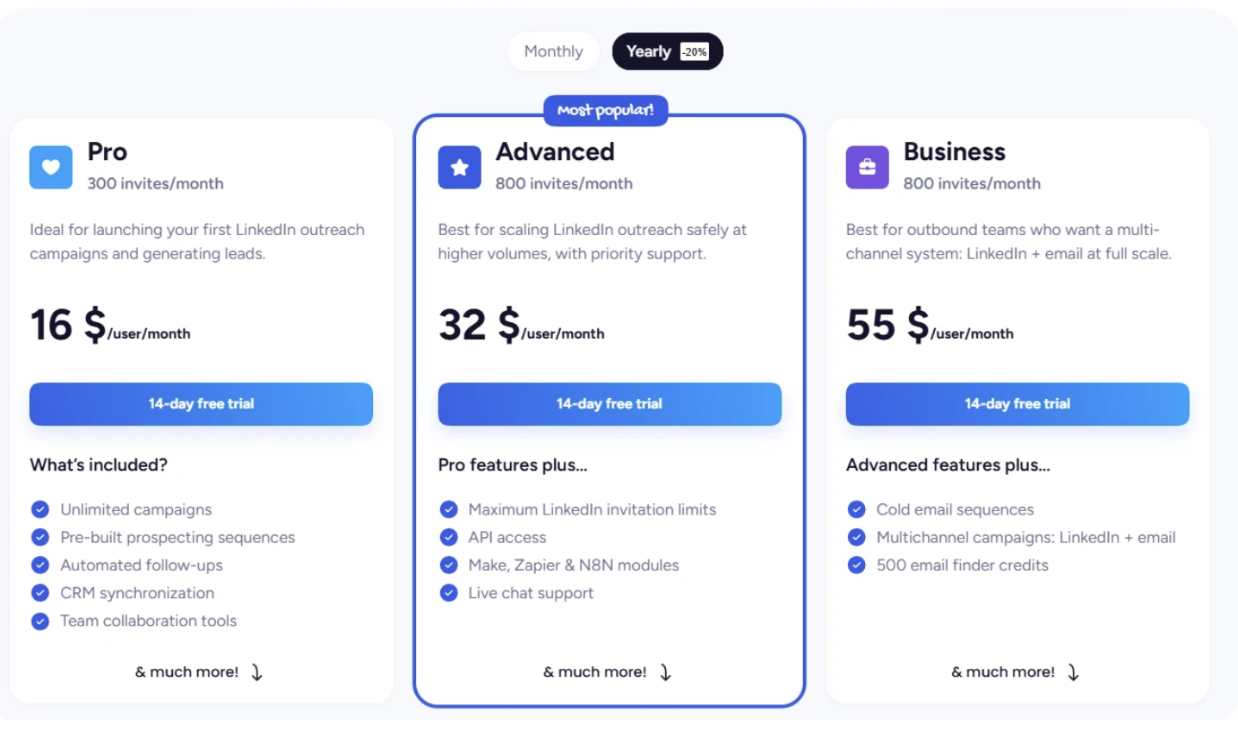
Ideal for: Solopreneurs, freelancers, and small teams with limited budgets who want LinkedIn + basic email outreach.
8. La Growth Machine
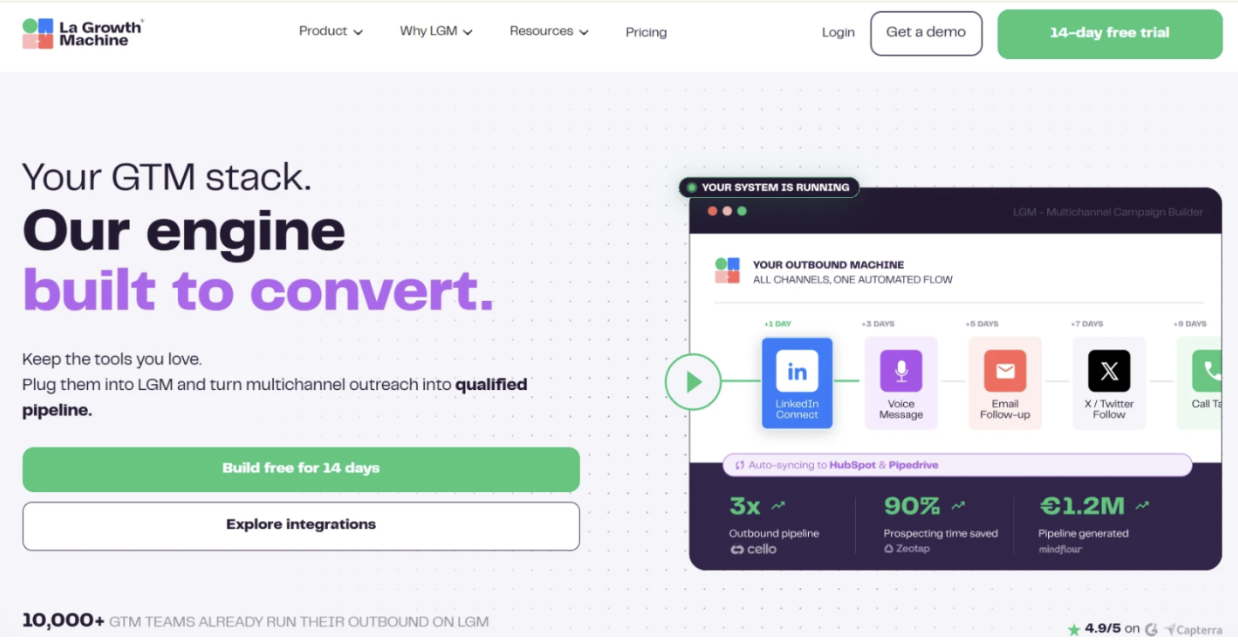
La Growth Machine is a multichannel outreach platform that supports LinkedIn, email, and Twitter. It puts a strong emphasis on data enrichment and contact synchronization with CRMs.
Key Features:
- LinkedIn + email + Twitter sequences
- Automatic contact enrichment (email, phone)
- Native HubSpot and Pipedrive integrations
- Voice messages on LinkedIn (unique feature)
Pros:
- Excellent CRM sync
- Strong enrichment features
- Multichannel breadth
Cons:
- Steeper learning curve
- Higher price point
- Overkill for simple LinkedIn-only use cases
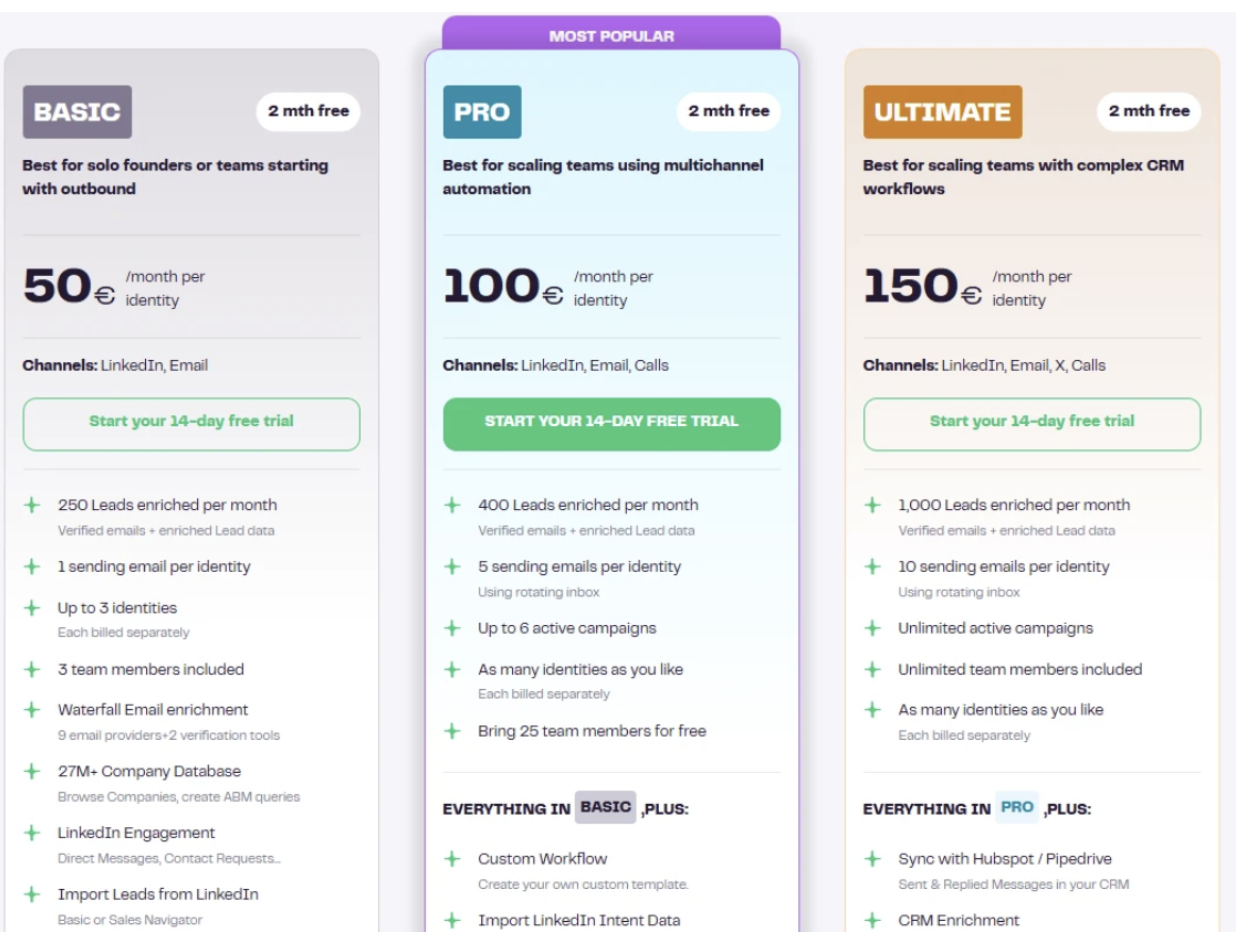
Ideal for: Revenue teams that need deep CRM integration and automatic enrichment alongside multichannel outreach.
How to Choose the Right LinkedIn Automation Tool
With this many options, the right choice depends on a few key variables:
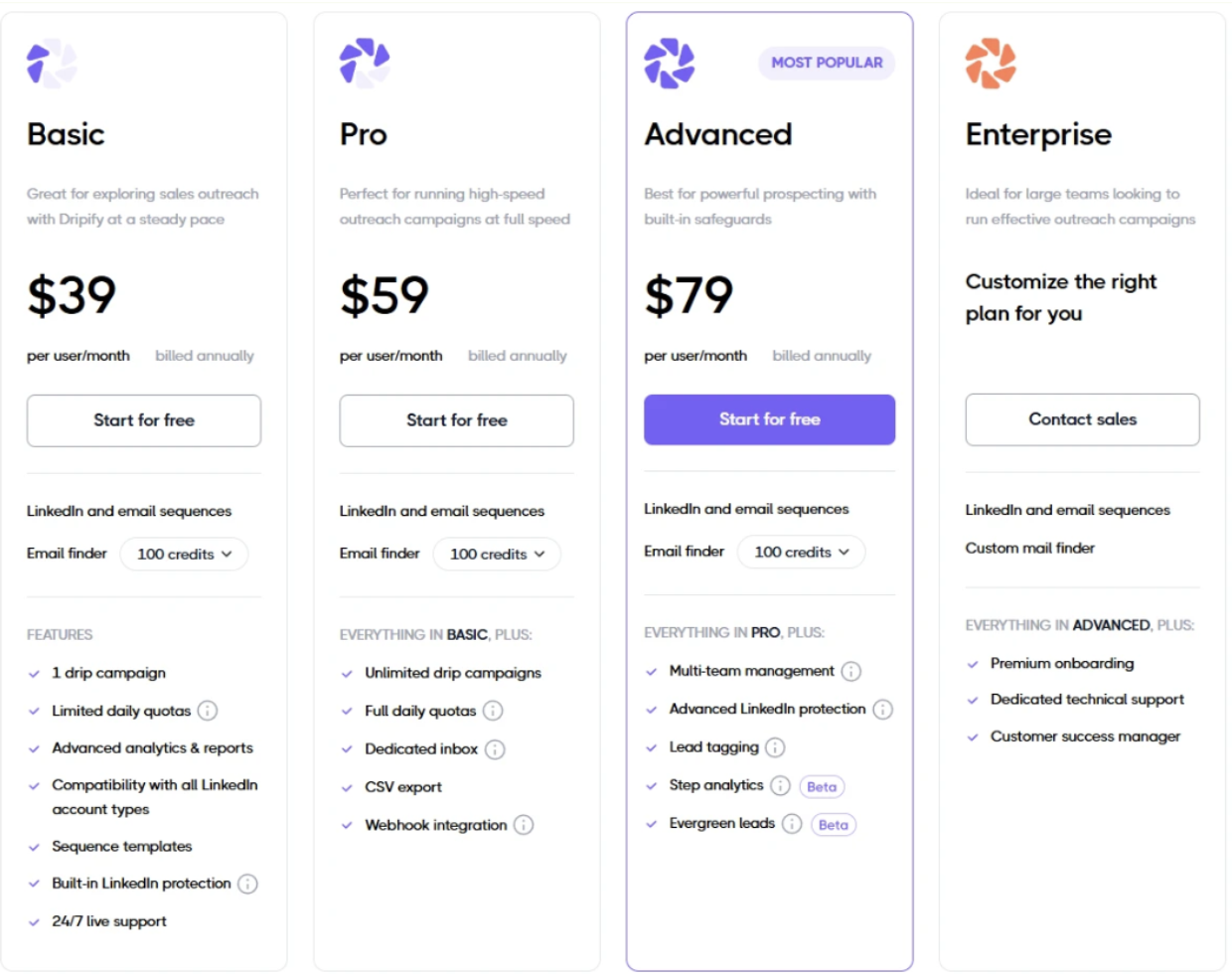
- Team size. Solo sellers and freelancers often do well with more affordable, simpler tools like Waalaxy. Growing sales teams benefit from platforms like Dripify that include team management, per-seat controls, and consolidated reporting. Agencies need multi-account dashboards — Salesflow, Expandi, or Dripify are common choices here.
- Primary channel. If LinkedIn is your primary outreach channel, go with a platform built around it first. If you’re running true multichannel campaigns where email and LinkedIn work together, Lemlist or La Growth Machine may serve you better.
- Account safety priorities. If you’re using a primary LinkedIn account you can’t afford to have restricted, prioritize cloud-based tools with built-in safety controls. Browser extensions carry higher risk, especially at volume.
- Budget. Entry-level plans from tools like Waalaxy start under $30/month. Full-featured platforms like Dripify, Expandi, and La Growth Machine range from $59 to $150+/month per seat depending on the plan. Factor in team size and expected ROI from outreach before comparing price points in isolation.
- CRM needs. If your team lives in HubSpot or Salesforce, check native integration support before committing to a tool. La Growth Machine and Dripify both offer solid CRM sync options.
Best Practices for LinkedIn Messaging Automation
Even the best tools won’t save you if your outreach strategy is off. A few principles that experienced LinkedIn practitioners consistently apply:
- Stay within LinkedIn’s activity limits. Sending 200 connection requests per day is a red flag. Most tools recommend staying well below LinkedIn’s informal thresholds — typically 20–40 connection requests per day and similar caps on messages. If a tool lets you push those limits freely, that’s a warning sign, not a feature.
- Personalize meaningfully. Using {{firstName}} is table stakes. Reference the person’s role, industry, a recent post, or a mutual connection. The more relevant your message feels, the higher your reply rate — and the less likely it is to be flagged as automated.
- Warm up new accounts. If you’re adding automation to a relatively new LinkedIn profile, start slow. Gradually increase daily activity over 2–4 weeks before running full campaigns. Many tools include built-in warm-up settings for this reason.
- Audit your sequences regularly. A sequence that worked 6 months ago may underperform today. Check acceptance rates and reply rates monthly and test different opening messages, call-to-action styles, and follow-up timing.
- Don’t automate everything. Automation handles volume — but genuine conversations still require human input. When someone replies, respond personally. Automation should bring prospects to the door; a real person should handle what comes next.
- Respect opt-outs. If someone asks to be removed from your outreach, do it immediately. Beyond being the right thing to do, it protects your account reputation and reduces negative feedback that can trigger LinkedIn reviews.
LinkedIn message automation software has matured significantly. The best tools today go well beyond simple connection requests — they support complex multi-step sequences, dynamic personalization, safety limits, team collaboration, and CRM integration.
For most sales teams and SDRs who want a reliable, cloud-based platform that balances safety with feature depth, tools like Dripify, Expandi, and Salesflow are worth evaluating. For multichannel teams, Lemlist and La Growth Machine offer strong email + LinkedIn integration. And for those starting out on a tighter budget, Waalaxy is a reasonable entry point.
The right tool is the one that fits how your team actually works — not the one with the longest feature list. Start with your primary use case, evaluate safety architecture, and always prioritize personalization over volume.
Done thoughtfully, LinkedIn outreach automation can meaningfully increase the number of qualified conversations your team has every week — without replacing the human element that makes those conversations worth having.
































