




Keep reading
Rather we just did it for you?
Let's get your business seen.
Social media, websites, SEO and ads from a team you can actually meet.
Photos are one of the first things people notice on your Google Business Profile. Good images help you stand out in Google Maps and search, build trust and encourage calls, visits and bookings. But upload the wrong size and your logo gets cropped, your cover photo looks blurry, or your post image cuts off the important bit. This guide covers the Google Business Profile image sizes you need for your logo, cover photo, posts and videos, plus practical tips for photos that actually win customers.
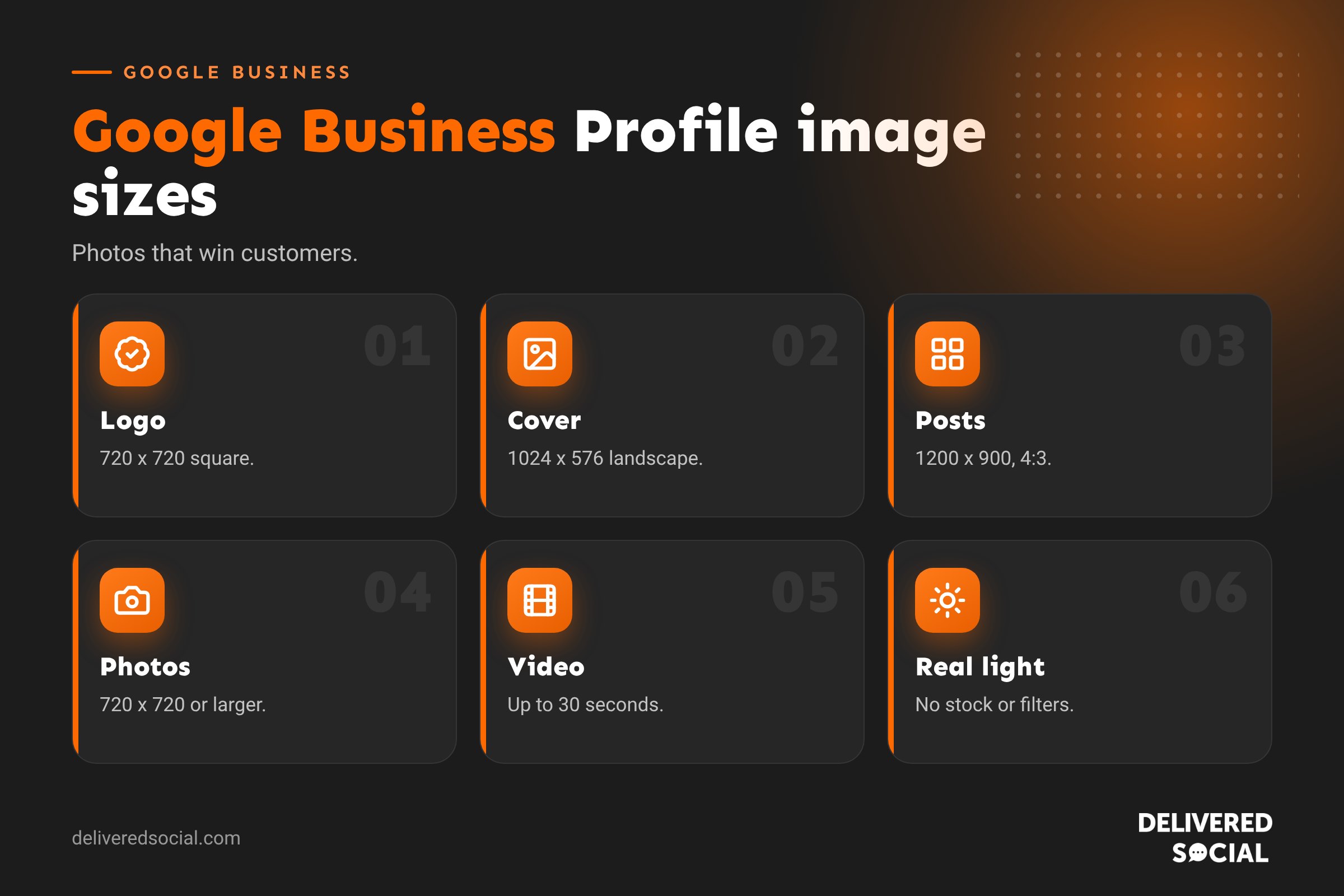
Google Business Profile image sizes at a glance
| Image | Recommended size | Notes |
|---|---|---|
| Logo | 720 x 720 pixels (square) | Minimum 250 x 250; keep it simple and centred |
| Cover photo | 1024 x 576 pixels (16:9) | Google may crop it differently on mobile and desktop |
| Post image | 1200 x 900 pixels (4:3) | Keep text and key detail in the centre |
| General photos | 720 x 720 pixels or larger | Minimum 250 x 250; landscape or square both work |
| Videos | Up to 30 seconds | 720p or higher, up to 75MB |
Google’s general guidance is JPG or PNG files between 10KB and 5MB, in focus and well lit, without heavy filters. Google updates its requirements from time to time, so check its help pages if an upload is rejected.
Logo
Your logo appears on your profile and next to your posts and review replies. Use a square version of your logo on a plain background, with enough space around it so nothing is cut off when Google displays it in a circle. Avoid tiny text or long straplines; they become unreadable at small sizes.
Cover photo
The cover photo is your preferred main image, but Google does not always show it first. Google’s systems choose which photo to display based on what they think best represents your business and what people search for. Upload a strong, landscape image of your premises, team or work, and add plenty of other good photos so whatever Google picks still looks great.
Post images
Google Business Profile posts let you share offers, news, events and blog articles. Posts appear on your profile and can show in search. Use a 4:3 landscape image, as Google crops images differently across devices. Keep any text, faces or products away from the edges.
Posts are a great way to promote new content. Our guide to Google Business Profile optimisation explains how posts fit into a wider plan.
Photos
Beyond the logo and cover, add a wide mix of photos:
- Exterior: help people recognise your building from the street, in different lighting.
- Interior: show the atmosphere of your shop, office, salon or venue.
- Products: your best sellers and most searched for items.
- Work and results: before and after shots, finished projects, dishes or treatments.
- Team: friendly photos of the people customers will meet.
- At work: your team in action, which builds trust.
Videos
Short videos can bring your profile to life: a tour of your venue, a quick product demo or a project time lapse. Keep them under 30 seconds, filmed in good light, and check they are 720p or higher.
Tips for better Google Business Profile photos
- Use real photos. Stock images look generic and can be flagged or ignored.
- Shoot in good natural light and keep the camera steady.
- Clean the frame. Tidy desks, remove clutter and wipe surfaces before shooting.
- Avoid heavy filters and over editing; Google wants photos that represent reality.
- Do not add big text or logos to general photos; save text for posts.
- Name files descriptively, for example “bathroom-fitting-portsmouth.jpg”, for your own organisation.
- Upload regularly. Fresh photos signal an active business.
How to upload photos
- Search for your business on Google while signed in, or open Google Maps.
- Choose Edit profile or Add photo.
- Select logo, cover photo or general photos.
- Upload your images and check how they look on mobile and desktop.
Photos can take a little while to appear while Google reviews them.
Why photos matter
Profiles with plenty of good photos tend to get more engagement because people want to see what they are getting before they call or visit. Photos also help Google understand your business. A restaurant with clear photos of its dishes, a builder with project photos and a salon with treatment photos all give customers and Google more confidence.
Customer photos
Customers can add their own photos to your profile. These are often more trusted than yours, but you cannot control them. Encourage happy customers to add photos when they leave a review. If a customer photo is inappropriate or not of your business, you can report it to Google.
Common mistakes
- A blurry or stretched logo.
- Cover photos with text or faces cut off.
- Only one or two photos, uploaded years ago.
- Stock photos that do not show your real business.
- Post images with text right at the edges.
- Huge files that fail to upload.
A simple photo plan
Keeping your profile fresh does not need to take long. Try this routine:
| When | What to add |
|---|---|
| Setting up | Logo, cover photo, five exterior and interior photos, five product or work photos, two team photos |
| Weekly | One post with an image, such as an offer, news or a new blog |
| Monthly | Three to five new photos of recent work, products or events |
| Seasonally | Refresh the cover photo for Christmas, summer or new collections |
| After changes | New photos whenever you refurbish, move or change your signage |
Creating post images quickly
You do not need a designer for every post. Create a simple 1200 x 900 template in Canva with your brand colours and logo, then swap in a new photo and a short headline each week. Keep text minimal and large enough to read on a phone. If you post the same news on Facebook, Instagram and LinkedIn, resize the design rather than reusing one image everywhere; our social media image sizes guide lists the sizes for each platform.
Photos by type of business
| Business | Photos that work |
|---|---|
| Restaurant or café | Signature dishes, menu, dining room, outside seating, team |
| Trades and builders | Finished projects, before and after, team on site, branded vans |
| Salons and clinics | Treatment rooms, results (with consent), reception, team |
| Shops | Shop front, displays, best sellers, seasonal windows |
| Offices and services | Entrance, meeting rooms, team, signage, parking |
| Venues and attractions | Spaces set up for events, aerial or wide shots, visitors enjoying it |
Using your phone for great photos
You do not need a professional camera. Modern phones take excellent photos if you follow a few rules. Shoot in daylight, turn off the flash, hold the phone level, tap to focus on the subject and use the main lens rather than ultra wide for people and products. Take several shots of each scene and choose the best. For interiors, stand in a corner to show more of the room, and switch on all the lights. Light editing for brightness and straightening is fine; avoid filters that change colours.
Photos and your other channels
The photos you take for Google can be reused across your website, social media and email marketing, which saves time and keeps your branding consistent. Just resize them for each platform. Equally, your best Instagram photos of real work, team and premises often make excellent Google Business Profile photos, especially if they are bright, clear and free of heavy text.
Key takeaways
- Logo: 720 x 720, square and simple.
- Cover: 1024 x 576, landscape, but Google may choose another photo first.
- Posts: 1200 x 900 with key detail in the centre.
- JPG or PNG, between 10KB and 5MB.
- Real, well lit photos uploaded regularly beat polished stock images.
Frequently asked questions
What size should a Google Business Profile logo be?
720 x 720 pixels is a good target; the minimum is 250 x 250.
What is the Google Business Profile cover photo size?
1024 x 576 pixels, a 16:9 landscape image.
What size are Google Business Profile post images?
1200 x 900 pixels (4:3) works well.
Why isn’t Google showing my cover photo?
Google chooses which photo to display first; add plenty of strong photos.
What file types can I upload?
JPG or PNG for photos; common video formats for videos.
How long can videos be?
Up to 30 seconds.
Can I delete customer photos?
No, but you can report inappropriate ones to Google.
How many photos should I add?
As many good, relevant photos as you can, added regularly.
Can I use stock photos?
It is best not to. Real photos build more trust.
Why was my photo rejected?
Usually because of size, quality, text overlays or content that breaks Google’s policies.
Should my logo have a transparent background?
A solid, plain background is safer, as transparent areas can display oddly.
Can I add 360 degree photos?
Yes. Virtual tours and 360 photos can be added and help venues and shops.
Want your Google Business Profile managed for you?
We optimise and post to Google Business Profiles for businesses across Surrey, Hampshire and the UK. Call us on 01483 608 303.
































