



Keep reading
Rather we just did it for you?
Let's get your business seen.
Social media, websites, SEO and ads from a team you can actually meet.
Do Instagram bots work? Some do exactly what they promise, which is to like, follow and comment automatically. The trouble is that they do it in a way Instagram treats as a breach of its rules, and what they produce is attention from the wrong people. You can end up with removed activity, limited reach, a locked account or a hacked one, and very little to show for it.
That does not mean automation is off limits. Scheduling posts, saving replies and sorting your inbox are all sensible ways to save time. This guide separates the risky stuff from the safe stuff, so you know where the line sits and what to do instead.
What Instagram bots actually do
A bot is software that performs actions on your account without you tapping the screen. The common types are:
- Follow and unfollow bots that follow hundreds of accounts in a niche, hoping some follow back, then unfollow them.
- Like bots that like posts under certain hashtags or from certain accounts.
- Comment bots that leave stock phrases such as “Love this!” or “Great post” under other people’s content.
- Direct message (DM) bots that send the same pitch to lots of people, or reply automatically to certain words.
- Scrapers and viewers that collect public data, such as lists of followers or emails.
The first three are the ones people usually mean when they search for bots. They work on a simple bet: if you tap enough strangers on the shoulder, a few will turn round. The bet has never been very good, and the odds have got worse as platforms have got better at spotting it.
What Instagram says about third-party apps
Instagram has been clear for years. In a 2018 announcement, Reducing Inauthentic Activity on Instagram, the company said that apps which generate fake likes, follows and comments violate its Community Guidelines and Terms of Use. It said it uses machine learning to find accounts relying on these services, and that it removes the inauthentic likes, follows and comments those accounts have given out.
Two other details from that announcement are worth knowing:
- Accounts caught by this get an in-app message and are asked to change their password. That is because many of these apps work by asking for your login details.
- Instagram warned that accounts which keep using these apps to grow their audience may see their Instagram experience affected.
That is a 2018 statement, so check Instagram’s current Terms of Use and Community Guidelines for the latest wording. But the principle has not changed: if a tool asks for your password and acts as you, it sits on the wrong side of the line.
The real risks of using bots
Your account can be restricted or removed
Instagram can remove the activity, limit what you can do (for example, stopping you following or commenting for a while), reduce how widely your content is shown, or in serious cases disable the account. For a business, losing an account that took years to build to save a few hours a week is a poor trade.
You hand over your login
Many bot services need your username and password. That is a security problem on its own. Once a third party holds your credentials, you depend on how well they protect them, and a breach on their side can become a hack on yours. Instagram’s own advice is to change your password if you suspect an app has had access, and its help page on unauthorised activity on your account says that comments you did not write are a sign your password has probably been compromised.
You attract the wrong audience
People who follow back because a bot followed them are rarely customers. They are other people running bots, or users who follow anyone who follows them. Your follower count rises, but your engagement rate falls, because most of those followers never see or care about your content. A lower engagement rate tells Instagram your posts are less interesting, which can reduce reach for the people who do care.
Your brand takes the hit
A bot comment such as “Nice pic! Check out my page” under a local charity‘s post makes you look like spam. Potential clients, partners and journalists notice. For a company selling professional services, this can quietly damage trust before you ever speak to someone.
Nothing builds on it
Perhaps the biggest cost is that bot activity does not create relationships. You cannot turn a stock comment into a conversation, and a follower you never met is not a lead. If growth is the aim, our guide to how to increase followers on Instagram sets out methods that actually compound over time. Instagram bots are most dangerous when they pretend to be you.
What is safe to automate on Instagram
The safe test is simple. Does the tool help you do something you would otherwise do by hand, using a route Meta supports, without pretending to be you and without touching other people’s accounts at scale? If yes, it is probably fine. If it fakes engagement or needs your password, it is not.
Here is how we sort Instagram automation in practice.
Generally safe
- Scheduling posts, Reels and Stories through Meta Business Suite or an established scheduling platform that connects to your account through Meta’s official login screen. You approve the connection, and you can revoke it at any time in your settings.
- Saved replies and instant replies in the inbox for common questions such as opening hours, prices or delivery times. Meta Business Suite includes inbox tools for this.
- Reminders, calendars and content planning in a spreadsheet or planner. This never touches Instagram at all.
- Analytics and reporting that pull your own account’s data into a dashboard.
- Notifications that alert you when someone mentions your brand or sends a message, so a human can respond.
Use with care
- Auto-replies to DMs and comment-to-DM flows. These can be useful when a customer asks for a link or a price. Use a tool that connects through official permissions, keep messages relevant to what the person asked, and make it easy to reach a human. Never message people who did not engage with you first.
- AI-written captions or replies. Fine as a first draft, but read and edit every one. Replies that ignore what the customer said are worse than no reply.
Avoid completely
- Any tool that asks for your Instagram password and then acts as you.
- Automated following, unfollowing, liking or commenting on other people’s content.
- Services that promise a set number of followers or likes per day.
- Scraping tools that collect other people’s data without a clear lawful reason. If you handle personal data in the UK, you need to think about data protection law too, and the ICO is the place to check.
How to tell if a tool is safe before you connect it
Run through these five questions before you give any app access to your account:
- How does it connect? A safe tool sends you to Instagram or Facebook’s own login and permission screen. A risky one asks you to type your Instagram password into its own form.
- What does it promise? Scheduling, inbox management and reporting are normal. Guaranteed growth numbers are not.
- Does it act on other people’s accounts? Following, liking and commenting on strangers’ content is the red flag.
- Who runs it? Look for a named company, a UK or EU address, clear terms and real reviews on independent sites.
- Can you leave easily? You should be able to disconnect it in your account settings and cancel without friction.
Our post on red flags in follower growth services goes deeper on the warning signs of services that over-promise. Tools that schedule posts are not the same as Instagram bots that fake interaction, and the difference matters.
What to do if you have already used a bot
Do not panic. Many accounts have tried one at some point. Here is a clean-up routine:
- Disconnect the tool and cancel any subscription.
- Change your Instagram password to a strong, unique one, and turn on two-factor authentication.
- Check your connected apps in your account settings and remove anything you do not recognise.
- Go through your recent activity. Delete any comments you did not write and unfollow accounts you never chose to follow.
- Review your follower list for obvious fake or inactive accounts and remove the worst. Our guide on how to spot fake followers shows what to look for.
- Pause and rebuild. Post normally for a few weeks, and focus on real engagement.
If your account has been limited, give it time. Restrictions often lift once the unusual activity stops, but there is no set timetable, so do not try to test the limits.
A realistic example: a local cafe
Picture a cafe in Guildford with 1,800 followers. The owner is tempted by a bot that promises to bring in 200 local followers a week. The bot follows and likes posts from hundreds of accounts, and within a month the cafe has 2,400 followers. But the weekly posts still get the same dozen likes, because the new followers are mostly accounts that follow back automatically. The engagement rate drops, and one day Instagram shows a message that some activity has been removed.
Now picture the safe version. The owner schedules three posts a week in one sitting on Sunday evening, sets a saved reply for opening hours and the dog-friendly policy, and spends ten minutes a day replying to comments and thanking people who tag the cafe. Growth is slower, but the followers are local, they turn up, and the account is never at risk. This is an illustrative example, not a real client. It shows the approach we recommend: automation handles the admin, and people handle the relationships.
What works better than bots
Real growth on Instagram comes from a mix of things that are slower but stronger.
- Useful, original content. Instagram says only original content is recommended to new people, and it tells creators to avoid reuploading material that has already been posted. Share your own expertise, your own photos and your own point of view.
- Replying properly. Spend 15 minutes a day answering comments and messages in your own words. This is the human version of automation, and nothing beats it.
- Taking part in your community. Leave thoughtful comments on accounts you really follow, such as local businesses, suppliers and customers.
- Collaborations. Joint posts with a complementary business put you in front of an audience that already trusts the other account.
- Consistency. A regular rhythm of posting, even twice a week, beats bursts of daily activity followed by silence.
Common questions
Are Instagram bots illegal?
Using one is not usually a criminal matter for an individual, but it breaks Instagram’s rules, and if the bot misleads people or handles personal data badly, other laws can apply. The main practical risk is to your account, not a court case.
Is scheduling posts with a third-party tool allowed?
Yes, when the tool connects through Meta’s official permissions and does not ask for your password. Scheduling is one of the most common and safest forms of Instagram automation for a small business.
Can Instagram tell when I use automation?
It uses automated detection to look for unusual patterns, such as very fast, repetitive or high-volume actions, as well as accounts that depend on third-party services. Do not assume a bot is invisible.
Is it safe to use auto-replies for DMs?
Generally yes, when the reply responds to a message the customer sent you and the tool is properly connected. Keep it helpful and make it easy to speak to a person.
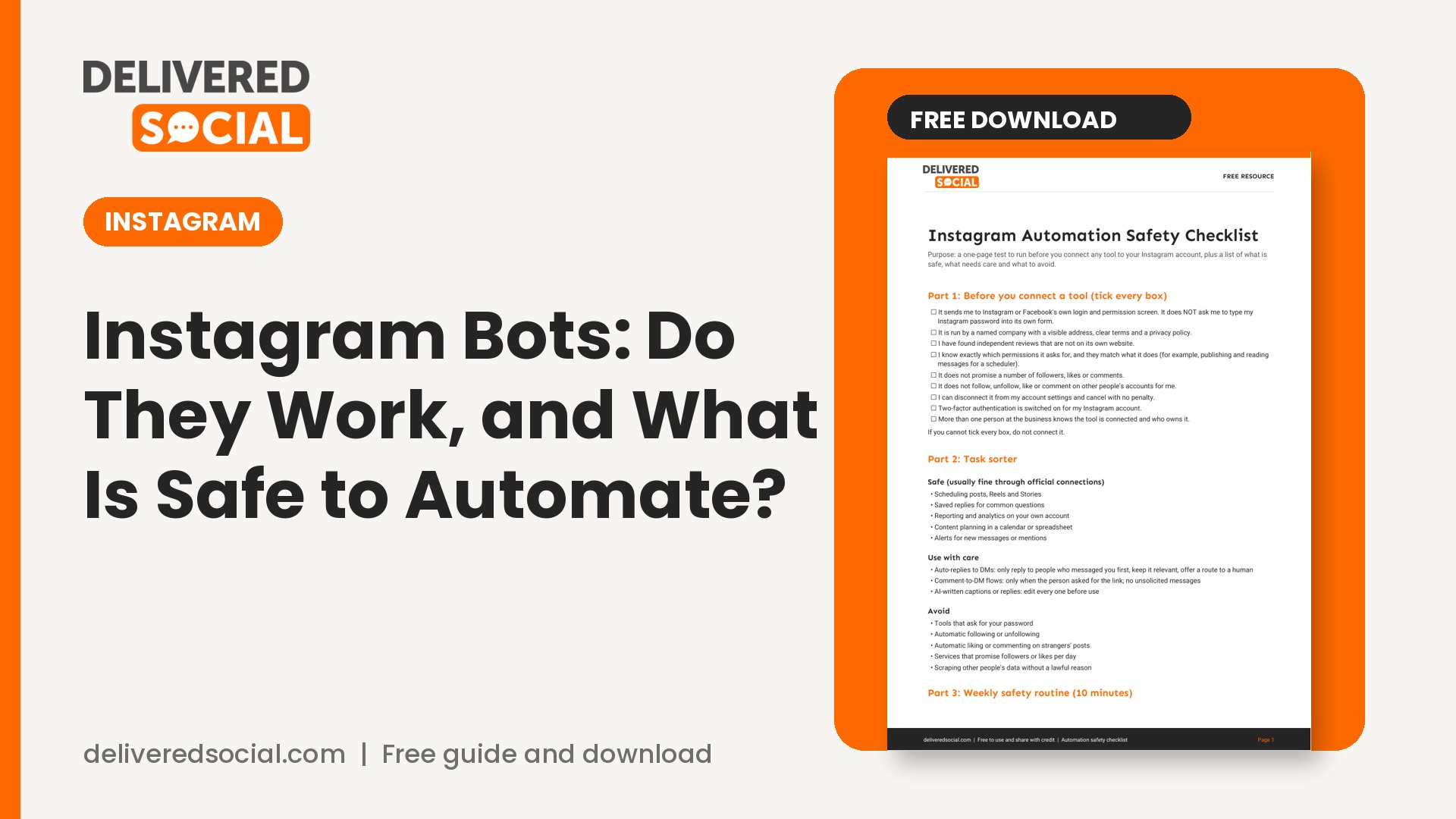
Get the free Automation safety checklist
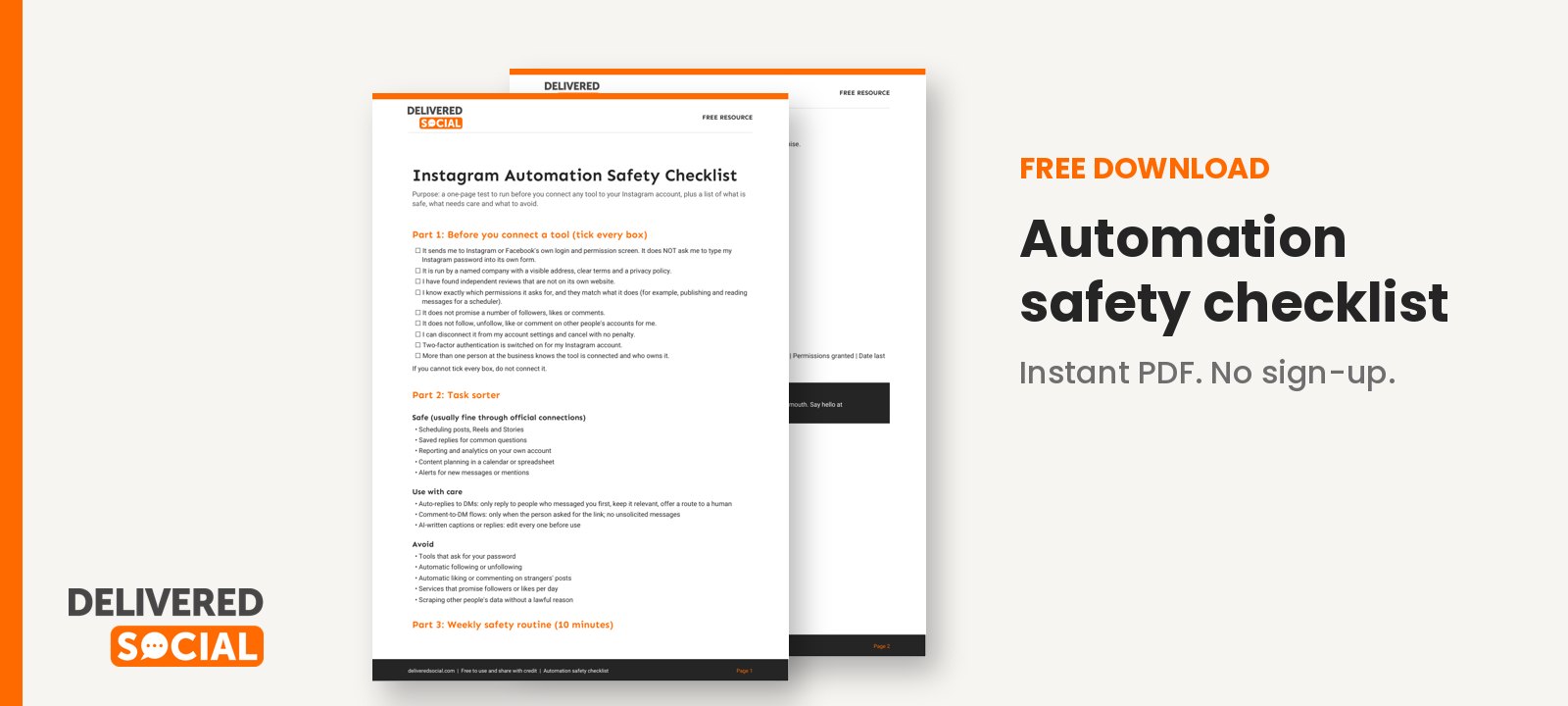
We have created a one-page Automation safety checklist you can use before you connect any tool to your account. It covers connection checks, activity rules, a safe and unsafe task list, and a clean-up routine. Print it or share it with your team.
Download the free Automation safety checklist
If you would like help setting up scheduling, replies and reporting the safe way, Delivered Social provides social media management for businesses across Surrey, Hampshire and West Sussex, and you can contact us any time.
































