




Keep reading
Rather we just did it for you?
Let's get your business seen.
Social media, websites, SEO and ads from a team you can actually meet.
Instagram collab posts are one of the simplest ways to reach a new audience. A single post or Reel appears on two or more profiles at once, with shared likes, comments and views. For businesses, that means teaming up with a supplier, local business, influencer or customer and putting your content in front of their followers as well as your own. This guide explains how to collab on Instagram: how collab posts work, how to invite collaborators, how to accept an invite, and how to plan collaborations that grow your business.
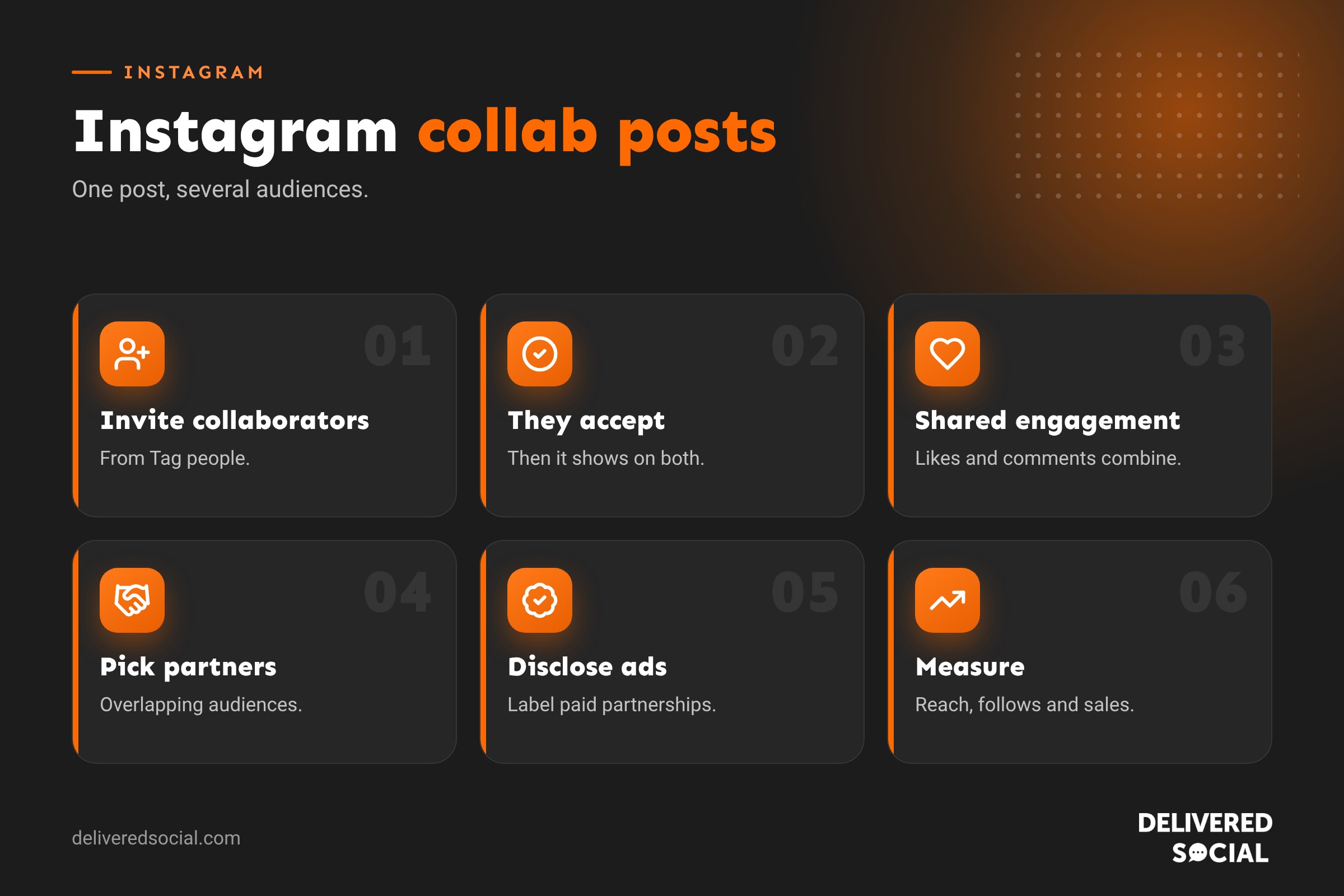
What is an Instagram collab post?
A collab post is a feed post, carousel or Reel that is co authored by more than one account. Once a collaborator accepts, the post appears on each account’s profile grid and in their followers’ feeds. The usernames of all collaborators show at the top of the post, and engagement is combined, so every like, comment and view counts for everyone.
How many collaborators can you add?
Instagram has steadily increased the number of collaborators allowed on a single post, and has tested even larger numbers. Commonly, you can invite several accounts, which makes group campaigns and events easier. Check the Invite collaborators screen in your app for the current limit.
How to create a collab post
- Create a new post or Reel as normal and add your caption.
- Tap Tag people.
- Tap Invite collaborator (or Invite collaborators).
- Search for and select the accounts you want to invite.
- Finish your post and share it.
The post appears on your profile straight away. It appears on your collaborators’ profiles once they accept.
How to add a collaborator after posting
In many cases you can invite collaborators to an existing post. Open the post, tap the three dots, choose Edit, then Tag people and Invite collaborator. If you do not see the option, update the app, as availability can vary.
How to accept a collab invite
- You will receive the invite as a notification or in your DMs.
- Tap Review, look at the post and caption.
- Tap Accept to add it to your profile, or Decline.
Only accept collaborations you are happy to have on your profile, as the post will appear to your followers.
Who can be a collaborator?
Most public accounts can collaborate. Private accounts usually cannot be invited as collaborators. Both personal and professional accounts can take part, although some features and limits differ. Our guide to Instagram business vs creator accounts explains the account types.
Why collab posts work for businesses
- New audiences: your post reaches your collaborator’s followers.
- Shared engagement: combined likes and comments make posts look popular, which encourages more engagement.
- Trust: being featured by a trusted local business or creator acts as a recommendation.
- Shared effort: you can split the work of creating content.
- More followers: people who like the post can follow both accounts with a tap.
Collab post ideas
- Supplier and stockist: a café and its coffee roaster, or a shop and a brand it stocks.
- Local partnerships: businesses on the same street promoting a shopping evening.
- Events: organisers, venues and speakers all sharing one announcement.
- Influencer content: a creator’s Reel about your product, shared on both profiles.
- Client showcases: a web designer and client celebrating a new website, or a builder and homeowner showing a finished project.
- Giveaways: several businesses offering a joint prize.
- Charity campaigns: a business and charity promoting a fundraiser together.
- Team members: staff with their own following sharing behind the scenes content with the brand.
Our list of Instagram post ideas for business has more inspiration.
How to plan a successful collaboration
Pick the right partner
Choose accounts whose audience overlaps with your ideal customers but are not direct competitors. Look at engagement, not just follower numbers; a smaller, active local account can be more valuable than a big, quiet one.
Agree the details
Decide who creates the content, who posts, the caption, hashtags, timing and any offer. Agree approval before posting.
Make it valuable for both audiences
The best collabs feel natural and useful, such as a joint tutorial, event, offer or story, rather than an advert.
Write a shared caption
Remember the caption appears on both profiles, so make it work for both audiences and mention both businesses clearly.
Promote it everywhere
Share the post to Stories on both accounts and reply to comments together.
Collab posts and paid partnerships
If a collaboration involves payment, free products or any commercial relationship, it must be clearly disclosed. In the UK, the Advertising Standards Authority expects ads to be obviously identifiable, often using “Ad” at the start of the caption, and Instagram’s Paid partnership label should be added. Our guide to finding UK micro influencers on Instagram covers working with creators.
Measuring results
- Reach and impressions compared with your usual posts.
- Profile visits and new followers after the collab.
- Comments, saves and shares.
- Website clicks, sales or bookings linked to the collaboration.
- Uses of any shared discount code.
Both accounts can see insights for the post, so compare notes after each collaboration.
How to remove yourself from a collab
If you no longer want a collab post on your profile, open it, tap the three dots and choose to remove yourself as a collaborator. The post will stay on the other account’s profile.
Common mistakes
- Collaborating with accounts whose audience does not match yours.
- Captions that only talk about one business.
- Forgetting to disclose paid partnerships.
- Posting at a time that suits one audience but not the other.
- Not following up with the new followers the collab brings.
Turning collabs into long term partnerships
One collaboration is useful; a regular partnership is powerful. If a collab goes well, plan a series, such as a monthly joint tip, a seasonal event or a recurring giveaway. Repeated exposure helps both audiences remember you, and partners become more comfortable recommending each other offline too. Keep a simple list of businesses you have collaborated with and what worked, so you can build a network of trusted partners over time.
How to approach a business about a collab
Many collaborations start with a simple, friendly message. Follow the business first and engage with a few of their posts so your name is familiar. Then send a short DM or email explaining who you are, why you think your audiences overlap and a specific idea, such as “We’d love to do a joint Reel showing your coffee being made with our cakes, shared on both our accounts”. Keep it easy to say yes to by offering to do most of the work. If they do not reply, a polite follow up a week later is fine.
Collab ideas for different types of business
- Wedding suppliers: venue, florist, photographer and caterer sharing a styled shoot.
- Trades: a kitchen fitter and an electrician showing a completed renovation.
- Health and fitness: a gym and a nutritionist sharing a healthy eating series.
- Retail: neighbouring shops promoting a late night shopping event.
- B2B: an accountant and a solicitor sharing tips for new business owners.
Above all, choose partners you would happily recommend to a friend, because your followers will see the collaboration as a personal endorsement.
Keep a note of each collaboration, the reach it achieved and any sales it led to, so you can repeat the partnerships that work best.
Key takeaways
- Collab posts appear on several profiles with shared likes, comments and views.
- Invite collaborators from Tag people when creating a post or Reel.
- Collaborators must accept before the post appears on their profile.
- Choose partners with a relevant audience and plan content that helps both.
- Disclose any paid or gifted partnership clearly.
Frequently asked questions
How do I collab on Instagram?
When posting, tap Tag people, then Invite collaborator, select the account and share.
Can I add a collaborator after posting?
Often yes, by editing the post and inviting a collaborator.
Why can I not invite someone to collab?
They may have a private account or settings that block collaborations.
Do collab posts get more reach?
They usually do, as they appear to the followers of every collaborator.
Can I collab on Stories?
Collab posts are for feed posts, carousels and Reels; you can mention partners in Stories.
Do I need to label a collab as an ad?
Yes, if there is any payment, gifting or commercial relationship.
Can I collab with more than one account?
Yes, Instagram allows several collaborators on a post.
Who owns the comments on a collab post?
Comments are shared and appear on every collaborator’s version.
Can businesses collab with customers?
Yes, if the customer has a public account and agrees.
Do collab posts count towards both accounts’ insights?
Each collaborator can see insights for the post.
Can a collab post be boosted?
Yes, the account that created the post can promote it.
Want help with Instagram partnerships?
We plan and manage Instagram content and collaborations for businesses across Surrey, Hampshire and the UK. Find out more about our Instagram marketing services. Call us on 01483 608 303.
































