




Keep reading
Rather we just did it for you?
Let's get your business seen.
Social media, websites, SEO and ads from a team you can actually meet.
You write the perfect Instagram caption with short paragraphs, hit share, and Instagram squashes it into one long block of text. It is one of the most common frustrations on the platform. Line breaks make captions easier to read, help key messages stand out and keep people reading long enough to act. This guide explains how to add line breaks on Instagram in captions, comments and your bio, why they sometimes disappear and how to format captions that people actually read.
Why line breaks matter
Most people scroll Instagram on a small screen. A wall of text looks like hard work, so many readers skip it. Short paragraphs with space between them are easier to scan, make your hook stand out and lead the eye to your call to action. Well formatted captions can also keep people on your post for longer, which is a positive signal. Our guide to Instagram marketing strategy explains why captions still matter.
How to add line breaks in Instagram captions
On iPhone
- Write your caption in Instagram.
- Tap the Return key on the keyboard where you want a new line. On some keyboards you may need to tap “123” first to find Return.
- For a blank line between paragraphs, tap Return twice.
On Android
- Use the Enter key on your keyboard, usually shown as an arrow in the bottom right corner.
- Tap it twice for a gap between paragraphs.
On desktop
When posting from instagram.com or Meta Business Suite, press Enter or Return to start a new line. Scheduling tools also keep line breaks in most cases.
Why do Instagram line breaks disappear?
Line breaks usually vanish for one of these reasons:
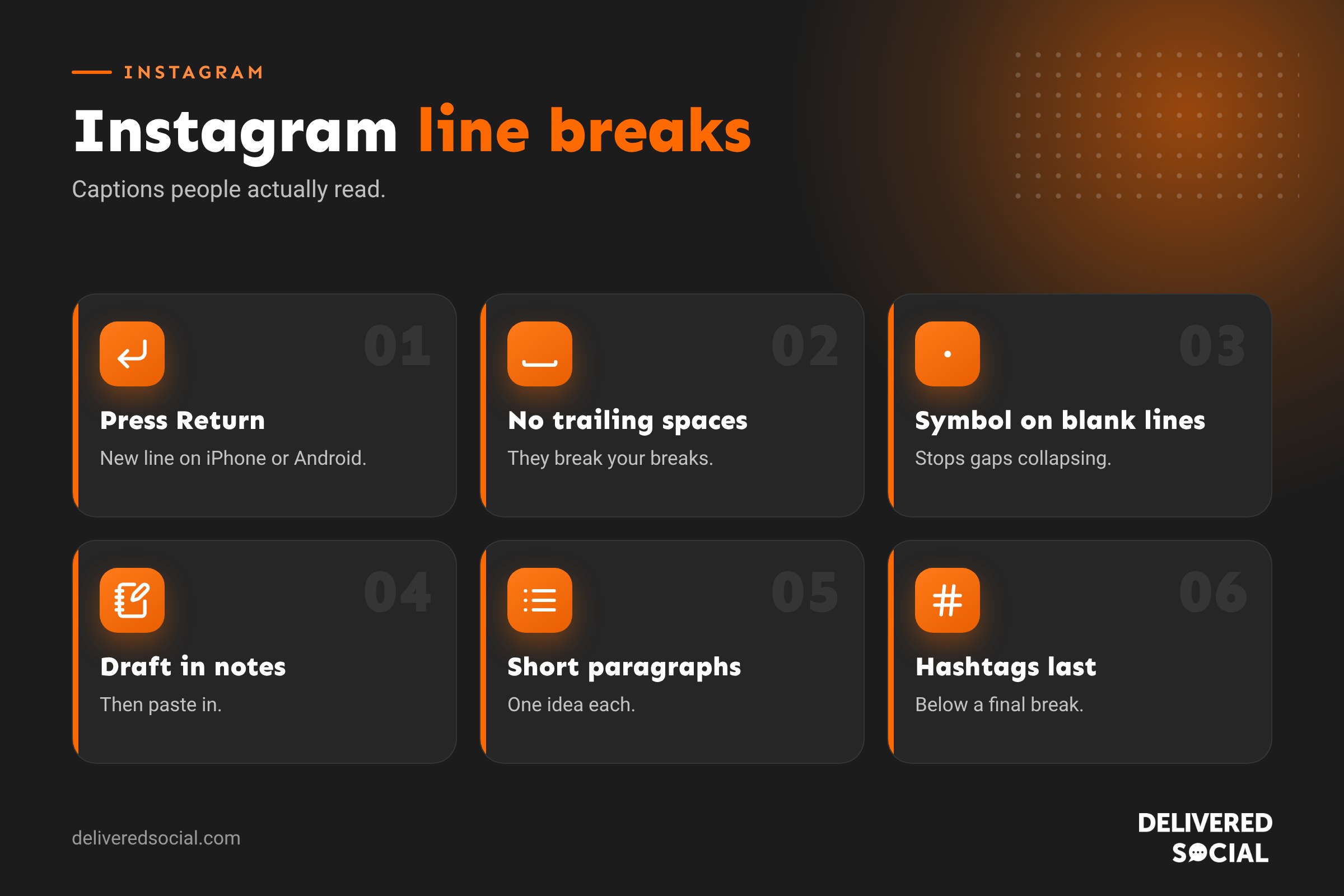
- A space at the end of the line: if there is a space just before you press Return, Instagram may remove the break. Make sure the last character on the line is a letter, punctuation mark or emoji, not a space.
- Empty lines: Instagram can collapse completely empty lines. An invisible character or a simple symbol on the blank line helps keep the gap.
- Copy and paste problems: text copied from some apps carries hidden formatting that Instagram strips out.
- App glitches: occasionally an app update changes how breaks are handled. Updating the app usually fixes it.
Tricks to keep line breaks
Write in a notes app first
Draft your caption in your phone’s notes app, add line breaks, then copy and paste it into Instagram. Check there are no trailing spaces.
Use a symbol on blank lines
Many people put a full stop, dash style bullet, small dot (·) or emoji on the empty line between paragraphs. It looks tidy and stops Instagram collapsing the gap.
Use an invisible character
Some creators copy an invisible “blank” character and paste it on the empty line. This works, but screen readers may handle it oddly, so a visible symbol is often the better choice for accessibility.
Use a caption formatting tool
Free online line break generators and scheduling tools add the right characters for you. Paste your caption in, copy the formatted version out and paste it into Instagram.
Line breaks in your Instagram bio
Bios have just 150 characters, so formatting matters even more. To add line breaks:
- Go to your profile and tap Edit profile, then Bio.
- Type your text and tap Return or Enter for a new line.
- If the breaks disappear, write the bio in your notes app and paste it in.
A good bio layout puts what you do on line one, who you help or where you are on line two, and a call to action on line three, with your link below.
Line breaks in comments
You can add line breaks to comments in the same way, which is helpful for longer replies to customer questions. Keep comment replies short where possible.
How to format a caption people read
- Start with a hook: only the first line or two shows before “more”, so make it count.
- One idea per paragraph: keep paragraphs to one to three short lines.
- Use lists: emoji or symbols make tips easy to scan.
- Add a clear call to action: tell people what to do next, such as “Save this for later” or “Tap the link in our bio”.
- Put hashtags at the end: separate them with a line break so they do not clutter the message. Our guide to Instagram hashtags explains how many to use.
Example caption layout
Here is a simple structure that works for most businesses:
- Line 1: a hook, such as a question or bold statement.
- Line 2: blank.
- Lines 3 to 5: the main point or story in short sentences.
- Line 6: blank.
- Lines 7 to 9: three quick tips or benefits as a list.
- Line 10: blank.
- Line 11: the call to action.
- Line 12: blank.
- Line 13: hashtags.
Caption length
Instagram allows up to 2,200 characters in a caption. You do not need to use them all. Short captions suit striking images and quick updates; longer captions work for stories, tips and educational posts, as long as they are well formatted. Test both and see what your audience responds to.
Accessibility tips
- Use visible symbols or emoji rather than invisible characters where possible.
- Do not replace whole words with emoji, as screen readers read emoji names aloud.
- Write hashtags in camel case, such as #SmallBusinessTips, so they are easier to read.
- Add alt text to your images in the advanced settings.
Common mistakes
- Trailing spaces that stop breaks from working.
- Rows of dots that make captions look cluttered.
- Burying the call to action in the middle of a long paragraph.
- Hashtags mixed into the main text, making it hard to read.
- Forgetting to check how the caption looks after posting. You can edit captions after publishing if something goes wrong.
Line breaks in Reels and carousels
The same caption rules apply to Reels and carousel posts, but the stakes are higher because Reels reach people who do not yet follow you. A Reel caption should add context the video cannot, such as the key tip in writing or a reason to follow, and a clean layout makes that context easier to take in. For carousels, the caption can summarise what people will learn by swiping, with each point on its own line. Our guide to why carousel posts work so well explains how to pair captions with slides.
Save time with caption templates
If you post often, keep a few formatted caption templates in your notes app, with the line breaks, symbols and call to action already in place. Each time you post, you only need to swap in the new hook and main message. This keeps your captions consistent, saves time and means your formatting works every time. Scheduling tools such as Metricool also let you save caption templates and hashtag groups.
Formatting captions for different post types
Different posts need different formatting. A product post works well with a short hook, two or three benefit lines and a link reminder. A tips post suits a numbered list with one tip per line. A story post can use short paragraphs that build to a point.
Whatever the post type, read your caption on your phone before posting. If it looks dense, add another break.
Good formatting is a small habit that makes every caption more readable.
If you schedule posts, preview them in your scheduling tool too, as some tools display breaks slightly differently.
Key takeaways
- Press Return or Enter to add line breaks in captions, comments and bios.
- Remove trailing spaces before each break so Instagram keeps them.
- Use a visible symbol or emoji on blank lines to stop gaps collapsing.
- Draft in a notes app or caption tool and paste into Instagram.
- Format captions with a hook, short paragraphs, a list and a clear call to action.
Frequently asked questions
How do I add a line break on Instagram?
Tap Return on iPhone or Enter on Android where you want a new line.
Why are my Instagram line breaks not working?
Usually because of a space at the end of the line or an empty line Instagram has collapsed.
How do I add a blank line between paragraphs?
Put a symbol, full stop or emoji on the blank line, or use a line break tool.
Can I add line breaks to my Instagram bio?
Yes. Use Return or Enter in Edit profile, or paste from a notes app.
Can I edit a caption after posting?
Yes. Tap the three dots on the post and choose Edit.
How long can an Instagram caption be?
Up to 2,200 characters.
Do line breaks work in Reels captions?
Yes, the same method works for Reels, carousels and photo posts.
Do emoji help with formatting?
Yes, emoji make lists easier to scan when used sparingly.
Want captions that convert?
We write and post Instagram content for businesses across Surrey, Hampshire and the UK. Find out more about our Instagram marketing services. Call us on 01483 608 303.
































