



Keep reading
Rather we just did it for you?
Let's get your business seen.
Social media, websites, SEO and ads from a team you can actually meet.
An Instagram QR code is one of the easiest ways to turn people you meet in real life into followers. Put it on your shop counter, menu, business card, packaging or event banner, and anyone can scan it with their phone camera and land straight on your profile. No typing, no misspelt usernames. This guide explains how to find and use your Instagram QR code, how to customise it, how to share QR codes for posts, and creative ways businesses can use it to grow their following.
What is an Instagram QR code?
A QR code is a square barcode that phones can scan with their camera. Instagram creates a unique QR code for every profile. When someone scans it, their phone opens your profile in the Instagram app or browser, where they can follow you with one tap. Instagram replaced its old “nametag” feature with QR codes a few years ago.
How to find your Instagram QR code
- Open Instagram and go to your profile.
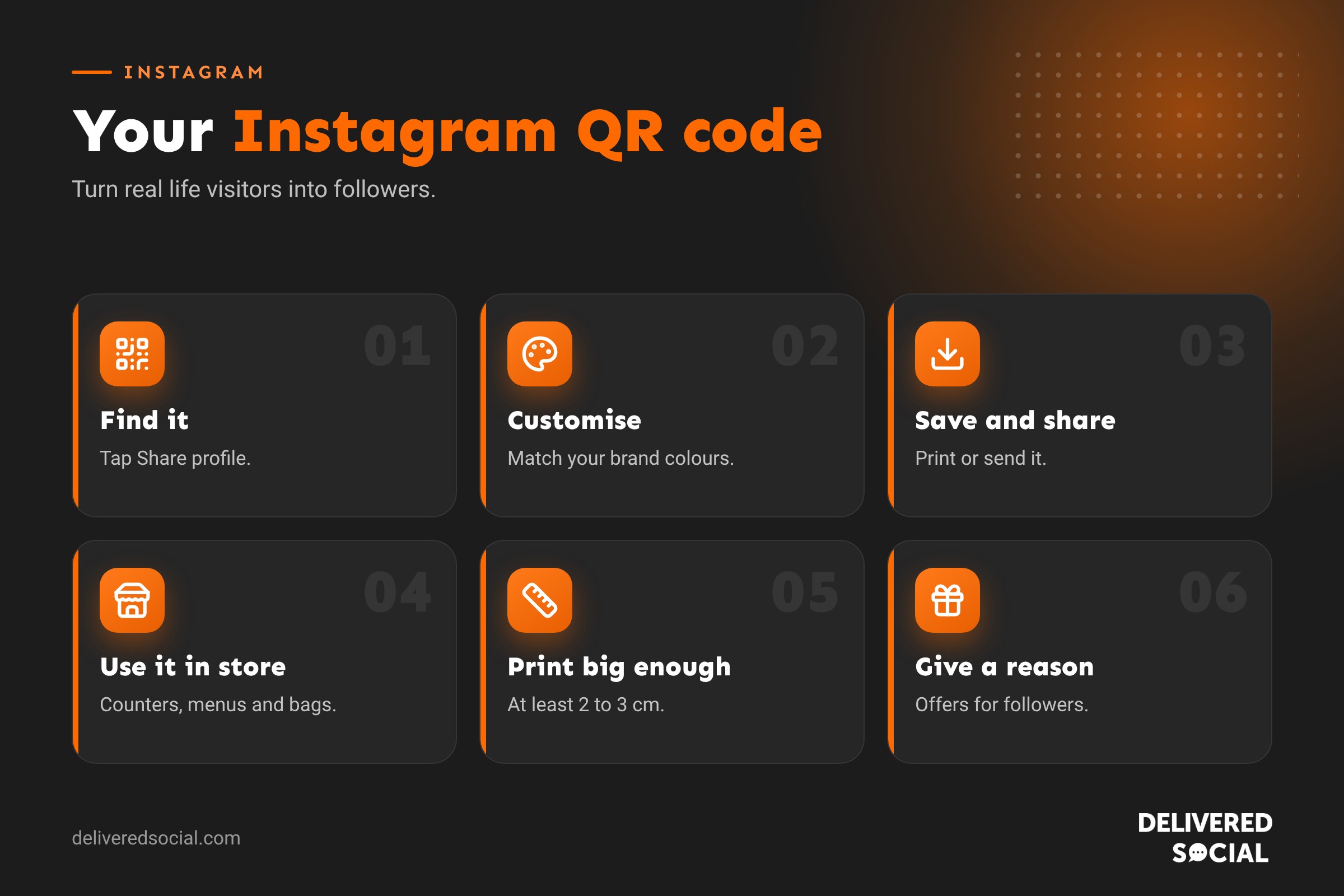
- Tap Share profile under your bio (or open the menu and look for QR code).
- Your QR code appears on screen, ready to scan or share.
The layout of the app changes from time to time, so if you cannot find it, look for “Share profile” or “QR code” in your profile menu.
How to customise your QR code
On the QR code screen you can usually tap the colour or style option at the top to change the background colour, add emoji or use a selfie style background. Choose a design that matches your brand colours while keeping the code easy to scan. High contrast designs scan most reliably.
How to save and share your QR code
- On the QR code screen, tap the download or save option to save it to your camera roll.
- Tap Share to send it by message, email or another app.
- Take a screenshot if you need a quick copy.
For print, ask your designer to place the code at a good size with clear space around it.
How to scan an Instagram QR code
Open your phone’s camera, point it at the code and tap the link that appears. You can also scan codes from inside Instagram using the QR scanner in the profile menu, which is handy if someone shows you their code on their screen.
QR codes for posts, Reels and products
You can also create QR codes that link to a specific post or Reel. Open the post, tap the three dots or share icon and look for the QR code option. This is useful for linking to a product, menu, event announcement or tutorial. Instagram’s tools can change, so if the option is not available, copy the post link and turn it into a QR code with a free QR generator. Our guide to QR code tools for branding compares options.
Where businesses can use an Instagram QR code
- Shop counters and tills: “Follow us for new stock and offers.”
- Menus and table cards: cafés and restaurants can invite diners to follow and tag them.
- Business cards: make it easy for new contacts to find your work.
- Packaging and thank you cards: turn customers into followers after a purchase.
- Posters, flyers and window stickers: attract passers by.
- Event stands and banners: grow followers at markets, fairs and exhibitions.
- Receipts and invoices: a subtle reminder to follow.
- Vehicles and signage: make sure the code is large enough to scan from a distance.
- Email signatures and presentations: link digital audiences too.
Give people a reason to scan
A QR code on its own is easy to ignore. Add a short line telling people what they get:
- “Scan to see this week’s specials.”
- “Follow us for behind the scenes and new arrivals.”
- “Scan, follow and show us at the till for 10% off.”
- “See our latest projects on Instagram.”
Printing tips
- Size: print the code at least 2 to 3 cm wide for close scanning, and much larger for posters and signs.
- Contrast: dark code on a light background scans best.
- Clear space: leave a margin around the code with no text or images.
- Test it: scan the printed proof with several phones before printing in bulk.
- Placement: put codes at eye level and where people pause, such as queues and tables.
Track your QR code results
Instagram does not show scans directly, but you can track results in other ways. Watch your follower growth and profile visits in Insights after adding codes in a new place. Use a different post QR code for each campaign, or use a trackable link with a QR generator that reports scans. Our guide to social media KPIs explains which numbers matter.
Make your profile ready for new visitors
A QR code brings people to your profile, so make sure it impresses them:
- A clear profile photo and a bio that says what you do and where.
- Highlights covering services, prices, reviews and FAQs.
- A link to your website or booking page.
- Recent, regular posts that show your best work.
Our guide to increasing Instagram followers has more tips.
Common mistakes
- Codes printed too small or on busy backgrounds.
- No call to action explaining why people should scan.
- Codes placed where people cannot easily stop and scan.
- Using an old code after changing your username without testing it.
- Sending people to an inactive or empty profile.
Combining QR codes with in store offers
The most effective QR campaigns link online and offline. Ask customers to scan and follow, then show the follow at the till for a small reward, such as a free coffee refill or a discount on their next visit. Encourage them to tag you in a photo of their purchase for a monthly prize draw. These simple incentives turn a passive code into a growth engine, and every tagged post introduces your business to the customer’s friends.
QR code ideas by business type
- Cafés: QR codes on cup sleeves and table cards asking people to share their coffee photos.
- Salons: a code at the mirror station inviting clients to follow for styling tips and last minute appointments.
- Trades: a code on your van and invoices linking to before and after photos.
- Shops: codes on carrier bags and shelf labels linking to styling Reels.
- Event organisers: codes on tickets and wristbands so attendees can follow and tag the event.
Using QR codes in your wider marketing
QR codes work best as part of a joined up plan. Use the same code design across print, packaging and signage so customers recognise it.
Combine QR codes with a simple offer, a hashtag for customers to use and regular Stories that reshare customer posts. Review follower growth each month and move codes to wherever people pause longest.
Updating printed codes
Because your Instagram QR code links to your profile, printed codes keep working for years. If you change your username, scan every printed code again to make sure it still lands on the right profile, and reprint anything that fails before customers notice.
Key takeaways
- Find your QR code by tapping Share profile on your Instagram profile.
- Customise the colour, then save or share it for print and digital use.
- Create QR codes for individual posts and Reels to link to specific content.
- Place codes where customers pause and give them a clear reason to scan.
- Test printed codes and make sure your profile is ready for visitors.
Frequently asked questions
Where is my Instagram QR code?
Go to your profile and tap Share profile, or look for QR code in the profile menu.
Does my Instagram QR code change?
It links to your profile, so it keeps working, but test it after changing your username.
Can I change the colour of my QR code?
Yes. Tap the colour or style option on the QR code screen.
Can I make a QR code for an Instagram post?
Yes, from the post’s share or menu options, or with a free QR generator using the post link.
How big should a printed QR code be?
At least 2 to 3 cm for close scanning and larger for signs viewed from a distance.
Can I see how many people scanned my code?
Not directly in Instagram, but you can track follower growth or use a trackable QR generator.
Can I use my QR code on social media?
Yes, share it in Stories or on other platforms.
Do QR codes work on all phones?
Most modern phones scan QR codes with the built in camera.
Can I put a QR code on my van?
Yes, but make it large and add your handle in text too.
Can a QR code link to my Instagram shop?
Link to a post or your profile, which can lead to your shop.
Want more Instagram followers who buy?
We grow Instagram for businesses across Surrey, Hampshire and the UK. Find out more about our Instagram marketing services. Call us on 01483 608 303.
































