



Keep reading
Rather we just did it for you?
Let's get your business seen.
Social media, websites, SEO and ads from a team you can actually meet.
If you want to write regularly, build an audience and maybe earn money from your words, two very different platforms usually come up: WordPress and Substack. One is a website you own and control; the other is a ready-made newsletter platform with a built-in network of readers. Medium, Blogger and Beehiiv often join the shortlist too. This guide compares WordPress vs Substack in plain English, covering cost, ownership, growth, SEO, monetisation and flexibility, so you can choose the right home for your writing or your business.
The short answer
Choose Substack if you’re an individual writer who wants to start a newsletter today, with no set-up, and you’re happy for the platform to take a share of paid subscriptions. Choose WordPress if you’re a business, want full control of your brand and content, need a proper website alongside your writing, or want your articles to bring in search traffic over the long term. Many people use both: a WordPress website as the hub, with an email newsletter sending readers back to it.
What is Substack?
Substack is a publishing platform built around email newsletters. You create a publication, write posts in a simple editor, and each post is emailed to your subscribers and published on a basic web page. Readers can subscribe for free or pay a monthly or yearly subscription. Substack handles payments, hosting and email delivery, and takes a percentage of paid subscription revenue, with card processing fees on top. It’s free to start if you don’t charge readers.
Substack also has an app and recommendation network, so readers can discover new writers through other publications they already follow.
What is WordPress?
WordPress is content management software that powers a huge share of the world’s websites. Self-hosted WordPress (from WordPress.org) is free software that you install on your own hosting, giving you full control of design, features and data. You can run a blog, a business website, an online shop, a membership site or a newsletter archive, and extend it with plugins. You pay for hosting and a domain, plus any premium themes or plugins you choose.
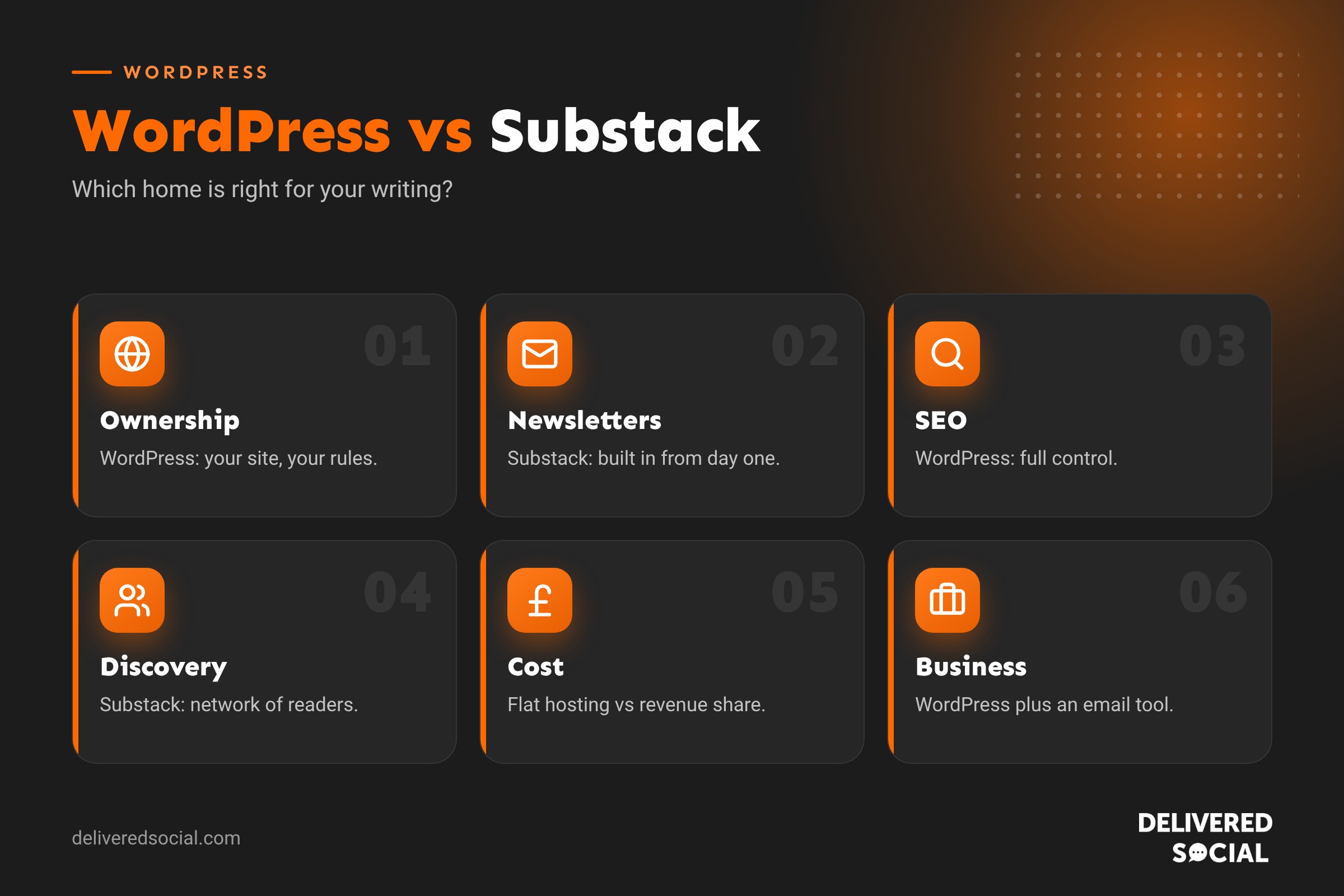
WordPress vs Substack at a glance
| WordPress | Substack | |
|---|---|---|
| Best for | Businesses, brands, long-term blogs, websites | Individual writers and newsletters |
| Set-up | Hosting, domain, theme and plugins | Sign up and start writing in minutes |
| Cost | Hosting and domain, from a few pounds a month | Free to start; a share of paid subscription revenue |
| Ownership | You own the site, content and data | You own your content and can export your list, but the platform sets the rules |
| Design | Fully customisable | Limited, consistent layout |
| Email newsletter | Via a plugin or email platform | Built in |
| SEO | Full control of titles, structure, speed and schema | Basic |
| Discovery | Search, social and your own marketing | Substack network and recommendations |
| Monetisation | Anything: services, products, ads, memberships, courses | Paid subscriptions, mainly |
Ownership and control
This is the biggest difference. On WordPress, your website lives on hosting you pay for, at a domain you own. You decide how it looks, what it sells, which tools it connects to and how your data is used. If you move host, you take everything with you.
On Substack, you can export your posts and subscriber list, and you can use a custom domain. But you’re still building on someone else’s platform: their design, their rules, their fees and their decisions about features. That’s fine for many writers, but businesses usually want more control over a key marketing asset.
Cost compared
Substack is free until you charge readers, then it takes a percentage of subscription income plus payment fees. That’s very affordable at the start, but the cost grows as your revenue grows. A writer earning a healthy income from subscriptions pays a meaningful amount each year.
WordPress has fixed running costs: hosting, a domain and perhaps an email platform. Those costs stay fairly flat however much you earn. For small, hobby newsletters, Substack is cheaper. For established publications or businesses, WordPress often works out better value. Our guide to whether WordPress is free explains the running costs in more detail.
SEO and search traffic
If you want your writing to be found on Google for years, WordPress has the edge. You can control page titles and meta descriptions, URL structure, internal links, categories, schema markup, page speed and images. You can build topic clusters of related articles that rank together.
Substack posts can rank, but you have much less control over on-page SEO and site structure. Substack’s strength is email and its own network, not search. For businesses that rely on being found by new customers, that’s a significant limitation.
Email newsletters
Substack’s newsletter features are excellent out of the box: every post becomes an email, subscriber management is simple and paid tiers are built in. On WordPress you add email through a plugin or connect a dedicated email marketing platform. That takes more set-up, but gives you more: automations, segments, welcome sequences, ecommerce emails and detailed reporting. See our guide to what a newsletter is for the basics.
Growth and discovery
Substack’s network is a real advantage for writers. Recommendations, the app, notes and cross-promotion between publications help new writers find readers without paid advertising. WordPress has no built-in audience: you grow through search, social media, partnerships, email and advertising. That’s more work, but every visitor lands on a site you control, where you can offer services, products or a newsletter sign-up.
Making money
Substack is designed for one model: readers paying for subscriptions, with optional founding member tiers. It works brilliantly for writers with a loyal following.
WordPress supports almost any model: selling services, taking bookings, selling products, running memberships, courses, sponsorships, affiliate links, display ads or paid newsletters. For a business, the website is usually there to generate enquiries and sales rather than subscription income, which Substack isn’t built for.
Design and branding
Substack publications look clean but similar. You can change colours, logos and some layout options, but not much more. WordPress lets you build exactly the look your brand needs, with custom pages, landing pages, case studies and contact forms alongside your blog.
What about Medium, Blogger and Beehiiv?
- Medium: a writing platform with a large built-in readership and a partner programme that pays writers based on member engagement. Great for reach, but you have little control and limited branding. Many writers republish selected articles on Medium to reach new readers, with a canonical link pointing back to their own site.
- Blogger: Google’s free blogging platform. Simple and free, but dated, with limited features and little development. Fine for a personal hobby blog, not ideal for a business.
- Beehiiv: a newsletter platform similar to Substack, with more growth and monetisation tools such as referral programmes and an ad network, and paid plans instead of a revenue share. A strong option for newsletter-first businesses.
- Wix and Squarespace: website builders with blogging built in. Easier than WordPress but less flexible. See our Wix vs Squarespace vs WordPress comparison.
Which is better for a business?
For most businesses, WordPress is the stronger choice. Your blog sits on your own website, supports your services, builds search visibility and keeps visitors in your world. Add an email platform to send newsletters, and you have the best of both. Substack can still work as an extra channel, for example a founder’s personal newsletter, but it shouldn’t replace your website.
Which is better for an independent writer?
If you’re a writer, journalist or creator whose main goal is paid subscribers, Substack or Beehiiv is the quickest way to start. You can focus on writing rather than hosting and plugins. If you later want more control, you can export your list and content and move to WordPress.
Can you use WordPress and Substack together?
Yes. A common approach is to keep your main website and articles on WordPress, then use a newsletter to share highlights and link back. Another is to run a Substack for a personal or opinion-led newsletter while the business blog lives on WordPress. Just avoid publishing identical articles in both places without a canonical link, as duplicate content splits your search visibility.
Moving from Substack to WordPress
- Export your posts and subscriber list from Substack’s settings.
- Set up WordPress hosting and your domain.
- Import your posts using an importer tool or plugin.
- Import subscribers into your chosen email platform, respecting their consent.
- Set up redirects if you used a custom domain, so old links still work.
- Tell readers about the move in a final Substack post.
Paid subscribers need careful handling, so plan payments and access before you switch.
Questions to help you decide
- Is your main goal paid subscribers, or enquiries and sales?
- Do you need a full website with services, contact forms or a shop?
- How important is search traffic to your plans?
- Do you want to control design and branding?
- Are you comfortable managing hosting and plugins, or would you rather someone did it for you?
- How much would a revenue share cost you at your expected income?
A quick example
Imagine a local accountant who wants to share tax tips. On Substack, they could start a newsletter in an afternoon and gather a few hundred subscribers. But each article sits away from their website, with no services page, no booking form and little search visibility. On WordPress, every tip becomes a page on their own site that can rank for questions local business owners search for, with a clear call to book a consultation. A monthly email then sends subscribers back to those articles. Over a year, the WordPress approach usually brings far more new clients.
Quick glossary
- Self-hosted WordPress: the free WordPress software installed on hosting you control.
- Revenue share: a percentage of your income kept by the platform.
- Canonical link: a tag telling search engines which version of a page is the original.
- Custom domain: using your own web address instead of the platform’s.
Key takeaways
- Substack is the quickest way to start a newsletter, especially for individual writers.
- WordPress gives you ownership, flexibility and far stronger SEO control.
- Substack’s costs grow with your income; WordPress costs stay fairly flat.
- For businesses, a WordPress website plus an email platform is usually the best mix.
- Medium and Beehiiv are useful extras, not replacements for your own website.
Frequently asked questions
Is Substack better than WordPress?
For quick, simple newsletters, yes. For businesses, SEO and flexibility, WordPress is usually better.
Is Substack free?
It’s free to start. If you charge for subscriptions, Substack takes a percentage plus payment fees.
Can I use my own domain on Substack?
Yes, Substack supports custom domains.
Is WordPress good for newsletters?
Yes, when connected to an email platform or newsletter plugin, with more automation options than Substack.
Can I move from Substack to WordPress?
Yes. You can export posts and subscribers and import them into WordPress and your email platform.
Is Medium better than Substack?
Medium is better for reaching readers on the platform; Substack is better for building your own email list.
Does Substack help with SEO?
A little, but you have far less control than on WordPress.
Should a business use Substack?
Only as an extra channel. Your main content should live on your own website.
Want a website that grows your audience?
We build WordPress websites, blogs and email marketing for businesses across Surrey, Hampshire and the UK. Call us on 01483 608 303 to talk about your content plans.































