



Keep reading
Rather we just did it for you?
Let's get your business seen.
Social media, websites, SEO and ads from a team you can actually meet.
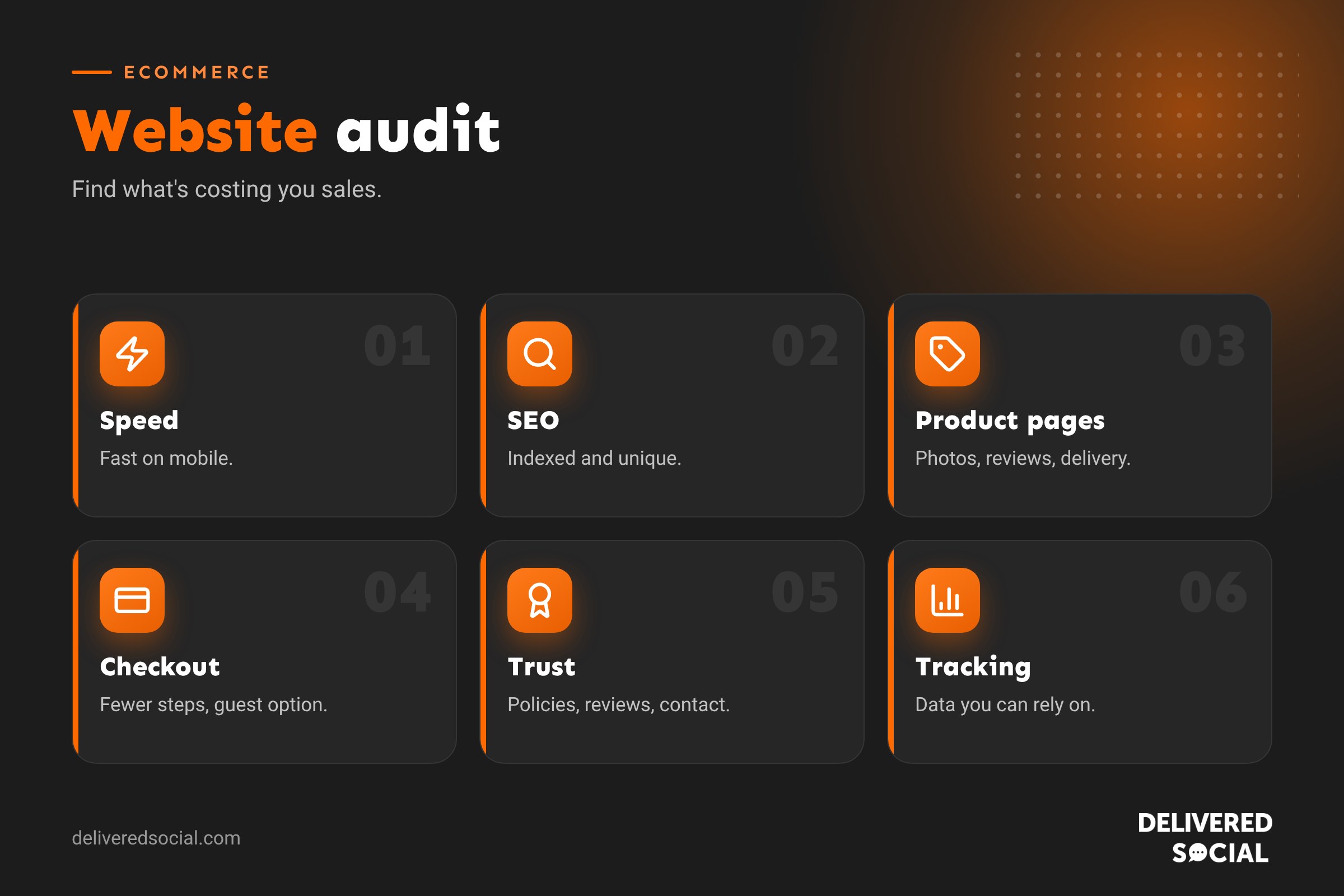
If your online shop gets visitors but not enough sales, or sales have quietly dipped, the problem is rarely just one thing. It’s usually a mix of small issues: a slow product page here, a confusing checkout step there, a missing review, a broken filter, a page Google can’t index. An ecommerce website audit finds those problems and ranks them, so you know exactly what to fix first. This guide explains how to audit an ecommerce website step by step, covering speed, SEO, product pages, checkout, trust, tracking and security, with a checklist you can work through yourself.
What is an ecommerce website audit?
An ecommerce website audit is a structured review of your online shop to find what’s stopping visitors from finding, trusting and buying from you. It looks at technical health, search visibility, user experience, product content, checkout, marketing tracking and security, then turns findings into a prioritised action plan.
When should you audit your shop?
- Sales or conversion rates have dropped.
- Traffic has fallen after an update or redesign.
- Before peak season, such as Black Friday and Christmas.
- Before spending more on ads.
- After migrating to a new platform or theme.
- At least once a year as routine maintenance.
Before you start: gather your data
- Analytics: traffic, conversion rate, average order value and top landing pages.
- Google Search Console: search queries, indexing and errors.
- Platform reports: best sellers, abandoned baskets and refunds.
- Customer feedback: reviews, emails and support questions.
- Ad accounts: which campaigns and products drive sales.
Set a baseline so you can measure the impact of fixes later.
1. Speed and performance
Slow shops lose sales, especially on mobile. Test your home page, a category page, a product page and the checkout with Google PageSpeed Insights.
- Are Core Web Vitals in the “good” range on mobile?
- Are product images resized, compressed and in modern formats?
- Are there too many apps or plugins loading scripts?
- Is hosting fast enough for busy periods?
- Is caching set up correctly without breaking baskets?
See why is my WordPress site slow? for WooCommerce speed fixes.
2. Technical SEO
- Are important category and product pages indexed in Google?
- Are there crawl errors, broken links or redirect chains?
- Is there an up-to-date XML sitemap?
- Are filters and sorting creating thousands of near-duplicate URLs?
- Do out-of-stock and discontinued products handle sensibly (kept, redirected or removed)?
- Is product schema in place, showing price, availability and reviews?
- Is the whole site on HTTPS?
3. On-page SEO and content
- Do category pages have unique titles, descriptions and helpful intro text?
- Do product pages have unique descriptions, not copied from suppliers?
- Do page titles include the terms customers search for?
- Do images have descriptive file names and alt text?
- Is there helpful content, such as buying guides and FAQs, supporting key categories?
Our ecommerce SEO page explains what we look for.
4. Navigation and search
- Can visitors find any product in three clicks or fewer?
- Are menu labels clear and in customers’ language?
- Do filters work on mobile, with useful options such as size, colour and price?
- Does site search handle typos and show results with images?
- Do empty search results suggest alternatives?
5. Product pages
| Element | What good looks like |
|---|---|
| Photos | Several high-quality images, zoom, lifestyle and scale shots |
| Video | Short demos for products that need explaining |
| Description | Benefits first, then features and specifications |
| Price and delivery | Clear, with delivery cost and times visible |
| Stock | Accurate availability and back-in-stock alerts |
| Reviews | Genuine ratings and reviews, ideally with photos |
| Add to basket | Prominent, sticky on mobile |
| Returns | Policy summarised near the button |
| Cross-sells | Relevant recommendations |
Our guide to writing product descriptions helps with copy.
6. Basket and checkout
This is where many sales are lost. Go through checkout yourself on a phone, as a new customer.
- Is guest checkout available?
- Are delivery costs shown before the final step?
- How many steps and form fields are there? Remove anything unnecessary.
- Are popular payment options available, such as cards, digital wallets and pay later?
- Do discount code boxes distract people into leaving to search for codes?
- Are error messages clear when something’s wrong?
- Do confirmation emails arrive promptly and look professional?
See ecommerce payment gateways in the UK for payment options.
7. Trust and credibility
- Is there a clear About page with real people and your story?
- Are contact details easy to find, including a phone number or live chat?
- Are delivery, returns and privacy policies clear and up to date?
- Are reviews visible on product pages and the home page?
- Are secure payment logos and the padlock present?
- Does the design look current and consistent?
8. Mobile experience
Most ecommerce traffic is mobile. Check tap targets are large enough, text is readable without zooming, pop-ups are easy to close and don’t cover the page, and the basket and checkout are smooth on small screens.
9. Tracking and analytics
- Is ecommerce tracking recording purchases, revenue and products correctly?
- Do analytics totals roughly match your platform’s sales reports?
- Are ad pixels and conversion tracking set up for Google and Meta?
- Is cookie consent working correctly?
- Can you see the funnel from product view to purchase?
Without reliable data, it’s impossible to know what’s working.
10. Marketing and retention
- Is there an email sign-up form with a clear reason to join?
- Are abandoned basket and welcome emails running? See ecommerce marketing automation.
- Is your product feed connected to Google Merchant Center?
- Are social profiles linked and active?
- Is there a plan for key dates? See our ecommerce marketing calendar.
11. Security and maintenance
- Are the platform, theme and plugins up to date?
- Are backups running daily and tested?
- Do admin accounts use strong passwords and two-factor authentication?
- Is there a firewall and malware scanning?
- Are old admin users removed?
12. Accessibility and legal
- Do images have alt text and colours have enough contrast?
- Can the site be used with a keyboard?
- Are terms, privacy and cookie policies in place and accurate?
- Are prices clear, including VAT where relevant?
Prioritising what you find
An audit can uncover dozens of issues. Score each by impact (how much it affects sales) and effort (how hard it is to fix):
| Low effort | High effort | |
|---|---|---|
| High impact | Do first | Plan next |
| Low impact | Quick tidy-ups | Leave for later |
Checkout problems, broken tracking, slow product pages and missing indexing usually come first.
Measuring the results
After making changes, compare conversion rate, average order value, revenue per visitor, organic traffic, basket abandonment and page speed with your baseline. Give SEO changes a few months; checkout and speed fixes often show results within weeks. Our guide to ecommerce conversion rate explains the key numbers.
DIY audit vs professional audit
A self-audit with this checklist will uncover plenty. A professional audit adds specialist tools, technical crawling, experience of what works in your sector and a clear, prioritised plan, which saves time if you’re busy running the shop. Many businesses do a quick check themselves quarterly and a deeper professional audit once a year.
A one-hour mini audit
Short on time? Spend one hour on the five checks that usually matter most: run PageSpeed Insights on your best-selling product page, place a test order on your phone as a guest, search Google for your top three products and see where you appear, check your analytics purchase total against your platform’s sales for last month, and read your ten most recent reviews and support emails for recurring complaints. Write down every problem you spot, then fix the quickest, highest-impact ones that week.
Quick glossary
- Conversion rate: the percentage of visitors who buy.
- AOV: average order value.
- Core Web Vitals: Google’s measures of loading, responsiveness and stability.
- Product schema: code that helps search engines show prices and reviews.
- Faceted navigation: filters that let shoppers narrow product lists.
Key takeaways
- An ecommerce audit reviews speed, SEO, product pages, checkout, trust, tracking and security.
- Gather data first and set a baseline.
- Test the full journey yourself on a phone.
- Prioritise fixes by impact and effort.
- Re-audit at least once a year and before peak season.
Frequently asked questions
What is an ecommerce website audit?
A structured review of an online shop to find issues affecting traffic, trust and sales.
How often should I audit my online shop?
At least yearly, plus before peak season or after major changes.
How long does an ecommerce audit take?
A basic self-audit takes a day; a full professional audit can take one to two weeks.
What tools do I need?
Analytics, Search Console, PageSpeed Insights and a website crawler are a good start.
What usually needs fixing first?
Checkout friction, slow mobile pages, broken tracking and indexing problems.
Can an audit improve my conversion rate?
Yes, by finding and removing the barriers that stop people buying.
Is an SEO audit the same as an ecommerce audit?
No. SEO is one part; an ecommerce audit also covers usability, checkout and trust.
Should I audit before running ads?
Yes. Fixing your site first makes every pound of ad spend work harder.
Want an expert look at your online shop?
We audit, build and market ecommerce websites for businesses across Surrey, Hampshire and the UK. See our SEO audit services or call us on 01483 608 303.































