



Keep reading
Rather we just did it for you?
Let's get your business seen.
Social media, websites, SEO and ads from a team you can actually meet.
For online shops, timing is everything. The right campaign at the right moment can make a month; the same campaign a week late can fall flat. An ecommerce marketing calendar helps you plan sales, content, emails and ads around the key dates your customers care about, so you’re prepared rather than scrambling. This guide explains how to build an ecommerce marketing calendar, the key UK retail dates through the year, how far ahead to plan, and a simple monthly template you can use for your own shop.
What is an ecommerce marketing calendar?
An ecommerce marketing calendar is a plan of your marketing activity across the year: promotions, product launches, email campaigns, social media themes, paid ads and content, all mapped to seasonal events and your own business goals. It makes sure stock, creative and budgets are ready in time, and that every channel tells the same story.
Why online shops need one
- Peak dates come round fast. Black Friday creative can take weeks to prepare.
- Stock and delivery need planning, especially before Christmas cut-off dates.
- Ad costs rise around big events, so you need budgets set early.
- Consistent content keeps customers engaged between sales.
- Your team stays aligned on what’s happening and when.
- You avoid constant discounting by planning a balance of sales and full-price campaigns.
Key UK ecommerce dates
| Month | Key dates and themes |
|---|---|
| January | New Year, January sales, Blue Monday, Burns Night, health and fresh starts |
| February | Valentine’s Day, half term, Pancake Day |
| March | Mother’s Day (UK), St Patrick’s Day, spring, International Women’s Day |
| April | Easter, spring holidays, gardening season |
| May | Two bank holidays, wedding season, outdoor living |
| June | Father’s Day, summer starts, festivals, end of school year gifts |
| July | Summer holidays, mid-season sales, Prime Day style sales events |
| August | Back to school, August bank holiday, late summer sales |
| September | Back to school and work, autumn ranges, Halloween planning |
| October | Halloween, half term, early Christmas gifting |
| November | Bonfire Night, Singles’ Day, Black Friday, Cyber Monday |
| December | Christmas, last delivery dates, Boxing Day sales, New Year’s Eve |
Dates like Mother’s Day, Easter and bank holidays move each year, so check them when you plan. Add your own industry dates too, such as awareness days, trade shows and local events.
How far ahead to plan
| Activity | Plan ahead by |
|---|---|
| Christmas and Black Friday strategy | 3 to 4 months |
| Stock and supplier orders for peak | 3 to 6 months |
| Photography and video shoots | 6 to 8 weeks |
| Email campaigns and landing pages | 3 to 4 weeks |
| Social media content | 2 to 4 weeks |
| Paid ad campaigns | 2 to 3 weeks, with testing |
How to build your calendar step by step
- Review last year. Which months, campaigns and products performed best? When did sales dip?
- Set goals for revenue, new customers and average order value for each quarter.
- Add key dates from the table above, plus your own industry and brand dates.
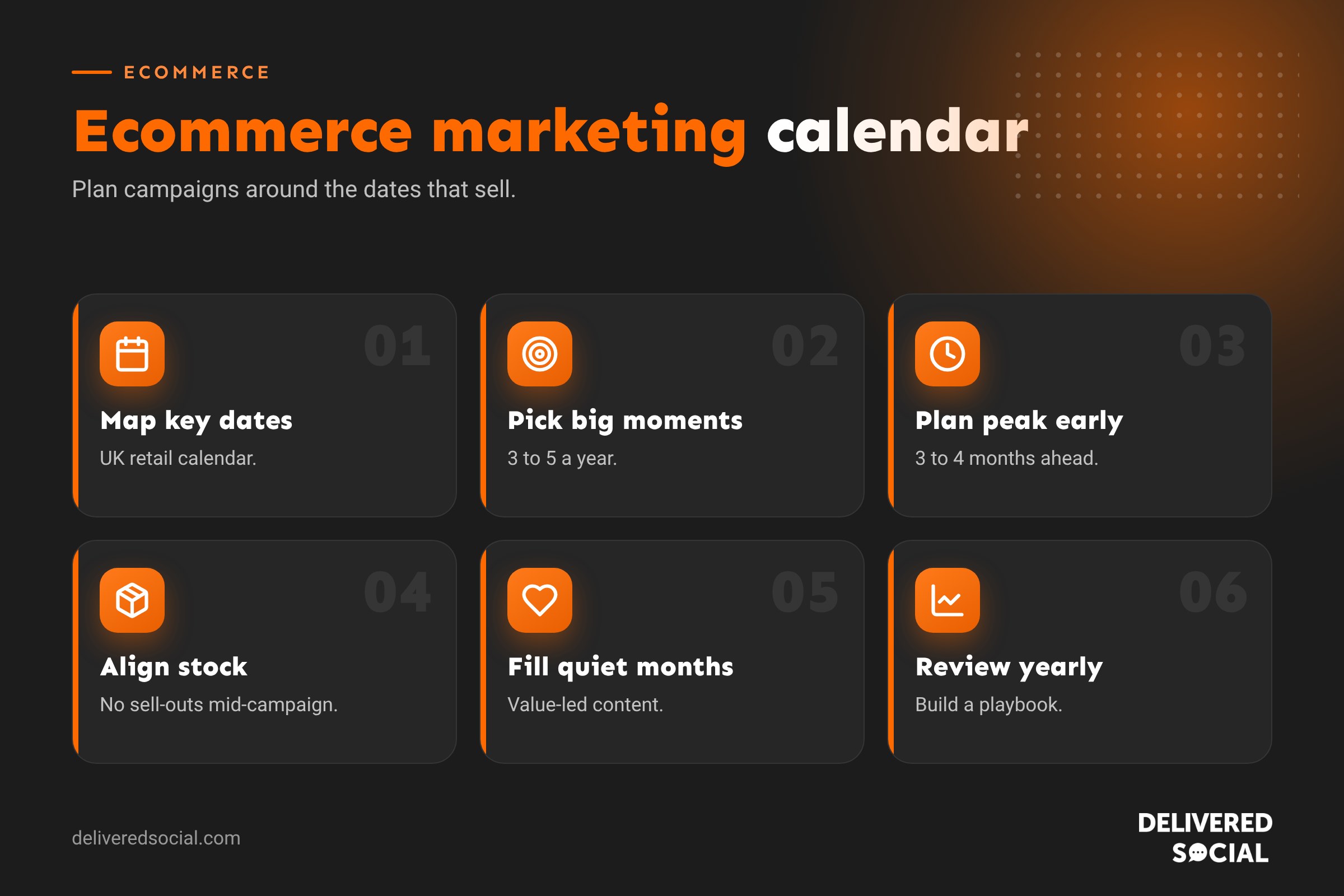
- Choose your big moments, usually three to five major campaigns a year.
- Plan the in-between months with launches, content and full-price campaigns.
- Map each channel: email, social, ads, website, SEO content and influencers.
- Set deadlines for creative, copy, stock and landing pages.
- Assign owners to each task.
- Review monthly and adjust based on results.
What to include for each campaign
- Campaign name and goal.
- Start and end dates.
- Products or collections featured.
- Offer or message, if any.
- Channels and content needed.
- Budget for ads and production.
- Landing page or collection page.
- Owner and deadlines.
- How you’ll measure success.
A simple monthly template
| Week | Focus | Social | Ads | |
|---|---|---|---|---|
| 1 | New arrivals | New in email | Product Reels and carousels | Retargeting new products |
| 2 | Education and inspiration | How-to or styling guide | Tips and behind the scenes | Awareness video |
| 3 | Social proof | Customer favourites and reviews | User-generated content | Best sellers |
| 4 | Seasonal or offer | Event or limited offer | Countdown and Stories | Offer campaign |
Balancing sales and full-price campaigns
Running a discount every few weeks trains customers to wait for the next sale and eats into margins. Balance promotional campaigns with value-led content: new arrivals, gift guides, product education, customer stories and limited editions. Free delivery thresholds, bundles and gifts with purchase can lift sales without heavy discounting.
Planning for Black Friday and Christmas
- September: plan offers, stock and budgets.
- October: create gift guides, shoot content, build email lists.
- Early November: warm up audiences with teasers and early access sign-ups.
- Black Friday to Cyber Monday: run your main offer with clear end dates.
- December: switch to gift messaging and clearly promote last delivery dates.
- Boxing Day: sales and New Year messaging.
Content to fill quieter months
- Behind-the-scenes and maker stories.
- How-to guides and product care tips.
- Customer reviews and photos.
- Seasonal styling or usage ideas.
- Blog posts targeting search terms your customers use.
- Loyalty rewards and VIP early access.
Our guide to social media content calendars helps plan the social side.
Tools for managing your calendar
- Spreadsheets: simple, flexible and easy to share.
- Project management tools: for tasks, owners and deadlines.
- Social schedulers: to plan and publish social posts.
- Email platforms: to schedule campaigns and automations.
- Shared calendars: so everyone can see key dates at a glance.
Measuring results
After each campaign, record revenue, orders, conversion rate, average order value, ad return and email performance. Compare with the previous year and normal weeks. Over time, your calendar becomes a playbook built on real data. Our guide to ecommerce conversion rate explains how to improve the numbers.
Common mistakes
- Planning Christmas in November.
- Forgetting delivery cut-off dates.
- Running the same offer every month.
- Different messages on different channels.
- No content plan between big campaigns.
- Not reviewing what worked last year.
Example: a gift shop’s year
Imagine an independent online gift shop. Its calendar might include a January clearance and new-year organisation range, a Valentine’s gift guide in early February, a Mother’s Day push three weeks before the date, a spring garden collection in April, Father’s Day gifts in early June, a summer sale in July, back-to-school stationery in August, and an autumn launch in September. October brings Halloween and early Christmas gift guides, November is all about Black Friday and Christmas shopping, and December focuses on stocking fillers and last delivery dates. Between these big moments, weekly content keeps customers engaged: new arrivals, customer photos, behind-the-scenes packing videos and gift ideas under set prices.
Aligning stock with your calendar
A campaign is only as good as the stock behind it. Share your calendar with whoever handles buying and fulfilment, so popular products are ordered in time, packaging and inserts are ready for gift seasons, and delivery partners can cope with peaks. Running out of a hero product halfway through a campaign wastes ad spend and disappoints customers.
Using your calendar for SEO
Seasonal searches start well before the event itself. People search “Mother’s Day gift ideas” weeks in advance. Publish gift guides and seasonal collection pages early, ideally six to eight weeks ahead, so they have time to rank. Update the same pages every year rather than creating new ones, so they build authority over time.
Quick glossary
- AOV: average order value.
- Peak season: the busiest trading period, usually November and December.
- Retargeting: ads shown to people who have visited your shop.
- Gift guide: curated product suggestions for a person or budget.
Keep it flexible
A calendar is a plan, not a contract. Leave room for opportunities you can’t predict, such as a product going viral, a supplier delay or a trending moment on social media. Review it monthly, move campaigns if stock or results demand it, and keep notes of what you changed and why.
Key takeaways
- An ecommerce calendar maps campaigns, content and ads to key dates.
- Plan peak season three to four months ahead.
- Choose a few big moments and fill quieter months with valuable content.
- Balance sales with full-price campaigns to protect margins.
- Review results and improve the calendar every year.
Frequently asked questions
What is an ecommerce marketing calendar?
A yearly plan of promotions, content, emails and ads mapped to key retail dates.
When should I start planning for Christmas?
Ideally by September, with stock and budgets decided even earlier.
What are the biggest UK ecommerce dates?
Black Friday, Cyber Monday, Christmas, Boxing Day, Valentine’s Day, Mother’s Day and Father’s Day.
How many campaigns should an online shop run?
Usually three to five big campaigns a year, with smaller monthly themes.
Should every campaign include a discount?
No. Mix offers with launches, gift guides and value-led content.
What should I do in quiet months?
Launch new products, share customer stories and educational content, and grow your email list.
How far ahead should I plan Black Friday?
Start planning in September, with offers, stock and creative ready by early November.
Should small shops take part in Black Friday?
Only if it suits your margins. Many independents offer gifts or early access instead of big discounts.
How do I track calendar results?
Record revenue, orders, conversion rate and ad return for each campaign and compare year on year.
Want help planning your shop’s marketing year?
We plan and run social media, email and ad campaigns for online shops across Surrey, Hampshire and the UK. See our social media management services or call us on 01483 608 303.































