



Keep reading
Rather we just did it for you?
Let's get your business seen.
Social media, websites, SEO and ads from a team you can actually meet.
YouTube Shorts are one of the fastest ways for a small business to get seen on YouTube. They’re quick to make, they’re pushed to people who have never heard of you, and they can lead viewers to your longer videos, your website and your door. But with millions of Shorts uploaded every day, standing out takes more than pointing your phone and pressing record. This guide shares practical YouTube Shorts tips: the specs, how to hook viewers, what to post, how the Shorts feed decides what to show, and how businesses can turn views into customers.
What are YouTube Shorts?
YouTube Shorts are vertical videos of up to three minutes that play in a swipeable feed, much like TikTok and Instagram Reels. They appear in the Shorts tab, on the YouTube home page, in search results and on your channel. Because YouTube actively recommends Shorts to new viewers, even a brand-new channel can reach thousands of people with one good video.
YouTube Shorts specs
| What | Recommendation |
|---|---|
| Aspect ratio | 9:16 vertical (square also works) |
| Resolution | 1080 x 1920 pixels |
| Length | Up to 3 minutes; most perform best between 15 and 60 seconds |
| Title | Short, clear and keyword-rich |
| Captions | On-screen text or auto captions for sound-off viewers |
| Safe zone | Keep text away from the bottom and right, where buttons and titles sit |
Shorts over a minute with claimed content, such as copyrighted music, may be blocked, so be careful with audio on longer Shorts.
15 YouTube Shorts tips that work
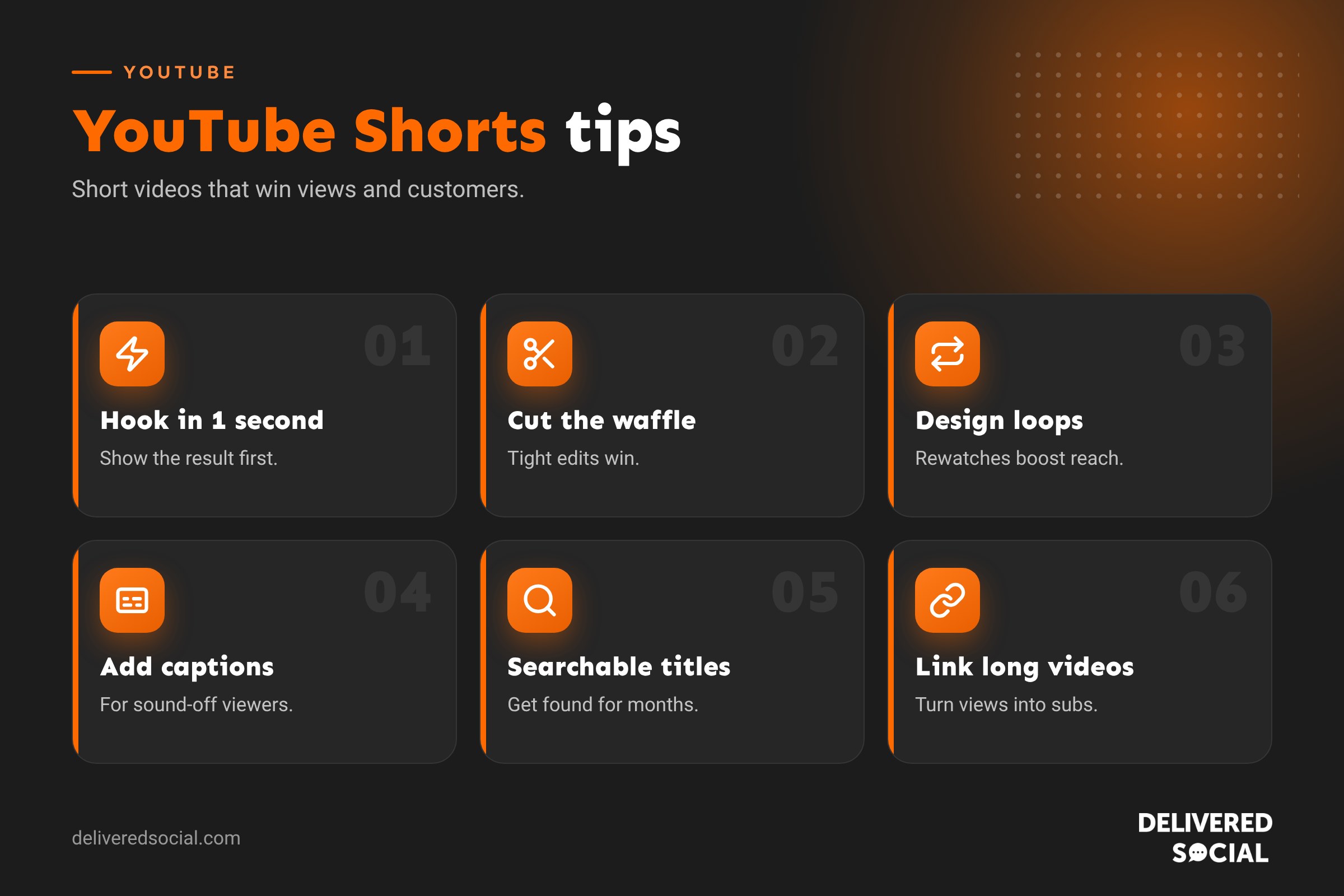
1. Hook viewers in the first second
People decide almost instantly whether to keep watching. Start with movement, a bold statement, a question or the end result. “This garden took three days and £200” beats “Hi everyone, welcome back to my channel”.
2. Get to the point
Cut every pause, intro and “um”. Shorts reward tight editing.
3. Design for loops
If the end of your Short flows naturally into the start, people often watch twice, which boosts your watch time.
4. Use on-screen text
Add a headline at the top and captions throughout. Many viewers watch with the sound off.
5. Write searchable titles
YouTube is a search engine. Titles like “How to clean oven glass in 2 minutes” can keep getting found for months.
6. Add relevant hashtags
A couple of hashtags such as #Shorts and a topic hashtag help YouTube categorise your video. Don’t stuff them.
7. Film in good light
Face a window or use a cheap ring light. Clear, bright video looks more professional instantly.
8. Use clear audio
Poor sound loses viewers faster than poor video. A clip-on microphone is a worthwhile investment.
9. Choose a strong thumbnail frame
Shorts can show a frame from your video on your channel page and in some search results. Pick a clear, eye-catching moment.
10. Post consistently
Two to five Shorts a week builds momentum. Consistency helps YouTube learn who your audience is.
11. Link to longer videos
Use the “related video” option to point Shorts viewers to a longer video on the same topic. It turns quick viewers into subscribers.
12. Reply to comments with Shorts
YouTube lets you reply to a comment with a new Short. It’s an easy way to create content that answers real questions.
13. Use trends carefully
Trending sounds and formats can boost reach, but only if they fit your brand.
14. Repurpose your best content
Cut highlights from longer videos, webinars or live streams into Shorts.
15. Check your analytics
YouTube Studio shows views, average watch time and how many viewers chose to watch rather than swipe away. Make more of what works.
How the YouTube Shorts algorithm works
YouTube doesn’t share every detail, but it has explained the main principles. The Shorts feed tries to show each viewer videos they’ll enjoy, based on:
- Viewed vs swiped away: how many people choose to watch your Short rather than skip it.
- Watch time and rewatches: how long people stay and whether they loop it.
- Engagement: likes, comments, shares and subscribes.
- Viewer history: what each person has watched and enjoyed before.
The practical lesson: focus on a strong opening and keeping people watching to the end.
YouTube Shorts ideas for businesses
- Quick tips: “3 mistakes people make when painting a room”.
- Before and after: a dramatic transformation in 20 seconds.
- Behind the scenes: how a product is made or a job is done.
- Answers to FAQs: “How much does a new boiler cost?”
- Myth busting: correct a common misunderstanding in your industry.
- Product demos: show something working in real life.
- Team moments: introduce staff or show a typical day.
- Customer stories: a quick testimonial, with permission.
- Local content: show your shop, area or a local event.
A simple Shorts filming routine
- Write ten Short ideas based on questions customers ask.
- Film several in one session, with good light and sound.
- Edit in the YouTube app, CapCut or another editor, adding text and captions.
- Write a searchable title and add one or two hashtags.
- Schedule them across the week in YouTube Studio.
- Reply to comments and check analytics after a week.
Turning Shorts views into customers
- Link to a longer video that explains your service in more depth.
- Pin a comment with a call to action, such as “Book a free quote via the link on our channel”.
- Complete your channel with a clear banner, description, links and contact details.
- Create playlists grouping Shorts and long videos by topic.
- Mention your business name and town naturally in videos and titles.
Can you make money from Shorts?
Yes. Channels in the YouTube Partner Program can earn a share of ad revenue from Shorts. You can join with 1,000 subscribers and 10 million Shorts views in 90 days, or through long-form watch hours. For most businesses, though, the real value is reaching new customers rather than ad revenue.
Common YouTube Shorts mistakes
- Slow intros that lose viewers before the point arrives.
- Reposting TikToks with watermarks. Remove watermarks or upload your original file.
- Landscape videos that look tiny in the Shorts feed.
- No captions for sound-off viewers.
- Using copyrighted music, which can block longer Shorts or limit reach.
- Giving up after a few posts. Shorts often take time to find an audience.
Shorts, Reels and TikTok: one video, three platforms
You can film once and post across YouTube Shorts, Instagram Reels and TikTok, which saves a lot of time. Export a clean version without watermarks, adjust the caption and hashtags for each platform, and post at the times that suit each audience. Watch which platform performs best for your business and focus there, while keeping the others ticking over.
Writing a script for a 30-second Short
Even short videos benefit from a simple script. Try this structure:
- 0 to 2 seconds: the hook. Show the result or ask the question.
- 2 to 20 seconds: the value. Two or three quick points, steps or reveals.
- 20 to 30 seconds: the payoff and a light call to action, such as “Follow for more garden tips”.
Write it down, read it aloud and cut any word that doesn’t earn its place. Scripts stop rambling and make editing much faster.
Quick glossary
- Shorts feed: the swipeable vertical feed on YouTube.
- Viewed vs swiped away: the share of people who chose to watch your Short.
- Related video: a link from a Short to another video on your channel.
- Loop: a Short that flows back to its start, encouraging rewatches.
Shorts equipment on a budget
You don’t need a studio. A recent smartphone, a small tripod or phone clamp, a clip-on microphone and a window for natural light will cover most Shorts. A small LED light helps on dark winter afternoons. Spend money on audio before anything else, because viewers forgive average video far more readily than poor sound.
Key takeaways
- Shorts are vertical videos of up to three minutes shown to new viewers.
- Hook viewers in the first second and cut everything slow.
- Use searchable titles, captions and on-screen text.
- Link Shorts to longer videos to win subscribers and customers.
- Post consistently and learn from your analytics.
YouTube changes Shorts features regularly, including length limits and editing tools, so keep your app updated and check YouTube Studio for new options every few months.
Frequently asked questions
How long can YouTube Shorts be?
Up to three minutes, though shorter Shorts often perform better.
How many hashtags should I use on Shorts?
One to three relevant hashtags is plenty.
What is the best time to post YouTube Shorts?
Check YouTube Studio for when your audience is online, and post consistently.
Do YouTube Shorts help grow a channel?
Yes. They reach new viewers quickly and can lead people to your longer videos.
Can I post the same video on TikTok and Shorts?
Yes, but remove watermarks and adjust titles and hashtags for YouTube.
Want Shorts that bring in customers?
We film and edit YouTube Shorts for businesses across Surrey, Hampshire and the UK. Read our guide to YouTube Shorts settings, see our social media management services or call us on 01483 608 303.































