



Keep reading
Rather we just did it for you?
Let's get your business seen.
Social media, websites, SEO and ads from a team you can actually meet.
More traffic isn’t always the answer. If your website gets 1,000 visitors a month and 1% get in touch, that’s 10 enquiries. Lift that to 2% and you’ve doubled your enquiries without spending another penny on ads or SEO. That’s conversion rate optimisation (CRO): making more of the visitors you already have.
This guide explains what CRO is, how to measure your conversion rate, and the changes that make the biggest difference on small business websites.
What is conversion rate optimisation?
A conversion is any action you want a visitor to take: a call, a form, a booking, a sale or a download. Your conversion rate is the percentage of visitors who take that action:
Conversion rate = conversions ÷ visitors × 100
CRO is the process of finding out why visitors don’t convert and fixing it, then measuring the result.
Why CRO matters for small businesses
- It makes all your marketing work harder. Every improvement lifts results from SEO, ads, social media and email.
- It lowers your cost per enquiry. If your Google Ads conversion rate doubles, your cost per enquiry roughly halves.
- It’s often quicker than winning more traffic. Some fixes take an afternoon.
Step 1: set up tracking before changing anything
You can’t improve what you can’t see. Before we change a single button on a client site, we make sure we’re measuring the right things:
- Google Analytics 4 with key events for form submissions, phone number clicks, email clicks, WhatsApp clicks and bookings or sales.
- Google Ads and Meta conversion tracking if you run ads, so platforms optimise for enquiries, not clicks.
- Call tracking if lots of enquiries come by phone.
- A baseline: note your conversion rate for the last three months so you can see what changes.
Step 2: find where people drop off
- GA4 reports: which pages get traffic but few conversions, and where people leave.
- Heatmaps and session recordings: free tools such as Microsoft Clarity show where people click, how far they scroll and where they get stuck.
- Your own phone: try to make an enquiry on your site from a mobile. Anything fiddly or slow is costing you leads.
- Ask customers what nearly stopped them getting in touch.
Step 3: the fixes that make the biggest difference
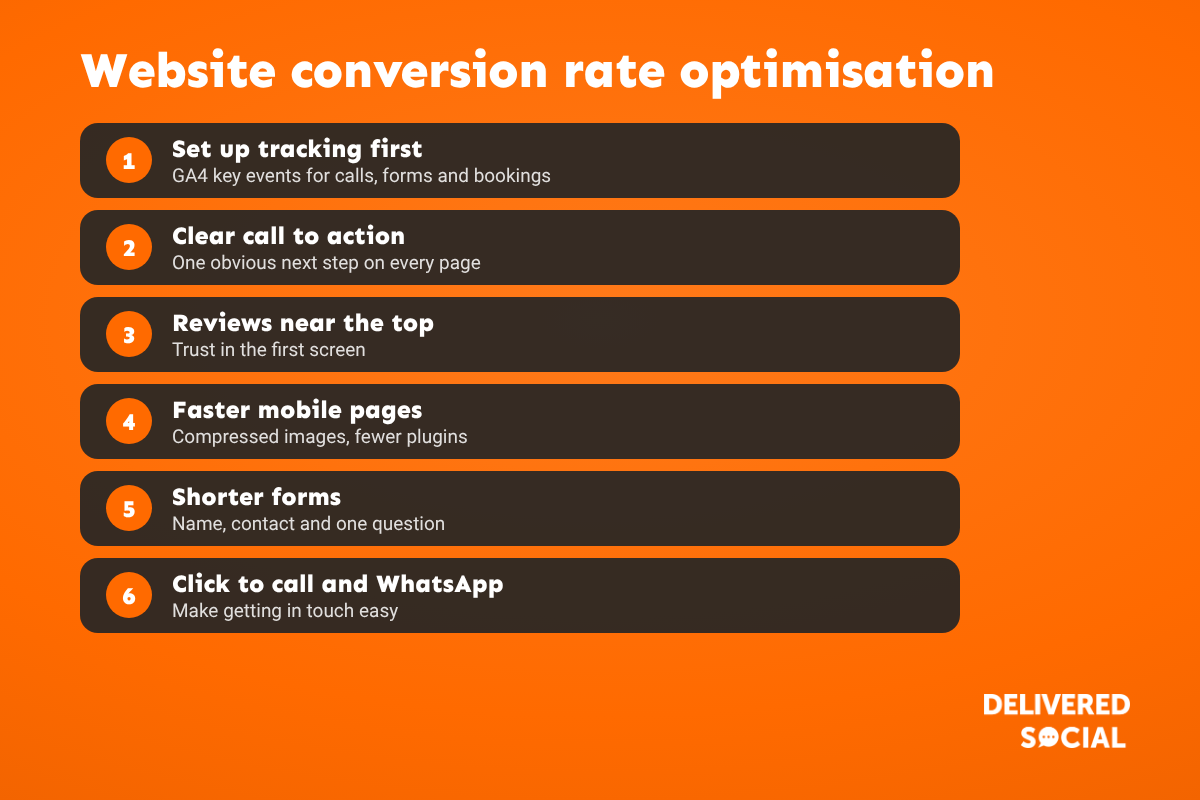
Across the websites we build and manage, these are the changes we make most often, roughly in order of impact:
| Fix | What to do |
|---|---|
| Clear call to action | One obvious next step on every page, with button text that says what happens, such as “Get a free quote” |
| Reviews near the top | A star rating and short review in the first screen, not hidden at the bottom |
| Faster mobile pages | Compress images, remove heavy sliders and unused plugins, use good hosting and caching |
| Shorter forms | Name, phone or email and one question. Ask the rest on the call |
| Click to call and WhatsApp | Tap-to-call buttons and a WhatsApp option, especially on mobile |
| Matching landing pages | Ads and emails should land on a page that matches what was promised |
| Trust signals | Accreditations, guarantees, real photos of your team and work, clear prices where possible |
See our guide to high performing landing page elements for more detail on page layout.
Step 4: test and measure
- Change one thing at a time where you can, so you know what worked.
- Give it time. Small sites need weeks, not days, to collect enough data.
- A/B test bigger changes if you have enough traffic, using a testing tool or your ad platform’s experiments.
- Judge on enquiries and sales, not just clicks or time on page.
What is a good conversion rate?
It varies hugely by sector, traffic source and what counts as a conversion. A page built for a Google Ads campaign should convert better than a blog post. Rather than chasing an industry average, compare your own pages against each other and against last quarter, and aim to keep improving.
CRO tools for small businesses
- Google Analytics 4: free, essential for measuring conversions.
- Microsoft Clarity: free heatmaps and session recordings.
- Google Search Console: shows which searches bring visitors to each page.
- PageSpeed Insights: free mobile speed testing.
- Hotjar and similar tools: heatmaps, recordings and on-site surveys, with free and paid plans.
Common CRO mistakes
- Changing the design without any tracking in place.
- Several competing buttons and offers on one page.
- Contact details hidden on a contact page only.
- Long forms asking for information you don’t need yet.
- Testing on desktop when most visitors are on mobile.
Frequently asked questions
What does CRO stand for?
Conversion rate optimisation: improving the percentage of website visitors who take a valuable action, such as making an enquiry or a purchase.
How do I calculate my conversion rate?
Divide conversions by visitors and multiply by 100. For example, 20 enquiries from 1,000 visitors is a 2% conversion rate.
How long does CRO take?
Quick fixes can show results within weeks. Ongoing testing keeps improving results over months.
Is CRO better than SEO?
They work together. SEO brings visitors; CRO turns more of them into customers.
Do I need a lot of traffic for CRO?
Formal A/B testing needs reasonable traffic, but the basics, such as clearer calls to action, faster pages and shorter forms, help any site.
Want more enquiries from your website?
We design, build and improve WordPress websites for small businesses across Surrey, Hampshire and the UK, with tracking set up from day one. See our website design services or call us on 01483 608 303 for a friendly chat.































