



Keep reading
Rather we just did it for you?
Let's get your business seen.
Social media, websites, SEO and ads from a team you can actually meet.
Tap a phone on a small sticker and it opens your Google review page, joins the Wi-Fi or loads your menu. No app, no typing, no squinting at a QR code. NFC stickers are cheap, simple and surprisingly useful for small businesses, from cafés and hotels to trades, gyms and shops.
This guide explains what NFC is, how it compares with QR codes and RFID, the best NFC sticker uses for business, how to set one up in a few minutes and what to watch out for.
What is NFC?
NFC stands for near field communication. It’s a short-range wireless technology that lets two devices swap information when they’re held a few centimetres apart. It’s the same technology behind contactless card payments, Apple Pay and Google Pay.
An NFC sticker (or tag) is a tiny chip and aerial inside a sticker, card or keyring. It has no battery: the phone powers it for a moment when it’s tapped. You can store a web link, Wi-Fi details, contact details or a short piece of text on it.
NFC and payment: what does it mean?
When you pay by tapping a card or phone, NFC carries encrypted payment details between your device and the card reader. That’s a separate, highly secured system. Ordinary NFC stickers can’t take payments themselves, but they can open a payment page, such as a deposit link or a donation page, where the customer pays securely.
NFC vs QR codes vs RFID
| NFC sticker | QR code | RFID | |
|---|---|---|---|
| How it works | Tap your phone | Scan with the camera | Read by a special reader |
| Range | A few centimetres | Line of sight | Up to several metres |
| Works on phones | Most modern iPhones and Androids | All camera phones | No, needs a reader |
| Can be updated | Yes, if not locked | Only if using a dynamic link | Depends on the tag |
| Typical cost | Pence to a pound or two each | Free to print | Varies, plus reader costs |
| Best for | Quick taps on counters, tables and cards | Posters, menus and printed material | Stock, security and access control |
Our tip: use both. Put a QR code next to every NFC tag so nobody is left out.
The best NFC sticker uses for small businesses
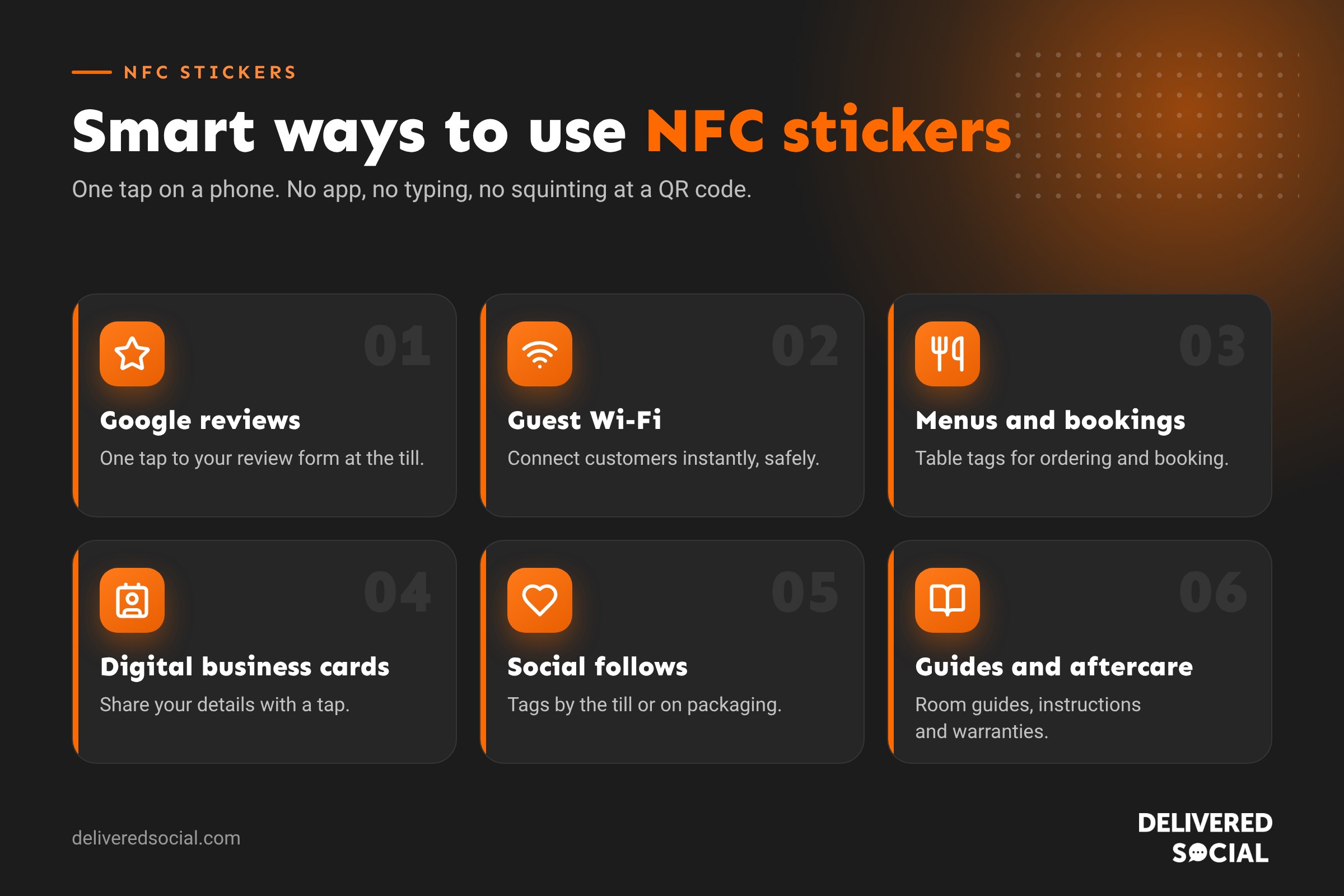
1. Google reviews
The most popular use. A tap opens your Google review form, so customers can leave a review while they’re still at the counter. It’s one of the easiest ways to get more reviews. See our guide to getting more Google reviews.
2. Wi-Fi access
Store your guest Wi-Fi details so customers connect with one tap. Ideal for cafés, hotels, waiting rooms and co-working spaces. Use a separate guest network, never your business network.
3. Menus, ordering and bookings
Tags on tables can open your menu, an order-at-table page or your booking system. Restaurants can link to a “book your next visit” page or a loyalty sign-up.
4. Digital business cards
An NFC business card shares your contact details, website and LinkedIn with a tap, and you can update the link without reprinting.
5. Social media follows
A tag by the till or on packaging can open your Instagram, TikTok or Facebook page. Pair it with an offer for following.
6. Hotel and holiday let information
Tags in rooms can open a digital guest guide: check-out time, breakfast hours, local recommendations, the TV guide and how to contact reception.
7. Product information and aftercare
Shops and trades can add tags to products or installations that open instructions, warranty registration, care guides or a reorder page.
8. Events and exhibitions
Tags on stands and signs can open a brochure, a booking form or a competition entry, and you can see how many people tapped.
How to set up an NFC sticker
- Buy blank tags. NTAG213 tags are fine for a web link; NTAG215 or NTAG216 hold more data. Anti-metal tags are needed for metal surfaces.
- Download a writing app, such as NFC Tools, which is available for iPhone and Android.
- Choose what to write: a URL, Wi-Fi network, contact card or text.
- Tap the tag to your phone to write it, then test it on a couple of different phones.
- Consider locking the tag so nobody can overwrite it. Once locked, it can’t be changed.
- Add a label: “Tap here to leave a review” or “Tap for Wi-Fi”, with a phone icon and a QR code alongside.
Smart tip: link to a page you control
Rather than writing a long Google link straight onto the tag, point it at a short page on your own website, such as yoursite.co.uk/review, that redirects to the right place. If you ever need to change where it goes, you update the redirect instead of replacing every sticker. You can also track taps in Google Analytics.
How much do NFC stickers cost?
- Blank NFC stickers: usually from around 30p to £1 each when bought in packs.
- Branded NFC review stands and cards: typically £10 to £40 each, often with a design included.
- NFC business cards: from around £10 for a basic card to more for metal or premium finishes, sometimes with a subscription for the profile page.
NFC security and privacy
- Lock your tags once written, so they can’t be tampered with.
- Check tags regularly in public places, as someone could stick a fake tag over yours.
- Use a guest Wi-Fi network separate from your business systems.
- Be clear about tracking. If taps feed into analytics or marketing, cover it in your privacy and cookie notices.
Frequently asked questions
Do NFC stickers work with iPhones?
Yes. iPhone XS and newer read NFC tags automatically when the screen is on. Older models need the Control Centre reader or an app.
Do NFC stickers need a battery or an app?
No. The phone powers the tag when it’s tapped, and most modern phones read tags without an app.
How do you use NFC stickers?
Write a link or information to the tag with a free app, stick it somewhere visible, and add a label telling people to tap their phone on it.
Can NFC stickers be reused?
Yes, unless they’ve been locked. You can rewrite an unlocked tag many times.
Are NFC stickers better than QR codes?
They’re quicker for customers at close range, but not everyone knows to tap. Using both together works best.
Want more reviews and enquiries?
We help small businesses across Surrey, Hampshire and the UK turn visitors into customers with websites, Google profiles and social media that work together. See our website design services or call us on 01483 608 303 for a friendly chat.































