



Keep reading
Rather we just did it for you?
Let's get your business seen.
Social media, websites, SEO and ads from a team you can actually meet.
Trending songs are one of the fastest ways to get a TikTok video in front of new people. But trends change every week, and businesses can’t use every song they hear. This guide explains how to find trending TikTok songs, how to tell if a sound is still rising, which music businesses are allowed to use, and how to turn a trend into a video that brings in customers.
Why trending songs matter on TikTok
Every TikTok sound has its own page listing every video that uses it. When a song is trending, people tap through to that page to see more videos, and TikTok’s For You feed tends to show more videos using popular sounds. Joining a trend early can give your video extra reach, especially if your account is small.
Music also sets the mood. The right song makes a video feel funny, calming, exciting or emotional in the first second, which helps people decide to keep watching.
Where to find trending TikTok songs
| Where | What it shows | Best for |
|---|---|---|
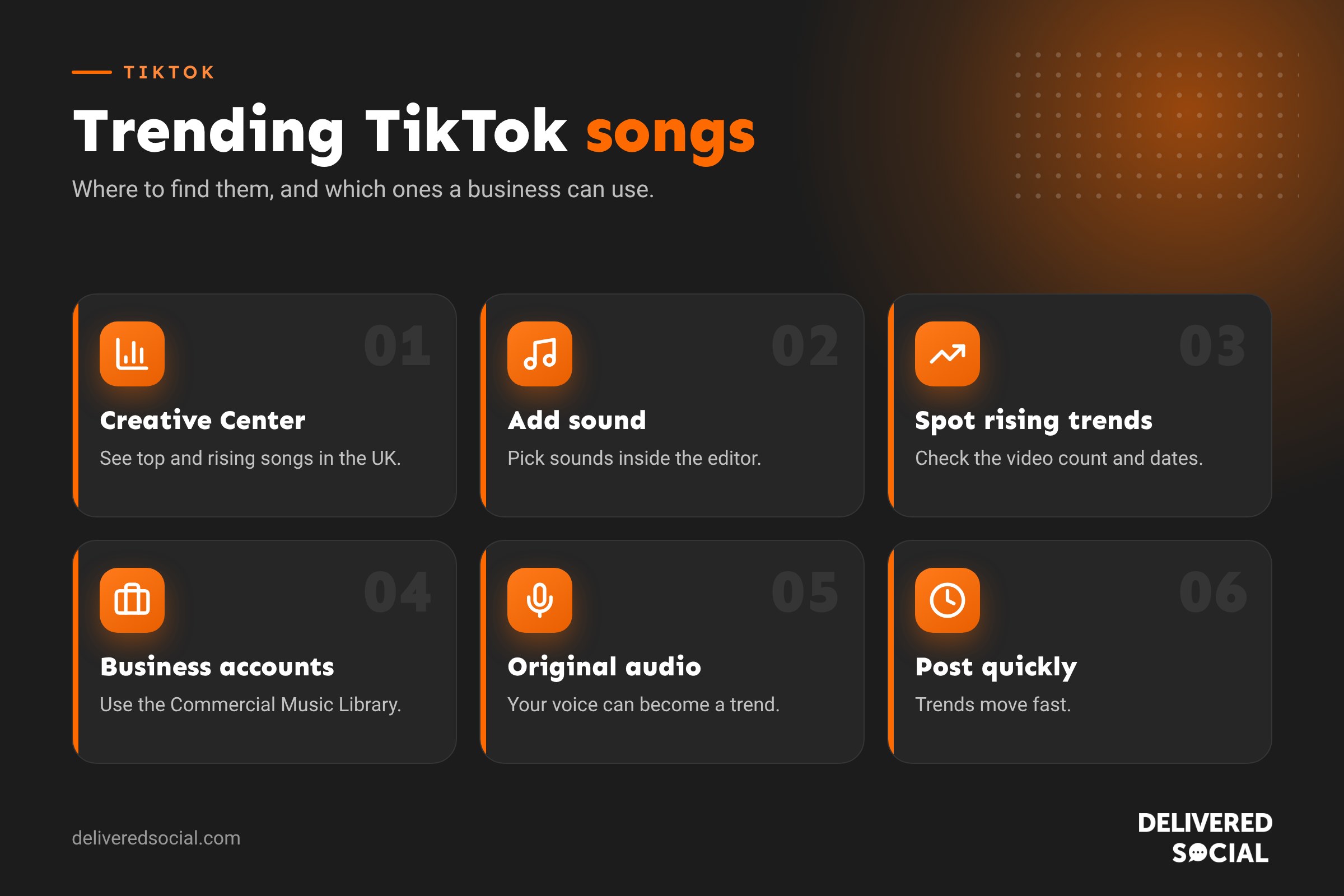
| TikTok Creative Center | Top and rising songs by country, with charts showing whether they’re growing | Spotting songs early, and checking which are approved for business use |
| The Add sound screen | Recommended and trending sounds inside the app’s editor | Quick picks when you’re making a video |
| Your For You feed | Sounds you keep hearing in videos | Getting a feel for how a trend is used |
| A sound’s page | How many videos use the sound and the most popular examples | Checking whether a trend is still growing |
| TikTok Search | Search “trending sounds” or “trending songs this week” | Round-ups made by other creators |
| Commercial Music Library | Music cleared for business accounts and adverts | Brands that want to stay safe |
How to use TikTok Creative Center
- Go to TikTok Creative Center in a web browser (search “TikTok Creative Center”) and open Trends, then Songs.
- Choose United Kingdom as the region, so you see what’s popular here.
- Switch between Popular and Breakout to see the biggest songs and the ones growing fastest.
- Look at the trend line for each song. A line that’s still climbing is a better choice than one that has peaked.
- Tick the option to show only songs approved for business use if you run a business account.
- Click a song to see example videos, then save it to use in the app.
How to tell if a sound is still trending
- Check the video count on the sound’s page. A few thousand videos and climbing usually means you’re early; millions usually means it has peaked.
- Look at the dates of the top videos. If the most popular ones are recent, the trend is still active.
- Watch your own feed. If you’ve heard it ten times today, it’s at its peak. If you’ve only heard it once or twice, you may be early.
- Look for a sound with a clear format, such as a dance, a punchline or a transition, that’s easy to adapt to your business.
Can businesses use trending songs on TikTok?
This is the bit many businesses miss. Personal accounts can use songs from TikTok’s full music library, because TikTok has licences that cover personal, non-commercial use. Business accounts have a more limited library. They’re expected to use the Commercial Music Library, a collection of tracks that have been cleared for commercial use, including in promoted posts and adverts.
That means many chart songs won’t be available on a business account. If you use popular music in commercial content without the right licence, your video can be muted or removed, and in some cases the rights holder can take action against you. Promoting your business from a personal or creator account doesn’t get round this either: if the content is advertising, it’s commercial.
The good news is the Commercial Music Library includes plenty of tracks that trend, and TikTok’s Creative Center lets you filter for them. Original audio, voiceovers and trending sounds made by other users that don’t contain copyrighted music are also options, but check each one.
How to use a trending song well
- Adapt the trend to your business. A café might use a trending transition to reveal its new menu; a plumber might use a funny sound to show a “before” disaster and an “after” fix.
- Hook people in the first second. Start with movement, a bold line of text or the most interesting shot.
- Keep the song quieter than your voice if you’re talking. In the editor, tap Volume to balance the two.
- Add on-screen text and captions, as many people watch with the sound off.
- Use the sound from TikTok’s library, not music added in another app, so your video is linked to the sound’s page.
- Post quickly. Trends move fast, so a simple video posted today usually beats a polished one next week.
How to add music to a TikTok video
- Tap the + button to create a video, or upload one from your camera roll.
- Tap Add sound at the top of the screen.
- Browse the recommendations or search for a song or sound.
- Tap the song, choose which part plays with the scissors icon, and tick to add it.
- Adjust the volume if you have a voiceover, then carry on editing and post.
To save a sound for later, tap the sound’s name at the bottom of any video and tap Add to Favourites.
Trending sounds vs original audio
You don’t always need a trending song. Original audio, where you talk to camera or record real sounds from your business, can do just as well. People on TikTok love behind-the-scenes clips, honest advice and real voices. A mix works best: use trending sounds to reach new people and original audio to build trust and show your personality. If your original sound catches on and other people use it, every video they make links back to you.
Using TikTok songs on Instagram Reels and YouTube Shorts
If you post the same video on several platforms, download it without the TikTok watermark (save the version from your editing app before posting) and add music from each platform’s own library. Instagram and YouTube have their own licences and libraries, and reposting a TikTok with its music baked in can get the audio muted. Each platform’s business rules are different, so check what’s allowed on business accounts there too.
Types of trending sounds
| Type | Example use | Good for businesses? |
|---|---|---|
| Chart songs | Dances, lip-syncs, montages | Only if in the Commercial Music Library |
| Viral audio clips | A funny line from a film, show or creator | Check rights, as many contain copyrighted material |
| Original creator sounds | Voiceovers and catchphrases from other users | Often fine, but check they don’t include music |
| Royalty-free and library tracks | Background music for tutorials and product videos | Yes |
| Your own original audio | Talking to camera, real sounds from your business | Yes, and it can become a trend itself |
Trend ideas for local businesses
- Cafés and restaurants: use a satisfying, upbeat track for “making your order” videos.
- Salons: pair a dramatic sound with a before and after transformation.
- Trades: a funny sound over a “what the customer said vs what we found” clip.
- Shops: a fast-paced song for “new stock just landed” unboxings.
- Gyms and studios: an energetic track for class highlights.
- Professional services: a calm, popular sound behind quick tips with on-screen text.
Plan ahead for seasonal trends
Some sounds come back every year, especially around Christmas, Halloween, summer holidays, Valentine’s Day and back to school. Keep a note of the songs that trend at these times, and prepare simple video ideas in advance. You’ll be ready to post as soon as the season starts, rather than catching up when the trend is already fading.
Measure what trending sounds do for you
Check TikTok Analytics to compare videos with trending sounds against your other content. Look at views from the For You feed, average watch time, profile views and new followers. If trending sounds bring views but no followers or enquiries, the content may not be connecting the trend to your business clearly enough.
Frequently asked questions
Why can’t I find a popular song on my business account?
Business accounts can only use the Commercial Music Library, which doesn’t include every chart song. Look for an approved alternative, or use a trending sound that’s cleared for business use.
How often do TikTok trends change?
Many songs trend for one to three weeks, though some keep returning for months. Check Creative Center weekly.
Will my video be removed if I use the wrong music?
It may be muted or taken down if the music isn’t licensed for how you’re using it. Using the Commercial Music Library avoids this on business accounts.
Do trending songs guarantee more views?
No. They can help, but a strong hook, useful or entertaining content and good timing matter more.
Want TikTok content that works for your business?
We help small businesses across Surrey, Hampshire and the UK plan, film and manage TikTok and Reels content that reaches local customers. Read our guide to what TikTok is, see our social media services or call us on 01483 608 303.































