



Keep reading
Rather we just did it for you?
Let's get your business seen.
Social media, websites, SEO and ads from a team you can actually meet.
Instagram Stories are quick, casual updates that sit at the top of your followers’ feeds. But how long can they be, how long do they last, and how long should each one be to keep people watching? This guide covers Instagram Story length in full: the maximum length of a Story clip, how long Stories stay up, how to post longer videos, and how to plan Stories that people watch to the end.
How long can an Instagram Story be?
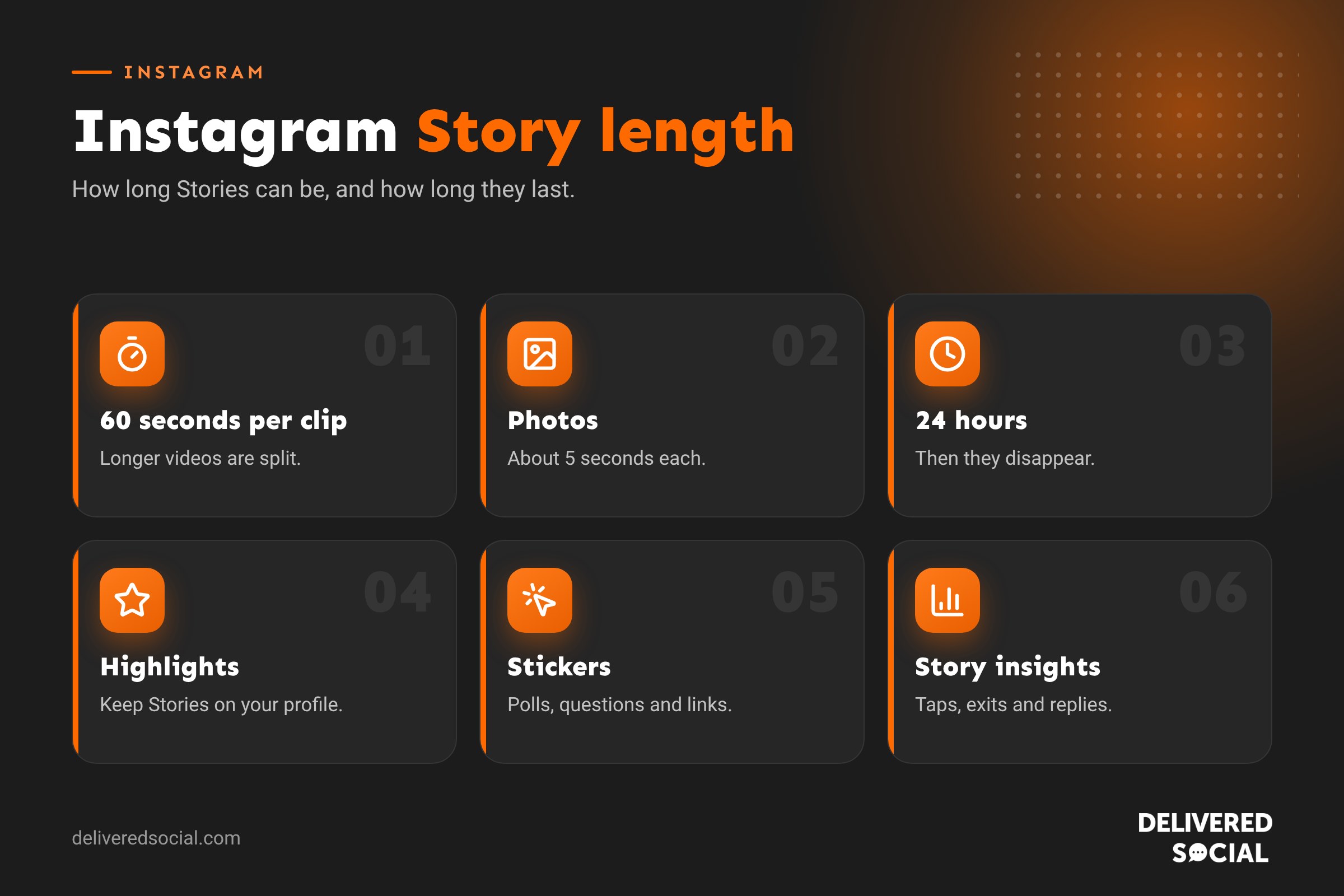
Each Instagram Story clip can be up to 60 seconds long. If you upload a longer video, Instagram splits it into 60-second segments that play one after another, so you can share longer content as a series of Stories.
Photos in Stories display for around 5 seconds each by default, unless you add music, which can extend the time.
How long do Instagram Stories last?
Stories disappear from your profile and followers’ feeds after 24 hours. After that, they’re saved to your private Archive if you have archiving turned on, and you can add them to a Highlight to keep them on your profile permanently.
Instagram Stories at a glance
| Detail | Answer |
|---|---|
| Maximum length per clip | 60 seconds |
| Photo display time | About 5 seconds, longer with music |
| How long Stories stay visible | 24 hours |
| Keep forever | Add to a Highlight |
| Size | 1080 x 1920 pixels, 9:16 |
| Stories per day | Up to 100 |
How to post a longer video to your Story
- Swipe right from your feed or tap +, then Story.
- Select a video from your camera roll.
- Instagram automatically splits videos longer than 60 seconds into segments. You can review and trim each one.
- Add text, stickers or music, then share.
For very long videos, it’s usually better to post a short teaser in your Story and link to the full version, such as a Reel, a YouTube video or a page on your website, using a link sticker.
How long should your Stories be?
Just because you can post 60 seconds doesn’t mean you should. People tap through Stories quickly. As a guide:
- Photos: one clear message per frame. Add music if you want people to linger.
- Talking to camera: 10 to 20 seconds per clip keeps it moving.
- Behind the scenes: short clips of 3 to 10 seconds work well in a sequence.
- Tutorials: break steps into separate frames so people can tap back to rewatch.
A good Story sequence is usually three to seven frames. Long sequences of 20 or more often see people drop off before the end.
How to keep people watching your Stories
- Start with your best frame. The first Story decides whether people tap through.
- Tell a mini story: beginning, middle and end across a few frames.
- Use interactive stickers: polls, quizzes, question boxes and emoji sliders.
- Add captions or text for people watching with sound off.
- Vary the content: mix photos, short videos and text frames.
- Post consistently, so followers get used to checking your Stories.
Story Highlights: making Stories last longer
Highlights let you keep your best Stories on your profile, below your bio. They’re perfect for information new visitors want to see:
- Reviews and testimonials.
- Prices, menus or services.
- FAQs.
- Before and after work.
- Meet the team.
- How to book or find you.
To create one, tap the + under your bio on your profile, choose Stories from your archive, name the Highlight and pick a cover.
Stories vs Reels
| Stories | Reels | |
|---|---|---|
| Length | 60 seconds per clip | Up to 3 minutes for recommended Reels |
| How long they last | 24 hours, unless in Highlights | Permanent |
| Who sees them | Mainly followers | Followers and non-followers |
| Best for | Everyday updates, polls, links, offers | Reaching new people, tips, entertainment |
| Polish | Casual | More edited |
Stories keep existing followers engaged, while Reels bring in new ones. Most businesses benefit from both. Our guide to Instagram Reels length covers Reels in detail.
Instagram Story size and safe zones
Stories fill the whole screen at 9:16, so create them at 1080 x 1920 pixels. Keep text and important details away from the top 250 pixels (where your profile name appears) and the bottom 250 pixels (where the reply box sits). Centring key information keeps it readable on all phones.
How to see who viewed your Story
Open your Story and swipe up, or tap Activity at the bottom. You’ll see a list of viewers and, for business accounts, Story insights such as reach, taps forward, taps back and exits. High exits on a particular frame show where you’re losing people.
Story ideas for small businesses
- A quick morning hello as you open up.
- Polls asking customers to choose a new product or menu item.
- Behind-the-scenes clips of a job in progress.
- Reposting customers who tag you.
- Limited-time offers with a countdown sticker.
- A link sticker to your latest blog post or booking page.
A simple daily Story routine for businesses
| Time | Story idea | Length |
|---|---|---|
| Morning | “We’re open” photo or short hello video | One frame, 5 to 10 seconds |
| Midday | Behind the scenes or a product in action | Two or three short clips |
| Afternoon | A poll or question sticker | One frame |
| Evening | A customer reshare or a reminder of an offer | One or two frames |
That’s five or six frames a day, which is enough to stay visible without overwhelming followers.
Using Story stickers well
- Poll: quick two-option questions, such as “Which cake should we bake this weekend?”
- Question box: invite questions, then answer them in later Stories.
- Quiz: test followers’ knowledge in a fun way.
- Emoji slider: let people rate something, such as a new product.
- Link: send people to a blog post, booking page or product.
- Countdown: build excitement for a launch, event or sale.
- Location and mention: help local people find you and credit others.
Interactive stickers encourage replies and taps, which tells Instagram your followers enjoy your Stories.
Close Friends Stories
Close Friends lets you share Stories with a chosen list of people. Businesses use it for VIP customers, early access to sales or a behind-the-scenes look for loyal fans. To set it up, go to your profile menu, choose Close Friends and add people. When sharing a Story, tap Close Friends instead of Your Story.
Scheduling Stories
You can schedule Instagram Stories in Meta Business Suite and some third-party tools such as Metricool. Scheduling suits planned content such as offers and announcements, but Stories work best when some of them are spontaneous and real, so mix scheduled frames with live, in-the-moment updates.
Common Story problems
- Video cut short: it may have been split into 60-second segments. Check each part before sharing.
- Story looks blurry: upload at 1080 x 1920 and avoid screenshots.
- Text cut off: keep it inside the safe zone, away from the top and bottom edges.
- Low views: post more consistently and use interactive stickers.
Story insights to watch
| Insight | What it tells you |
|---|---|
| Reach | How many accounts saw the Story |
| Forward taps | People skipping ahead, possibly losing interest |
| Back taps | People rewatching, a good sign |
| Exits | People leaving your Stories at that frame |
| Replies and sticker taps | How interactive the Story was |
| Link clicks | Visits to your website or booking page |
Look for the frame where most people exit, and test shorter or more engaging versions of that type of content next time.
Stories for different types of business
- Cafés and restaurants: today’s specials, the morning bake, a quick kitchen tour.
- Trades: a job in progress, the finished result, a tip for homeowners.
- Salons: appointments available today, a transformation, a product recommendation.
- Shops: new stock, try-on clips, a reminder of opening hours.
- Professional services: a quick tip, an event you’re attending, a client success.
Whatever your business, keep each frame focused on one simple message, and let the sequence tell the story.
Stories and accessibility
Make your Stories easy for everyone to enjoy. Use Instagram’s captions sticker on talking videos so people who are deaf, hard of hearing or watching without sound can follow along. Choose text colours with strong contrast against the background, keep text large enough to read on a small screen, and leave each text frame up long enough to read. Avoid fast flashing effects. These small steps help more people engage with your Stories, and they tend to make your content clearer for everyone.
Frequently asked questions
How long is an Instagram Story video?
Up to 60 seconds per clip. Longer videos are split into 60-second segments.
How long does an Instagram Story stay up?
24 hours, unless you add it to a Highlight.
Can I extend a Story beyond 24 hours?
Not in the feed, but Highlights keep Stories on your profile for as long as you like.
Do Stories affect my reach?
Regular Stories keep followers engaged with your account, which can help your other content get seen.
Want Stories that keep customers engaged?
We help small businesses across Surrey, Hampshire and the UK plan and manage Instagram Stories, Reels and posts. See our social media services or call us on 01483 608 303.































