



Keep reading
Rather we just did it for you?
Let's get your business seen.
Social media, websites, SEO and ads from a team you can actually meet.
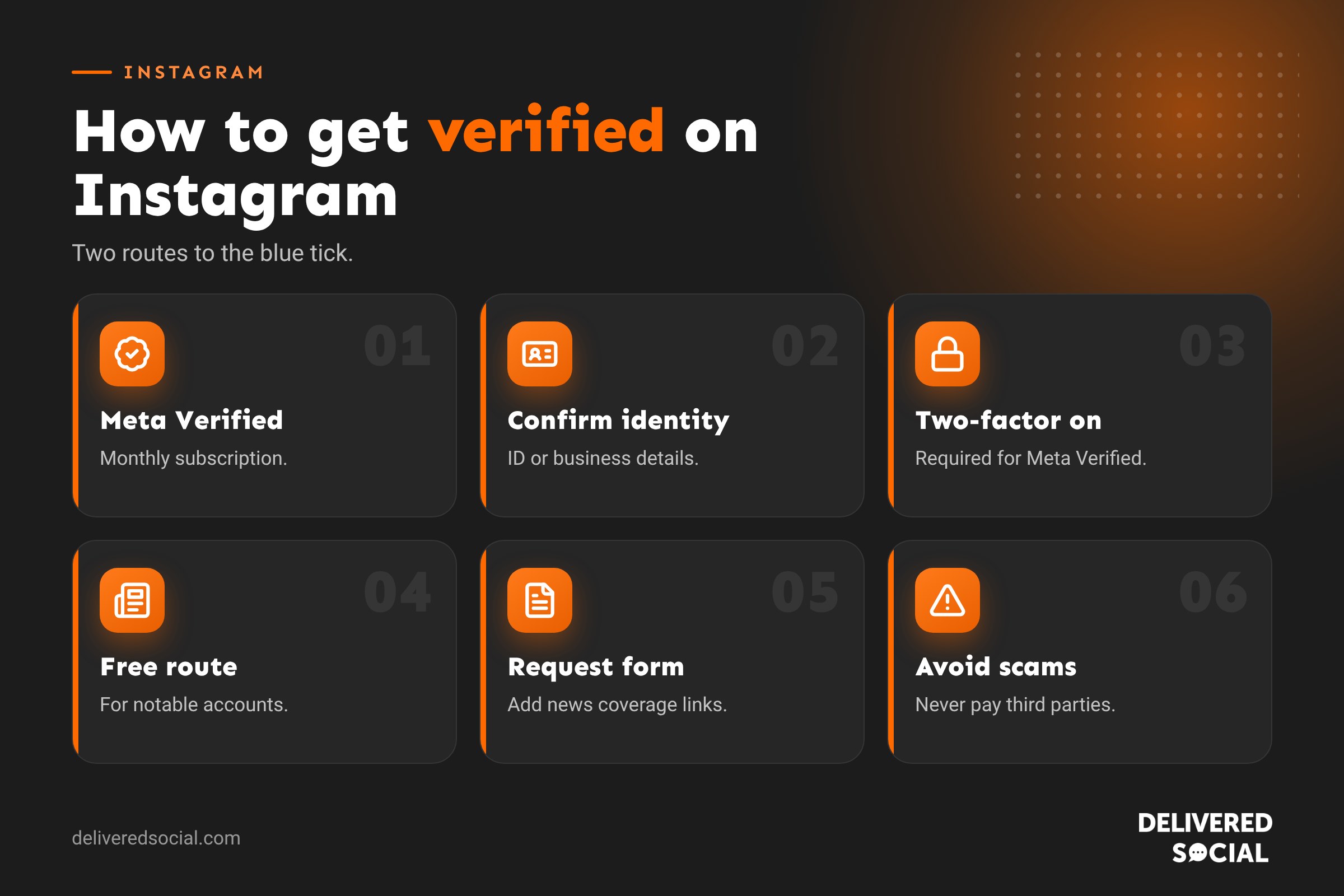
The blue tick next to an Instagram name tells people an account is genuine. For businesses, it can build trust, protect against impersonation and make your profile stand out in search. But how do you get one? There are now two routes: paying for Meta Verified, or applying for free through Instagram’s verification form if you’re notable. This guide explains how to get a blue tick on Instagram, the requirements for each route, how to fill in the verification form, what to do if you’re turned down, and whether verification is worth it for a small business.
What does the blue tick on Instagram mean?
The blue tick, officially the verified badge, confirms that an account belongs to the real person, brand or organisation it represents. It doesn’t mean Instagram endorses the account, and it doesn’t directly boost reach. It’s a signal of authenticity.
A verified account shows the badge next to its name on the profile, in search results and in comments.
Two ways to get verified on Instagram
| Meta Verified (paid) | Notability verification (free) | |
|---|---|---|
| Cost | Monthly subscription | Free |
| Who it’s for | Individuals and businesses that meet the requirements | Notable public figures, celebrities and brands |
| What you need | ID or business details, two-factor authentication, an active account | Evidence of notability, such as press coverage |
| Approval | Usually quick if you meet the requirements | Selective, many applications are declined |
| Extras | Impersonation protection and account support | Badge only |
Route 1: Meta Verified
Meta Verified is Meta’s paid verification service for Instagram and Facebook. As well as the blue tick, subscribers typically get proactive protection against impersonation and access to account support from a real person. Meta has started bringing Meta Verified features into its wider Meta One subscription plans, so check the options shown in your app.
Meta Verified requirements for individuals
- Be 18 or over.
- Meet minimum activity requirements, such as having posted before.
- Have a profile photo that shows your face.
- Provide government-issued ID that matches your profile name and photo.
- Have two-factor authentication switched on.
- Follow Instagram’s Terms and Community Guidelines.
Meta Verified for businesses
Businesses can subscribe for their Instagram account, Facebook Page or both. You’ll usually need:
- A business account with some history of activity.
- Your legal business name, address, phone number and website.
- A way to confirm you own the business, such as email, phone or domain verification.
How to subscribe to Meta Verified
- Open Instagram and go to your profile.
- Tap the menu (three lines).
- Tap Meta Verified (or look in Accounts Centre).
- Choose the account you want to verify.
- Check the monthly price for your country and follow the steps to confirm your identity.
- Pay through your app store or Meta.
Prices vary by country, platform and whether you’re an individual or business, and can change, so always check the price shown in the app before subscribing. If you stop paying, the badge is removed.
Route 2: Apply for free verification (notability)
Instagram still verifies notable accounts for free. “Notable” means the account represents a well-known, highly searched-for person, brand or organisation. Instagram looks at four things:
- Authentic: the account represents a real person, registered business or entity.
- Unique: it’s the only account for that person or business (except language-specific accounts).
- Complete: the account is public, with a bio, profile photo and at least one post.
- Notable: the person or business is well known and featured in multiple news sources. Paid or promotional content doesn’t count.
How to fill in the Instagram verification form
- Go to your profile and tap the menu.
- Open Settings, then look for Account type and tools.
- Tap Request verification. If you don’t see it, your account may be steered to Meta Verified instead.
- Enter your full name and upload a photo of your ID or official business documents.
- Choose your category, such as business, news, music or sports.
- Add your country and up to five links to articles about you or your business from independent news sources.
- Submit and wait. Instagram usually replies within 30 days.
If you’re turned down
Instagram will notify you if your request is denied. You can usually apply again after 30 days. Use that time to build your notability: earn genuine press coverage, keep your profile complete and active, and make sure people are searching for your name.
Is verification worth it for a small business?
Benefits
- Trust: customers know they’ve found the real you, not a copycat.
- Protection: Meta Verified includes monitoring for impersonation, a growing problem for businesses.
- Support: access to help if you’re locked out or hacked can be valuable.
- Credibility: a tick can help when partnering with other brands and creators.
Limits
- It doesn’t guarantee more reach, followers or sales.
- Meta Verified is an ongoing monthly cost.
- Most local customers care more about your reviews and content than a badge.
Our view: for most small businesses, verification is a nice extra rather than a priority. If you’ve been impersonated, rely heavily on Instagram for sales, or need reliable account support, Meta Verified can be worth the monthly fee. Otherwise, invest first in great content, reviews and a complete profile.
How to look trustworthy without a blue tick
- Use your logo or a clear photo as your profile picture.
- Write a clear bio that says what you do and where.
- Add your website, contact buttons and location.
- Link your Instagram from your website and Google Business Profile.
- Pin customer reviews and your best work to the top of your grid.
- Post regularly with real photos of your team and work.
- Reply to comments and messages quickly.
Beware of verification scams
Scammers often target businesses with fake verification offers. Be wary of:
- Messages or emails claiming to be from Instagram asking you to “confirm” your account to get verified.
- Anyone selling a blue tick for a one-off fee.
- Links to forms that ask for your password or two-factor codes.
Instagram will never message you asking for your password, and it never sells verification through third parties. Only apply through the app or Meta’s official website. If in doubt, check Accounts Centre in the app, where genuine notices from Instagram appear.
Protecting your account whether verified or not
- Turn on two-factor authentication.
- Use a strong, unique password.
- Check where you’re logged in and remove old devices.
- Give team members access through Meta Business Suite instead of sharing passwords.
- Report impersonation accounts as soon as you spot them.
Verification for different types of account
| Account | Most likely route | Tips |
|---|---|---|
| Local small business | Meta Verified for business | Make sure your business details match your website and Google Business Profile |
| Business owner or founder | Meta Verified for individuals | Use a clear face photo and matching name |
| Well-known brand | Free notability verification | Gather independent press coverage |
| Creator or influencer | Either route | Build press mentions and an active, complete profile |
| Charity | Either route | Use your registered name and official website |
Building notability for free verification
If you’d like the free route, focus on becoming genuinely notable:
- Earn local press coverage through news stories, awards and community projects.
- Get featured in industry publications and podcasts.
- Grow branded searches so people look for your name on Google and Instagram.
- Keep your profile complete and active, posting regularly.
- Link your website to your Instagram and vice versa.
Paid advertorials and press releases on paid sites usually don’t count as evidence.
What happens after you’re verified
Once verified, keep your account in good standing. Instagram can remove the badge if an account breaks its guidelines, changes its name significantly or, for Meta Verified, stops paying. Changing your profile name or photo after verification may need re-confirming, so plan any rebrand carefully. And remember, the badge helps people trust you, but your posts, replies and reviews are what turn that trust into customers.
Key takeaways
- Meta Verified is the quickest route to a blue tick for most businesses.
- Free verification is only for genuinely notable accounts with press coverage.
- Verification builds trust but does not boost reach on its own.
- Protect your account with two-factor authentication whether you are verified or not.
Social platforms change their menus and features regularly, so it is worth checking the settings mentioned in this guide every few months to make sure everything still works the way you want it to.
Frequently asked questions
How do I get a blue tick on Instagram?
Subscribe to Meta Verified if you meet the requirements, or apply for free through the verification request form if you’re notable.
Can I get verified on Instagram for free?
Yes, if your account is notable. Use Request verification in your account settings and provide news coverage as evidence.
How many followers do you need to get verified?
There’s no follower minimum. Meta Verified depends on identity and activity; free verification depends on notability.
How long does Instagram verification take?
Meta Verified is often confirmed within a couple of days. Free verification requests can take up to 30 days.
Does the blue tick increase reach?
Not directly. It builds trust, but content and engagement drive reach.
Want a more trusted Instagram presence?
We help businesses across Surrey, Hampshire and the UK build credible, professional Instagram profiles that customers trust, with or without a tick. See our social media management services or call us on 01483 608 303.































