



Keep reading
Rather we just did it for you?
Let's get your business seen.
Social media, websites, SEO and ads from a team you can actually meet.
Took a break from Instagram and want to come back? Or has your account been disabled and you need it back? The good news is that a deactivated account can usually be restored in seconds. Deleted and disabled accounts are trickier, but there are still steps you can take. This guide explains how to reactivate your Instagram account, the difference between deactivating, deleting and having your account disabled, what to do if you can’t log in, and how to protect your business account in future.
Deactivated, deleted or disabled: what’s the difference?
| Status | What it means | Can you get it back? |
|---|---|---|
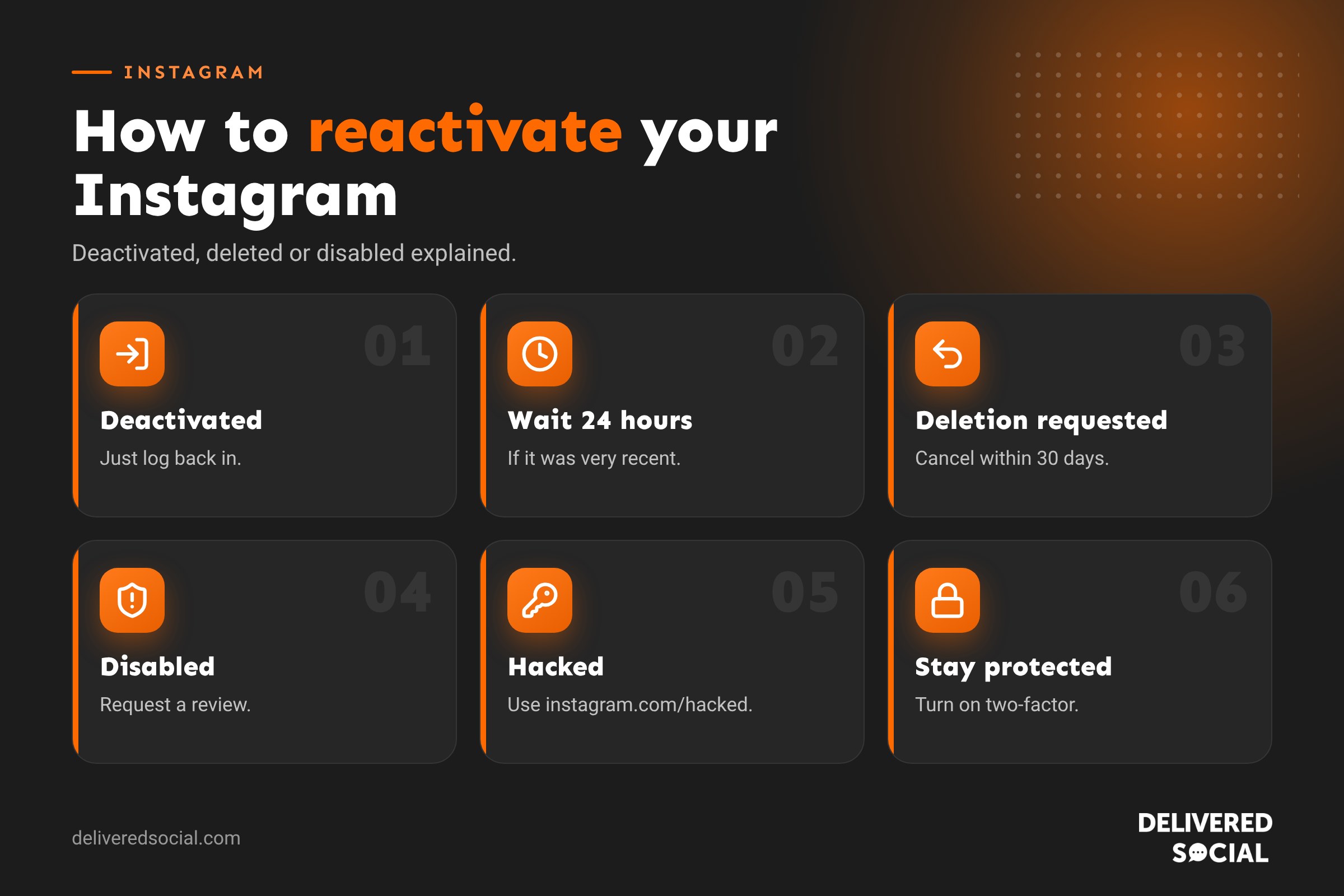
| Temporarily deactivated | You chose to hide your account for a while | Yes, just log back in |
| Deletion requested | You asked Instagram to delete your account | Yes, within 30 days of the request |
| Permanently deleted | The 30-day window has passed | No |
| Disabled by Instagram | Instagram disabled it for breaking its rules | Possibly, through an appeal |
| Suspended | Instagram has suspended it pending review | Possibly, by following the on-screen steps |
How to reactivate a deactivated Instagram account
If you temporarily deactivated your account, reactivating is simple:
- Open the Instagram app or go to instagram.com.
- Log in with your username or email and password.
- Your account is reactivated straight away, with your posts, followers and messages restored.
Why can’t I reactivate straight away?
Instagram can take up to 24 hours to fully complete a deactivation. If you try to log in during that time, you may not be able to reactivate yet. Wait a day and try again.
How to cancel an account deletion
When you request deletion, Instagram keeps your account hidden for 30 days before deleting it permanently. During that time you can change your mind:
- Log in to Instagram with your username and password.
- You’ll see a message that your account is scheduled for deletion.
- Tap Keep account or Cancel deletion.
After 30 days, the account and everything on it is gone for good. You can create a new account, but your old username may not be available, and your posts and followers can’t be recovered.
What to do if Instagram disabled your account
If Instagram has disabled your account, you’ll see a message when you try to log in. Instagram disables accounts it believes have broken its Community Guidelines or Terms, for example for spam, impersonation, copyright issues or suspicious activity.
How to appeal
- Log in to see the message about your account.
- Tap Request a review or Disagree with decision.
- Follow the steps. You may be asked to confirm your identity, for example with a video selfie or ID.
- Explain clearly and politely why you believe the decision is wrong.
- Wait for Instagram’s response, which can take a few days or longer.
Instagram usually gives a deadline to appeal, often 180 days. If you don’t appeal in time, the account may be permanently disabled.
If you can’t log in to appeal
Instagram’s Help Centre has a form for disabled accounts. Search “my Instagram account has been disabled” in the Help Centre and follow the official link. Only use Instagram’s own website or app.
Recovering a hacked account
If someone else has taken over your account, your password or email may have been changed. Go to instagram.com/hacked on your phone or computer and follow the steps to recover it. You may be asked to:
- Confirm a code sent to your original email or phone number.
- Take a video selfie to confirm it’s you.
- Answer questions about your account.
Once you’re back in, change your password, turn on two-factor authentication and check Accounts Centre for any unfamiliar logins, email addresses or phone numbers.
How to temporarily deactivate your Instagram account
If you want a break without losing anything:
- Go to your profile and tap the menu.
- Tap Accounts Centre, then Personal details.
- Tap Account ownership and control, then Deactivation or deletion.
- Choose your account and select Deactivate account.
- Follow the steps and confirm.
Your profile, posts, comments and likes are hidden until you log back in. You can usually only deactivate once a week.
Deactivate or delete: which should you choose?
| Deactivate | Delete | |
|---|---|---|
| Posts and followers | Hidden, then restored when you return | Permanently removed after 30 days |
| Username | Kept | Released and may be taken by someone else |
| Coming back | Just log in | Only within 30 days |
| Best for | A break | Leaving for good |
For a business, deactivating is almost always the safer choice. Your followers, reviews in comments and content history have value. Before deleting anything, download your information from Accounts Centre so you keep a copy of your photos and videos.
Business account tips: avoiding lock-outs
Losing access to a business account can mean losing customers. Protect yourself:
- Turn on two-factor authentication with an authenticator app.
- Keep your email and phone number up to date in Accounts Centre.
- Save your backup codes somewhere safe.
- Use Meta Business Suite to give team members access instead of sharing passwords.
- Remove ex-staff and old agencies from your accounts.
- Avoid bots and growth apps that can get accounts disabled.
- Follow copyright rules on music and images.
- Consider Meta Verified, which includes access to account support.
Coming back after a break
If you’re reactivating a business account after time away:
- Update your bio, contact details and links.
- Archive old posts that no longer represent you.
- Post a “we’re back” update to let followers know what’s new.
- Plan a few weeks of content so you can post consistently.
- Reply to any old messages and comments.
Your reach may take a little while to recover. Consistent, useful posting is the quickest way back.
Common reasons people can’t reactivate
- Forgotten password: tap Forgot password on the login screen and reset it by email or text.
- No access to the old email or phone: use instagram.com/hacked and choose the option for losing access, which may ask for a video selfie.
- Too soon: wait 24 hours after deactivating.
- Deletion completed: if 30 days have passed since you asked to delete, the account can’t be recovered.
- Account disabled: follow the appeal steps instead.
Beware of recovery scams
People who’ve lost their accounts are often targeted by scammers promising to “recover” them for a fee. Instagram doesn’t use third parties to recover accounts, and anyone asking for payment or your login details is not genuine. Only use Instagram’s own app, Help Centre and instagram.com/hacked.
Reactivating a Facebook-linked account
If your Instagram account is connected to Facebook through Accounts Centre, you may be able to log in using Facebook. Tap Log in with Facebook on the Instagram login screen. This can be a useful backup if you’ve forgotten your Instagram password, but it’s still worth setting a separate strong password and two-factor authentication on both.
How long does an Instagram appeal take?
There’s no fixed timescale. Some appeals are reviewed within a day or two, others take weeks. While you wait:
- Don’t create multiple appeals for the same account.
- Don’t create a new account to get around a disabled one, as this can break Instagram’s rules.
- Keep an eye on the email address linked to your account for updates.
- Let customers know where else to find you, such as your website, Facebook page or Google Business Profile.
Keeping a backup of your content
Every business should keep its own copies of photos and videos. Store originals in a shared cloud folder, download your Instagram information every few months, and keep a simple list of your best-performing posts. If anything ever happens to your account, you can rebuild quickly rather than starting from scratch.
Key takeaways
- A deactivated account comes back as soon as you log in.
- A deletion can be cancelled within 30 days, but not after.
- Disabled accounts need an appeal through Instagram’s own app or Help Centre.
- Two-factor authentication and up-to-date contact details are the best protection against lock-outs.
Social platforms change their menus and features regularly, so it is worth checking the settings mentioned in this guide every few months to make sure everything still works the way you want it to.
Frequently asked questions
How do I reactivate my Instagram account?
Log back in with your username and password. If you deactivated less than 24 hours ago, you may need to wait a little longer.
How long can an Instagram account be deactivated?
There’s no time limit. Your account stays hidden until you log back in.
Can I recover a deleted Instagram account?
Only within 30 days of requesting deletion. After that it’s gone permanently.
Why was my Instagram account disabled?
Usually because Instagram believes it broke the Community Guidelines or Terms. You can request a review.
How do I disable my Instagram account temporarily?
Go to Accounts Centre, then Personal details, then Account ownership and control, and choose Deactivation or deletion.
Need help getting your business back on Instagram?
We help businesses across Surrey, Hampshire and the UK relaunch and grow their social media accounts. See our social media management services or call us on 01483 608 303.































