



Keep reading
Rather we just did it for you?
Let's get your business seen.
Social media, websites, SEO and ads from a team you can actually meet.
Is YouTube social media? It’s a surprisingly common question. Some people think of YouTube as a video library or a search engine, others as a TV channel on their phone. The answer matters for businesses, because it changes how you plan your content and where you put your time. This guide explains whether YouTube is classed as social media, what makes it different from Facebook, Instagram and TikTok, and how businesses can use YouTube’s unique mix of search, video and community to win customers.
Is YouTube a social media platform?
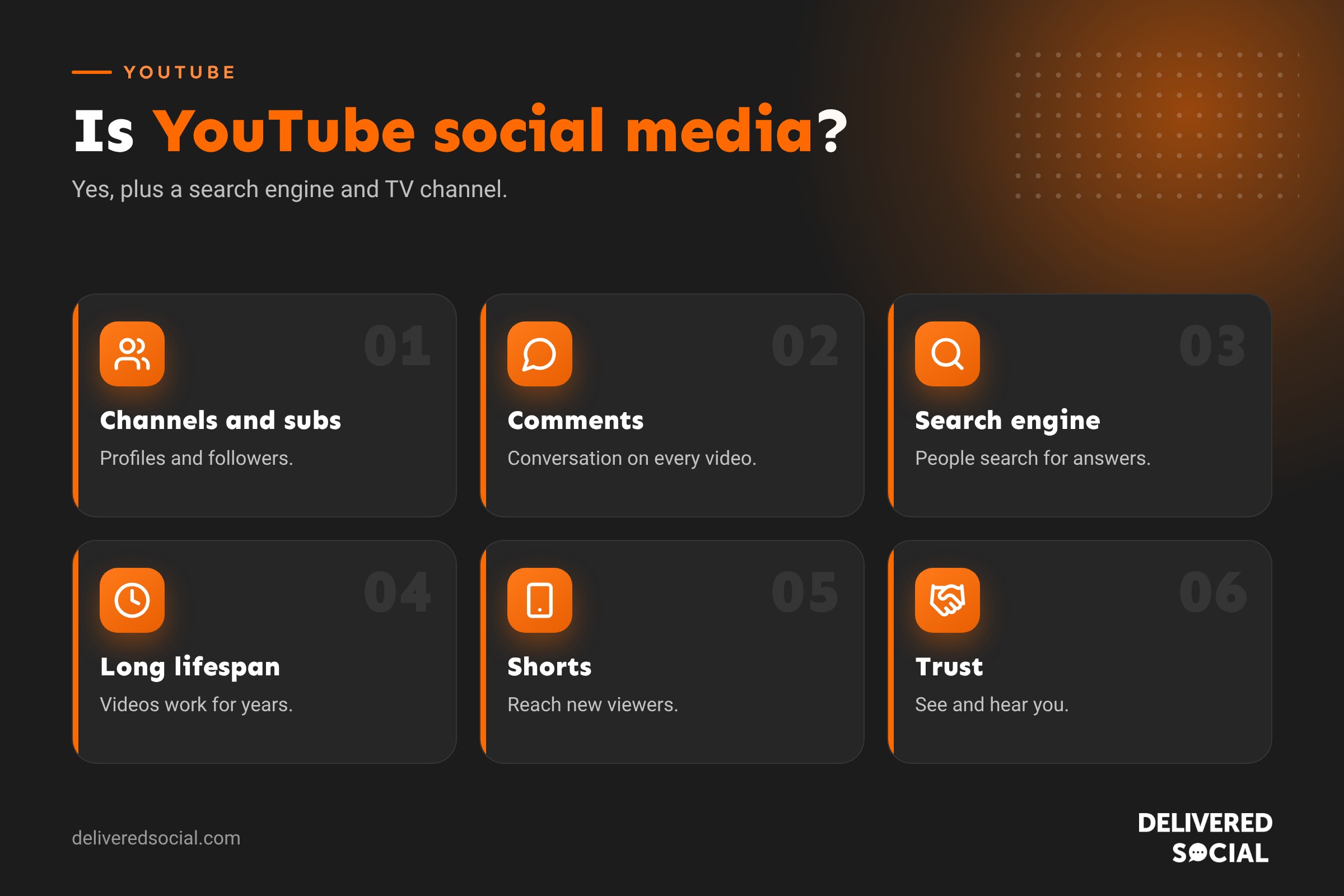
Yes, YouTube is generally classed as a social media platform. It has user profiles (channels), people create and share content, others subscribe, like, comment and share, and creators build communities around their videos. It also has live streaming, community posts, memberships and Shorts, all of which are social features.
But YouTube is also more than social media. It’s the world’s second-largest search engine and a huge video streaming service. That combination makes it unique.
Why some people say YouTube isn’t social media
- Most people watch rather than post. On YouTube, the majority of users consume content without uploading anything.
- It works like a search engine. People search for answers and tutorials, much like on Google.
- It feels like TV. Many people watch YouTube on smart TVs, like a streaming service.
- Connections are one-way. You subscribe to channels rather than connecting with friends.
These differences are real, but they don’t stop YouTube being social. They simply make it a different kind of social platform.
What makes YouTube social
| Feature | How it’s social |
|---|---|
| Channels | Profiles for people and businesses |
| Subscriptions | Following creators to see their new videos |
| Comments and likes | Conversations and reactions under every video |
| Shorts | A swipeable feed of short vertical videos, like TikTok |
| Live streams and Premieres | Real-time chat with viewers |
| Community posts | Text, image and poll updates for subscribers |
| Memberships and Super Chat | Fans supporting creators directly |
| Sharing | Videos shared across messaging apps and other platforms |
YouTube vs other social platforms
| YouTube | TikTok | |||
|---|---|---|---|---|
| Main content | Long and short video | Posts, photos, video, groups | Photos, Reels, Stories | Short video |
| How people find content | Search and recommendations | Friends, pages and groups | Following and Explore | For You feed and search |
| Content lifespan | Months or years | Days | Days | Days to weeks |
| Best for | Tutorials, explainers, trust building | Local communities | Visual brands | Reach and awareness |
The biggest difference is lifespan. A good YouTube video can bring in views and enquiries for years, while a post on most other platforms fades within days.
Why YouTube matters for businesses
- Search traffic: people search YouTube for how-tos, reviews and comparisons, often right before buying.
- Google visibility: YouTube videos often appear in Google search results.
- Trust: seeing and hearing you builds trust faster than text.
- Evergreen content: videos keep working long after you post them.
- Shorts for reach: short videos help new people discover you.
- Repurposing: clips from YouTube videos can feed every other platform.
How businesses can use YouTube
Answer customer questions
Make a video for each question customers ask you. “How much does a garden room cost?” or “What happens at your first appointment?” These videos attract people at the moment they’re researching.
Show your work
Project walkthroughs, before and afters, and behind-the-scenes videos prove your quality.
Teach
How-to videos position you as the expert. People remember who helped them.
Introduce your team
People buy from people. Short team introductions make your business feel approachable.
Share customer stories
Video testimonials, with permission, are some of the most persuasive content you can make.
Use Shorts for discovery
Short, punchy clips reach new audiences and point them to your longer videos. Our YouTube Shorts tips explain how.
YouTube channel basics for businesses
- Create a brand channel under a business Google account.
- Add a clear banner, logo and description with keywords and your location.
- Add links to your website and other social profiles.
- Organise videos into playlists by topic.
- Write keyword-rich titles and descriptions for every video.
- Design clear thumbnails with faces and a few bold words.
- Add chapters and captions to longer videos.
Is YouTube better than other platforms for business?
It depends on your goals. YouTube is especially strong if your customers research before buying, if your service needs explaining, or if you have expertise to share. It takes more effort than posting a photo, but the long life of each video makes it one of the best-value platforms over time. Most businesses get the best results using YouTube alongside one or two other platforms, sharing clips from YouTube videos on Instagram, TikTok, Facebook or LinkedIn.
Measuring YouTube success
- Views and watch time: how much your content is being watched.
- Click-through rate: how often people click your thumbnails.
- Average view duration: how long people stay.
- Subscribers: people who want more.
- Traffic sources: search, suggested videos, Shorts feed or external.
- Website visits and enquiries from YouTube, tracked in Google Analytics.
YouTube in the UK
YouTube is one of the most widely used online platforms in the UK, reaching the vast majority of adults each month across phones, computers and smart TVs. It’s used by every age group, from teenagers watching Shorts to older viewers watching how-to videos and long-form content on the TV. That broad reach makes it valuable for almost any type of business, especially those whose customers research before they buy.
Video ideas to start a business channel
- “What to expect” videos explaining your process from first contact to finished job.
- Pricing explainers that answer “how much does it cost?” honestly.
- Top tips videos on your area of expertise.
- Common mistakes people make before calling you.
- Project walkthroughs showing a finished job.
- Meet the team introductions.
- Customer interviews, with permission.
- Comparisons, such as two product options or methods.
Each of these answers a real question your customers are already searching for, which is exactly what YouTube rewards.
YouTube and AI search
AI assistants and Google’s AI-generated answers increasingly reference video content, especially for how-to and explanatory questions. Clear titles, descriptions, chapters and captions help YouTube and Google understand your videos, which can make them more likely to appear when people ask questions related to your business.
Quick glossary
- Channel: a YouTube profile for a person or business.
- Subscriber: someone who follows your channel.
- Shorts: vertical videos of up to three minutes.
- Community posts: text and image updates for subscribers.
- Watch time: total time people spend watching your videos.
How YouTube fits into a social media plan
Think of YouTube as the library and your other platforms as the shop window. Longer YouTube videos hold your detailed expertise, answer questions in depth and keep working in search for years. Short clips cut from those videos become Shorts, Reels, TikToks and LinkedIn posts that drive people back to the full video or your website. Planning content this way means one filming session can feed every platform for weeks, which is far more efficient than creating separate content for each one.
Common YouTube mistakes for businesses
- Uploading adverts instead of helpful content.
- Vague titles like “Our new video” that nobody searches for.
- No thumbnails, or thumbnails with tiny unreadable text.
- Long, slow introductions before getting to the point.
- Posting a few videos and then stopping.
- Ignoring comments, which are often from potential customers.
Key takeaways
- YouTube is a social media platform, as well as a search engine and streaming service.
- Its videos last far longer than posts on most other platforms.
- Businesses can use it to answer questions, show their work and build trust.
- Shorts help new people discover you; longer videos turn them into customers.
- Keyword-rich titles, good thumbnails and consistency matter most.
Getting started this month
Set up your channel properly, then film three short videos answering the questions customers ask most. Upload them with clear titles and descriptions, add them to a playlist and share them on your other platforms and website. That small start gives you something to learn from, and you can build from there with a video a week.
Consistency beats perfection. A simple, helpful video every week will do more for your business than one polished video every few months.
Every video you publish keeps working for you long after you post it.
Frequently asked questions
Is YouTube classed as social media?
Yes. It has profiles, subscribers, comments, sharing and community features.
Is YouTube a search engine?
Yes, it’s also one of the world’s biggest search engines, owned by Google.
What is the difference between YouTube and other social media?
YouTube focuses on video and search, and its content lasts much longer.
Should my business be on YouTube?
If your customers research before buying or your service needs explaining, YouTube is well worth it.
Do I need expensive equipment for YouTube?
No. A modern phone, decent light and a clip-on microphone are enough to start.
Want YouTube working for your business?
We create YouTube videos and Shorts for businesses across Surrey, Hampshire and the UK. See our social media management services or call us on 01483 608 303.































