



Keep reading
Rather we just did it for you?
Let's get your business seen.
Social media, websites, SEO and ads from a team you can actually meet.
Type a sentence, wait a minute and an AI website builder hands you a complete website with pages, images and copy. It’s impressive, and it’s understandable that business owners wonder whether they still need WordPress or a web designer at all. The truth is more nuanced. AI builders are brilliant for some jobs and frustrating for others. This guide compares WordPress vs AI website builders on speed, cost, quality, SEO, flexibility and ownership, and explains how AI is changing WordPress itself, so you can choose the right approach for your business.
What is an AI website builder?
An AI website builder creates a website from a prompt or a few questions. You describe your business, and the tool generates a layout, text, images and sometimes a logo. Many popular website builders now include AI features, and newer tools generate entire sites or apps from a conversation.
Most AI-built sites run on the builder’s own platform, so you edit and host them there, usually for a monthly fee.
What is WordPress?
WordPress is free, open-source software that powers over 40% of websites. You host it yourself or through a hosting provider, and you can build almost anything with themes and plugins. It’s not AI-first, but AI tools are increasingly built into it.
WordPress vs AI builders at a glance
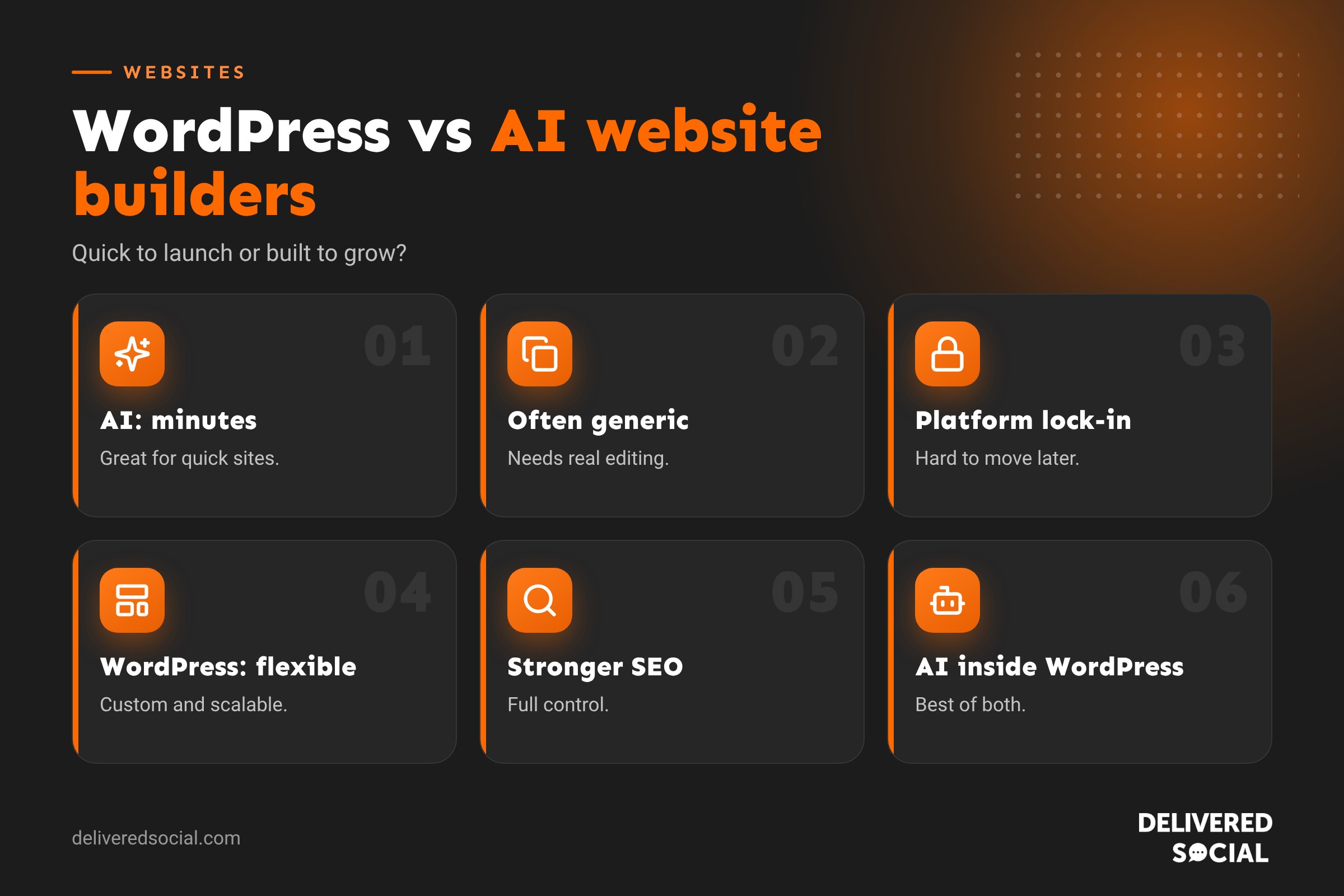
| AI website builder | WordPress | |
|---|---|---|
| Speed to first draft | Minutes | Days to weeks for a professional build |
| Upfront cost | Low | Higher for a custom build |
| Ongoing cost | Monthly subscription | Hosting and maintenance |
| Design originality | Often generic | Fully custom |
| Flexibility | Limited to the platform | Almost unlimited |
| SEO control | Basic to good | Extensive |
| Ownership | You rent the platform | You own the site and files |
| Maintenance | Handled by the platform | Needs updates and backups |
| Best for | Quick, simple sites and tests | Growing businesses that rely on their website |
Where AI website builders shine
- Speed: a working website in minutes, ideal for testing an idea.
- Low barrier: no technical knowledge needed.
- Simple sites: one-page sites, event pages and basic portfolios.
- First drafts: useful for exploring layout and content ideas.
- No maintenance: hosting and updates are handled for you.
Where AI website builders fall short
- Generic results: sites often look and read like many others, which doesn’t help you stand out.
- Thin, unchecked content: AI-written copy can be vague, repetitive or simply wrong about your business.
- Limited SEO depth: fine for basics, but harder to build out a strong content strategy and site structure.
- Platform limits: adding bookings, integrations or custom features may be difficult or impossible.
- Lock-in: moving away usually means rebuilding.
- Rising costs: monthly fees and add-ons grow as your needs grow.
Where WordPress shines
- Ownership and freedom: move hosts or agencies whenever you like.
- Custom design: a site built around your brand and customers.
- Content and SEO: excellent for blogs, guides and local landing pages.
- Features: shops, bookings, memberships, forms, CRMs and more.
- Scalability: grows with your business without starting again.
Where WordPress is harder
- Slower to launch properly than an AI draft.
- Higher upfront cost for a professional build.
- Maintenance is needed to keep it secure and fast.
- Learning curve if you manage it yourself.
Read our honest take: is WordPress still relevant in 2026?
SEO: AI builder vs WordPress
Search engines reward websites that are fast, well structured and genuinely helpful. AI builders usually handle basics like titles, mobile layouts and sitemaps. But ranking for competitive local and service searches takes more: well-planned service pages, location pages, original content, internal linking and technical control. WordPress gives you all of that. AI-generated text also needs careful editing, because thin or generic content rarely ranks well. Our WordPress SEO checklist shows what’s involved.
Cost over time
AI builders look cheap at first, but subscriptions continue for as long as the site exists, often with extra charges for removing branding, using your own domain, adding a shop or more features. WordPress usually costs more at the start, especially for a custom design, but ongoing costs are mainly hosting and maintenance, and the site is yours. Over several years, the totals can be closer than you’d expect. See how much a WordPress website costs.
How AI is changing WordPress
The choice isn’t really AI or WordPress. AI is becoming part of how WordPress sites are built and run:
- Drafting and improving page content and blog posts.
- Generating and editing images.
- Suggesting layouts and design variations.
- Writing code snippets and speeding up development.
- Helping with SEO titles, descriptions and alt text.
- Chatbots and smarter search for visitors.
That means you can get many of AI’s speed benefits while keeping WordPress’s ownership and flexibility.
Which should you choose?
| Your situation | Better fit |
|---|---|
| Testing a new idea quickly | AI website builder |
| One-page event or temporary site | AI website builder |
| Main website for an established business | WordPress |
| Relying on Google for enquiries | WordPress |
| Need custom features or integrations | WordPress |
| Want to own your website | WordPress |
| Very tight budget, no one to maintain a site | AI builder to start, upgrade later |
Using AI well, whichever you choose
- Treat AI output as a first draft. Edit everything for accuracy and your tone of voice.
- Add real proof: your photos, team, reviews and case studies.
- Check facts: AI can invent services, prices or details.
- Make it specific: mention your location, customers and what makes you different.
- Review accessibility: colour contrast, alt text and readable fonts.
- Test on mobile and check forms work.
The middle ground
Some businesses start with an AI builder to get online quickly, then move to WordPress as they grow and need more. Others use AI to plan content and layouts before a designer builds the real site in WordPress. Both are sensible, as long as you plan for the future rather than locking yourself into a platform you’ll outgrow.
A real-world comparison
Picture two local accountants launching new websites. The first uses an AI builder and has a site live in an afternoon. It looks tidy, but the copy is generic, the services pages are short and it’s hard to add a booking tool and client portal link. The second invests in a WordPress build with a designer. It takes a few weeks, but has detailed service pages for each type of client, local landing pages, a blog with tax deadline guides and integrations with their booking software.
A year later, the second site ranks for dozens of local searches and brings in regular enquiries, while the first has barely changed. The AI builder wasn’t wrong; it just wasn’t built for growth.
Questions to ask before choosing an AI builder
- Can I connect my own domain, and what does it cost?
- Can I export my content if I leave?
- Can I edit titles, descriptions and URLs for SEO?
- What features cost extra?
- Can it integrate with the tools I already use?
Privacy and data
Whichever route you choose, check where your website and form data are stored and who has access. UK businesses need clear privacy policies and secure handling of enquiries. With WordPress, you choose your hosting location; with AI builders, it’s set by the provider.
Quick glossary
- AI website builder: a tool that generates a website from prompts.
- Open source: software anyone can use, modify and host.
- Lock-in: being tied to a platform because moving is hard.
- Page builder: a visual tool for designing WordPress pages.
The bottom line
AI builders lower the barrier to getting online, and that’s a good thing. But for a business that depends on its website for enquiries, the platform matters less than the strategy, content and care behind it. WordPress gives you room to grow, and AI can help you get there faster.
Key takeaways
- AI builders are fast and cheap to start, ideal for simple or temporary sites.
- WordPress offers ownership, flexibility and stronger SEO for growing businesses.
- AI-written content always needs human editing and real business detail.
- AI is increasingly built into WordPress, so you don’t have to choose one or the other.
- Pick the option that fits where your business is going, not just where it is today.
Frequently asked questions
Are AI website builders good for small businesses?
They’re good for quick, simple sites, but many businesses outgrow them as they need more features and SEO.
Will AI replace WordPress?
Unlikely. AI is becoming a tool within WordPress rather than a replacement for it.
Are AI-built websites good for SEO?
They cover the basics, but competitive rankings need strong structure and original content.
Can I move an AI-built site to WordPress?
Usually you’ll copy the content and rebuild the design, with redirects to protect any rankings.
Is WordPress more expensive than an AI builder?
Upfront, usually yes. Over several years, costs can be similar, and you own the WordPress site.
Can I use AI to write my WordPress content?
Yes, as a starting point. Always edit for accuracy, detail and your own tone of voice.
Want a website that’s built to grow?
We design and build WordPress websites for businesses across Surrey, Hampshire and the UK, using AI where it helps and people where it matters. Call us on 01483 608 303.































