



Keep reading
Rather we just did it for you?
Let's get your business seen.
Social media, websites, SEO and ads from a team you can actually meet.
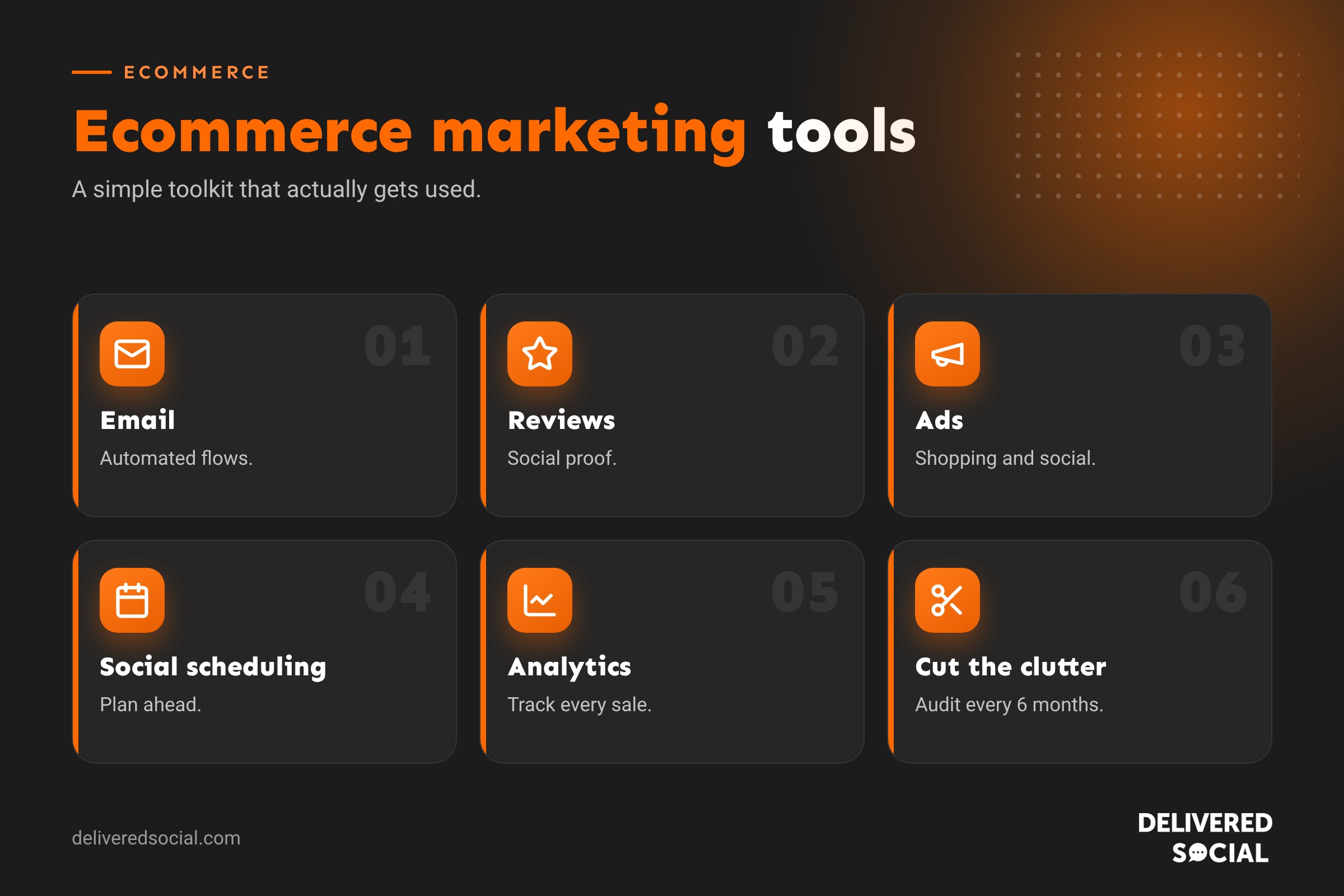
Running an online shop means juggling a lot: product photos, emails, social media, ads, reviews, SEO and analytics. The right tools make that manageable; the wrong ones add cost and confusion. This guide covers the ecommerce marketing tools that matter most for small and growing online shops, grouped by job, with what each type does, what to look for and how to build a simple, affordable toolkit that actually gets used.
Start with what you already have
Before buying anything, check what’s built into your platform. Shopify, WooCommerce and other ecommerce platforms include basic analytics, discount codes, abandoned basket emails and product feeds. Social platforms have free scheduling and insights. Many shops only need a few extra tools on top.
Ecommerce marketing tools by category
| Category | What it does | Must-have features |
|---|---|---|
| Email marketing | Newsletters and automated emails | Ecommerce integration, automation flows, segmentation |
| SMS marketing | Text message offers and updates | Consent management, segmentation |
| Social media scheduling | Plan and publish posts | Multi-platform scheduling, analytics |
| Design and video | Create graphics and short videos | Templates, brand kit, resizing |
| Advertising | Run paid campaigns | Product catalogues, pixels, conversion tracking |
| Reviews | Collect and show customer reviews | Automated requests, photo reviews, Google integration |
| SEO | Help products rank in search | Titles, descriptions, schema, keyword research |
| Analytics | Track sales and behaviour | Ecommerce tracking, funnels, attribution |
| Conversion tools | Turn visitors into buyers | Pop-ups, upsells, live chat |
| Loyalty and referrals | Reward repeat customers | Points, referral links, VIP tiers |
1. Email marketing tools
Email is often the highest-earning channel for online shops because you own the list. Essential automations include:
- Welcome series for new subscribers.
- Abandoned basket reminders.
- Browse abandonment for people who viewed products.
- Post-purchase thank-yous, care tips and review requests.
- Win-back emails for lapsed customers.
Choose a platform that connects directly to your shop, so it knows what customers bought. See our guide: what is a newsletter?
2. Social media tools
- Scheduling tools to plan posts across Instagram, Facebook, TikTok and Pinterest.
- Shopping features so people can buy from posts.
- Built-in insights to see what content drives clicks and sales.
- Inbox tools that bring comments and messages together.
Our guide to social media apps for business covers options in more detail.
3. Design and content tools
- Graphic design tools with templates for social posts, banners and emails.
- Video editors for Reels and TikToks.
- Background removal for clean product images.
- Photo editing apps for consistent colour and lighting.
Good product photography is one of the best investments an online shop can make. Pair it with clear copy using our guide on writing product descriptions.
4. Advertising tools
- Google Merchant Center for Shopping ads and free product listings.
- Google Ads for search and shopping campaigns. See Google Ads for beginners.
- Meta Ads Manager with a product catalogue for Facebook and Instagram.
- TikTok and Pinterest ads for discovery-led products.
- Tracking pixels and conversion APIs so platforms see which ads drive sales.
5. Reviews and social proof
Reviews build trust and lift conversion rates. Look for tools that automatically ask for reviews after delivery, allow photo and video reviews, show star ratings on product pages and can feed ratings into Google. Always collect genuine reviews only; fake reviews are illegal in the UK.
6. SEO tools
- Your platform’s SEO settings or an SEO plugin for titles, descriptions and schema.
- Google Search Console to see which searches bring traffic.
- Keyword research tools to find what customers search for.
- Site audit tools to catch broken links and duplicate content.
7. Analytics tools
- Your ecommerce platform’s built-in reports.
- Google Analytics with ecommerce tracking.
- Heatmaps and session recordings to see how people use your pages.
- Ad platform reports for campaign performance.
8. Conversion and retention tools
- Email sign-up pop-ups, used sparingly and mobile-friendly.
- Upsells and cross-sells on product and basket pages.
- Free delivery progress bars to lift average order value.
- Live chat to answer pre-sale questions.
- Loyalty and referral programmes to reward repeat customers.
A starter toolkit for small shops
| Need | Starter option |
|---|---|
| An ecommerce email platform with a free or low-cost plan | |
| Social | Native apps plus a free scheduler |
| Design | A template-based design tool and a phone video editor |
| Ads | Google Merchant Center free listings, then small test campaigns |
| Reviews | Your platform’s review feature or a simple review app |
| Analytics | Platform reports, Google Analytics and Search Console |
How to choose the right tools
- Start with a problem, not a tool. What’s holding sales back?
- Check integrations with your ecommerce platform.
- Use free trials and test properly before committing.
- Consider total costs, including price rises as your list or orders grow.
- Watch site speed: every app or plugin can add code.
- Check data protection and where customer data is stored.
- Keep it simple: fewer tools used well beat many tools used badly.
Signs you have too many tools
- You pay for subscriptions nobody uses.
- Several apps do the same job.
- Your shop has become slow.
- Data doesn’t match across platforms.
- The team isn’t sure which tool to use for what.
Audit your tools every six months and cancel what isn’t earning its keep.
Tools are only half the job
The best tools won’t help without a clear plan, good products, strong photography and consistent content. Pair your toolkit with an ecommerce marketing calendar so every tool supports a campaign with a purpose.
Example toolkits by shop size
New shop, under 100 orders a month: your platform’s built-in features, a free email plan, native social apps, a template-based design tool, Google Merchant Center free listings and Search Console. Focus on great photos and consistent posting.
Growing shop, a few hundred orders a month: add a paid email plan with automations, a review app, a social scheduler, small Google Shopping and Meta campaigns, and better analytics tracking.
Established shop: add SMS, loyalty and referral programmes, more advanced ad management, heatmaps, testing tools and possibly an agency to manage campaigns.
Integrations that save time
The real power of ecommerce tools comes from connecting them. When your email platform knows what customers bought, it can send relevant recommendations. When your review app feeds ratings to Google, your ads look more trustworthy. When your product catalogue syncs with Meta and Google, new products appear in ads automatically. Before choosing tools, check they integrate with each other as well as with your shop.
Data protection and consent
Marketing tools handle customer data, so make sure you collect proper consent for email and SMS marketing, explain your use of data in your privacy policy, and use cookie consent for tracking tools. UK data protection law applies to every tool you connect, not just your website.
Quick glossary
- Abandoned basket email: a reminder sent when someone leaves items unbought.
- Product feed: a file sharing product data with ad platforms.
- Pixel: tracking code that records actions for advertising.
- AOV: average order value.
- Segmentation: grouping customers to send more relevant messages.
Getting your team to use the tools
The most expensive tool is the one nobody uses. Keep a simple document listing which tool does what, who owns it and the logins your team needs. Run a short walkthrough when you add something new, and set regular habits, such as checking email reports every Monday and reviewing ad results every Friday. Small routines turn tools into results, and help you spot quickly when something stops working or a subscription is no longer earning its place.
Key takeaways
- Use your platform’s built-in features before buying extra tools.
- Email, reviews, ads, social and analytics are the core categories.
- Choose tools that integrate with your shop and don’t slow it down.
- Start small, measure results and add tools as needs grow.
- Audit your toolkit regularly and cut what you don’t use.
Frequently asked questions
What are the most important ecommerce marketing tools?
Email marketing, reviews, social media scheduling, advertising and analytics.
Do small online shops need paid tools?
Not always. Many start with free plans and built-in platform features.
Which tool brings the best return for online shops?
Email marketing often delivers strong returns because you own your list.
Can too many apps slow down my shop?
Yes. Each app or plugin can add code, so keep only what you need.
How often should I review my marketing tools?
Every six months, cancelling anything unused or duplicated.
What is the best email tool for online shops?
Choose one that integrates directly with your ecommerce platform and supports automated flows.
Do I need a separate review app?
Not always. Many platforms include reviews, but dedicated apps add automation and photo reviews.
Should I use pop-ups on my shop?
Yes, sparingly. A well-timed email sign-up pop-up can grow your list without annoying visitors.
How do I know if a tool is worth paying for?
Track the sales or time saved it brings against its monthly cost.
Can marketing tools slow down my website?
Yes. Test site speed after adding any new app or plugin.
Want help marketing your online shop?
We run social media, email and ad campaigns for online shops across Surrey, Hampshire and the UK. See our social media management services or call us on 01483 608 303.































