



Keep reading
Rather we just did it for you?
Let's get your business seen.
Social media, websites, SEO and ads from a team you can actually meet.
Running an online shop means sending the right message to the right customer at the right moment: a welcome when they sign up, a reminder when they leave items in their basket, a thank-you after they buy, and a nudge when they haven’t been back for a while. Doing all that by hand is impossible once you have more than a handful of customers. That’s where ecommerce marketing automation comes in. This guide explains what ecommerce marketing automation is, the automations every online shop should set up first, the tools you need, and how to measure what’s working, without losing the personal touch.
What is ecommerce marketing automation?
Ecommerce marketing automation means using software to send marketing messages automatically, triggered by what customers do (or don’t do) in your shop. Instead of writing every email from scratch, you set up a “flow” once: for example, “when someone abandons their basket, wait one hour, then send a reminder email”. The software then runs it for every customer, day and night.
Automations can run across email, SMS, push notifications, retargeting ads and even social media messages, and they get smarter when they use data such as purchase history, browsing behaviour and location.
Why automation matters for online shops
- It recovers lost sales. Abandoned basket and browse reminders bring back shoppers who were nearly ready to buy.
- It increases repeat purchases. Post-purchase and replenishment emails turn one-off buyers into regular customers.
- It saves time. Set flows up once and they keep working.
- It’s timely. Messages arrive when interest is highest, not when you remember to send them.
- It’s personal. Messages can reflect what each customer viewed or bought.
- It’s measurable. You can see exactly how much revenue each flow brings in.
The essential automations to set up first
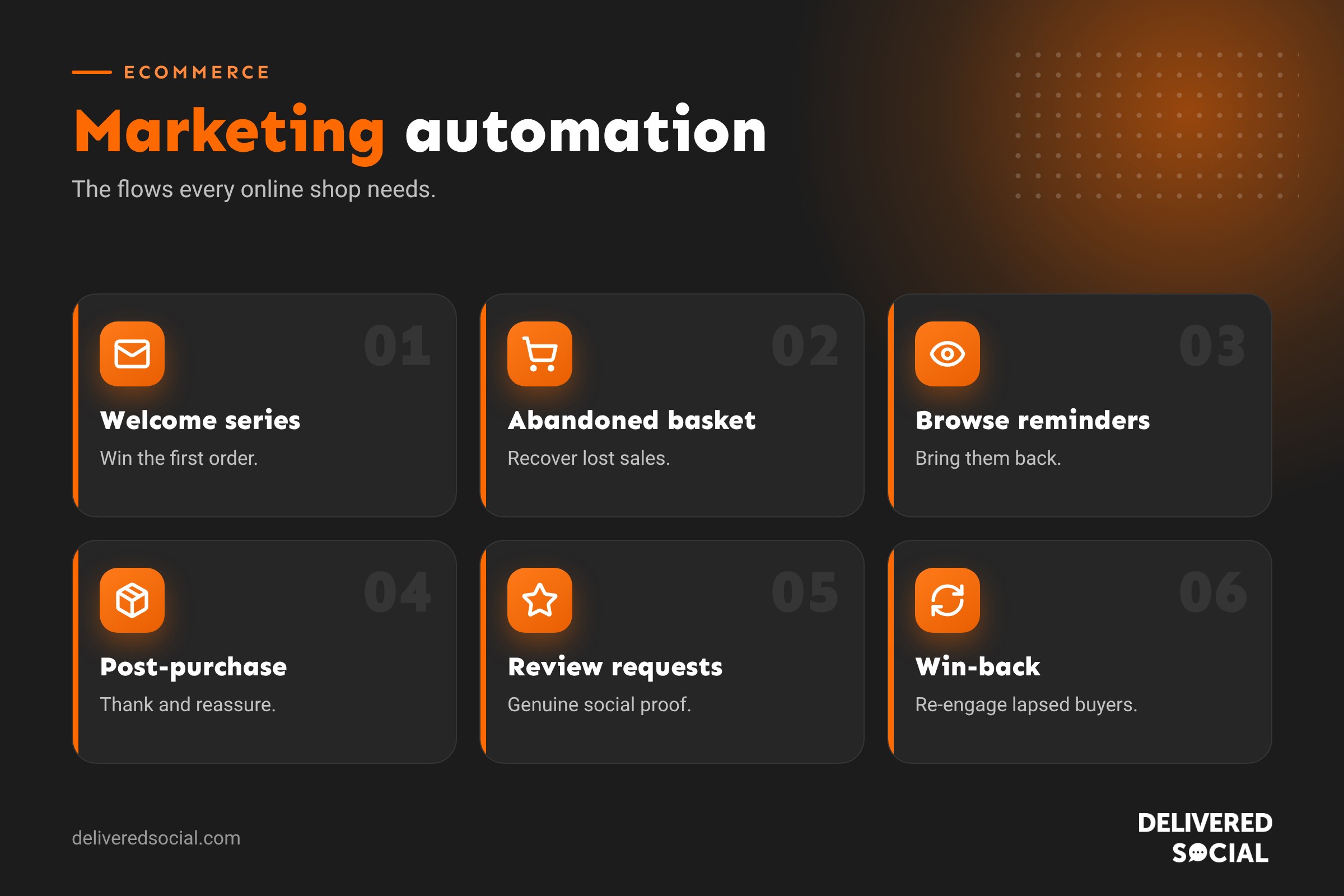
| Automation | Trigger | Goal |
|---|---|---|
| Welcome series | New email or SMS subscriber | Introduce the brand and win a first order |
| Abandoned basket | Items left in basket | Recover the sale |
| Browse abandonment | Viewed products, didn’t add to basket | Bring them back to the products |
| Post-purchase | Order placed | Thank, reassure and set expectations |
| Review request | Order delivered | Collect genuine reviews |
| Cross-sell | Days after purchase | Recommend related products |
| Replenishment | Product likely to run out | Prompt a repeat order |
| Win-back | No purchase for a set time | Re-engage lapsed customers |
| Back in stock | Product restocked | Alert people who were waiting |
1. Welcome series
New subscribers are at their most interested. A welcome series of three to five emails over a week or two might include:
- A warm welcome and any promised sign-up offer.
- Your story: who you are and why you do what you do.
- Best sellers or customer favourites.
- Reviews and social proof.
- A gentle reminder if they haven’t used their offer.
Stop the series as soon as someone buys, and move them into your post-purchase flow instead.
2. Abandoned basket
Abandoned basket emails are usually the highest-earning automation for an online shop. A typical flow:
- After about an hour: a friendly reminder showing the items left behind.
- After about a day: answer common worries, such as delivery times, returns or sizing, and show reviews.
- After two or three days: a final reminder, perhaps with free delivery or a small incentive if your margins allow.
Don’t offer a discount in the first message, or customers learn to abandon baskets on purpose.
3. Browse abandonment
When a known customer views products but doesn’t add them to their basket, a light-touch email a few hours later can help: “Still thinking about it?” with the products they looked at and a few alternatives. Keep it short and helpful rather than pushy.
4. Post-purchase flow
After an order, customers want reassurance. Send an order confirmation, a shipping notification with tracking, and a helpful follow-up with product care tips, how-to guides or styling ideas. This builds trust and reduces “where’s my order?” queries.
5. Review requests
Ask for a review a few days after delivery, once they’ve had time to use the product. Make it easy with a one-click star rating. Always collect genuine reviews only; fake reviews are illegal in the UK and damage trust.
6. Cross-sell and replenishment
If someone bought a coffee machine, recommend beans and descaler. If they bought a 30-day supply of something, remind them at day 25. These emails feel helpful because they’re relevant, and they lift lifetime value.
7. Win-back
Customers who haven’t bought for a while (the timing depends on your products) can be tempted back with “we miss you” messages, new arrivals or a loyalty reward. If they still don’t engage, remove them from regular sends to protect your email deliverability.
Beyond email: other automation channels
- SMS: great for time-sensitive messages like flash sales or delivery updates, with clear consent.
- Retargeting ads: automatically show products people viewed on social media and Google.
- Push notifications: for shops with apps or browser notifications.
- Social messages: automated replies to common questions on Instagram and Facebook.
- Loyalty programmes: automatic points, rewards and VIP tiers.
Tools you’ll need
Most online shops need an email and SMS platform that integrates directly with their ecommerce platform, such as Shopify or WooCommerce, so it knows what each customer browsed and bought. Look for pre-built ecommerce flows, product recommendations, segmentation, A/B testing and revenue reporting. Our guide to ecommerce marketing tools covers the wider toolkit, and how to use email automation explains the basics.
Segmentation: making automation personal
Segmentation means grouping customers so messages are more relevant. Useful segments include:
- New subscribers vs existing customers.
- First-time buyers vs repeat customers.
- High spenders or VIPs.
- Customers who bought a particular category.
- Location, for delivery or event messages.
- Engaged vs unengaged subscribers.
A repeat customer shouldn’t receive the same “welcome” discount as a brand-new subscriber.
How to set up your first automations
- Connect your shop to your email platform and check data is syncing.
- Add sign-up forms to grow your list, with clear consent.
- Start with three flows: welcome, abandoned basket and post-purchase.
- Write in your brand voice, with clear subject lines and one main call to action.
- Design for mobile, as most emails are opened on phones.
- Test every flow by triggering it yourself.
- Set exit rules, so people leave a flow when they buy.
- Review results monthly and improve one thing at a time.
Measuring success
| Metric | What it tells you |
|---|---|
| Revenue per flow | Which automations earn the most |
| Conversion rate | How many recipients go on to buy |
| Click rate | Whether content and offers are relevant |
| Unsubscribe rate | Whether you’re sending too often or off-target |
| Repeat purchase rate | Whether post-purchase flows build loyalty |
| Customer lifetime value | The long-term impact of your automations |
Open rates are less reliable than they used to be because of privacy features in email apps, so focus on clicks and revenue. Our guide to ecommerce conversion rate helps you improve the numbers on site too.
Common mistakes
- Discounting in every automated email.
- Forgetting exit rules, so customers get “come back” emails after buying.
- Sending too many messages too close together.
- Generic content that ignores what the customer bought.
- Setting flows up once and never reviewing them.
- Sending marketing without proper consent.
Consent and data protection
In the UK, marketing emails and texts need proper consent or a valid “soft opt-in” for existing customers buying similar products, with an easy way to unsubscribe every time. Transactional messages like order confirmations are different, but don’t load them with heavy promotions. Explain how you use data in your privacy policy.
Keeping the human touch
Automation works best when it sounds like a real person. Sign emails from a named founder or team member, write as you’d speak, and make it easy to reply. Some of the best-performing automated emails are simple plain-text notes asking customers how they’re getting on.
Example: a small homeware shop
Imagine an independent homeware shop on WooCommerce. It sets up a four-email welcome series, a three-step abandoned basket flow, a post-purchase care guide for its candles, a review request a week after delivery, and a win-back email at 120 days. Within a few months, automated emails bring in a steady share of total revenue every week, with no extra work from the owner beyond a monthly review of results and occasional updates for new seasonal products.
Quick glossary
- Flow: a sequence of automated messages triggered by a customer action.
- Trigger: the event that starts a flow.
- Segment: a group of customers with something in common.
- Exit rule: a condition that removes someone from a flow.
- Lifetime value: the total a customer spends with you over time.
Key takeaways
- Ecommerce automation sends timely, relevant messages triggered by customer behaviour.
- Start with welcome, abandoned basket and post-purchase flows.
- Use segmentation and exit rules to keep messages relevant.
- Measure revenue, clicks and repeat purchases rather than opens.
- Keep it personal, consented and regularly reviewed.
Frequently asked questions
What is ecommerce marketing automation?
Software that sends marketing messages automatically based on what customers do in your shop.
Which automation should I set up first?
A welcome series and an abandoned basket flow usually deliver the quickest results.
How many emails should an abandoned basket flow have?
Usually two or three, spread over a few days.
Is SMS automation worth it?
It can be for time-sensitive messages, but use it sparingly and with clear consent.
Do I need expensive software?
No. Many email platforms offer ecommerce automations on affordable plans.
How often should I review my flows?
Check results monthly and refresh content at least a couple of times a year.
Can automation work for small shops?
Yes. It’s often most valuable for small teams, because it saves so much time.
Will automation make my emails feel impersonal?
Not if you write in a human voice and use customer data to make messages relevant.
Want help automating your shop’s marketing?
We set up email, social and ad campaigns for online shops across Surrey, Hampshire and the UK. See our social media management services or call us on 01483 608 303.































