



Keep reading
Rather we just did it for you?
Let's get your business seen.
Social media, websites, SEO and ads from a team you can actually meet.
If you build or edit a WordPress website, sooner or later you’ll face a choice: stick with the built-in block editor (often still called Gutenberg) or use a page builder such as Elementor. Both let you design pages visually without writing code, but they take very different approaches to speed, flexibility, cost and long-term maintenance. This guide compares Elementor vs Gutenberg in plain English, so you can decide which is right for your website, your team and your budget.
What is Gutenberg?
Gutenberg was the project name for the block editor that became WordPress’s default editor in 2018. Today it’s simply called the block editor, and it’s part of WordPress core, so it’s free and maintained by the WordPress project. Every piece of content is a block: paragraphs, headings, images, buttons, columns, galleries and more. With block themes and full site editing, the same system can now be used to design headers, footers and templates, not just page content.
What is Elementor?
Elementor is a popular third-party page builder plugin. It replaces the standard editor with a drag-and-drop canvas where you design pages visually, with fine control over spacing, typography, colours, motion effects and responsive layouts. There’s a free version and a paid Pro version, which adds the Theme Builder (headers, footers, templates), forms, popups, dynamic content and WooCommerce widgets, among other features.
Elementor vs Gutenberg at a glance
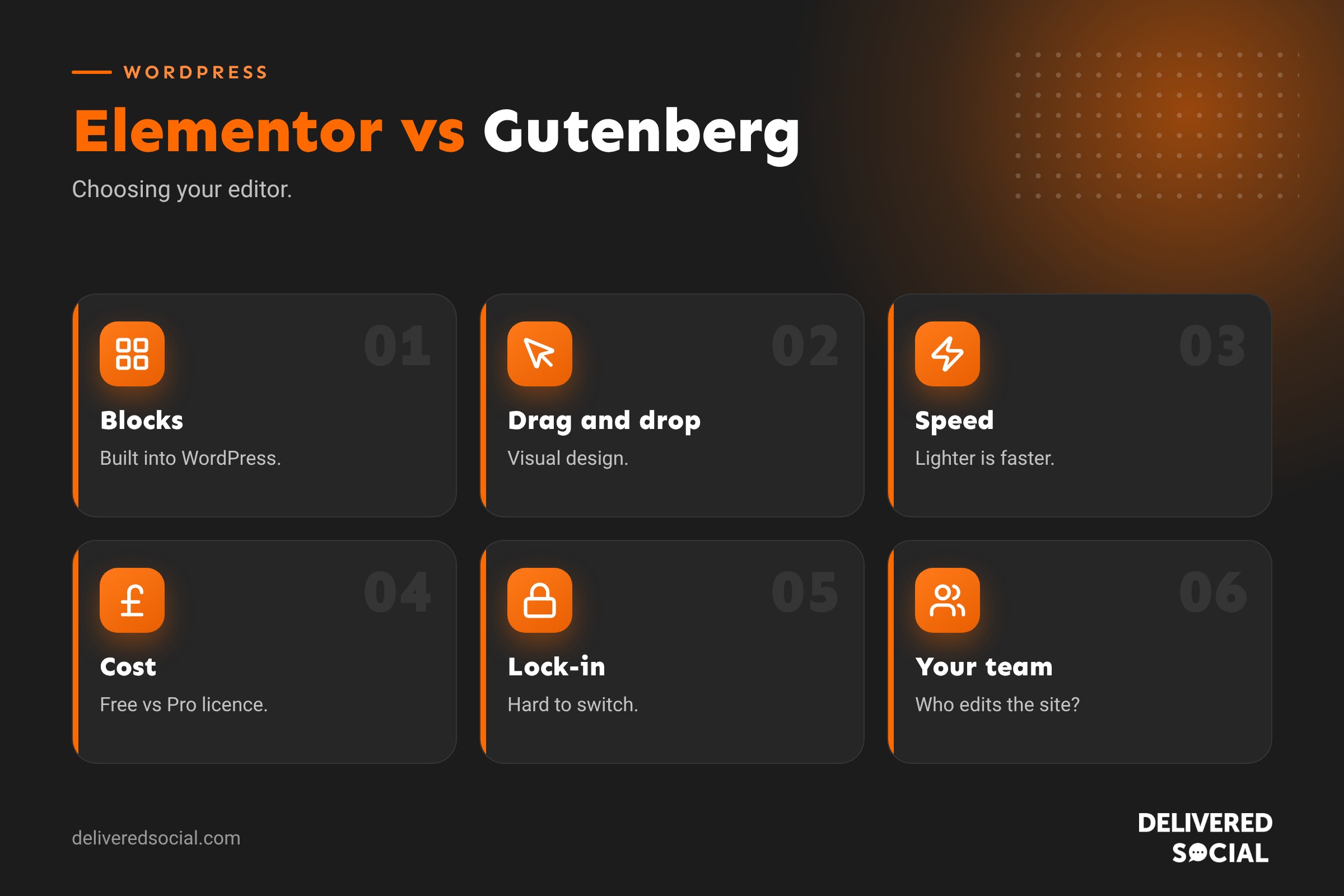
| Gutenberg (block editor) | Elementor | |
|---|---|---|
| Cost | Free, part of WordPress | Free version, Pro is a yearly licence |
| Ease of use | Simple, writing-friendly | Very visual, drag and drop |
| Design control | Good and improving | Very detailed |
| Page speed | Typically lighter | Can be heavier if not optimised |
| Lock-in | Low, content stays as standard blocks | Higher, layouts depend on the plugin |
| Third-party add-ons | Growing block libraries | Large add-on ecosystem |
| Best for | Blogs, content sites, lean business sites | Design-led pages and landing pages |
Ease of use
Gutenberg feels like writing a document. It’s quick for blog posts and simple pages, and the editing screen looks close to the finished page. Building complex layouts can take a little more thought, particularly with nested columns and groups.
Elementor is very approachable for people who think visually. You drag widgets onto the page and style them in a side panel, seeing changes instantly. The flip side is that there are a lot of settings, and it’s easy for different people to style things inconsistently.
Design flexibility
Elementor gives fine-grained control over almost every element, including hover effects, animations, custom positioning and per-device settings. Gutenberg has caught up considerably, especially with block themes, patterns and global styles, but some advanced effects still need extra block plugins or custom CSS. If your brand relies on highly polished, unusual layouts, Elementor (or a custom-built theme) may be easier. If your site is mainly content with a clean design, Gutenberg is usually more than enough.
Performance and page speed
Speed matters for visitors and for search rankings. The block editor tends to produce leaner code because it’s part of WordPress and only loads what each block needs. Elementor adds its own scripts and styles and can produce more complex page structures, which can slow pages down if the site isn’t carefully optimised. Elementor has made big improvements in recent years, and with good hosting, caching and sensible use of widgets, Elementor sites can perform well. But out of the box, a well-built block theme usually has the edge. See why is my WordPress site slow? for more.
Cost
The block editor is free. Elementor’s free version is capable for basic pages, but most business sites use Elementor Pro for the Theme Builder, forms and dynamic content, which is a yearly licence per site. Add-on packs can add further licences. Over several years, these costs add up, so factor them into your budget alongside hosting and maintenance.
Lock-in: the hidden issue
This is the big one. Content built with the block editor is stored as standard WordPress blocks, so if you change theme, your text and images remain usable. Pages built with Elementor depend on the plugin. If you deactivate Elementor, those pages lose their layout and you’re often left with messy content to rebuild. That doesn’t mean you shouldn’t use Elementor, but it does mean you’re committing to it for the life of the site.
SEO
Neither editor is an SEO tool in itself, and both can produce well-structured, search-friendly pages. What matters more is page speed, clear headings, helpful content and good technical set-up. Lighter pages from the block editor can help with Core Web Vitals, while Elementor users should keep an eye on page weight and heading structure. Pair either with a good SEO plugin; see our WordPress SEO checklist.
Editing by your team
Think about who will update the site. For teams who mainly publish news and blog posts, the block editor is simpler and harder to break. For marketing teams building landing pages frequently, Elementor’s templates and visual controls can be faster. A good compromise is to lock down global styles and provide ready-made templates, whichever editor you use, so pages stay on brand.
Pros and cons summary
Gutenberg pros
- Free and built into WordPress.
- Lightweight and fast.
- Future-proof, with ongoing development from the WordPress project.
- Low lock-in.
Gutenberg cons
- Advanced design effects may need extra plugins or code.
- Full site editing can feel unfamiliar at first.
Elementor pros
- Highly visual drag-and-drop design.
- Detailed styling and responsive controls.
- Large template and add-on ecosystem.
Elementor cons
- Yearly licence for Pro features.
- Can be heavier and slower if not optimised.
- Strong lock-in to the plugin.
Which should you choose?
| Your situation | Our suggestion |
|---|---|
| Blog or content-led site | Block editor |
| Small business site with a clean design | Block editor with a quality block theme |
| Marketing team building lots of landing pages | Elementor Pro, with templates and global styles |
| Highly bespoke, design-led brand site | Custom theme, or Elementor with strict standards |
| Existing Elementor site that works well | Stay put and optimise |
Switching from Elementor to the block editor
There’s no one-click conversion. Each page has to be rebuilt with blocks, usually using patterns to speed things up. It’s a good time to tidy content, improve speed and fix accessibility at the same time. Plan it as a mini redesign rather than a simple switch, and keep the old URLs so you don’t lose search rankings.
What about other page builders?
Elementor isn’t the only option. Other builders such as Divi, Beaver Builder, Bricks and theme-specific builders take similar approaches with different trade-offs. Many agencies have a preferred builder or build custom themes. What matters most is that the site is fast, easy for your team to edit, accessible and not overloaded with plugins.
Example: two websites, two choices
A local charity publishes news, events and fundraising stories every week. Volunteers update the site, so a simple, robust editor is key. The block editor with a well-designed block theme keeps things fast and easy. A growing ecommerce brand runs seasonal campaigns with bespoke landing pages every month. Its in-house marketer uses Elementor Pro templates to launch pages quickly, while a developer keeps performance in check.
Our take
For most small business and charity websites, we favour lightweight, well-structured builds that are easy for clients to update and fast for visitors. The best editor is the one that keeps your site quick, consistent and easy for your team to manage over the years.
Quick glossary
- Block: a single piece of content in the WordPress editor, such as a paragraph or image.
- Page builder: a plugin that replaces the editor with a drag-and-drop design tool.
- Block theme: a theme designed for full site editing with blocks.
- Theme Builder: Elementor Pro’s tool for designing headers, footers and templates.
- Lock-in: how hard it is to move away from a tool once you’ve used it.
Key takeaways
- The block editor is free, fast and low lock-in.
- Elementor offers more visual design control, with a licence cost and more lock-in.
- Performance depends on how well either is used.
- Choose based on who edits the site and how design-led it needs to be.
- Switching later means rebuilding pages, so choose carefully.
Frequently asked questions
Is Gutenberg the same as the WordPress block editor?
Yes. Gutenberg was the project name; it’s now simply the block editor.
Is Elementor free?
There’s a free version; Pro features need a yearly licence.
Is Elementor bad for SEO?
No, but it can slow pages if not optimised, which can affect rankings.
Can I use Elementor and Gutenberg together?
Yes, on different pages, though it’s tidier to standardise on one.
Which is faster?
The block editor is usually lighter, but a well-optimised Elementor site can be fast too.
What happens if I deactivate Elementor?
Pages built with it lose their layout and need rebuilding.
Is the block editor good enough for business websites?
Yes, especially with a quality block theme and patterns.
Which is easier for beginners?
Elementor feels more visual; the block editor is simpler for writing.
Do I need Elementor Pro?
For headers, footers, forms and templates, most businesses do.
Should I rebuild my Elementor site?
Only if it’s slow, hard to manage or due a redesign anyway.
Want a fast, easy-to-edit WordPress site?
We design, build and look after WordPress websites for businesses and charities across Surrey, Hampshire and the UK. Call us on 01483 608 303.
































