




Keep reading
Rather we just did it for you?
Let's get your business seen.
Social media, websites, SEO and ads from a team you can actually meet.
Instagram Stories are one of the easiest ways to stay in front of your followers. They sit at the top of the app, they disappear after 24 hours and they feel more relaxed than a feed post, which makes them perfect for everyday updates, offers and behind the scenes moments. Yet plenty of people still ask how to add a story, how to upload photos and videos from the camera roll and whether you can post a story from a computer. This guide explains how to post an Instagram story step by step on a phone and on a computer, plus the features and tips that help businesses get more from Stories.
What is an Instagram story?
A story is a photo or short video that appears in a full screen, vertical format at the top of your followers’ feeds. Stories last 24 hours unless you save them to a Highlight on your profile. They can include text, stickers, music, links, polls and questions, and viewers can reply privately. Our guide to Instagram Reels vs Stories explains when to use each format.
How to post a story on your phone
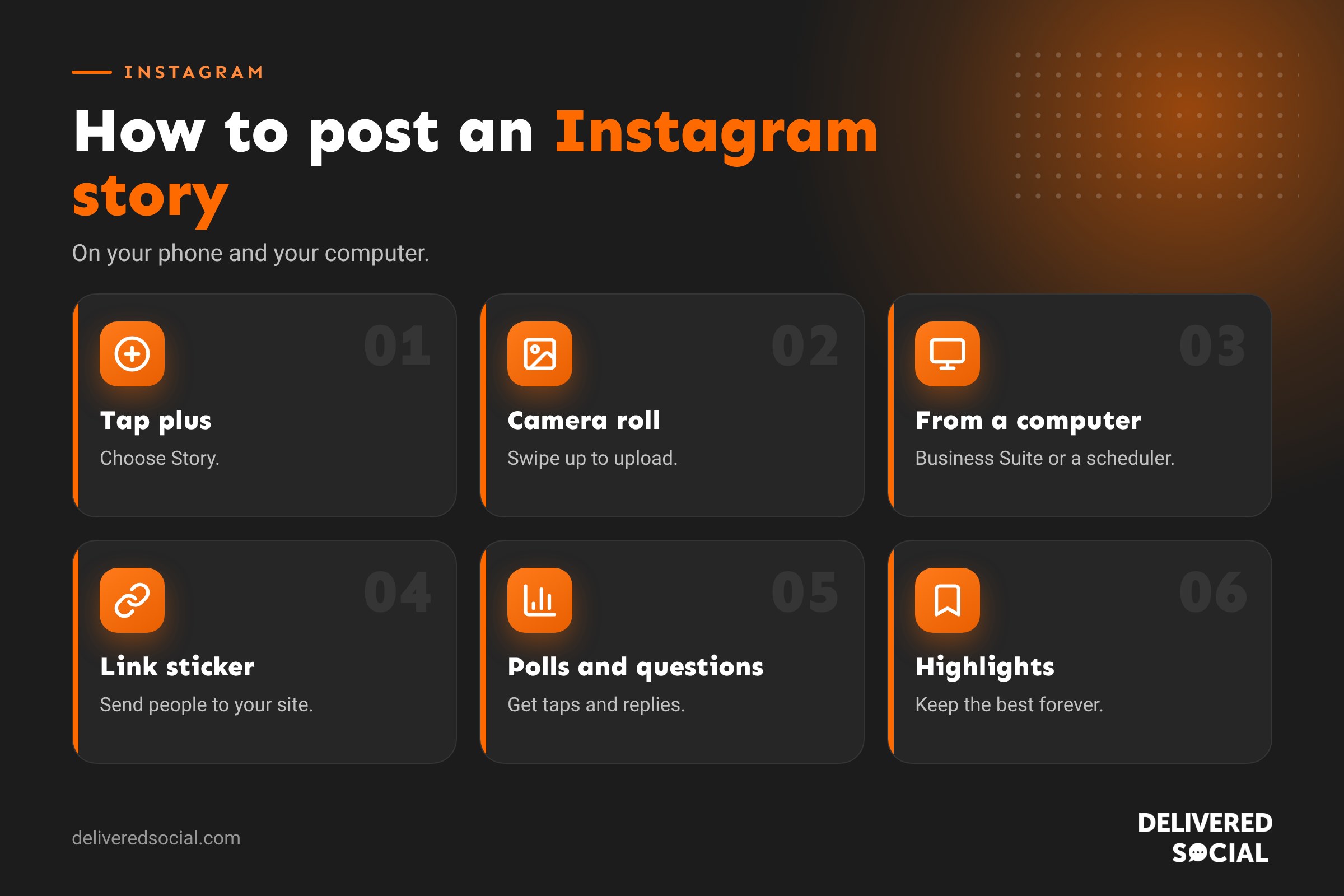
- Open Instagram and tap the plus icon, then choose Story. You can also swipe right from the home feed or tap your profile picture with the plus sign.
- Tap the shutter button to take a photo, or hold it to record a video.
- Add text, stickers, music or drawings using the icons at the top of the screen.
- Tap “Your story” to share it with all followers, or “Close Friends” to share with a smaller list.
How to upload a story from your camera roll
- Open the story camera as above.
- Swipe up, or tap the gallery thumbnail in the bottom left corner.
- Choose a photo or video. To share several at once, tap “Select” and pick up to the maximum allowed; each becomes its own story frame.
- Edit, add stickers and share.
Tip: vertical images at 1080 by 1920 pixels fill the screen best. Our Instagram story length guide covers timings and formats.
How to post an Instagram story from a computer
Instagram’s website has limited story tools, and options change over time, so there are a few routes.
Use Meta Business Suite
For business and creator accounts connected to a Facebook Page, Meta Business Suite on a desktop browser lets you create and schedule stories for Instagram. Open Business Suite, choose create story, upload your image or video, select Instagram as the destination and publish or schedule.
Use a scheduling tool
Social media management tools such as Metricool, Buffer and Hootsuite let you plan and publish stories from a computer. Our guide to scheduling Instagram posts explains how scheduling works.
Use the mobile view in your browser
Some people switch their browser to a mobile view using developer tools to reach the story camera on instagram.com. It can work, but it is clunky and not officially supported, so the options above are more reliable. Our guide to using Instagram on desktop covers what you can and cannot do.
Story features worth knowing
- Text and fonts: add captions so people understand without sound.
- Music: add a track from Instagram’s library (business accounts may have a more limited library).
- Link sticker: send viewers to your website, booking page or blog.
- Poll and quiz stickers: quick, fun ways to get taps and learn what followers think.
- Question sticker: collect questions for a Q and A.
- Countdown sticker: build excitement before a launch or event; followers can set reminders.
- Mention and location stickers: tag people, partners and places. Our guide to tagging on Instagram explains the etiquette.
- Close Friends: share with a chosen list, useful for VIP customers.
- Highlights: save stories permanently on your profile in themed collections.
How to add to someone else’s story or reshare a post
When someone mentions you in their story, you get a message with an option to add it to your own story. To share a feed post or Reel to your story, tap the paper plane icon under it and choose “Add post to your story”. This is an easy way to boost your own posts and share customer content.
How to edit or delete a story
You cannot edit a story once it is published, but you can delete it and post again. Open your story, tap the three dots and choose Delete. You can also save it, share it as a post or add it to a Highlight from the same menu.
Why Stories matter for businesses
- Daily visibility: Stories keep you at the top of followers’ screens.
- Lower pressure: they do not need to be as polished as feed posts.
- Direct responses: replies arrive in your DMs, starting conversations that lead to sales.
- Traffic: link stickers send people straight to your website.
- Insight: polls and questions tell you what customers want.
Story ideas for businesses
- Behind the scenes of making, packing or preparing.
- New stock, menus or services as they arrive.
- Customer reviews and reshared mentions.
- Quick tips from your area of expertise.
- Polls asking followers to choose between two options.
- Countdowns to launches, sales and events.
- Day in the life of your team.
- Links to your latest blog posts or offers.
Our list of Instagram post ideas for business has more inspiration you can adapt for Stories.
Tips for better Stories
- Post regularly: a few frames most days keeps you visible.
- Hook in the first second: people tap through quickly.
- Add captions: many people watch with sound off.
- Use one clear call to action: reply, tap the link or visit the shop.
- Keep text inside the safe zone: avoid the very top and bottom where icons sit.
- Use interactive stickers: taps and replies tell Instagram people are interested.
- Save the best to Highlights: FAQs, reviews, menus and services make great Highlights.
How to see who viewed your story
Open your story and swipe up to see the list of viewers while it is live. Business and creator accounts can see more detail, such as reach, taps forward, taps back, exits and link clicks, in Insights. Use these numbers to learn which types of story keep people watching.
Common problems and fixes
- Story will not upload: check your connection, update the app and restart your phone.
- Video is cut short: long videos are split into segments; trim to the key moments.
- Image looks cropped: use a 9:16 vertical image.
- Music not available: some tracks are restricted for business accounts or in certain regions.
- Link sticker missing: update the app and check your account is not restricted.
Planning a week of Stories
If you struggle to know what to post, a simple weekly rhythm helps. Monday could be a tip or how to, Tuesday a behind the scenes moment, Wednesday a customer review, Thursday a poll or question, Friday an offer or new arrival, and the weekend something lighter about the team or local area. Batch create a few frames at the start of the week, then add live moments as they happen. Within a few weeks you will see which days and topics get the most replies, and you can build your plan around them.
Story accessibility tips
Make your Stories easy for everyone to follow. Use the captions sticker on videos where people speak, choose high contrast text colours, keep text large and avoid fast flashing effects. This helps people with hearing or sight impairments and the many people who watch with the sound off.
Key takeaways
- Tap the plus icon and choose Story to post from your phone.
- Swipe up in the story camera to upload from your camera roll.
- Use Meta Business Suite or a scheduling tool to post stories from a computer.
- Add link, poll, question and countdown stickers to drive action.
- Save your best stories to Highlights so they last beyond 24 hours.
Frequently asked questions
How do I add a story on Instagram?
Tap the plus icon, choose Story, take or select a photo or video, then tap Your story.
Can I post an Instagram story from my PC?
Yes, through Meta Business Suite or a scheduling tool for business and creator accounts.
How long does an Instagram story last?
24 hours, unless you save it to a Highlight.
Can I add several photos to one story?
Yes. Select multiple images from your gallery and each becomes a separate frame.
Can I edit a story after posting?
No. Delete it and post a corrected version.
What size should a story be?
1080 by 1920 pixels, a 9:16 vertical format.
Can I schedule Instagram stories?
Yes, with Meta Business Suite or third party scheduling tools.
How do I add a link to my story?
Use the link sticker from the sticker menu and paste your URL.
Want help with your Instagram?
We plan and post Instagram content, including Stories, for businesses across Surrey, Hampshire and the UK. Find out more about our Instagram marketing services. Call us on 01483 608 303.
































