



Keep reading
Rather we just did it for you?
Let's get your business seen.
Social media, websites, SEO and ads from a team you can actually meet.
Instagram’s Restrict feature is one of the most useful privacy tools on the app, yet many people are not sure what it does or how it differs from blocking or muting. It lets you quietly limit someone’s interactions with you without them knowing, which makes it ideal for awkward situations with people you know, persistent commenters or difficult customers. This guide explains what restrict means on Instagram, what happens when you restrict someone, how to do it on any device, how it compares with block and mute, and how businesses can use it to keep their comments section healthy.
What does restrict mean on Instagram?
Restricting someone on Instagram limits how they can interact with you, without unfollowing, blocking or notifying them. Instagram introduced the feature in 2019 to help people deal with bullying and unwanted attention in a gentler way than blocking. The restricted person can still see your posts and Stories and can still comment and message, but what they do is quietly filtered so it has far less impact on you.
What happens when you restrict someone on Instagram?
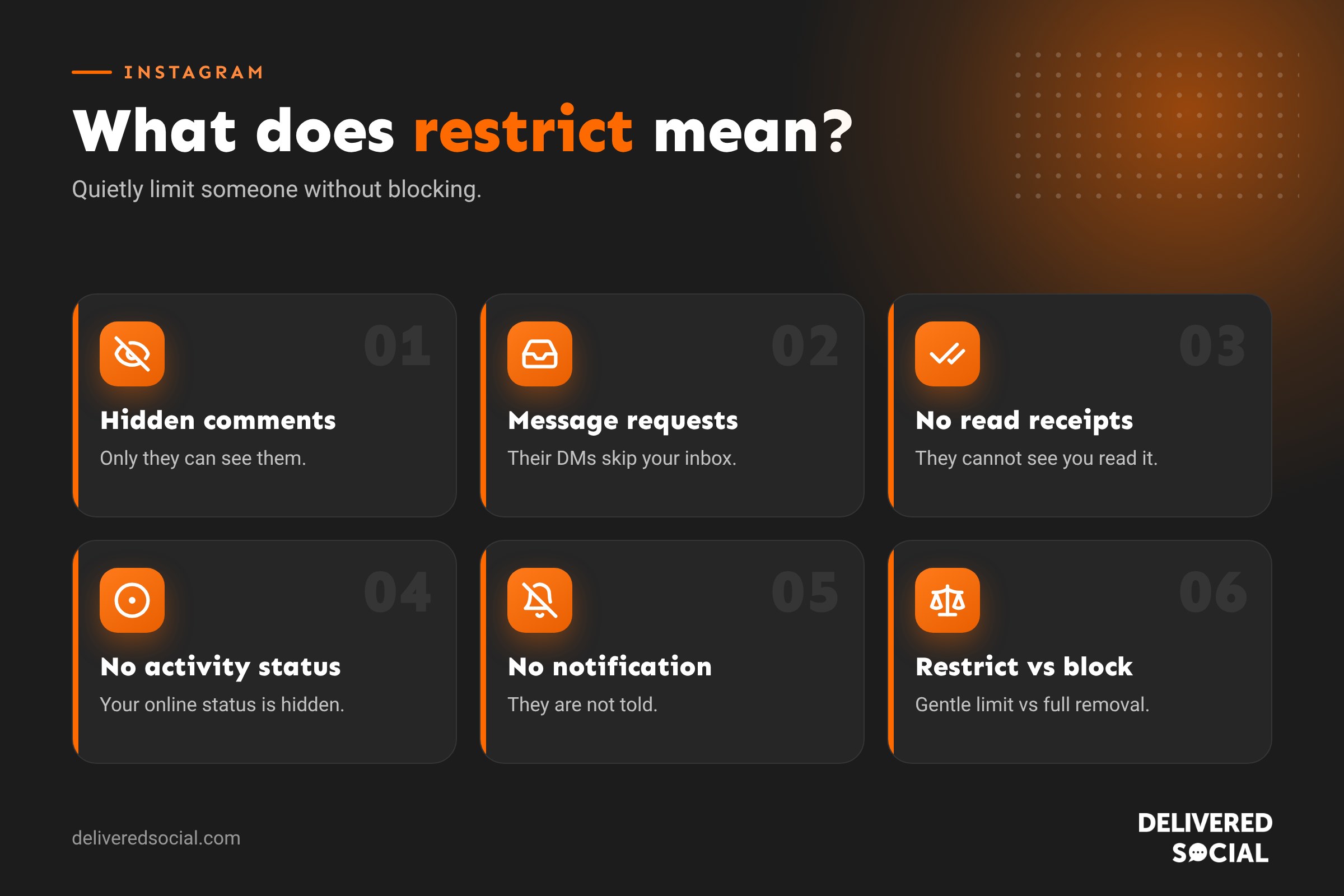
- Their comments are hidden: new comments they leave on your posts are only visible to them. You can tap to see the comment and choose to approve it, delete it or ignore it. Other people will not see it unless you approve it.
- Their messages go to requests: direct messages from a restricted person move to your message requests folder, so you do not get notifications.
- No read receipts: they cannot see when you have read their messages.
- No activity status: they cannot see when you are online or when you were last active.
- Tags and mentions are limited: tags and mentions from a restricted account are not shown in your notifications in the usual way, and you can control whether they appear.
- They are not told: Instagram does not notify someone when you restrict them.
What a restricted person can still do
- See your public posts, Reels and Stories.
- Follow you and stay following you.
- Comment on your posts, although only they will see those comments unless you approve them.
- Send you messages, which land in your requests.
Because their experience barely changes, most restricted people never realise anything has happened. That is the point: it reduces conflict while protecting you.
How to restrict someone on Instagram
From their profile
- Go to the person’s profile.
- Tap the three dots in the top right corner.
- Tap Restrict and confirm.
From a comment
- Swipe left on the comment on iPhone, or press and hold it on Android.
- Tap the exclamation mark or options icon.
- Choose Restrict.
From a direct message
- Open the chat.
- Tap their name at the top.
- Tap Restrict.
From settings
Go to your profile, tap the menu, then Settings and privacy, then Restricted accounts. Search for the person and tap Restrict. This list also shows everyone you have restricted.
How to unrestrict someone
Go to Settings and privacy, then Restricted accounts, and tap Unrestrict next to their name. You can also open their profile, tap the three dots and choose Unrestrict, or open your chat with them and tap Unrestrict. Comments they made while restricted stay hidden unless you approve them.
Restrict vs block vs mute
Restrict
The person can still see your content and interact, but their comments and messages are filtered. They are not notified. Best for people you want to limit without causing a scene.
Block
The person cannot find your profile, see your posts or Stories, or message you. They are not notified, but they may work it out if they search for you. Best for harassment, spam or anyone you want completely removed.
Mute
You stop seeing the person’s posts or Stories in your feed, but nothing changes for them. They can interact with you as normal. Best for accounts you follow but do not want to see all the time.
Many people combine these, for example muting a friend’s Stories and restricting a former colleague who comments too often.
Can someone tell if you restricted them?
Instagram does not send a notification, so there is no direct way to know. Some people guess because their comments seem to get no replies or likes, or because they cannot see your activity status any more. If they check from another account, they may notice their comments are not visible to others. In practice, most people never find out.
When to use restrict
- A friend, relative or colleague leaves comments you would rather others did not see.
- Someone sends a lot of messages and you want them out of your main inbox.
- An ex or acquaintance you do not want to block outright.
- A troll who might create new accounts if blocked.
- A difficult customer whose public comments could damage your reputation while you resolve the issue privately.
Restrict for businesses
Business accounts face a particular challenge: you want to stay open and responsive, but some commenters post spam, abuse or misleading claims. Restrict lets you keep these comments out of public view without the drama of blocking, which can sometimes provoke a public complaint elsewhere. Use it alongside other tools:
- Hidden Words: automatically filter comments and messages containing offensive words, emojis or phrases you choose.
- Comment controls: limit who can comment on your posts, for example only followers.
- Limits: temporarily restrict comments and messages from accounts that do not follow you, useful if a post attracts a sudden wave of negativity.
- Delete and report: remove and report comments that break Instagram’s rules.
Genuine complaints deserve a polite public reply and a private follow up. Restrict is for abuse and spam, not for hiding fair criticism. Our guide to Instagram for small business covers how to handle comments well.
Restrict and your privacy
Restrict is one part of a wider set of privacy settings. You can also make your account private, remove followers, hide Stories from specific people and control who can tag or mention you. Our guide on hiding your followers on Instagram explains these options, and our guide to whether Instagram notifies screenshots covers another common privacy question.
Avoid third party apps
Apps that promise to show who restricted you, view Stories anonymously or see private accounts are not supported by Instagram. Many ask for your login details, which can lead to hacked accounts or bans. Stick to Instagram’s own tools.
Restrict on teen accounts
Instagram’s Teen Accounts apply stricter default settings for users under 18, including tighter controls on who can message and tag them. Parents using supervision tools can see some safety settings. Restrict is a useful tool to teach young people, as it lets them deal with unkind comments from classmates without escalating things.
What restricted comments look like to you
When a restricted person comments on your post, you see a notice in the comments saying a comment from a restricted account is hidden, with an option to see it. Tap it to read the comment, then choose Approve to make it visible to everyone, Delete to remove it, or simply leave it hidden. Nobody else, including your followers, can see it unless you approve it. For businesses, this means you can check whether a comment is a genuine question that deserves a reply before deciding what to do with it.
Restricting several people at once
If a post attracts a wave of unwanted comments, restricting people one by one can be slow. Instagram’s Limits tool, found under Settings and privacy, lets you temporarily hide comments and messages from accounts that do not follow you or that only followed you recently. It is designed for sudden spikes of attention and can be switched off when things calm down.
Key takeaways
- Restrict quietly limits someone’s interactions without telling them.
- Their comments are hidden from others and their messages go to requests.
- They cannot see your activity status or read receipts.
- Restrict from their profile, a comment, a chat or your settings.
- Use block for serious harassment and mute to tidy your own feed.
Frequently asked questions
What does restrict mean on Instagram?
It limits someone’s interactions with you, hiding their comments and moving their messages to requests, without notifying them.
What happens when you restrict someone on Instagram?
Their new comments are only visible to them unless you approve them, their messages go to requests and they cannot see your activity status.
Does the person know they are restricted?
No, Instagram does not notify them.
Can a restricted person see my Stories?
Yes, unless you also hide your Story from them.
Is restrict better than block?
It is gentler. Use restrict for awkward situations and block for harassment or spam.
Can I restrict someone who does not follow me?
Yes. You can restrict any account.
Where do I see my restricted accounts?
In Settings and privacy, under Restricted accounts.
Do restricted messages get deleted?
No. They wait in your message requests until you read, reply or delete them.
Want a calmer, safer Instagram?
We manage Instagram accounts, comments and community for businesses across Surrey, Hampshire and the UK. Find out more about our Instagram marketing services. Call us on 01483 608 303.
































