



Keep reading
Rather we just did it for you?
Let's get your business seen.
Social media, websites, SEO and ads from a team you can actually meet.
TikTok LIVE has become one of the biggest ways creators earn money on the platform, and subscriptions are a key part of it. Instead of relying only on one off gifts, creators can offer fans a monthly subscription in return for perks such as badges, exclusive emotes and subscriber only content. This guide explains how TikTok LIVE subscriptions work, the requirements for creators, how much they cost, how to subscribe and how to cancel a TikTok subscription, plus whether they make sense for businesses.
What are TikTok LIVE subscriptions?
TikTok LIVE subscriptions, now usually called TikTok Subscription, let viewers pay a monthly fee to support a creator they enjoy. In return, subscribers get perks that make them stand out and feel part of an inner circle. The feature launched for LIVE creators and has expanded to include subscriber only videos and other benefits. It works much like subscriptions on Twitch or channel memberships on YouTube.
What do subscribers get?
Perks vary by creator and country, but commonly include:
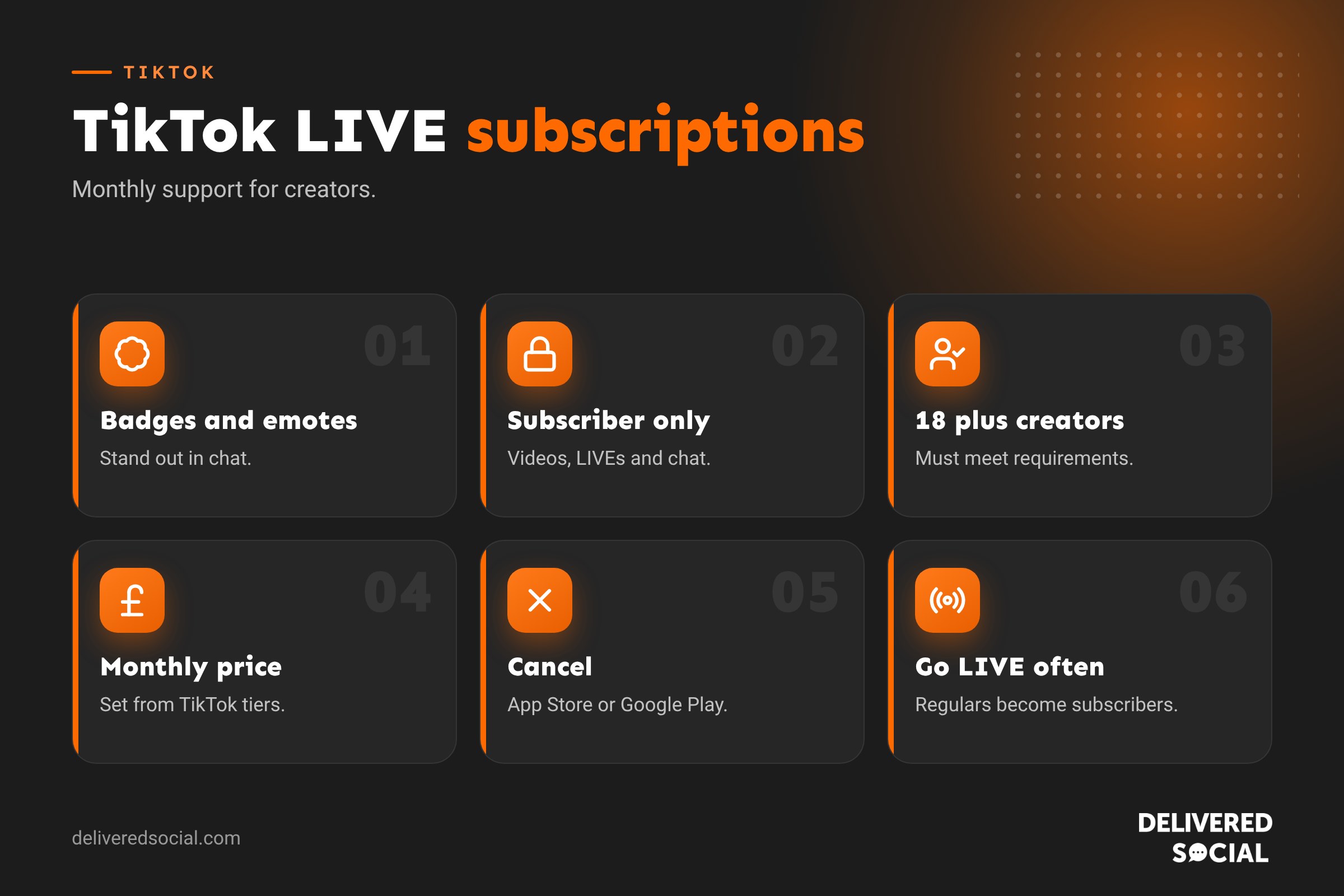
- Subscriber badges: shown next to the subscriber’s name in LIVE chat.
- Custom emotes: exclusive emojis designed by the creator to use in chat.
- Subscriber only chat: creators can limit chat to subscribers.
- Subscriber only videos: exclusive content not shown to everyone.
- Subscriber only LIVEs: streams only subscribers can join.
- Priority attention: creators often notice and reply to subscribers first.
How much do TikTok subscriptions cost?
Creators choose a monthly price from tiers set by TikTok, which vary by country and change over time. Prices are typically a few pounds a month. Payment is taken through the App Store, Google Play or TikTok depending on where you subscribe, and app stores may add their own charges. The exact price is shown before you confirm.
How much do creators earn?
Creators receive a share of subscription revenue after app store fees and TikTok’s share are deducted. TikTok has offered higher revenue shares to creators who meet certain targets. Earnings appear in the creator’s LIVE or monetisation dashboard and are paid out once they reach the minimum threshold. Income is taxable, so keep records.
TikTok subscription requirements for creators
Eligibility rules change, but creators generally need to:
- Be at least 18 years old.
- Have an account in good standing with no recent serious violations.
- Meet follower and activity requirements, such as a minimum number of followers and regular LIVE sessions.
- Be in a country where subscriptions are available, including the UK.
- Follow TikTok’s Community Guidelines and monetisation policies.
Check the Subscription section in TikTok Studio or your creator tools to see if you are eligible and to apply. Requirements have been lowered over time to let more creators join, so it is worth checking regularly.
How to set up TikTok subscriptions as a creator
- Open TikTok Studio or your creator tools.
- Find Subscription under monetisation.
- Apply if eligible and accept the terms.
- Set your price and design your perks, such as badges and emotes.
- Add payout details.
- Tell your audience about the subscription during LIVEs and in videos.
How to subscribe to a creator on TikTok
- Go to the creator’s profile or join their LIVE.
- Tap Subscribe, if available.
- Review the price and perks.
- Confirm the payment through your app store or TikTok.
Your subscription renews automatically each month until you cancel.
How to cancel a TikTok subscription
How you cancel depends on where you subscribed.
On iPhone (App Store)
- Open Settings and tap your name.
- Tap Subscriptions.
- Find the TikTok subscription and tap Cancel Subscription.
On Android (Google Play)
- Open the Google Play Store.
- Tap your profile picture, then Payments and subscriptions, then Subscriptions.
- Select the TikTok subscription and tap Cancel.
In TikTok
You can also view and manage subscriptions in TikTok under Settings and privacy, often in a Subscriptions or Balance section, which may direct you to your app store.
After cancelling, you usually keep your perks until the end of the current billing period. Deleting the TikTok app does not cancel your subscription.
Subscriptions vs gifts
Gifts are one off virtual items viewers buy with coins and send during LIVEs. Subscriptions are recurring and more predictable for creators. Many creators use both: gifts for big moments and subscriptions for steady income. Our guides to making income from TikTok LIVE and receiving tips during TikTok LIVEs cover the other options.
How to get more subscribers
- Go LIVE consistently: fans subscribe to creators they see regularly.
- Make perks worthwhile: fun emotes, exclusive content and real recognition.
- Thank subscribers publicly: it encourages others to join.
- Explain the benefits: many viewers do not know subscriptions exist.
- Offer subscriber only moments: Q and As, behind the scenes or early access.
- Build community: remember regulars and create in jokes.
Are TikTok subscriptions useful for businesses?
For most businesses, subscriptions are not a major opportunity, as they are designed for creators with personal followings. However, businesses built around personalities, teaching or entertainment, such as fitness coaches, chefs, musicians, crafters or educators, could use subscriptions alongside selling products and services. For most brands, TikTok is better used for reach, awareness and sales through TikTok Shop or website traffic. Our guide to the TikTok affiliate programme covers selling through creators.
Staying safe with subscriptions
- Only subscribe through official TikTok, App Store or Google Play payments.
- Check your bank and app store statements for unexpected charges.
- Parents should use Family Pairing and app store controls to stop children making purchases.
- Be wary of anyone offering cheap subscriptions or coins outside the app.
Planning LIVE streams that convert to subscribers
Subscribers usually come from viewers who already enjoy your streams, so the quality and regularity of your LIVEs matter most. Pick a consistent schedule, such as Tuesday and Thursday evenings, so fans know when to tune in. Give each stream a clear theme, such as a tutorial, a challenge, a Q and A or a behind the scenes look at your work. Open with energy, welcome people by name and explain early what subscribers get. Mid stream, thank new subscribers and show off their badges so others see the benefits. End with a reminder of your next LIVE and a thank you to everyone who supported you.
Designing great subscriber perks
Perks are what turn casual viewers into paying subscribers. Custom emotes work best when they reflect in jokes from your community or catchphrases fans already use. Subscriber badges that change as people stay longer reward loyalty. Subscriber only videos could include extended tutorials, early access to new content, monthly Q and A sessions or behind the scenes footage. Keep promises realistic: it is better to offer a few perks you can deliver every month than a long list you cannot keep up with.
Managing your community
As subscribers grow, moderation becomes more important. Appoint trusted moderators for your LIVEs, set up keyword filters to block offensive words and make your chat rules clear. Subscribers pay to be part of a friendly space, so protecting the atmosphere protects your income. Reply to messages from subscribers where you can, and consider a subscriber only group chat or Discord for your most loyal fans.
Tracking your subscription performance
Use the analytics in TikTok Studio to track new subscribers, cancellations, revenue and which LIVEs brought the most sign ups. If people cancel after one month, look at whether your perks are worth paying for and whether you are delivering subscriber content consistently. Small changes, such as a monthly subscriber only stream, can make a big difference to retention.
Key takeaways
- TikTok subscriptions let fans pay monthly to support creators.
- Subscribers get badges, emotes, exclusive content and chat perks.
- Creators must be 18 or over and meet eligibility requirements.
- Cancel through the App Store, Google Play or TikTok settings, depending on how you paid.
- Subscriptions suit creators more than most businesses.
Frequently asked questions
How do I cancel a TikTok subscription?
Cancel in your iPhone Settings under Subscriptions, in Google Play under Payments and subscriptions, or in TikTok settings.
How much is a TikTok subscription?
Creators set a monthly price from TikTok’s tiers, usually a few pounds.
Who can offer TikTok subscriptions?
Eligible creators aged 18 or over who meet TikTok’s requirements.
What do I get when I subscribe?
Badges, emotes, subscriber only chat and content, depending on the creator.
Does deleting TikTok cancel my subscription?
No, you need to cancel it in your app store or settings.
Can I get a refund on a TikTok subscription?
Refunds depend on your app store’s policies.
Can I subscribe to a TikTok creator on desktop?
Options vary by region; the mobile app is the most reliable way to subscribe and manage perks.
Do subscribers see ads during LIVEs?
Subscriptions add perks for the creator’s content but do not remove ads across TikTok.
Can I gift a TikTok subscription?
Gifting options depend on your region and app version; check the subscription screen for available choices.
Want help growing on TikTok?
We plan, film and post TikTok content for businesses across Surrey, Hampshire and the UK. Find out more about our TikTok marketing services. Call us on 01483 608 303.
































