



Keep reading
Rather we just did it for you?
Let's get your business seen.
Social media, websites, SEO and ads from a team you can actually meet.
ChatGPT can be a genuinely useful SEO assistant if you give it the right instructions. It can brainstorm keywords, outline articles, write meta descriptions, suggest internal links and spot gaps in your content in seconds. But vague prompts get vague results, and copying AI output straight onto your website rarely helps you rank. This guide shares the ChatGPT SEO prompts we find most useful for small businesses, how to get better answers, and where you still need a human touch.
How to write a good SEO prompt
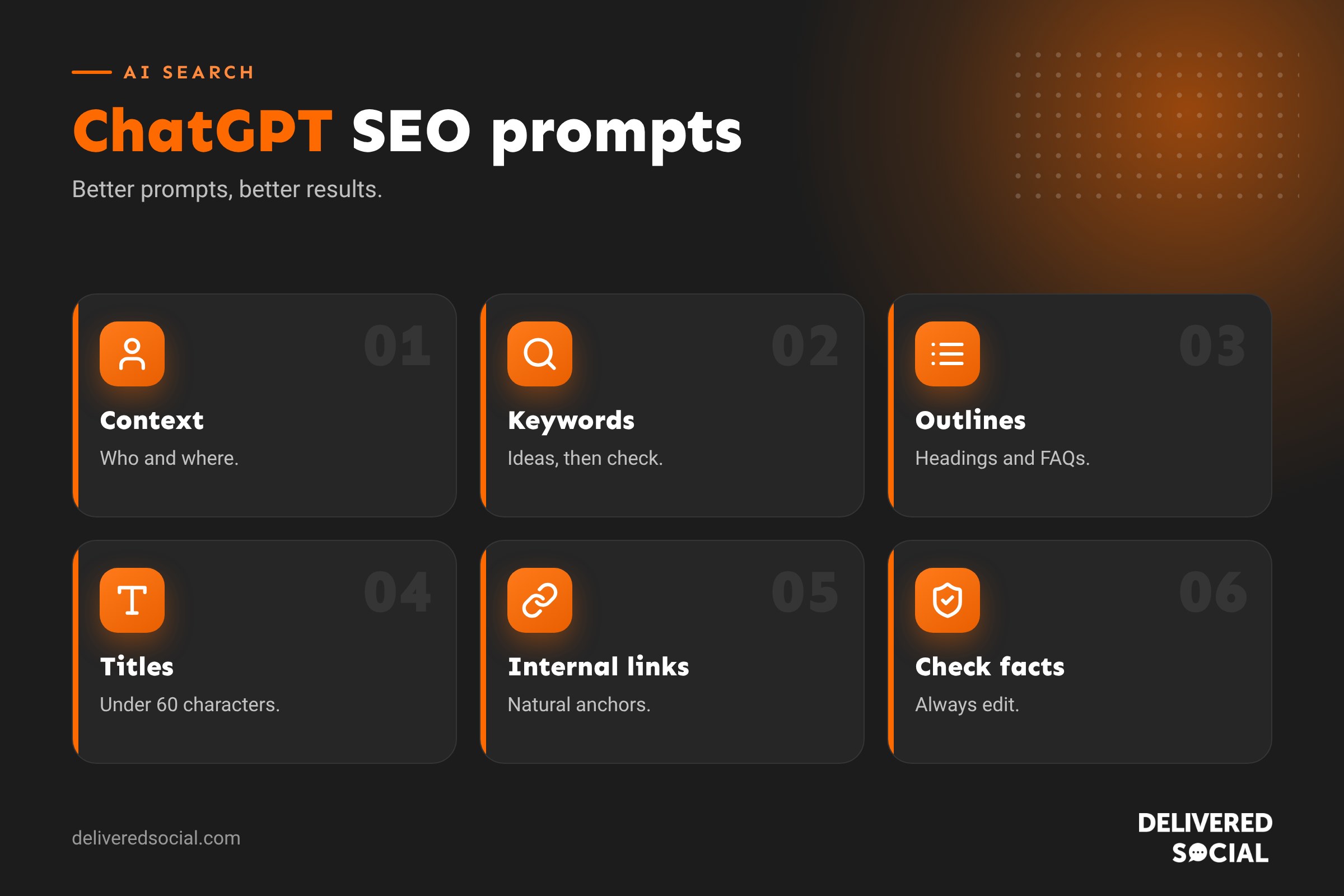
The best prompts give ChatGPT context. Before asking for anything, tell it:
- Who you are: your business, what you sell and where.
- Who your customers are: homeowners, small businesses, parents, charities.
- What you want: keyword ideas, an outline, titles, FAQs.
- The format: a table, a list, under 60 characters, UK English.
- Constraints: no jargon, no made up statistics, include a call to action.
A simple template: “You are an SEO specialist helping a [type of business] in [location]. Our customers are [audience]. Please [task]. Use UK English and present the answer as [format].”
Keyword research prompts
ChatGPT cannot see real search volumes, so use it for ideas, then check them in a keyword tool or Google Search Console.
- “List 30 questions that homeowners in Surrey ask before hiring a landscape gardener. Group them by stage: research, comparing, ready to buy.”
- “Suggest 20 long tail keyword ideas for an independent bakery in Portsmouth that sells celebration cakes. Include local variations.”
- “Here is a list of our services: [paste]. For each, suggest the main search phrase a customer might use and three related questions.”
- “What problems might a small business owner search for before realising they need bookkeeping software? List them as search phrases.”
Content planning prompts
- “Create a blog content plan for the next three months for a dog grooming salon in Fareham. Include a title, target question and one line summary for each post.”
- “Group these keywords into topic clusters and suggest a main page and supporting articles for each: [paste keywords].”
- “What topics would a customer expect to find on a website for a wedding venue in Hampshire that our site might be missing? Our pages are: [paste list].”
Article outline prompts
- “Create a detailed outline for an article titled ‘How much does a loft conversion cost in Surrey?’. Include H2 and H3 headings, the key points under each, a table idea and five FAQs.”
- “Review this outline and suggest any questions a reader would still have after reading it: [paste outline].”
- “Suggest an opening paragraph of under 60 words that directly answers the question in this title: [title].”
On page SEO prompts
- “Write five SEO title options under 60 characters for a page about [topic] for a business in [location]. Include the main keyword near the start.”
- “Write three meta descriptions between 140 and 155 characters for this page, each with a clear benefit and call to action: [paste summary].”
- “Suggest descriptive alt text for an image showing [describe image] on a page about [topic].”
- “Here is my page content: [paste]. Suggest H2 headings that would make it easier to scan and match what people search for.”
- “Turn this paragraph into a clear numbered list of steps: [paste].”
FAQ and AI search prompts
- “List the ten most common questions people ask about [service], then write a clear answer of 40 to 60 words for each, in UK English.”
- “Rewrite this answer so it is more direct and quotable, starting with the answer in the first sentence: [paste].”
- “How would you describe [business name] to someone asking for a recommendation for [service] in [town]? What information would you need to be more confident?”
That last prompt is a useful way to see how clearly your business comes across. Our guide on how to rank in ChatGPT explains how to improve it.
Local SEO prompts
- “Write a Google Business Profile description under 750 characters for [business] in [town], with no links or offers.”
- “Suggest 12 Google Business Profile post ideas for a [type of business] for the next three months, linked to seasonal events in the UK.”
- “Write three friendly replies to this Google review, one short, one medium, one detailed: [paste review].”
Technical SEO prompts
- “Write LocalBusiness schema in JSON-LD for this business: [name, address, phone, hours, website, social links].”
- “Explain what this Google Search Console error means and how to fix it in plain English: [paste error].”
- “Create a robots.txt file for a WordPress site that allows search engines and AI search crawlers but blocks the admin area.”
- “Suggest a URL structure for a website with these services and locations: [paste].”
Always check technical output carefully, or ask your web developer to review it, before adding it to your website.
Content improvement prompts
- “Here is an article: [paste]. What is missing that would make it more helpful than other articles on this topic?”
- “Rewrite this paragraph in plain English for a non technical reader, keeping it under 80 words: [paste].”
- “Suggest five internal links from this article to these other pages on our site, with natural anchor text: [paste article and page list].”
- “Check this text for UK spelling and suggest any American spellings to change: [paste].”
- “Create a short summary box of key takeaways for this article: [paste].”
Prompts for reviewing competitors
- “Here are the headings from three competitor articles on [topic]: [paste]. What do they all cover, and what do none of them cover that a customer would want to know?”
- “Compare these two service pages, ours and a competitor’s: [paste both]. Which is clearer for a customer, and why? Suggest five specific improvements to ours.”
- “Based on this competitor’s list of services [paste], what services or topics should we consider writing about that we have not covered?”
Competitor prompts work best when you paste in real content. ChatGPT cannot reliably browse every website, and it may describe a competitor from out of date information if you do not give it the text. Use the answers as a starting point for your own research, not as a final verdict.
Where ChatGPT falls short
- It cannot see real search data. Always check keyword ideas in a proper tool or Search Console.
- It can make things up. Statistics, laws and prices need checking against reliable sources.
- It does not know your business. Real examples, opinions and first hand experience must come from you.
- Generic output does not rank. If your article says the same as every other article, there is no reason for Google or AI tools to choose yours.
A simple workflow that works
- Use ChatGPT to brainstorm questions and keywords.
- Check demand in a keyword tool or Search Console.
- Ask ChatGPT for an outline, then edit it.
- Write the article yourself, or heavily edit a draft, adding real experience and examples.
- Use ChatGPT to suggest titles, meta descriptions, FAQs and internal links.
- Check everything for accuracy before publishing.
Prompting tips that improve every answer
- Ask for options. “Give me five” usually beats “give me one”, and you can pick the best.
- Iterate. If the answer is close but not right, tell ChatGPT what to change rather than starting again.
- Paste real material. Your existing page, customer reviews or a list of services gives ChatGPT something specific to work with.
- Set the tone. “Friendly and plain English, like a local business owner talking to a customer” produces far better copy than no instruction.
- Ask it to check itself. “What might be inaccurate or missing in your answer?” often surfaces problems.
- Save your best prompts. Keep a document of prompts that work for your business so you can reuse them each month.
Key takeaways
- Give ChatGPT context: who you are, who your customers are, what you need and the format.
- Use it for ideas, outlines, titles, meta descriptions and FAQs.
- Check keyword ideas and facts against real data.
- Add your own experience to make content worth ranking.
- Never publish AI output without editing it.
Frequently asked questions
Can ChatGPT do keyword research?
It can suggest ideas, but cannot show search volumes. Check ideas in a keyword tool.
Will Google penalise AI written content?
Google focuses on whether content is helpful, not how it was made. Thin, generic content struggles regardless.
What is the best ChatGPT prompt for SEO?
One that gives full context about your business, audience, task and format.
Can ChatGPT write meta descriptions?
Yes, and it does it well. Check the length and accuracy before using them.
Can ChatGPT check my website for SEO issues?
It can review content you paste in, but a crawler tool is better for site wide technical checks.
Should I use ChatGPT for local SEO?
Yes, for Google Business Profile descriptions, posts and review replies, with your own edits.
Does it matter which version of ChatGPT I use?
Newer models usually give better answers, but clear prompts matter more than the version.
Is ChatGPT better than SEO tools?
No. Use it alongside proper SEO tools, not instead of them.
Want expert help with SEO?
We help businesses across Surrey, Hampshire and the UK grow with SEO, content and AI search. Call us on 01483 608 303.
































