



Keep reading
Rather we just did it for you?
Let's get your business seen.
Social media, websites, SEO and ads from a team you can actually meet.
Thinking of leaving X (formerly Twitter)? Whether you want a break, are closing an old business account or are moving to another platform, you can deactivate your account and have it deleted after a waiting period. This guide explains how to delete your X (Twitter) account on your phone or computer, what happens to your posts and username, how to download your data first, and the alternatives if you’re not ready to go completely.
How deleting an X account works
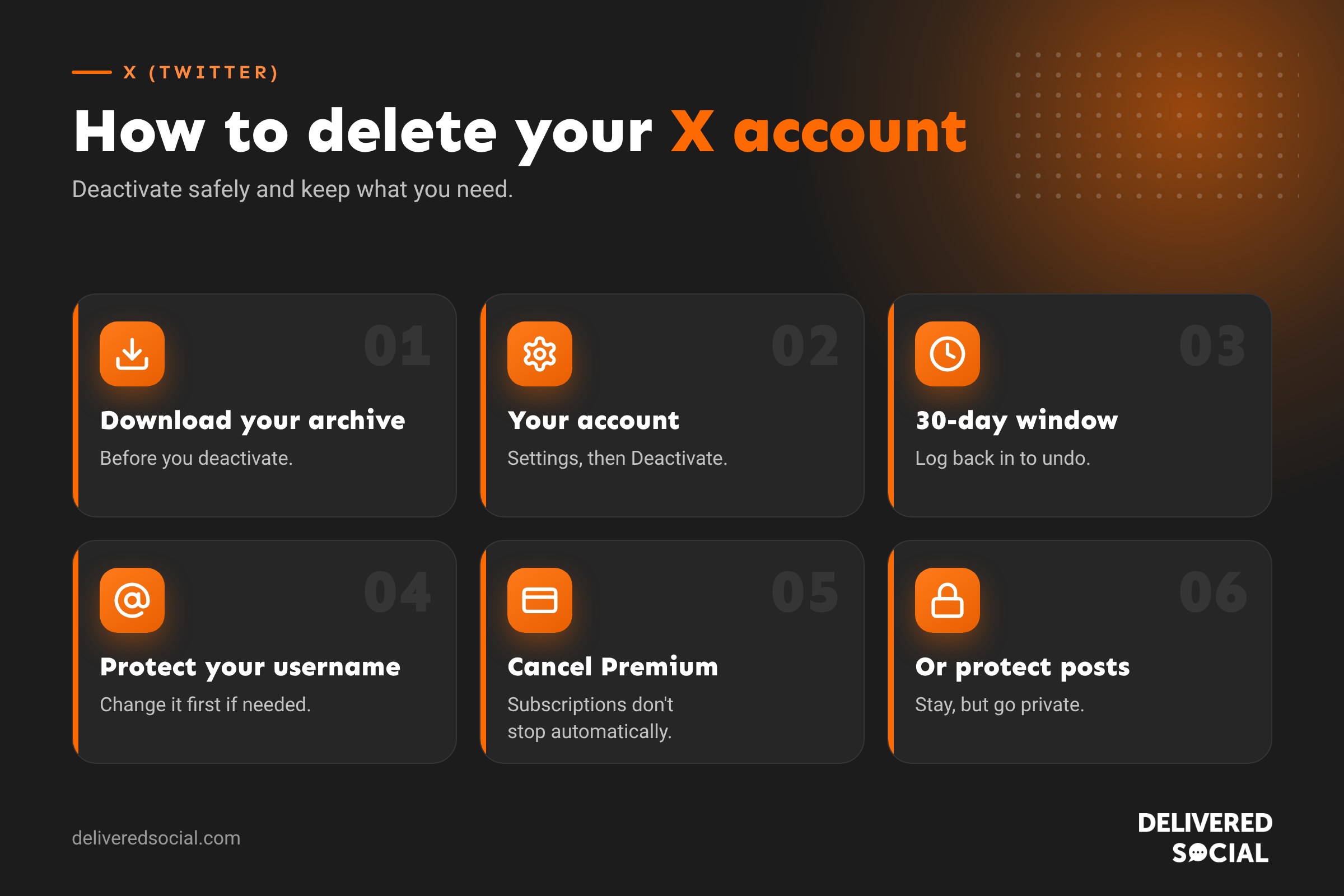
X doesn’t delete accounts instantly. Instead, you deactivate your account, which starts a waiting period. During that time your profile is hidden and you can change your mind by logging back in. If you don’t log in before the period ends, your account is permanently deleted.
The standard deactivation period is 30 days. Some accounts have had the option of a longer period. Whatever you choose, logging back in during the period reactivates your account.
Before you delete: download your data
Once your account is deleted, your posts, photos, videos and messages are gone. If you might want them, download your archive first:
- Go to Settings and privacy, then Your account.
- Tap Download an archive of your data.
- Confirm your password and verify with a code if asked.
- Tap Request archive. X will notify you when it’s ready, which can take 24 hours or more.
- Download the file and keep it somewhere safe.
Requesting the archive before you deactivate is important, because you can’t download it once your account has gone.
How to delete your X account on the app
- Open the X app and tap your profile picture to open the menu.
- Tap Settings and privacy.
- Tap Your account.
- Tap Deactivate your account.
- Read the information and tap Deactivate.
- Enter your password and confirm.
How to delete your X account on a computer
- Log in at x.com.
- Click More in the left menu, then Settings and privacy.
- Click Your account, then Deactivate your account.
- Click Deactivate, enter your password and confirm.
What happens after you deactivate
| Item | During the deactivation period | After deletion |
|---|---|---|
| Profile | Hidden from X | Deleted |
| Posts | Hidden | Deleted |
| Username | Still yours | May become available to others |
| Direct messages | Hidden | May still appear in other people’s inboxes |
| Reactivation | Log in to restore everything | Not possible |
Some of your content may still appear in search engines for a while after deletion, because search engines take time to update. Posts other people quoted or screenshotted may also remain.
How to keep your username
If you want to leave X but stop anyone else taking your username, change your username to something else before deactivating, then create a new account with your original username. Or, if you’re deleting a business account and want to protect your brand, consider keeping the account but making it inactive instead of deleting it.
How to reactivate your account
Log in with your username and password before the deactivation period ends. X will ask if you want to reactivate. Your profile, posts and followers return, though it can take a little while for everything to reappear.
Alternatives to deleting X
- Protect your posts: make your account private so only approved followers see your posts.
- Delete old posts: remove posts you no longer want public without closing the account.
- Mute words and accounts to filter out content you don’t want to see.
- Turn off notifications and remove the app from your phone.
- Leave a final post pointing people to where else they can find you, then stop posting.
- Change the account’s purpose, for example using it only for customer service.
Deleting a business X account
If you’re closing a business account, plan it carefully:
- Post a message telling followers where else they can find you.
- Download your archive for your records.
- Stop any adverts and remove payment details from X Ads.
- Disconnect the account from scheduling tools such as Metricool.
- Remove X links and icons from your website, email signature and other profiles.
- Decide whether to keep the username to prevent impersonation.
Removing third-party apps
Deleting your X account removes its connection to other apps, but it’s good practice to review them first. Go to Settings and privacy, then Security and account access, then Apps and sessions, and revoke access for anything you don’t recognise. If you used X to log in to other websites, set up a different login method on those sites first, or you may lose access.
Is X still worth it for businesses?
That depends on your audience. X is still used heavily for news, sport, politics, technology and customer service, and some sectors find it valuable for reaching journalists and industry contacts. Many small local businesses, though, find their customers are more active on Instagram, Facebook, TikTok, LinkedIn or Google Business Profile. Our guide to what X is and how it works can help you decide.
Common problems
- Forgotten password: reset it from the login screen before trying to deactivate.
- Can’t access the email or phone on the account: update your details first, or contact X support.
- Account suspended: you may need to resolve the suspension or appeal before you can manage the account.
- Account still visible: it can take a short time to disappear, and search engine results take longer.
Deactivate vs delete vs protect: which is right?
| Option | What happens | Best for |
|---|---|---|
| Protect your posts | Account stays, only approved followers see posts | Privacy without leaving |
| Stop using it | Account stays public but inactive | Keeping your username safe |
| Deactivate | Account hidden, deleted after the waiting period | Leaving for good, with time to change your mind |
How to delete old posts without deleting your account
If the problem is your old posts rather than the account itself, you can remove posts individually by opening each one, tapping the three dots and choosing Delete. For large numbers of posts, some third-party tools offer bulk deletion, but be careful: only use reputable services, check what permissions they need, and revoke access when you’ve finished. Downloading your archive first means you keep a record of everything.
Checklist before you deactivate
- Downloaded your archive.
- Saved any important direct messages.
- Told followers where else to find you.
- Updated logins on any websites where you signed in with X.
- Removed X from your website, email signature and other profiles.
- Cancelled any X Premium subscription and adverts.
- Decided whether to protect your username.
Cancelling X Premium
Deactivating your account doesn’t automatically cancel a subscription bought through the App Store or Google Play. If you pay for X Premium, cancel it first: on iPhone through your Apple ID subscriptions, on Android through Google Play subscriptions, and on the web through X’s settings under Premium. Otherwise you may continue to be charged.
What to tell your followers
A short final post helps followers stay in touch. For example: “We’re moving our updates to Instagram and our newsletter. Find us at @yourbusiness or sign up at yourwebsite.co.uk. Thanks for following along!” Pin it to your profile for a week or two before you deactivate, so people have time to see it.
What happens to your followers and the people you follow
While your account is deactivated, your follower and following counts disappear from other people’s profiles, and your replies and likes are hidden. If you reactivate, these connections are restored, although counts can take a little while to update. Once the account is permanently deleted, all these connections are lost. If you set up a new account later, you’ll start again with no followers, so let your most important contacts know where to find you before you go. For businesses, that might mean emailing key clients or partners, adding a note to your newsletter, or updating your Google Business Profile so customers know how to reach you. A little preparation means leaving X won’t cost you any of the relationships you’ve built there.
Thinking of coming back later?
If there’s any chance you’ll want X again, protecting your account or simply logging out may be wiser than deleting. You keep your username, history and followers, and you can return whenever you like. Deletion is final, so it’s best saved for accounts you’re certain you’ll never need.
Frequently asked questions
How long does it take to delete an X account?
Your account is deactivated straight away and permanently deleted at the end of the deactivation period, usually 30 days.
Can I recover a deleted X account?
Only during the deactivation period. After that, it can’t be recovered.
Does deleting X delete my posts from Google?
Eventually, but search engines can take time to update. You can request removal of outdated results using Google’s tools.
Can I delete X from the app?
Yes, through Settings and privacy, Your account, Deactivate your account.
Want help choosing the right platforms?
We help small businesses across Surrey, Hampshire and the UK decide where to spend their social media time, and manage it for them. See our social media services or call us on 01483 608 303.































