



Keep reading
Rather we just did it for you?
Let's get your business seen.
Social media, websites, SEO and ads from a team you can actually meet.
Search for almost any product on Google and the first thing you’ll see is a row of photos with prices and shop names. Those are Google Shopping ads, and for online shops they’re one of the most effective ways to win sales. This guide explains how shopping ads on Google work, what you need to get started, how to set up Google Merchant Center and a campaign, how much they cost, and the tips that help small UK retailers compete with the big names.
What are Google Shopping ads?
Google Shopping ads are product adverts that show an image, title, price, shop name and sometimes reviews or delivery details. They appear at the top or side of Google search results, in the Shopping tab, in Google Images, on YouTube and across Google’s partner sites. When someone clicks, they go straight to the product page on your website.
Unlike text search ads, you don’t write ads or choose keywords. Google uses information from your product feed to decide when to show your products.
Why use Google Shopping ads?
- High intent: people searching for products are often ready to buy.
- Visual: shoppers see the product and price before clicking.
- Qualified clicks: people who click already know the price, so they’re more likely to buy.
- More visibility: you can appear in shopping ads and text ads at the same time.
- Free listings too: Merchant Center can also show your products in free listings on the Shopping tab.
What you need to run Google Shopping ads
- An online shop where people can buy directly.
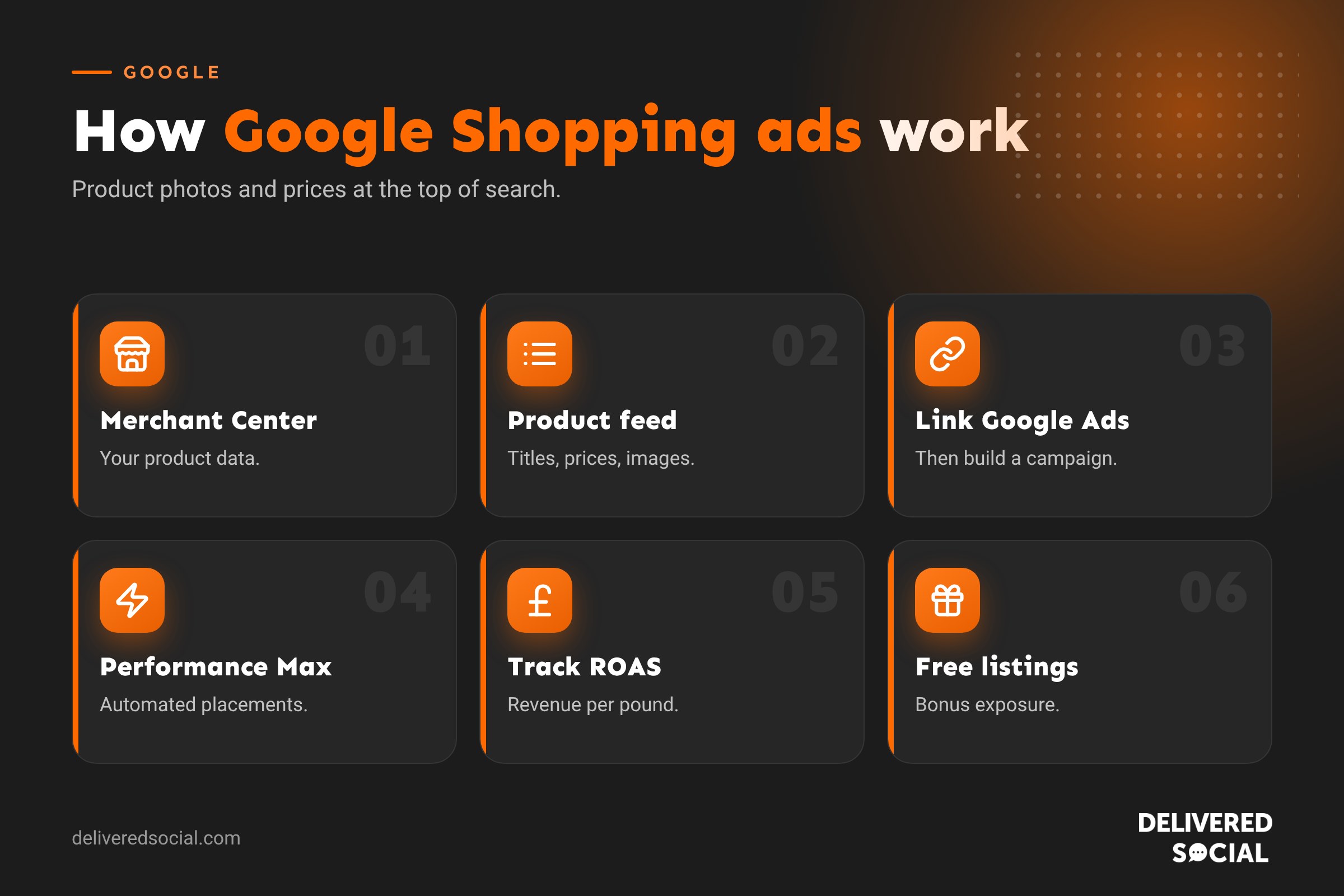
- A Google Merchant Center account, which holds your product information.
- A product feed with details for each product.
- A Google Ads account linked to Merchant Center.
- Conversion tracking so you can measure sales.
- Clear shop policies: delivery, returns, contact details and secure checkout.
What goes in a product feed?
| Field | Example |
|---|---|
| Title | Women’s Waterproof Walking Boots, Brown, Size 5 |
| Description | Clear details on materials, features and uses |
| Price | £89.00 |
| Availability | In stock |
| Image | A clear photo on a plain background |
| Brand | Your brand or the manufacturer |
| GTIN or MPN | Barcode or manufacturer part number, where available |
| Condition | New |
| Product link | The exact product page URL |
Platforms like Shopify and WooCommerce have integrations that send your feed to Merchant Center automatically.
How to set up Google Shopping ads
- Create a Merchant Center account and enter your business details.
- Verify and claim your website.
- Set up delivery and returns information.
- Upload your product feed through an integration, a spreadsheet or automatic website crawling.
- Fix any errors Merchant Center flags, such as missing images or price mismatches.
- Link Merchant Center to Google Ads.
- Create a campaign in Google Ads, usually Performance Max (which includes Shopping) or a standard Shopping campaign where available.
- Set your budget, bidding and target country, then launch.
Performance Max vs standard Shopping campaigns
| Performance Max | Standard Shopping | |
|---|---|---|
| Where ads show | Shopping, Search, YouTube, Display, Gmail and Maps | Shopping placements |
| Control | Less, as Google automates much of it | More control over products and bids |
| Setup | Needs extra images, videos and text | Uses your feed |
| Best for | Shops with good tracking and enough sales data | Businesses wanting tighter control |
How much do Google Shopping ads cost?
You pay per click, and you set your own budget. Costs depend on your products, prices, competition and season. Rather than focusing on cost per click, track return on ad spend (ROAS): how much revenue you earn for every pound spent. Work out your profit margin first, so you know the ROAS you need to make money.
Tips to improve Google Shopping performance
- Write clear, keyword-rich titles. Put the most important words first: product type, brand, colour, size.
- Use high-quality images on clean backgrounds, without promotional text.
- Keep prices and stock accurate. Mismatches can get products disapproved.
- Add GTINs where your products have barcodes.
- Collect product reviews so star ratings can show.
- Show free delivery or returns if you offer them.
- Use promotions in Merchant Center for special offers.
- Group products by margin or best sellers to focus spend.
- Add negative keywords where possible to avoid irrelevant searches.
Common problems
- Products disapproved: check Merchant Center diagnostics for missing information, policy issues or price mismatches.
- Account suspended for misrepresentation: make sure your website clearly shows contact details, returns policy, delivery terms and secure checkout.
- Low impressions: improve titles, check bids and budgets, and make sure products are in stock.
- Clicks but no sales: review prices, delivery costs, product pages and checkout.
Free listings on Google Shopping
Even without paying, products in Merchant Center can appear in free listings on the Shopping tab and other Google surfaces. It’s worth setting up Merchant Center for the free exposure alone, then adding paid campaigns when you’re ready.
Google Shopping for small UK retailers
Small shops can compete with big retailers by focusing on specific products, niche searches and what makes them different, such as handmade quality, local delivery or eco-friendly materials. Start with your best sellers and products with healthy margins rather than your whole catalogue, learn what works, then expand.
Measuring Google Shopping ads
- Conversions and conversion value.
- ROAS by product and product group.
- Click-through rate, a sign of how appealing your listings are.
- Search terms that triggered your ads.
Our guide to the advantages and disadvantages of internet advertising covers how shopping ads fit into a wider plan.
Optimising product titles: an example
Product titles have the biggest influence on when your products appear. Compare these two:
- Weak: “The Hampshire Boot”
- Strong: “Women’s Waterproof Leather Walking Boots, Brown, Size 5, The Hampshire Boot”
The strong title includes the words people actually search for: who it’s for, what it is, the key feature, material, colour and size. Put the most important words at the start, because titles are cut short in ads. Avoid capital letters for emphasis, promotional phrases like “best price” and anything that isn’t true about the product.
Seasonal planning for Shopping ads
Most retailers see big peaks around Black Friday, Christmas, Mother’s Day, Father’s Day, summer holidays and back to school. Plan ahead by:
- Making sure feeds and stock levels are accurate before each peak.
- Increasing budgets gradually a couple of weeks before demand rises.
- Adding seasonal promotions in Merchant Center.
- Updating images and titles where it makes sense, such as “gift” wording before Christmas.
- Showing delivery cut-off dates clearly on your website.
Shopping ads and your website
Your ads can only be as good as the page they send people to. Product pages should load quickly on mobile, show several clear images, explain delivery costs and times up front, display reviews and make it easy to add to basket. A shopper who clicks your ad and then can’t find delivery costs or returns information will often go back to Google and buy elsewhere. Improving your product pages can raise your return on ad spend without increasing your budget at all.
Quick glossary
- Merchant Center: Google’s tool for managing product data.
- Product feed: a file or connection listing your products and their details.
- GTIN: a product barcode number.
- ROAS: return on ad spend.
- Performance Max: an automated Google Ads campaign type covering many placements.
Remarketing to shoppers
Most people don’t buy on their first visit. With conversion tracking and Google’s audience tools, you can show ads to people who viewed products or added them to their basket but didn’t check out. Performance Max uses this data automatically. Combine it with abandoned basket emails from your shop platform to bring more of those shoppers back to complete their order.
Key takeaways
- Google Shopping ads show product images and prices at the top of search.
- You need Merchant Center, a product feed and a linked Google Ads account.
- Product titles, images and accurate data drive performance.
- Measure success by return on ad spend, not clicks.
- Free listings are a bonus worth setting up straight away.
Starting small
If you’re new to Shopping ads, start with ten to twenty of your best-selling, best-margin products rather than your entire range. Run them for a month, check which products earn their keep and which don’t, then expand gradually. This keeps early costs under control and gives you clear data to build on. Review search terms weekly in the early stages to spot and exclude irrelevant searches.
Frequently asked questions
How do Google Shopping ads work?
Google uses your product feed to show your products for relevant searches, and you pay when someone clicks.
Do I need a website for Google Shopping ads?
Yes. Shoppers must be able to buy on your site.
Are Google Shopping listings free?
Free listings are available, and paid Shopping ads give you more visibility.
How much do Google Shopping ads cost?
You set the budget and pay per click. Track return on ad spend to judge value.
Why are my products disapproved?
Usually missing or mismatched data, or a policy issue. Check Merchant Center diagnostics.
Want Google Shopping ads that sell?
We help online shops across Surrey, Hampshire and the UK set up and grow Google Shopping. See our digital marketing services or call us on 01483 608 303.































