





In This Article
Finding a reliable roommate can feel a lot like dating. You’re searching for someone who is compatible, trustworthy, and easy to live with. But unlike dating apps, you don’t need to swipe
through endless profiles to make a connection. One of the most overlooked but powerful tools for finding a roommate is Facebook.
With over 2 billion monthly users and countless niche housing communities, Facebook gives you the tools to post, connect, and communicate in real time. It doesn't matter whether you’re
renting out a room or looking to move into one – Facebook has become a legitimate platform to help you find the right fit.

Here’s how.
Is Facebook Marketplace Good for Finding Roommates?
In short – you can absolutely use Facebook Marketplace for finding roommates or property marketing. Facebook Marketplace has evolved from a platform primarily used to sell second-hand furniture and clothes into a valuable tool for listing property rentals, including spare rooms. It’s easy to use and free. When used properly, Marketplace can put your listing in front of dozens
(sometimes hundreds) of local Facebook users looking for a place to live.
But here’s the catch: not all listings on Facebook Marketplace are high quality. Some are outdated, vague, or just plain sketchy. That’s why, if you’re the one posting, the key is to write a
clear, honest, and well-structured listing that grabs attention.
How to List a Room For Rent on Facebook Marketplace
Ready to post your spare room? Follow these five steps to make sure your listing stands out and attracts the right kind of roommate.
1. Set Up Your Account
Before getting started on Marketplace, make sure your Facebook profile is up to scratch. Why?
Because people will check out your profile before replying. A totally private, inactive, or suspicious-looking account may turn people away. You don’t need to post your life story, but:
● Add a recent profile picture.
● Make sure your name is real and matches how you’ll be communicating.
● Make your “About” section and location visible (at least to friends or friends of friends).
● Consider creating a short post introducing your room listing and tagging the Marketplace
post.
The more authentic your profile looks, the more trust you'll build with potential roommates. Familiarise yourself with the Facebook Marketplace rules so your account or listing doesn’t get
taken down. If you do want to keep your new listing separate from your personal account, you could also consider setting up a second account. Just make sure to follow the tips above so you can prove you’re authentic.
2. Write Up a Good Rental Listing
The description in your rental listing matters just as much as the photos. Ultimately, it’s what generates leads. It should include all the essentials:
● Rent amount.
● What’s included (Wi-Fi, bills, parking, etc.)
● Exact location or nearest major cross streets.
● Room details (size, furnishings, window, closet, etc.)
● The rest of the house (shared spaces like kitchen, living room, bathrooms).
● Who you are and who you’re looking for (age, lifestyle, job, pets, smoking, etc.)
● Move-in date and length of stay.
Whether you’re writing up listings for one or multiple rental properties, a good listing will help you find good roommates.
3. Add Photos
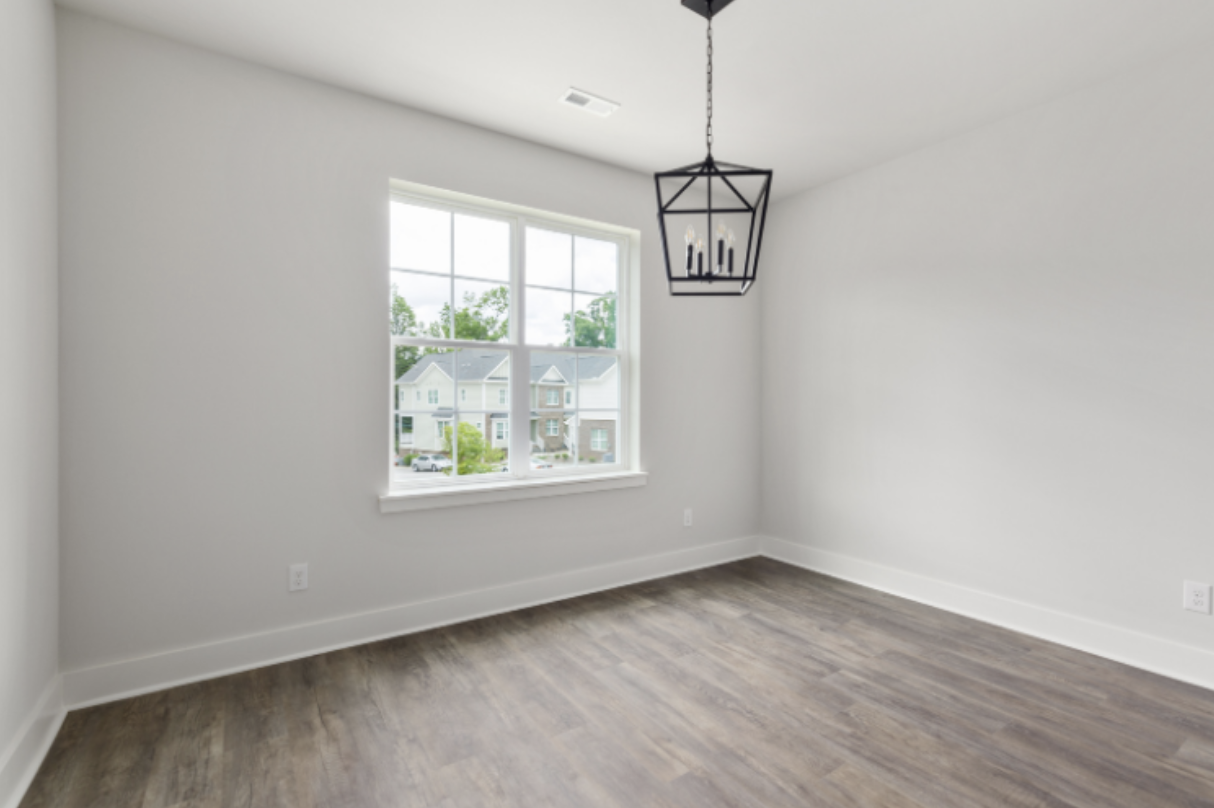
Photos are everything, and will help you get more leads. People scroll quickly, and if the images of the building’s interior are dark, blurry, or too few, they may keep scrolling.
When you list rentals, make sure to include:
● A clear photo of the bedroom from different angles.
● Shared living areas like the kitchen and bathroom.
● The outside of the building (if safe to do so).
● Natural lighting, if possible (take photos during the day).
Avoid overly edited photos or misleading angles. Authenticity goes a long way here – include high-resolution photos.
4. Post Your Listing
Once your post is ready, head to Facebook Marketplace → Create New Listing → Home for Rent.
Choose the right category, upload your images, paste your listing description, and add tags like “roommate wanted” or “shared house.”
Make sure to set your audience correctly. You can also boost your post by sharing it in relevant Facebook housing groups. If you choose to go for a boosted listing, you can select your budget
with Facebook’s recommended campaign duration or go for a custom budget. This custom campaign gives you more control.
5. Be Responsive
Once your listing is live, don’t disappear. Check your Facebook messages and Marketplace inbox regularly. Respond quickly to inquiries and be upfront if something is no longer available. The faster you reply, the better impression you’ll make. When chatting with potential roommates, ask follow-up questions and be clear about expectations. Video calls or in-person viewings are a great next step before making a final decision.
You Can Also Join Facebook Groups
Groups on Facebook are another goldmine for roommate searches. In fact, many successful matches happen here, especially in city-specific or university-based groups.
Use the search bar to type in things like:
● “[Your city] Roommates”
● “Looking for Rooms in [City]”
● “Apartments & Rentals – [City]”
● “[City] Housing, Sublets, and Rooms”
● Rooms for rent facebook
Join active groups with frequent posts and a decent number of members. Look for rules on how to post, and be respectful of group guidelines.
You can either:
1. Post your own listing (same structure as the Marketplace post)
2. Reply to others looking for a place
Read posts carefully, check out the profiles of people you’re messaging, and trust your instincts. Unlike trusted roommate-matching platforms, Facebook does not vet users, so caution is key.
Tip: Posting in multiple groups can increase your reach. Just don’t spam – tailor each post slightly to suit the group vibe.
Frequently Asked Questions
What is the Best Site for Finding a Roommate?
Facebook is great, but it’s not the only tool out there. One of the best platforms for finding roommates is SpareRoom. SpareRoom is designed specifically for finding roommates. It offers advanced search filters, identity verification, and a dedicated customer support team – things you won’t get on Facebook. Filter by pet-friendliness or non-smokers. It’s trusted by students, professionals, and landlords across the US. If you’re serious about finding the right person (or place), SpareRoom can help you.
What is the Best Roommate Finder App?
Although there are many rental listing sites and apps you can use, SpareRoom consistently stands out for its user base, safety features, and simple interface. It’s especially effective for
young professionals and those renting out rooms long-term.
SpareRoom – Trusted Roommate Platform
While Facebook gives you reach and immediacy, SpareRoom offers structure and peace of mind. Here’s why many people use both platforms together:
● Profile Verification: Know who you’re talking to.
● Advanced Filters: Find someone who matches your lifestyle.
● Updated Listings: No more messaging people from 6 months ago.
If you’re currently renting out a room or looking for one, don’t rely solely on Facebook. Try SpareRoom – it's trusted, easy to use, and built specifically for people just like you.
Final Thoughts
Using Facebook to find a roommate is a smart and fast option. You can also post free listings, but it does take a bit of effort to do it right. Write a strong listing, add clear photos, respond
quickly, and stay safe by vetting anyone before committing.
Combine the power of Facebook Marketplace, Facebook Groups, and a specialized platform like SpareRoom to find the perfect match.
Share This Article
About the Author: Alice Little































