



Keep reading
Rather we just did it for you?
Let's get your business seen.
Social media, websites, SEO and ads from a team you can actually meet.
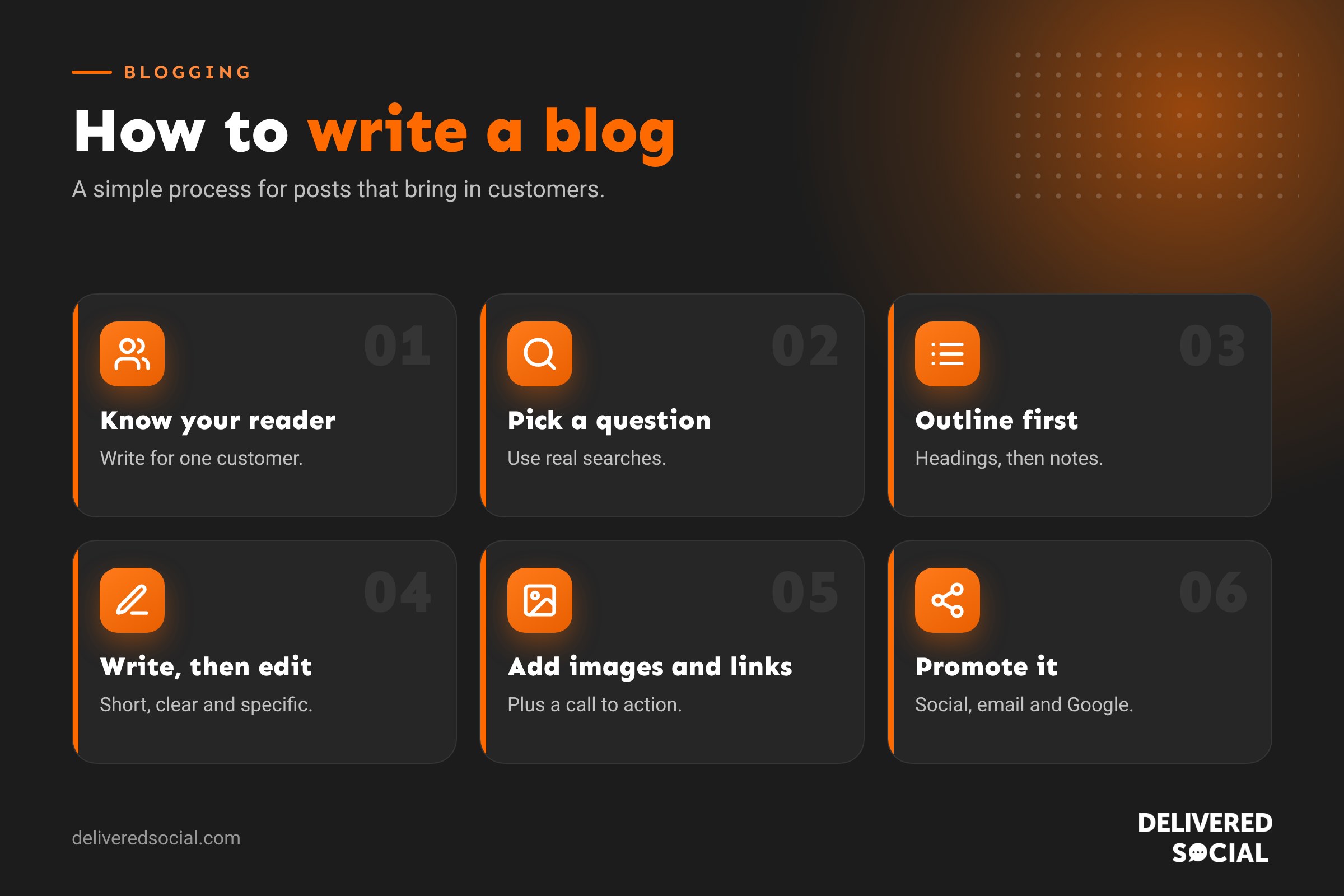
A good blog post can bring customers to your website for years. It answers the questions people type into Google, shows you know your stuff and gives you content to share on social media and in emails. Yet most small business blogs stall after a few posts because writing feels hard. This guide explains how to write a blog step by step, from choosing a topic to hitting publish, with a simple structure you can reuse, examples, and the habits that make a good blog great.
What makes a good blog?
Before you start writing, it helps to know what you’re aiming for. The best business blog posts share a few qualities:
- They answer a real question. Someone has a problem, and your post solves it.
- They’re easy to read. Short paragraphs, clear headings and plain words.
- They’re genuinely useful. Specific steps, examples and advice, not vague filler.
- They sound like a person. Your experience and opinions make the post worth reading.
- They’re easy to find. The title and headings use the words people search for.
- They lead somewhere. A clear next step, such as booking, calling or reading more.
If you’re new to blogging, our guide to what a blog is covers the basics.
How to write a blog post in 10 steps
1. Know who you’re writing for
Picture one customer. What do they want to know? What worries them? What words do they use? A post written for “everyone” usually helps no one. A post written for “a café owner in Guildford who wants more weekday customers” is much easier to make useful.
2. Choose a topic people are searching for
The best topics come from real questions. Find them by:
- Writing down every question customers ask you by phone, email or in person.
- Typing your topic into Google and looking at the suggestions and “People also ask” box.
- Using free tools such as Google Search Console, AnswerThePublic or Google Trends.
- Checking what competitors write about, and finding gaps they’ve missed.
3. Pick your main keyword
Choose one main phrase your post should rank for, such as “how to clean a patio” or “best time to post on Instagram”. Use it in your title, introduction, at least one heading and your page’s meta description. Use related words naturally throughout. Don’t stuff the keyword in where it doesn’t fit.
4. Look at what’s already ranking
Search for your keyword and read the top three results. What do they cover? What’s missing? Is anything out of date? Your aim is to write something more helpful, more up to date or more specific than what’s already there.
5. Write an outline
An outline makes writing far quicker. List your headings first, then add a few notes under each. A simple structure works for most posts:
| Section | What goes in it |
|---|---|
| Title | Your keyword and a clear promise |
| Introduction | The problem and what the reader will learn |
| Quick answer | A short summary for skimmers |
| Main sections | Steps, tips or explanations under clear headings |
| Examples | Real situations, numbers or case studies |
| FAQs | Short answers to related questions |
| Next step | What you’d like the reader to do |
6. Write a headline that earns the click
Your headline is what people see in Google and on social media. Good headlines are clear, specific and include the keyword. Formats that work well:
- How to: “How to Write a Blog That Brings in Customers”
- Lists: “7 Ways to Get More Google Reviews”
- Questions: “How Much Does a New Website Cost in the UK?”
- Guides: “The Complete Guide to Instagram Reels for Small Businesses”
Keep titles under about 60 characters so they don’t get cut off in search results.
7. Write a strong introduction
In two or three sentences, show the reader they’re in the right place. Name the problem, say what the post covers and why it matters. Don’t start with long background or a history lesson. Get to the point.
8. Write the main body
Now fill in each section of your outline. Tips that make writing easier and better:
- Write first, edit later. Get your ideas down without worrying about perfection.
- Keep paragraphs short. Two to four sentences is plenty on a phone screen.
- Use headings for each new idea. Most readers skim, so headings guide them.
- Use lists and tables for steps, comparisons and options.
- Be specific. “Post three times a week” is more helpful than “post regularly”.
- Add your experience. Mention what you’ve seen work for real customers.
- Use examples. Show what good looks like.
9. Edit ruthlessly
Leave your draft for a few hours, then read it again with fresh eyes. Check that:
- Every section helps the reader.
- Sentences are short and clear. Cut words like “very”, “really” and “in order to”.
- There’s no jargon, or any you use is explained.
- Spelling and grammar are right. Free tools such as Grammarly or Hemingway help.
- Facts, prices and dates are correct and up to date.
Reading your post out loud is one of the best ways to find clumsy sentences.
10. Add images, links and a call to action
- Images: add a featured image and one or two images, screenshots or an infographic in the body. Give each image descriptive alt text.
- Internal links: link to two or three related posts and pages on your own website.
- External links: link to trustworthy sources when you quote facts or figures.
- Call to action: finish with one clear next step, such as “Call us for a free quote”.
How long should a blog post be?
There’s no perfect length, but there is a right length for each topic: long enough to answer the question fully, and no longer. For most business topics that people search for, that means somewhere between 1,500 and 2,500 words. Short posts of a few hundred words rarely cover a topic well enough to rank. Very long posts are fine as long as every section earns its place.
| Type of post | Typical length |
|---|---|
| News or quick update | 500 to 800 words |
| How-to guide | 1,500 to 2,500 words |
| Ultimate guide | 2,500 words or more |
| Comparison or “best of” list | 1,500 to 3,000 words |
Optimising your blog post for Google
- Title tag: include your keyword, ideally near the start.
- URL: short and descriptive, such as /how-to-write-a-blog/.
- Meta description: a clear summary of 120 to 158 characters that encourages clicks. Our guide to writing meta descriptions explains how.
- Headings: use one H1 (your title), then H2s and H3s in order.
- Alt text: describe each image.
- Speed: compress images so the page loads quickly.
- Freshness: update posts when things change.
Where to write a blog
| Platform | Best for |
|---|---|
| Your own website (WordPress) | Businesses that want the SEO benefit on their own domain |
| Squarespace or Wix | Simple websites with a built-in blog |
| LinkedIn articles | Professional thought leadership |
| Medium or Substack | Personal writing and newsletters |
For a business, your own website is almost always the best place. Every post you publish there builds your site’s authority in Google, and readers are one click away from your services.
How to present a blog so people keep reading
- Put a short summary or the key answer near the top.
- Use a table of contents for long posts.
- Break up text with headings every 200 to 300 words.
- Use bold for key points, sparingly.
- Add an image, table or list every few sections.
- Make sure the page reads well on a phone, where most people will see it.
Promoting your blog post
Publishing is only half the job. Share each post:
- On your social media, with a short tip from the post and a link.
- In your email newsletter.
- On your Google Business Profile as an update.
- In replies to customers who ask the question your post answers.
- As several smaller pieces, such as a carousel, a Reel and a LinkedIn post.
Common blogging mistakes
- Writing about yourself instead of the reader’s problem.
- Choosing topics nobody searches for.
- Publishing a burst of posts, then nothing for months.
- Thin posts that don’t fully answer the question.
- No headings, images or links.
- No call to action.
- Never updating old posts.
Using AI to help you write a blog
AI tools can help you brainstorm topics, outline a post or tidy up a draft. But Google rewards content that shows real experience and expertise. Use AI as an assistant, then add your own knowledge, examples, opinions and photos. Always check facts, because AI tools can get things wrong.
Frequently asked questions
How do you write a blog for beginners?
Pick a question your customers ask, plan a few headings, write a short answer under each, add an image and a call to action, then edit and publish.
How often should a business blog?
Consistency matters more than volume. One or two genuinely useful posts a month is a good start for most small businesses.
How long does it take to write a blog post?
A well-researched 1,500-word post usually takes three to five hours, including research, writing, editing and adding images.
Do blogs still work for SEO?
Yes. Helpful blog posts remain one of the best ways to appear in Google for the questions your customers search for.
Want a blog that brings in customers?
We research, write and publish SEO blog posts for businesses across Surrey, Hampshire and the UK, so your website keeps attracting new customers. See our website services or call us on 01483 608 303.































