



Keep reading
Rather we just did it for you?
Let's get your business seen.
Social media, websites, SEO and ads from a team you can actually meet.
Trial Reels let you test a Reel on people who don’t follow you before you show it to your followers. If it works, you can share it to your profile. If it flops, nobody you know sees it. It’s one of the most useful tools Instagram has added for businesses and creators who want to experiment without risk. This guide explains what Instagram trial Reels are, how to post one, how to read the results and how to use them to grow your account.
What are trial Reels?
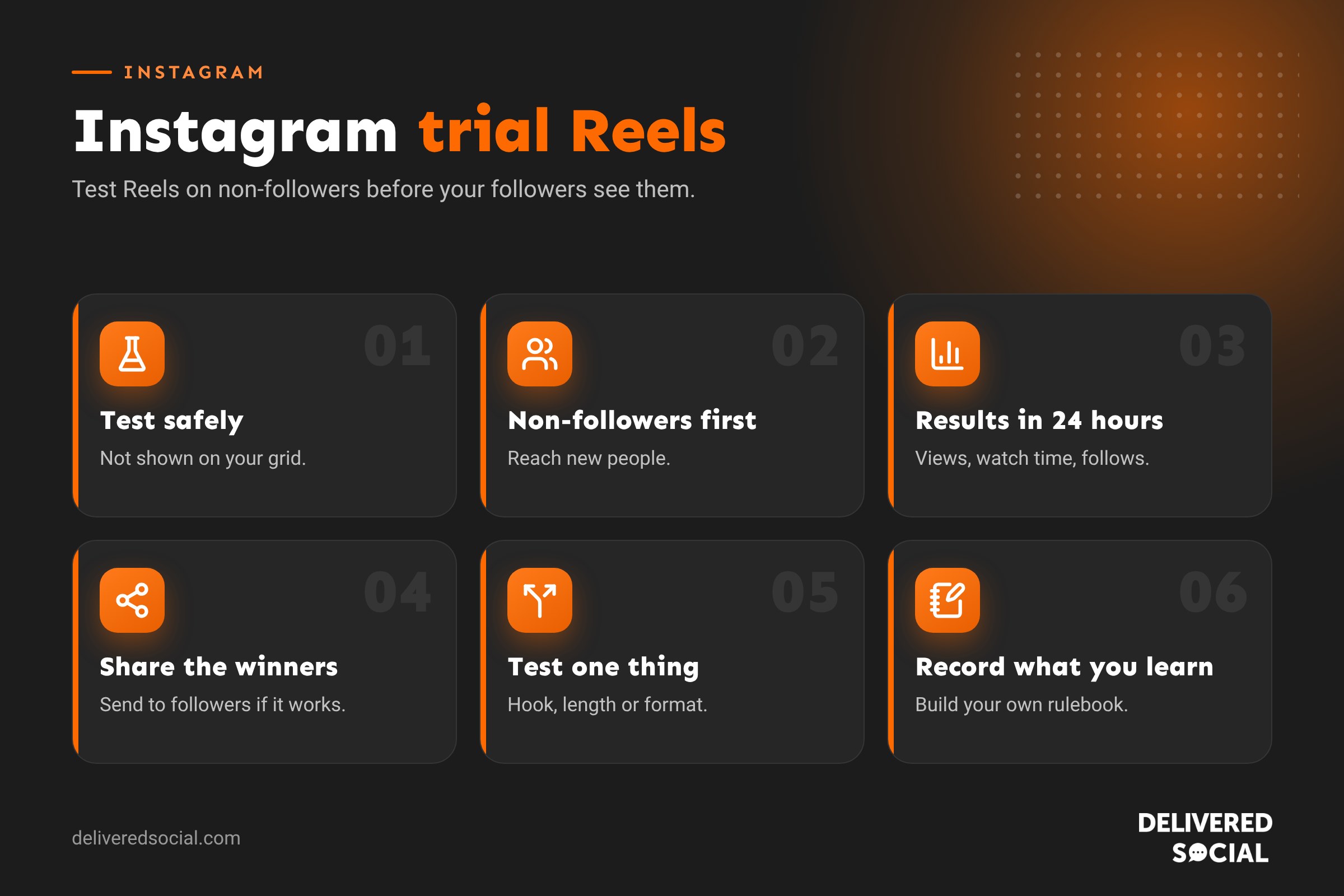
A trial Reel is a Reel that Instagram shows only to people who don’t follow you. It doesn’t appear on your profile grid or in your followers’ feeds while it’s on trial. After roughly 24 hours you can see how it performed with non-followers, then decide whether to share it with your followers too. Instagram also lets you choose to share it automatically if it performs well within 72 hours.
Instagram introduced trial Reels in late 2024 for professional accounts. The idea is simple: lots of people hold back from posting new kinds of content because they’re worried about what their existing followers will think. Trial Reels remove that worry.
Why trial Reels are useful for businesses
- Test new ideas safely. Try a new format, a funny trend or a different presenter without changing your profile.
- Reach new people. Trial Reels are shown to non-followers, which is exactly who you want to win over.
- Compare versions. Post two versions of the same idea with different hooks and see which performs better.
- Keep your grid tidy. Only the best-performing Reels make it to your profile.
- Learn faster. Real data from real viewers beats guessing.
Who can use trial Reels?
Trial Reels are available to professional accounts (business and creator accounts). Your account also needs to be public. If you don’t see the option, check that you’re on a professional account, update the Instagram app and try again, as features roll out gradually.
How to post a trial Reel
- Tap + and choose Reel.
- Record or upload your video and edit it as usual.
- Tap Next to reach the sharing screen.
- Turn on the Trial toggle (it may sit near the bottom of the screen above the Share button).
- Choose whether to share it to followers automatically if it performs well, or decide manually later.
- Tap Share.
Your trial Reel will appear in a separate Trial Reels section in your professional dashboard rather than on your grid.
How to check how a trial Reel is doing
Open your professional dashboard, then the trial Reels section, or find the Reel from the notification Instagram sends. Insights are usually available after about 24 hours and include:
| Measure | What it tells you |
|---|---|
| Views | How many times non-followers watched it |
| Average watch time | Whether people stayed to the end |
| Likes, comments and shares | How much people engaged |
| Saves | Whether people found it useful |
| Follows | Whether it brought in new followers |
Compare these against your usual Reels. If a trial Reel beats your average, share it to your followers.
How to share a trial Reel with your followers
If you didn’t choose automatic sharing, open the trial Reel from your professional dashboard and tap Share to followers (or similar). The Reel then appears on your profile grid and in your followers’ feeds. Its existing views and engagement carry over.
What to test with trial Reels
| Test | Example |
|---|---|
| Hooks | Same video, two different first lines: a question versus a bold statement |
| Length | A 15-second version against a 45-second version |
| Format | Talking to camera versus voiceover with B-roll |
| Topic | A new subject you’re not sure your audience cares about |
| Presenter | You versus a team member |
| Trends | A trending sound or format that’s different from your usual style |
| Cover text | Different on-screen titles for the same video |
Change one thing at a time so you know what made the difference.
A simple trial Reels routine
- Each week, choose one idea you’d like to test.
- Make two versions with one difference, such as the hook.
- Post both as trial Reels on the same day at a similar time.
- Check results after 24 to 48 hours.
- Share the winner to your followers.
- Write down what you learned in a simple spreadsheet.
Over a few months, you’ll build up a clear picture of what works for your audience.
Trial Reels vs normal Reels
| Trial Reel | Normal Reel | |
|---|---|---|
| Who sees it first | Non-followers only | Followers and non-followers |
| On your profile grid | Not unless you share it | Yes |
| Best for | Testing new ideas | Content you’re confident in |
| Results | After about 24 hours | Ongoing |
Tips for better trial Reels
- Hook in the first second. Non-followers don’t know you, so give them a reason to stop scrolling.
- Explain who you are quickly if it’s relevant, as new viewers won’t know your business.
- Add captions for people watching with the sound off.
- Use a clear call to action such as “Follow for more tips like this”.
- Keep it original. Instagram favours original content over reposts.
- Don’t over-test. If everything is a trial, your followers will see less from you.
Common questions about results
What if a trial Reel gets very few views? That’s useful information too. It might be the hook, the topic or the timing. Try a different version rather than giving up on the idea straight away.
What if it does brilliantly? Share it to followers, then make more content like it. Consider using it as an advert, as it’s already proven to work with new audiences.
Using trial Reels for advertising ideas
Trial Reels are a cheap way to test advert concepts. A Reel that performs well with non-followers organically is likely to work as a paid advert too. Use your best trial Reels as the starting point for Meta adverts, and you’ll waste less budget on creative that doesn’t connect.
What trial Reels can’t do
- They can’t guarantee reach. Instagram still decides how many non-followers to show them to.
- They don’t work for private accounts.
- They’re not a substitute for a regular posting routine for your followers.
- They won’t fix content that breaks Instagram’s guidelines, which can still be limited.
Recording your test results
Trial Reels are only useful if you learn from them. Keep a simple spreadsheet with these columns:
| Column | Example |
|---|---|
| Date | 4 November |
| What you tested | Hook: question vs statement |
| Version A result | 1,200 views, 42% average watch |
| Version B result | 3,800 views, 61% average watch |
| Winner | B |
| What you learned | Bold statements outperform questions for our audience |
After a few months, patterns appear, and you’ll have your own rulebook for what works.
Ideas for your first five trial Reels
- Your most popular Reel, re-filmed with a stronger hook.
- A trend or format you’ve never tried.
- A team member presenting instead of you.
- A 15-second version of a longer tip.
- A topic slightly outside your usual niche that your customers might still enjoy.
When not to use trial Reels
Trial Reels are great for experiments, but some content should go straight to your followers. Time-sensitive news, such as opening hours over a bank holiday, a sold-out alert or an event happening today, needs to reach your existing audience quickly. Customer stories and team news that mainly matter to people who already know you also work better as normal Reels or Stories. Use trial Reels for content where the main goal is reaching new people or learning what works, and post everything else as usual.
Combining trial Reels with your content calendar
A balanced week might include two or three normal Reels, daily Stories, one carousel and one or two trial Reels. That way your followers always have fresh content, while you keep learning in the background. Review your trial results at the end of each month and feed the lessons into next month’s plan.
Most importantly, treat every trial as a lesson rather than a pass or fail. Even a Reel that reaches very few people tells you something useful about what your audience does and doesn’t want to watch.
Whatever you decide, take a few minutes to review the settings mentioned in this guide every few months. Social platforms change their menus and features regularly, and a quick check keeps your account working the way you want it to.
Frequently asked questions
Can my followers see my trial Reels?
Not while they’re on trial. They’re shown to non-followers only, unless you share them to followers.
How long does a trial last?
Insights appear after about 24 hours, and automatic sharing is based on performance within 72 hours.
Can I delete a trial Reel?
Yes. Open it from your professional dashboard, tap the three dots and delete it.
Do trial Reels count towards my Reels insights?
They have their own insights, and once shared to followers they behave like normal Reels.
Want help testing what works?
We help small businesses across Surrey, Hampshire and the UK plan, film and test Reels that reach new customers. Read our guide to how long Instagram Reels should be, see our social media services or call us on 01483 608 303.































