



Keep reading
Rather we just did it for you?
Let's get your business seen.
Social media, websites, SEO and ads from a team you can actually meet.
Sometimes you want to see less of someone on Instagram without the awkwardness of unfollowing them. Maybe it’s a friend who posts twenty Stories a day, a supplier whose content isn’t relevant to you, or an ex-colleague you’d rather not see right now. That’s what muting is for. This guide explains what muting someone on Instagram does, whether they’ll know, how to mute posts, Stories, notes and messages, how to unmute, and how muting compares with restricting, unfollowing and blocking.
What does muting someone on Instagram do?
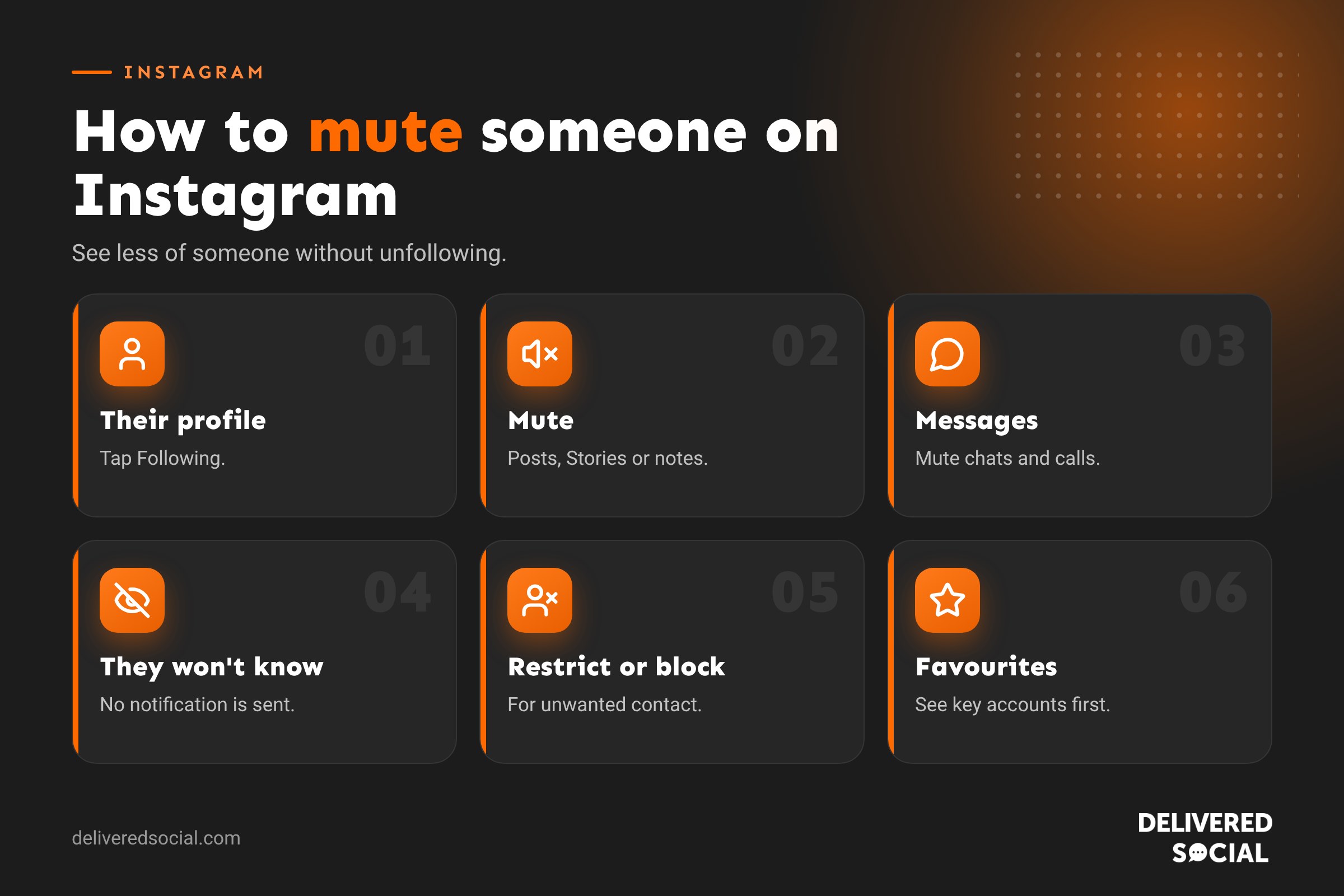
When you mute an account, their content stops appearing in your feed or Story bar, but you still follow them. You can mute:
- Posts: their photos, carousels and Reels no longer appear in your home feed.
- Stories: their Stories disappear from the bar at the top of your feed.
- Notes: their short notes no longer show above your messages.
- Messages: you stop getting notifications for their messages.
- Calls: you stop getting call notifications from them.
You can mute any combination. For example, you could mute someone’s Stories but still see their posts.
If you mute someone on Instagram, will they know?
No. Instagram doesn’t tell people when you mute them. They can still see your content, message you and comment on your posts, and you still appear in their followers list. Nothing changes from their side.
The only way they might guess is if they notice you’ve stopped liking or commenting on their posts, or you haven’t viewed their Stories for a while.
How to mute someone’s posts and Stories
From their profile
- Go to the person’s profile.
- Tap Following.
- Tap Mute.
- Toggle on Posts, Stories or Notes, or any combination.
From a post in your feed
- Tap the three dots on one of their posts.
- Tap Hide or Mute, depending on your version of the app.
- Choose to mute posts, Stories or both.
From the Story bar
- Press and hold their profile picture in the Story bar.
- Tap Mute.
- Choose Mute story or Mute story and posts.
Muted Stories move to the end of your Story bar and appear faded. You can still tap them to watch if you want.
How to mute messages and calls
- Open your messages.
- Open the conversation with that person.
- Tap their name at the top.
- Toggle on Mute messages and/or Mute calls.
You’ll still receive their messages in your inbox. You just won’t get notifications. You can also swipe left on a conversation in your inbox and tap Mute.
How to unmute someone
- Go to their profile.
- Tap Following, then Mute.
- Toggle off whatever you’d muted.
To see everyone you’ve muted, go to Settings and look for Muted accounts under “What you see”. From there you can unmute anyone in a couple of taps.
Mute vs restrict vs unfollow vs block
| Option | What it does | Do they know? | Best for |
|---|---|---|---|
| Mute | Hides their posts, Stories or notes from you | No | People you like but want to see less of |
| Restrict | Their comments on your posts are only visible to them unless you approve; their messages go to requests | No | Quietly limiting someone’s interaction with you |
| Close Friends removal | They stop seeing your Close Friends Stories | No | Reducing private sharing |
| Unfollow | You stop following them | Not notified, but they may notice | Accounts you no longer want to follow |
| Remove follower | They stop following you | Not notified, but they may notice | People you don’t want seeing your content |
| Block | They can’t see your profile, find you or message you | Not notified, but likely to notice | Harassment, spam or unwanted contact |
Muting only changes what you see. If you want to limit what someone can see or do on your account, restrict, remove or block them instead.
When to use mute on a business account
Business accounts often follow a lot of people: customers, local businesses, suppliers and partners. Muting helps keep your feed useful without causing offence.
- Mute accounts that post very frequently so you can see content from customers and partners.
- Keep following local businesses for goodwill, while muting Stories you don’t need to watch.
- Mute personal accounts of friends and family on your business profile.
- Use Favourites alongside mute, so the accounts that matter most to your business appear first.
Remember, if you mute a customer or partner, you might miss their tags or posts that mention you. Check your notifications and tagged posts regularly.
Dealing with negative people as a business
If someone is leaving rude comments or spam on your business posts, muting won’t help, because it only affects your feed. Instead:
- Restrict them so their comments are hidden from others unless you approve them.
- Turn on Hidden words to filter offensive comments and messages automatically.
- Limit interactions temporarily if you’re getting a wave of unwanted comments.
- Block and report anyone who harasses you or your team.
For genuine complaints from customers, reply politely and move the conversation to messages or a phone call. Handling criticism well in public often builds trust with everyone else who’s reading.
Common questions about muting on Instagram
Can a muted person still see my posts?
Yes. Muting doesn’t affect what they see. They can still view your posts and Stories, like, comment and message you.
Will I still see their messages?
Muting posts and Stories doesn’t affect messages. If you mute messages, you’ll still receive them, just without notifications.
Can I see someone’s muted Stories?
Yes. Their Stories still exist at the end of your Story bar. Tap to watch them whenever you like.
Will they know if I don’t watch their Stories?
They’ll see who has viewed their Stories, so if you used to watch and stop, they may notice you’re missing from their viewer list.
Can I mute someone I don’t follow?
You can mute messages and calls from anyone you chat with. Muting posts and Stories applies to accounts you follow, because you wouldn’t see their content otherwise, though you can mark suggested posts as “Not interested”.
Muting hashtags, words and topics
You can’t mute a hashtag directly, but you can reduce content you don’t want to see:
- Mark posts in Explore and Reels as Not interested.
- Use Hidden words to hide comments and message requests containing certain words.
- Adjust Sensitive content control in Content preferences.
- Use “Your Algorithm” controls where available to remove topics you’re not interested in.
Using Close Friends and Favourites alongside mute
Muting is about seeing less. Two other tools help you see more of what matters:
- Favourites: add up to 50 accounts whose posts appear higher in your feed. Go to their profile, tap Following and choose Add to Favourites.
- Following feed: tap the Instagram logo at the top of your feed and choose Following to see posts in time order.
- Close Friends: choose who sees your more personal Stories.
Combining mute, Favourites and the Following feed gives you a much calmer, more useful Instagram.
Muting group chats
Group messages can get noisy. To mute a group chat, open it, tap the group name at the top and turn on Mute messages. You can also mute mentions separately, so you’re only notified if someone tags you directly. You’ll still see new messages when you open your inbox.
Taking a break from someone without muting
If you’d like time away from Instagram altogether rather than from one person, try:
- Quiet mode, which pauses notifications and lets people know you’re away.
- Daily time limits in Your activity.
- Temporarily deactivating your account if you need a longer break.
Muting on Facebook and other platforms
Other platforms have similar tools. On Facebook you can snooze someone for 30 days or unfollow them while staying friends. On X you can mute accounts and words. On TikTok you can mark videos as “Not interested” and filter keywords. On LinkedIn you can unfollow a connection without removing them. If you manage several business accounts, using these tools keeps every feed focused on the people and topics that help your business.
Key takeaways
- Muting hides someone’s posts, Stories or notes without unfollowing them.
- The other person is never told.
- Use restrict or block when you need to limit what someone can do on your account.
- Pair muting with Favourites so the accounts that matter appear first.
Social platforms change their menus and features regularly, so it is worth checking the settings mentioned in this guide every few months to make sure everything still works the way you want it to.
Frequently asked questions
What happens if you mute someone on Instagram?
Their posts, Stories or notes stop showing in your feed, but you keep following them and they’re not told.
If I mute someone on Instagram, will they know?
No. Instagram doesn’t send any notification.
What’s the difference between mute and restrict?
Mute hides their content from you. Restrict limits their interaction with your content and messages.
How do I see who I’ve muted?
Go to Settings and open Muted accounts.
Want help managing your Instagram?
From community management to content creation, we help businesses across Surrey, Hampshire and the UK keep their Instagram professional, positive and busy. See our social media management services or call us on 01483 608 303.































