



Keep reading
Rather we just did it for you?
Let's get your business seen.
Social media, websites, SEO and ads from a team you can actually meet.
TikTok started life as a home for 15-second clips. Today you can upload videos up to an hour long. So how long can a TikTok video be, and more importantly, how long should it be? This guide explains the current TikTok video length limits for recording, uploading, Stories, LIVE and adverts, what affects them, how to choose the right length for your content, and tips for keeping people watching to the end.
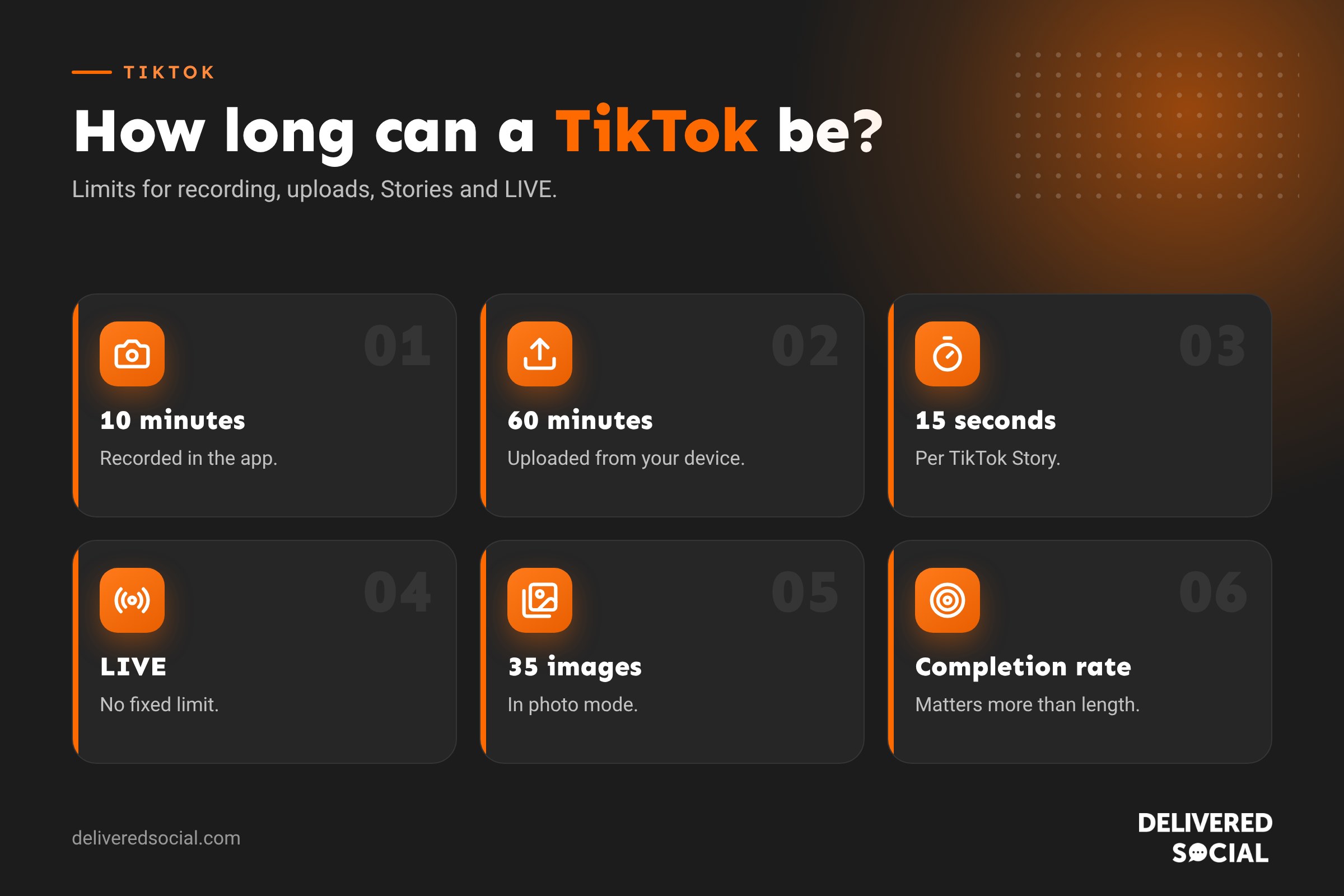
TikTok video length limits at a glance
| Type | Maximum length |
|---|---|
| Recording in the TikTok app | 10 minutes |
| Uploading a video from your device | Up to 60 minutes |
| Minimum length | 3 seconds |
| TikTok Stories | 15 seconds per Story |
| TikTok LIVE | No fixed limit |
| Photo mode carousels | Up to 35 images |
| In-feed adverts | Up to 60 seconds (shorter recommended) |
TikTok rolls out longer limits gradually, so some accounts or regions may see different options. If you can’t upload a long video, update the app and check again.
How long can you record in the TikTok app?
When you film directly in TikTok’s camera, you can choose different recording lengths, up to a maximum of 10 minutes. Tap the length options above the record button to pick your limit before filming.
One thing to watch: if you choose a sound before recording, your video will be limited to the length of that sound clip.
How long can an uploaded TikTok video be?
Videos uploaded from your phone’s gallery or a computer can be up to 60 minutes long. That opens TikTok up to longer formats such as tutorials, interviews, recorded talks and mini-documentaries.
For long uploads, using TikTok on a computer is often easier, as large files upload more reliably on a strong Wi-Fi connection.
How long do TikTok Stories last?
TikTok Stories can be up to 15 seconds each and disappear after 24 hours, just like Instagram Stories. They’re good for quick updates, behind-the-scenes moments and reminders that don’t need to stay on your profile.
How long can a TikTok LIVE be?
TikTok LIVE doesn’t have a fixed time limit, though you need to meet TikTok’s requirements to go live, including age and follower thresholds. Most business lives work best at 20 to 60 minutes, long enough for people to join and ask questions without losing momentum.
How long should a TikTok video be?
Just because you can post an hour-long video doesn’t mean you should. What matters most on TikTok is watch time and completion rate: how much of your video people watch and whether they make it to the end. A 20-second video watched in full often performs better than a 3-minute video most people abandon.
| Content type | Suggested length |
|---|---|
| Trend, joke or quick reveal | 7 to 20 seconds |
| Single tip or product showcase | 15 to 45 seconds |
| Tutorial or how-to | 45 seconds to 3 minutes |
| Storytime, behind the scenes, day in the life | 1 to 3 minutes |
| Interview, deep dive or recorded talk | 3 minutes or more |
A good rule: make the video as long as it needs to be and no longer. Cut anything that doesn’t add value.
Longer videos and the Creator Rewards Program
TikTok’s Creator Rewards Program, which pays eligible creators for qualifying views, only counts videos over one minute long. That has encouraged many creators to post longer content. If you’re a business rather than a creator, focus on what your audience wants to watch rather than chasing a minimum length.
Tips to keep people watching
- Hook in the first second. Start with the result, a bold statement or a question. Don’t open with “Hi everyone”.
- Put text on screen. Many people watch without sound.
- Cut the pauses. Trim gaps between sentences and keep clips moving.
- Change the shot every few seconds with a new angle, close-up or B-roll.
- Tease what’s coming, for example “number three surprised us”.
- Use captions so viewers can follow along.
- Loop it. Short videos that end where they began encourage rewatching.
- End with one clear call to action, such as follow for part two or visit the link in bio.
How to check how long people watch
With a Business or Creator account, open any video’s analytics to see:
- Average watch time: how long people watch on average.
- Watched full video: the percentage who reached the end.
- Retention graph: exactly where people drop off.
If most people leave after three seconds, work on your hook. If they leave halfway, your video may be too long or slow in the middle.
TikTok video size and format
| Setting | Recommended |
|---|---|
| Aspect ratio | 9:16 (vertical) |
| Resolution | 1080 x 1920 pixels |
| File types | MP4 or MOV |
| Safe zone | Keep text away from the bottom and right edges, where buttons and captions sit |
File size limits vary between the app and desktop uploader, with larger files accepted on desktop.
Why can’t I upload a longer TikTok?
- Your app is out of date: update it.
- The feature hasn’t reached your account: longer limits roll out gradually.
- You chose a sound first: the video is capped at the sound’s length.
- The file is too large: compress it or upload from a computer.
- Poor connection: switch to Wi-Fi for long uploads.
Repurposing TikTok videos on other platforms
| Platform | Typical short video limit |
|---|---|
| Instagram Reels | Up to 20 minutes, shorter clips usually perform best |
| YouTube Shorts | Up to 3 minutes |
| Facebook Reels | Shorter clips recommended |
Save your original video without the TikTok watermark so you can post it cleanly elsewhere. Our guide to Instagram Story length covers Instagram’s limits in more detail.
Video ideas for businesses by length
- Under 15 seconds: a satisfying before and after, a product in action, a quick joke about your industry.
- 15 to 60 seconds: one useful tip, a customer question answered, a “did you know?” fact.
- 1 to 3 minutes: how a product is made, a day in the life, a mini case study.
- 3 minutes or more: an expert interview, a full tutorial, a talk or Q&A.
How TikTok video length has changed
| Period | Maximum length |
|---|---|
| Early TikTok | 15 seconds |
| Next stage | 60 seconds |
| 2021 | 3 minutes |
| 2022 | 10 minutes |
| 2024 onwards | Up to 60 minutes for uploads, rolled out gradually |
TikTok has steadily moved towards longer content to compete with YouTube, but short, punchy videos remain the heart of the platform.
How to cut a long video down
If your video is running long, try these edits:
- Remove the introduction. Start with the most interesting part.
- Cut repeated points. Say each thing once, clearly.
- Speed up slow sections, such as walking or setting up.
- Split it into a series. “Part 1” and “Part 2” encourage people to follow for more.
- Move detail to the caption or a comment.
Using TikTok’s editing tools
TikTok’s built-in editor lets you trim clips, split them, add text, captions, voiceovers and effects. For more control, many creators use CapCut, which is designed to work smoothly with TikTok, or Instagram’s Edits app if they post on both platforms. Whatever you use, export in vertical 9:16 at 1080 x 1920 for the sharpest result.
TikTok Stories vs normal videos
TikTok Stories are a lighter way to stay visible between your main videos. Because they disappear after 24 hours and are limited to 15 seconds, they suit quick updates such as “we’re open late tonight”, a sneak peek of something new or a poll. Your main videos stay on your profile, can be found in search and can keep getting views for months, so put your best effort there and use Stories for everyday moments.
Video length for TikTok adverts
If you’re running TikTok ads, shorter is usually better. Most effective in-feed ads are 9 to 15 seconds long and get to the point in the first couple of seconds. Make the product or offer clear early, add captions, and finish with a simple call to action. Test a few different lengths and openings to see which gives you the cheapest results.
Key takeaways
- You can record up to 10 minutes in the app and upload up to 60 minutes.
- Stories are up to 15 seconds and last 24 hours.
- Completion rate matters more than length, so cut anything that does not add value.
- Hook viewers in the first second and check your retention graph to improve.
Social platforms change their menus and features regularly, so it is worth checking the settings mentioned in this guide every few months to make sure everything still works the way you want it to.
Frequently asked questions
How long can a TikTok video be?
Up to 10 minutes recorded in the app, or up to 60 minutes uploaded from your device.
How long do TikTok Stories last?
Each Story can be up to 15 seconds and disappears after 24 hours.
What is the best length for a TikTok?
The shortest length that delivers your message. For most business content, 15 seconds to 3 minutes works well.
Do longer TikToks get more views?
Not automatically. Completion rate matters more than length.
Why is my TikTok only 15 seconds?
You may have chosen a short recording option or a short sound. Change the length setting before filming.
Want TikTok videos people watch to the end?
We plan, film and edit TikTok content for businesses across Surrey, Hampshire and the UK. See our social media management services or call us on 01483 608 303.































