



Keep reading
Rather we just did it for you?
Let's get your business seen.
Social media, websites, SEO and ads from a team you can actually meet.
“Headless” is one of those website terms that sounds more complicated than it is. A headless website separates the part where you manage content (the back end) from the part visitors see (the front end, or “head”). It can make websites very fast and flexible, but it also adds cost and complexity. This guide explains what headless means, the pros and cons, and whether a small business actually needs one.
What is a headless website?
In a traditional website, such as most WordPress sites, one system stores your content and also builds the pages visitors see. Content, design and templates all live together.
In a headless website, the content management system (CMS) only stores and serves content. A separate front end, often built with a JavaScript framework such as Next.js, Nuxt or Astro, fetches that content through an API and displays it. The CMS has no “head” of its own.
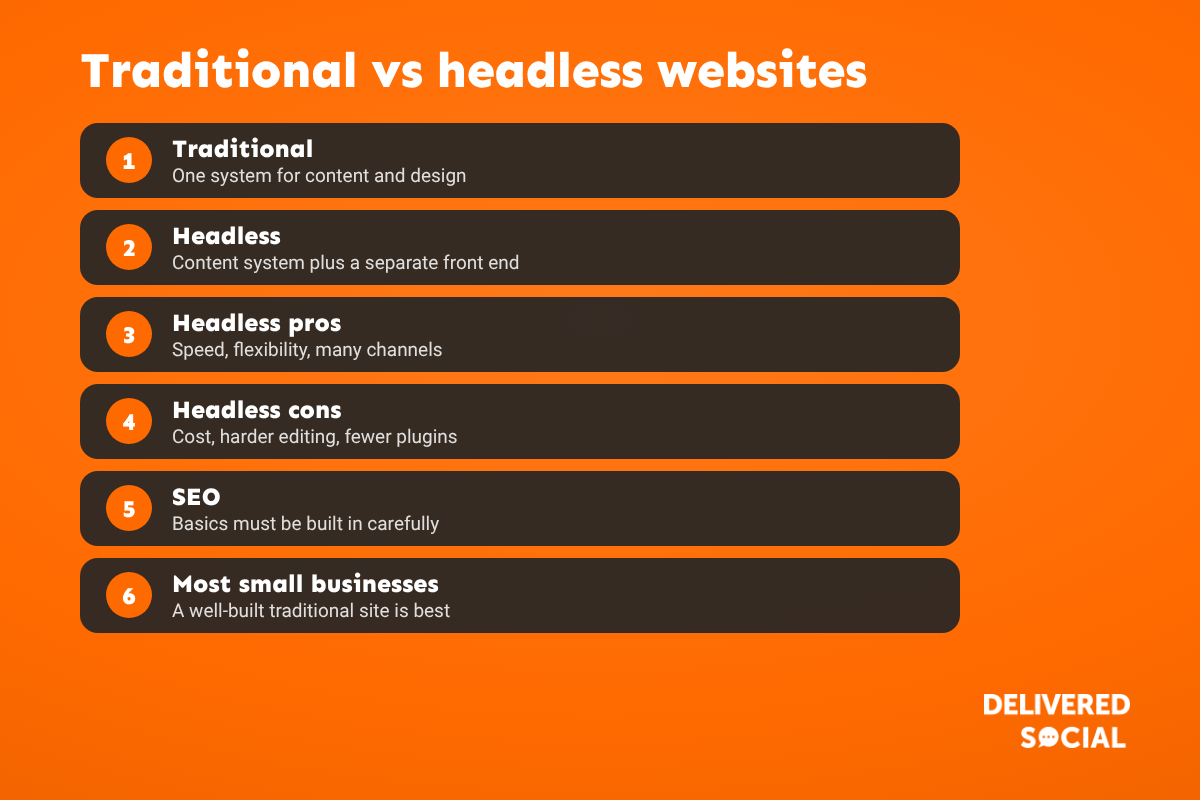
Traditional vs headless at a glance
| Traditional (e.g. WordPress) | Headless | |
|---|---|---|
| Set-up cost | Lower | Higher: two systems to build |
| Editing | See changes as you edit, page builders available | Often less visual; previews need extra work |
| Speed | Fast when well built and cached | Can be very fast |
| Plugins | Thousands of plugins that just work | Many front-end features need rebuilding |
| Multiple channels | Mainly the website | One content source for website, apps, screens and more |
| Who maintains it | Many agencies and freelancers | Developers with specific skills |
Benefits of going headless
- Speed: pages can be pre-built and served from a global network.
- Flexibility: developers can use modern tools and design without template limits.
- One content source for many channels: the same content can feed a website, an app, in-store screens and more.
- Security: the CMS can sit away from the public website.
- Scale: suits large sites with heavy traffic.
Drawbacks to be aware of
- Higher build and running costs, with two systems and usually more developer time.
- Harder for your team to edit, especially without a visual page builder.
- Lost plugin features: forms, SEO tools, galleries and booking systems may need custom work.
- SEO needs care: meta tags, sitemaps, structured data and redirects all have to be built into the front end.
- Developer dependency: small changes can need a developer.
Headless CMS options
- Headless WordPress: keep the familiar WordPress editor, with a separate front end using its REST API or GraphQL.
- Dedicated headless CMS platforms, such as Contentful, Sanity, Strapi and Storyblok.
- Headless ecommerce, such as Shopify’s Hydrogen or other headless commerce platforms, for large online shops.
Does a small business need a headless website?
Usually not. For most small businesses, a well-built traditional website is faster to launch, cheaper to run and easier for your team to update. Headless makes sense when you:
- Publish the same content to a website, app and other channels.
- Have very high traffic or complex performance needs.
- Have an in-house or long-term development team.
- Need a design or experience a standard CMS can’t deliver.
We build client websites on WordPress, because it lets owners update their own pages, has a huge range of tools, and, built properly, is fast and secure. What makes a website win customers is rarely the architecture. It’s a clear call to action, reviews near the top, fast mobile pages and short forms.
How to make a traditional website fast without going headless
- Good hosting and page caching.
- Compressed images in modern formats.
- Fewer plugins and scripts.
- A content delivery network (CDN).
- Regular updates and maintenance.
Frequently asked questions
What does headless mean in web development?
The content system is separate from the front end that visitors see. Content is delivered through an API to whatever front end, app or device needs it.
Is headless better for SEO?
Not automatically. It can be very fast, but SEO basics such as metadata, sitemaps and structured data must be built in carefully.
Can WordPress be headless?
Yes. WordPress can act as a headless CMS, with a separate front end using its REST API or GraphQL.
Is a headless website more expensive?
Usually, yes, to build and maintain, because there are two systems and more developer work.
Thinking about a new website?
We design and build fast, easy-to-update websites for small businesses across Surrey, Hampshire and the UK. See our website design services or call us on 01483 608 303 for a friendly chat.































