



Keep reading
Rather we just did it for you?
Let's get your business seen.
Social media, websites, SEO and ads from a team you can actually meet.
If a page isn’t indexed, it can’t appear in Google, however good it is. It’s one of the most common problems we find on small business websites: important pages that Google has never added to its index. This guide explains what indexing means, how to check whether your pages are indexed, the most common reasons they aren’t, and how to fix them.
What does indexed mean in SEO?
Google’s index is its giant library of web pages. When a page is indexed, Google has found it, read it and stored it, so it’s eligible to appear in search results. If a page isn’t indexed, it won’t show up for any search.
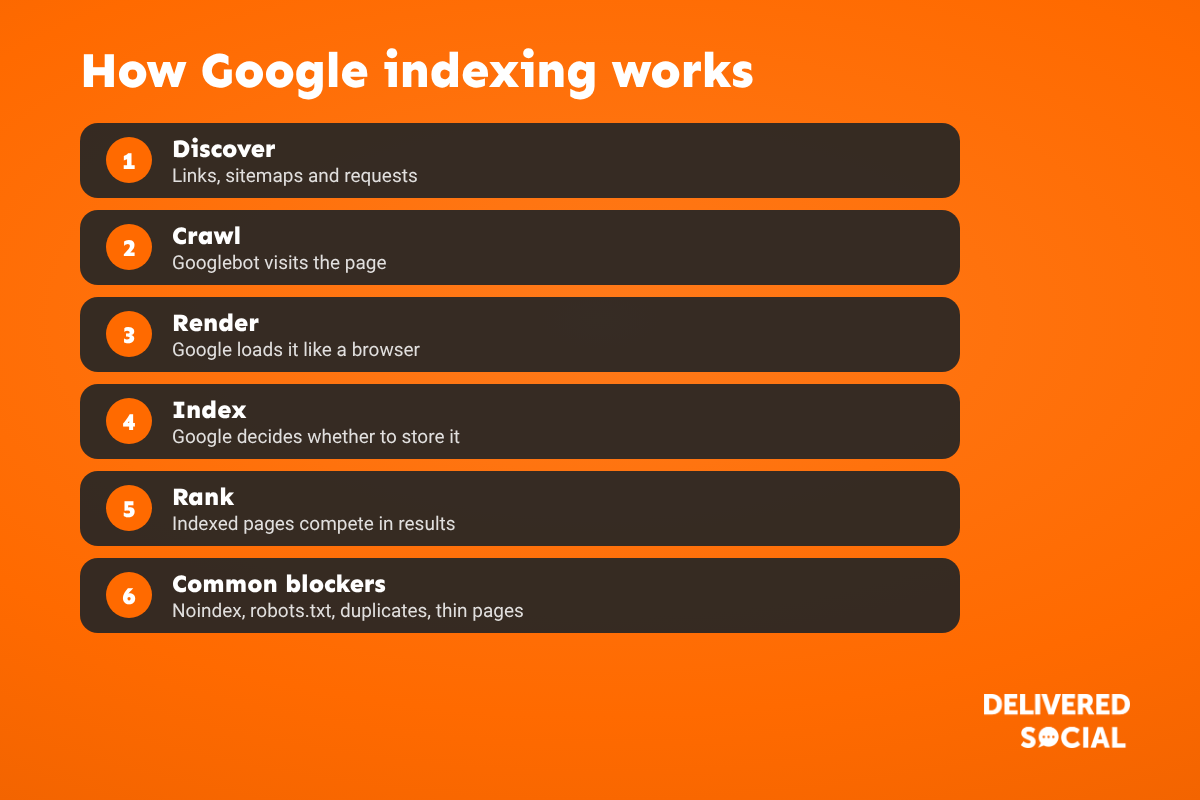
It happens in stages:
- Discover: Google finds the URL, through links, your sitemap or a request.
- Crawl: Googlebot visits the page and downloads it.
- Render: Google loads the page like a browser, including scripts.
- Index: Google decides whether to store it, and which version is the main one.
- Rank: indexed pages compete to appear for relevant searches.
Being crawled doesn’t guarantee being indexed. Google chooses not to index pages it sees as low value, duplicate or blocked.
How to check if a page is indexed
- URL Inspection in Google Search Console: paste in the page address. It tells you if the URL is on Google and, if not, why.
- The Pages report (Indexing, then Pages) in Search Console shows every indexed and non-indexed page, grouped by reason.
- A site: search, such as site:yourdomain.co.uk/page-name, gives a quick, rough check, though it’s not always complete.
Common reasons pages aren’t indexed, and how to fix them
| Search Console reason | What it means | What to do |
|---|---|---|
| Excluded by “noindex” tag | The page tells Google not to index it | Remove noindex if the page should rank. Check SEO plugin and WordPress settings. |
| Blocked by robots.txt | Google isn’t allowed to crawl the page | Edit robots.txt so important pages aren’t blocked |
| Crawled, currently not indexed | Google read it and chose not to index it | Improve the content, make it clearly different from other pages, add internal links |
| Discovered, currently not indexed | Google knows it exists but hasn’t crawled it yet | Add internal links from strong pages, include it in your sitemap, be patient |
| Duplicate without user-selected canonical | Google sees it as a copy of another page | Merge similar pages or set a canonical tag |
| Alternate page with proper canonical tag | Another version is the main one | Usually fine, as long as the right version is indexed |
| Page with redirect | The URL redirects elsewhere | Fine, but update links and your sitemap to the final URL |
| Not found (404) or soft 404 | The page is missing or looks empty | Restore it, redirect it, or add real content |
How to get a page indexed faster
- Make it worth indexing: useful, original content with a clear topic and keyword focus.
- Link to it from your home page, menu or related articles. Orphan pages with no internal links are often ignored.
- Add it to your XML sitemap and submit the sitemap in Search Console.
- Request indexing in URL Inspection. There’s a daily limit, so use it for your most important pages.
- Share it, on social media and your Google Business Profile, to help it get discovered.
What we find on small business websites
When we audit a new client’s site, the two issues we find most often are pages Google hasn’t indexed and pages with no clear keyword focus. Typical causes are a “discourage search engines” setting left on after a website launch, noindex tags on service pages, lots of thin or near-duplicate location pages, and new pages with no links pointing to them. Fixing these is usually the quickest SEO win there is.
Indexing on WordPress
- Check Settings, then Reading, and make sure “Discourage search engines from indexing this site” is unticked.
- Check your SEO plugin isn’t setting important pages or post types to noindex.
- Make sure your sitemap is working and submitted in Search Console.
- Noindex thin archive pages, such as tag pages, rather than your services.
Frequently asked questions
How long does it take Google to index a page?
Anything from a few hours to several weeks. Strong internal links, a sitemap and a request in Search Console help.
Why is my page crawled but not indexed?
Google decided it wasn’t valuable or different enough. Improve the content, avoid duplicates and add internal links.
Does every page need to be indexed?
No. Thank-you pages, login pages and thin archives can stay out. Your services, products and key articles should be in.
Can I pay Google to index my site?
No. Indexing is free. Ads appear separately and don’t affect indexing.
How many pages can I request indexing for?
Search Console has a daily limit on indexing requests, so prioritise your most important new or updated pages.
Pages missing from Google?
We fix indexing and technical SEO problems for small businesses across Surrey, Hampshire and the UK. See our SEO services or call us on 01483 608 303 for a friendly chat.































