



Keep reading
Rather we just did it for you?
Let's get your business seen.
Social media, websites, SEO and ads from a team you can actually meet.
More and more people search with their camera instead of their keyboard. They point their phone at a plant, a pair of trainers, a shop front or a dish, and Google Lens tells them what it is and where to find it. Google says Lens now handles well over 20 billion visual searches a month, and with Circle to Search on Android and Lens built into Chrome and the Google app, it’s only growing.
This guide explains how Google Lens works and what small businesses can do to optimise for visual search.
What is Google Lens?
Google Lens is Google’s visual search tool. Instead of typing words, you search with an image. It can:
- Identify things: products, plants, animals, landmarks and buildings.
- Shop: find where to buy a product, or something similar, with prices.
- Read text: copy, translate or search text from signs, menus and documents.
- Answer questions: you can add a question to a photo or video, and Google may reply with an AI Overview.
- Find places: point at a shop or restaurant to see its Google Business Profile, reviews and opening hours.
People use it through the Google app, the camera on Android, Circle to Search, Chrome and Google Images.
How Google Lens decides what to show
Lens matches what it sees against Google’s index of images, products and places. It uses the image itself, plus the information around it: the page it’s on, the text, alt text, structured data and product feeds. That last part is where businesses have control.
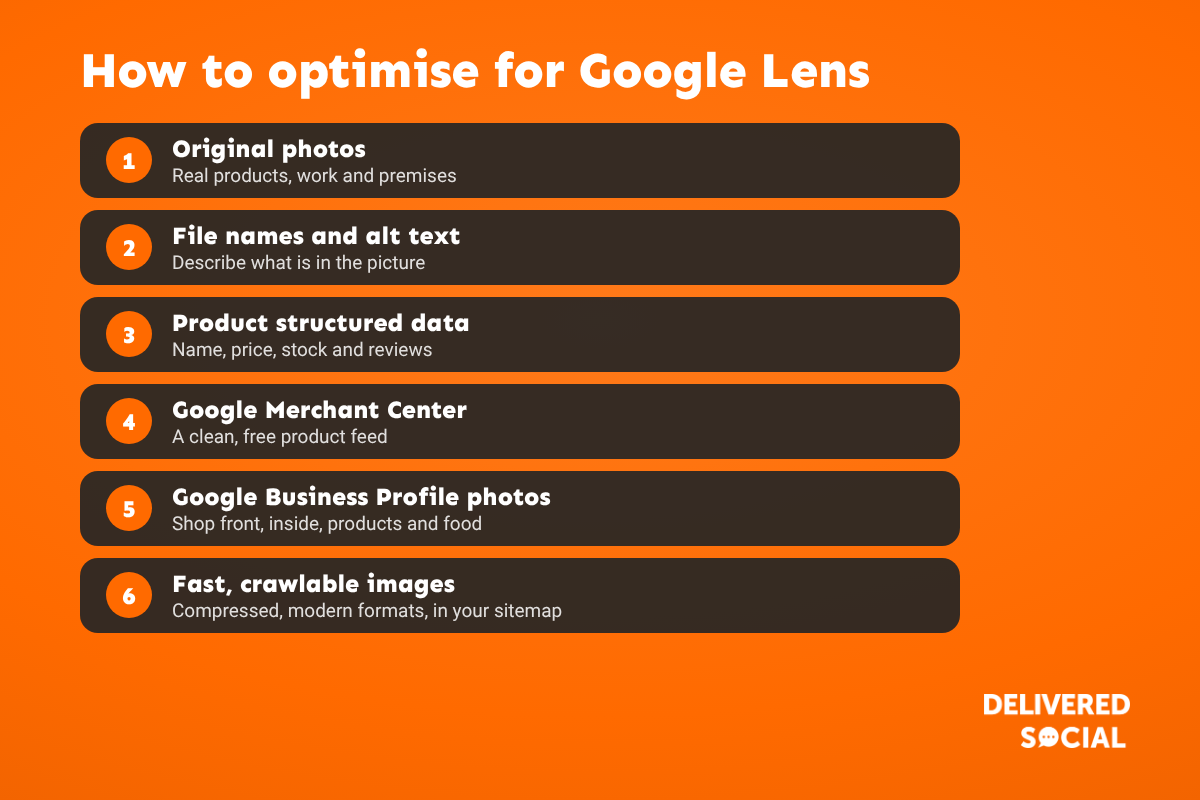
How to optimise for Google Lens
1. Use original, high-quality photos
Stock photos appear on thousands of sites, so Lens has no reason to show yours. Real photos of your products, work, team and premises stand out. Shoot products from several angles on clean backgrounds, and show them in use too.
2. Name and describe images properly
Use descriptive file names (oak-dining-table-6-seater.jpg, not IMG_4521.jpg) and write alt text that says what’s in the picture. Put images near related text, captions and headings.
3. Add product structured data
Product markup with name, price, availability and reviews helps Google link your images to products it can show in shopping results. Our guide to structured data explains how.
4. Use Google Merchant Center
If you sell online, a free Merchant Center product feed gives Google clean product data and images, which feed Lens shopping results. It’s one of the most effective steps for retailers.
5. Keep your Google Business Profile photos fresh
When someone points Lens at your shop front or a dish, Google may show your business profile. Recent photos of the outside, inside, products and food help Google make the match and give a great first impression. See our Google Business Profile guide.
6. Make images fast and crawlable
Compress images, use modern formats such as WebP, set width and height, and make sure images aren’t blocked by robots.txt or loaded in a way Google can’t see. Include important images in your sitemap.
7. Show your branding
Logos on packaging, signage and vehicles help Lens recognise your brand when people photograph them.
Google Lens for different types of business
| Business | Focus on |
|---|---|
| Online shops | Merchant Center feed, product markup, original product photos from several angles |
| Restaurants and cafés | Dish photos on your Google profile and menu page, clear signage |
| Local shops | Shop front photos, opening hours and product photos on your profile |
| Trades and services | Real photos of completed jobs, branded vans and uniforms |
| Tourism and attractions | Landmark photos, events and up-to-date information |
How to check if your images appear
- Use Lens on your own products and premises and see what comes up.
- Search Google Images for your products and business name.
- In Google Search Console, filter the Performance report by search type “Image”.
- In Merchant Center, check product performance and any image issues.
Frequently asked questions
What is Google Lens used for?
Searching with images: identifying things, finding products to buy, translating text and getting information about places.
Can I optimise my website for Google Lens?
Yes. Original images, good file names and alt text, product structured data, a Merchant Center feed and a strong Google Business Profile all help.
Does Google Lens affect SEO?
It’s part of search. Well-optimised images can bring visits from Lens and Google Images, as well as helping your normal rankings.
What is Circle to Search?
A feature on many Android phones that lets you circle anything on screen to search it with Google, using the same technology as Lens.
Want your products and business easier to find?
We help small businesses across Surrey, Hampshire and the UK get found on Google, with photography, SEO and Google Business Profiles. See our SEO services or call us on 01483 608 303 for a friendly chat.































