



Keep reading
Rather we just did it for you?
Let's get your business seen.
Social media, websites, SEO and ads from a team you can actually meet.
Google Discover shows people articles before they’ve even searched for anything. It’s the feed of stories in the Google app and on many Android phones, tailored to each person’s interests. For some websites it sends more visitors than search itself. This guide explains what Google Discover is, how it works, how it affects SEO and what you can do to get your content into the feed.
What is Google Discover?
Discover is a personalised content feed on mobile. It appears in the Google app, on the Google homepage in mobile browsers and on many Android home screens. Instead of answering a search, it suggests articles, videos and updates based on what Google thinks each person is interested in, using their search and browsing activity, location and the topics they follow.
How is Discover different from search?
| Google Search | Google Discover | |
|---|---|---|
| How people find you | They type a search | Google suggests your content without a search |
| What works | Pages that answer a specific question | Interesting, timely or evergreen articles with strong images |
| Traffic pattern | Steady over time | Spiky: a big burst, then it fades |
| Keywords | Important | Less important than topic and interest |
| Where to measure | Search Console Performance report | Search Console Discover report |
How does Google Discover affect SEO?
Discover isn’t a ranking factor, but it’s a valuable extra source of visitors for sites that publish regularly. The same foundations help with both: helpful content, real expertise, a fast mobile site and strong images. Discover traffic can also introduce new readers who later search for your brand directly.
Because it’s unpredictable, Discover is a bonus, not a strategy on its own. Many sites see a burst of visits from one article and then very little for weeks.
How to get your content into Google Discover
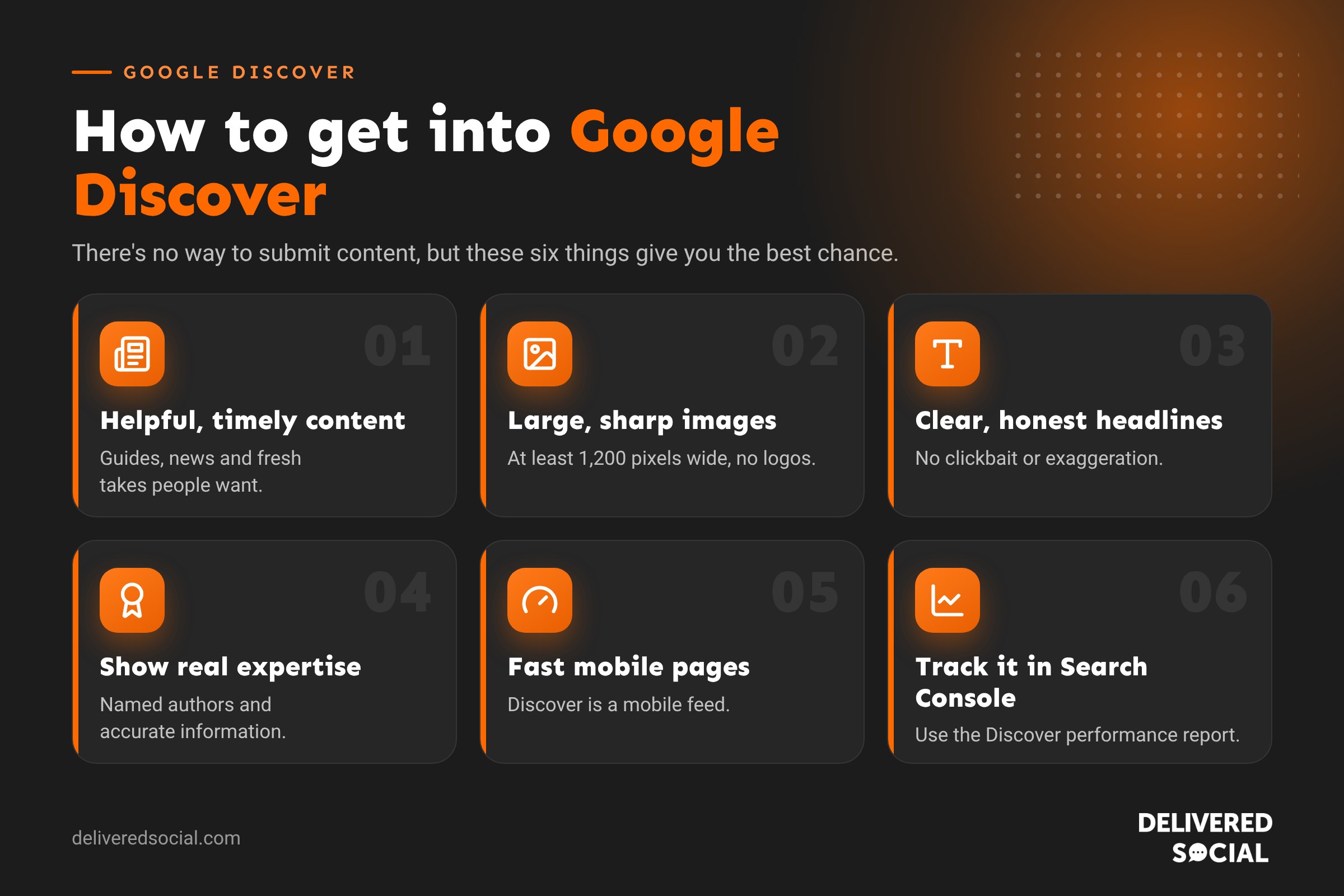
There’s no way to submit content to Discover, and no special code is required. Google’s own guidance focuses on these things:
1. Publish helpful, people-first content
Articles that inform, entertain or solve a problem for a specific audience. Timely topics, local news, seasonal guides and fresh takes on popular subjects do well.
2. Use large, high-quality images
Google recommends images at least 1,200 pixels wide, and allowing large previews with the max-image-preview:large setting (WordPress sites usually have this on by default). Avoid using your logo as the main image.
3. Write clear, honest headlines
Headlines should capture the essence of the article. Google discourages clickbait, exaggeration and withholding key information to tempt clicks.
4. Show expertise and trust
Named authors with real experience, an about page, contact details and accurate information all help Google trust your content.
5. Make pages fast and mobile-friendly
Discover is a mobile feed, so slow or awkward mobile pages work against you.
6. Keep publishing
Sites that publish useful content regularly give Google more chances to show something to the right people.
Google Discover content policies
Content must follow Google’s Search policies and Discover’s own content policies. Content that’s misleading, sensational, sexually explicit, or dangerous can be excluded. Sites that rely on clickbait headlines tend to lose Discover visibility over time.
How to track Google Discover traffic
- Open Google Search Console.
- Go to Performance and choose Discover. The report only appears once your site has had enough Discover impressions.
- Look at which pages appear, their click-through rate and when traffic spiked.
- Compare successful articles: topic, headline, image and timing.
In Google Analytics 4, Discover visits are usually grouped with Google organic traffic, which is why Search Console is the best place to see them.
Is Discover worth it for small businesses?
For a business that blogs regularly, yes, as a welcome bonus. Local guides, seasonal tips and news about your industry can all appear in Discover for people nearby. But it shouldn’t replace search, your Google Business Profile or social media, which bring steadier, more predictable enquiries.
Frequently asked questions
Can I pay to appear in Google Discover?
Not in the organic feed. Google Ads can show ads in Discover through Demand Gen campaigns, but organic placement can’t be bought.
Why has my Discover traffic dropped?
Discover traffic naturally rises and falls. Drops can also follow Google updates or changes to your content quality, images or headlines.
Do I need to be a news site?
No. Evergreen guides, how-tos and local content can appear too.
Does Discover work on desktop?
Discover is mainly a mobile feed, so focus on how your pages look and load on phones.
Related reading: our guides to AI SEO and building an SEO strategy.
Want more people to find your content?
We help small businesses across Surrey, Hampshire and the UK grow with SEO, content and fast WordPress websites. See our SEO services or call us on 01483 608 303 for a friendly chat.































