



Keep reading
Rather we just did it for you?
Let's get your business seen.
Social media, websites, SEO and ads from a team you can actually meet.
If two pages on your website target the same search, they compete with each other, and often neither ranks as well as one strong page would. Keyword mapping fixes that. It’s a simple plan that gives every important search phrase one home on your website, so Google knows exactly which page to show.
This guide explains what keyword mapping is, how to build a keyword map step by step, a worked example and how to fix overlap on an existing website.
What is keyword mapping?
A keyword map is a spreadsheet that matches groups of related search phrases to the single page on your website that should rank for them. It covers pages you already have and pages you still need to create.
Why keyword mapping matters
- Prevents keyword cannibalisation, where several of your pages compete for the same search.
- Shows content gaps: searches with no page at all.
- Guides internal linking: you know which page to link to for each topic.
- Keeps your team consistent when writing new blogs and pages.
How to build a keyword map
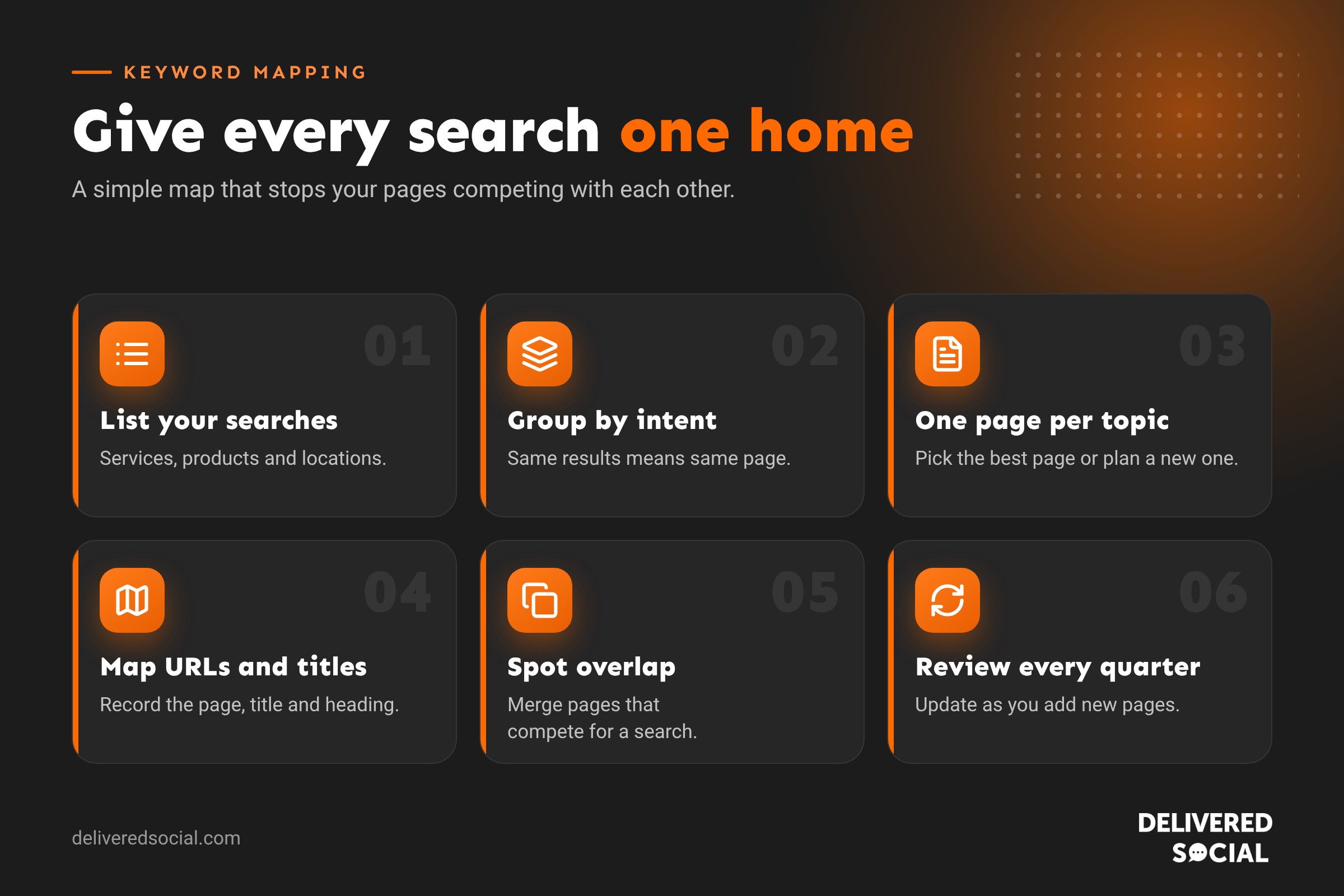
1. List the searches that matter
Start with your services, products and locations. Add searches from Google Search Console (Performance report), Google Keyword Planner, autocomplete and “People also ask”. Paid tools such as Semrush and Ahrefs speed this up.
2. Group keywords by intent
Group phrases that mean the same thing, such as “boiler repair Guildford” and “Guildford boiler engineer”. Search them: if Google shows the same pages for both, they belong on one page. If the results are different, they need separate pages.
3. Give each group one page
Choose the best existing page or plan a new one. One main topic per page.
4. Add the details
For each page, record the URL, title tag, main heading and the type of page: service page, location page, product page or blog post.
5. Spot overlaps
Look for groups assigned to more than one page, and pages with no clear topic.
6. Review regularly
Update the map every quarter as you add pages and as search behaviour changes.
A worked example: a Guildford plumbing business
| Keyword group | Intent | Page |
|---|---|---|
| plumber Guildford, Guildford plumbers, local plumber Guildford | Find a local service | /plumber-guildford/ (location page) |
| boiler repair Guildford, boiler engineer Guildford | Urgent service | /boiler-repair/ (service page) |
| boiler service cost, how much is a boiler service | Research price | /blog/boiler-service-cost/ (blog) |
| why is my boiler losing pressure | Solve a problem | /blog/boiler-losing-pressure/ (blog) |
| plumber Woking, Woking plumbers | Find a local service | /plumber-woking/ (new page needed) |
Useful columns for your keyword map
- Keyword group and main keyword
- Monthly searches
- Search intent (find, buy, compare, learn)
- Target URL
- Title tag and main heading
- Current ranking position
- Status: live, needs improving, to create
How to fix keyword overlap on an existing website
| Situation | Fix |
|---|---|
| Two similar pages, both weak | Merge them into one stronger page and redirect the other |
| A blog post outranking your service page | Refocus the blog on a question and link it to the service page |
| Old, out-of-date posts on the same topic | Update the best one, redirect or remove the rest |
| Tag or category pages competing with posts | Noindex thin archive pages |
To find overlap, open Search Console, filter by a search phrase and check the Pages tab. If several of your pages appear for the same search, you may have overlap.
Common keyword mapping mistakes
- Giving every tiny variation its own page.
- Choosing keywords nobody searches for.
- Ignoring local searches such as town names.
- Making the map once and never updating it.
- Writing titles for keywords instead of people. Keep them natural and clear.
Frequently asked questions
What is keyword cannibalisation?
When two or more pages on your site target the same search, so they compete with each other and split your ranking strength.
How many keywords should one page target?
One main topic, with as many closely related phrases as naturally fit.
Do I need paid tools for keyword mapping?
No. Search Console, Keyword Planner and a spreadsheet are enough for most small businesses.
How often should I update my keyword map?
Every quarter, and whenever you plan new pages.
Next step: turn your map into a plan with our SEO strategy guide.
Want a keyword plan for your website?
We help small businesses across Surrey, Hampshire and the UK plan, write and optimise the pages that bring in customers. See our SEO services or call us on 01483 608 303 for a friendly chat.































