



Keep reading
Rather we just did it for you?
Let's get your business seen.
Social media, websites, SEO and ads from a team you can actually meet.
Your traffic has fallen off a cliff and you’re worried Google has penalised your website. It might have, but often it hasn’t. This guide explains how Google penalties really work, how to tell a manual action from an algorithm change, and the steps to remove a Google penalty and recover.
What is a Google penalty?
People use “penalty” to mean two different things:
| Manual action | Algorithmic drop | |
|---|---|---|
| What it is | A person at Google has reviewed your site and found it breaks Google’s spam policies | Google’s automated systems now rank your pages lower |
| Will you be told? | Yes, in Search Console | No notification |
| Common causes | Unnatural links, spam, hacked content, scraped or auto-generated pages | Core updates, spam updates, weaker content than competitors |
| How to recover | Fix the issue and request reconsideration | Improve the site; recovery often comes with later updates |
Older names you may see, such as Panda (content quality) and Penguin (links), were folded into Google’s main ranking systems years ago. Today, most drops are caused by core updates rather than a named “penalty”.
Step 1: check for a manual action
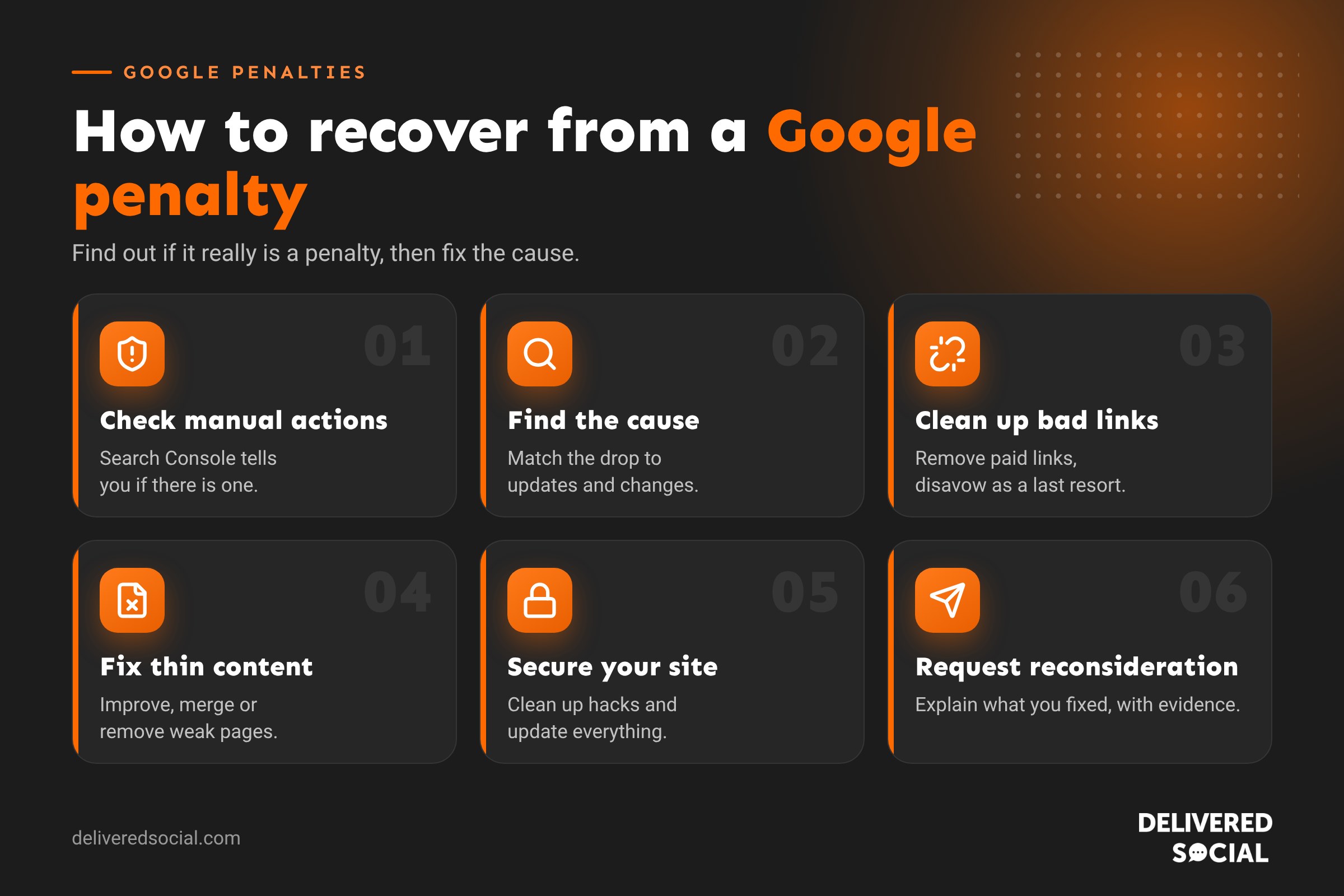
- Open Google Search Console.
- Go to Security & Manual Actions > Manual actions.
- “No issues detected” means you don’t have a manual action. Check Security issues too, for hacking.
If there is a manual action, Google tells you which type and whether it affects the whole site or some pages.
Common manual actions and how to fix them
| Manual action | What to do |
|---|---|
| Unnatural links to your site | Remove paid or manipulative links where you can, disavow the rest, and document what you did |
| Unnatural links from your site | Remove or add rel=”sponsored” or “nofollow” to paid links on your site |
| Thin content with little or no added value | Improve or remove low-value, copied or auto-generated pages |
| Pure spam | Usually needs a complete rethink of the site and its content |
| Hacked site or user-generated spam | Clean the site, close the security hole, remove spam pages and comments |
| Structured data issues | Remove or correct misleading schema markup |
| Site reputation abuse | Remove or noindex third-party content that exploits your site’s reputation |
Step 2: request reconsideration
Once the problem is fixed, click Request review in the Manual actions report. Explain clearly:
- What the problem was.
- What you did to fix it, with evidence (for example, a list of links removed).
- What you’ve changed to stop it happening again.
Reviews can take days or weeks. If the request is rejected, Google usually explains why, and you can fix more and try again.
Recovering from an algorithmic drop
If there’s no manual action, the drop is most likely algorithmic. Check whether the timing matches a Google update (Google lists confirmed updates on its Search Status Dashboard), then:
- Review the pages that lost traffic in Search Console and compare them with the pages now ranking above you.
- Improve content quality: first-hand experience, accurate information, clear answers and named authors.
- Remove or merge thin pages that add little value.
- Fix technical problems, such as slow pages, broken links and accidental noindex tags.
- Be patient: recovery from core updates often shows up only after a later update.
Our guide to why website traffic drops walks through every possible cause.
Should you disavow links?
Google says most sites never need the disavow tool, because it already ignores most spammy links. Use it only if you have a manual action for unnatural links, or you know you’ve bought or built manipulative links in the past. Disavowing good links by mistake can harm your rankings.
How to avoid Google penalties
- Never buy links or join link schemes.
- Write for people, not search engines. No keyword stuffing.
- Don’t publish large amounts of copied or low-value AI content.
- Keep WordPress, plugins and themes updated to avoid hacking.
- Check Search Console regularly for warnings.
Frequently asked questions
How do I know if Google has penalised my website?
Check the Manual actions report in Search Console. If it says no issues, you don’t have a manual penalty.
How long does it take to remove a Google penalty?
Manual actions can be lifted within weeks of a successful reconsideration request. Algorithmic recovery usually takes months.
Can a competitor get my site penalised?
It’s very rare. Google is good at ignoring spammy links pointed at a site by someone else.
Is a traffic drop always a penalty?
No. Tracking problems, seasonality, site changes and competitors are far more common causes.
Need help recovering your traffic?
We help small businesses across Surrey, Hampshire and the UK diagnose and fix SEO problems with honest, practical advice. See our SEO services or call us on 01483 608 303 for a friendly chat.































