



Keep reading
Rather we just did it for you?
Let's get your business seen.
Social media, websites, SEO and ads from a team you can actually meet.
YouTube is the world’s biggest video platform and the second most visited website after Google. It’s where people go to learn how to fix things, watch reviews before they buy, follow creators and catch up on TV. But what exactly is YouTube, how does it work, and how can a small business use it? This guide explains what YouTube is, its main features, how creators and businesses use it, and how to get started.
What is YouTube?
YouTube is a free video sharing website and app owned by Google. Anyone can watch videos, and anyone with a Google account can create a channel and upload their own. It launched in 2005, was bought by Google in 2006, and now has more than 2.5 billion monthly users around the world, making it one of the most used platforms in the UK too.
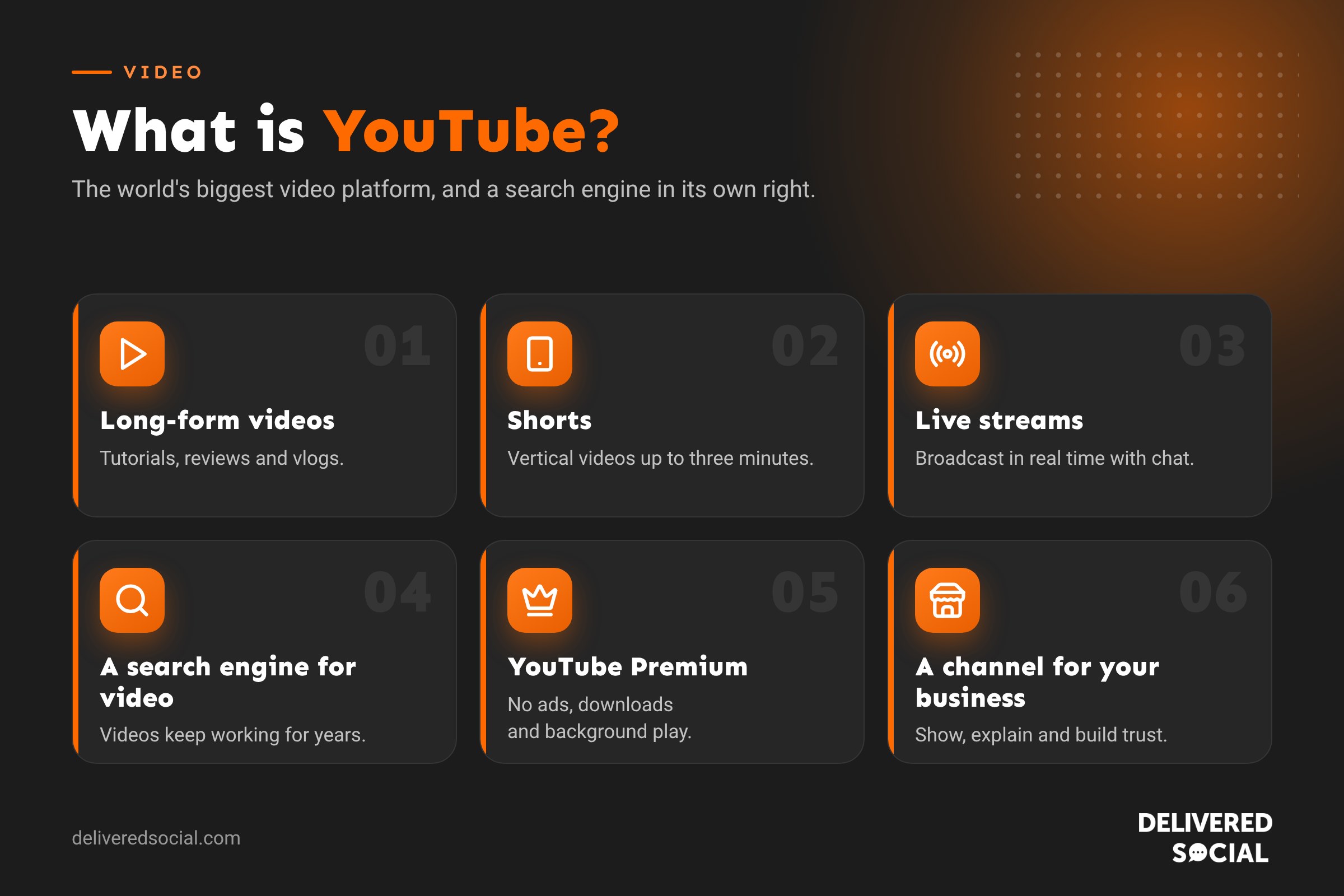
YouTube is also a search engine. People type questions into YouTube just as they do into Google, and YouTube videos often appear in Google’s own results. That’s what makes it so useful for businesses: a good video can keep bringing in viewers for years.
What can you watch on YouTube?
- Videos: anything from a few minutes to several hours, such as tutorials, reviews, vlogs, music videos and documentaries.
- Shorts: vertical videos of up to three minutes, similar to TikTok and Instagram Reels.
- Live streams: broadcasts happening in real time, with a live chat.
- Podcasts: many podcasts now publish full video episodes on YouTube.
- TV and films: YouTube’s apps on smart TVs are now one of the most common ways people watch it, and you can rent or buy films.
- Music: official music videos, plus the separate YouTube Music app.
How YouTube works
- Channels: every creator or business has a channel, with a name, logo, banner and all their videos.
- Subscribing: subscribe to a channel to see its new videos in your Subscriptions feed.
- Recommendations: the home page and “Up next” suggestions are chosen by YouTube’s algorithm based on what you watch and how long you watch for.
- Search: titles, descriptions, captions and chapters all help YouTube understand what a video is about.
- Likes, comments and shares: show YouTube that people value a video, which helps it reach more viewers.
- Playlists: group videos so people keep watching.
YouTube’s apps and services
| Service | What it is |
|---|---|
| YouTube | The main free app and website, with adverts. |
| YouTube Studio | Where creators upload and edit videos, reply to comments and see analytics. |
| YouTube Premium | A paid subscription with no adverts, background play and downloads. See our guide to YouTube Premium prices. |
| YouTube Music | A music streaming app, included with Premium. |
| YouTube Kids | A separate app with content filtered for young children. |
| YouTube Create | A free mobile video editing app for creators. |
How do people make money on YouTube?
Creators can join the YouTube Partner Programme and earn a share of advertising revenue, plus income from channel memberships, Super Chats in live streams and YouTube Shopping. Many also earn through sponsorships and selling their own products. To join, a channel needs a minimum number of subscribers and watch hours.
Is YouTube worth it for small businesses?
Yes, for most businesses that can explain, show or demonstrate what they do. Video builds trust faster than almost anything else, and YouTube videos keep working long after they’re posted. It works especially well for:
- Trades and home services: before and after videos, how-tos and answers to common questions.
- Professional services: short explainers that show your expertise.
- Retail and e-commerce: product demos and reviews.
- Hospitality and tourism: tours, behind the scenes and local guides.
How to start a YouTube channel for your business
- Sign in with a Google account (ideally a business one) and create a channel with your business name.
- Brand it: add your logo, a banner and a short description with your website and location.
- Plan simple videos that answer the questions customers ask you most.
- Use the right sizes: 1920 x 1080 for standard videos and 1080 x 1920 for Shorts. See our YouTube video size guide.
- Write clear titles and descriptions using the words people search for.
- Add a custom thumbnail and captions to every video.
- Post regularly and reuse clips as Shorts, Reels and TikToks.
YouTube vs TikTok vs Instagram
| YouTube | TikTok | ||
|---|---|---|---|
| Main format | Long videos plus Shorts | Short vertical videos | Reels, photos and Stories |
| How people find you | Search and recommendations | For You feed | Feed, Explore and followers |
| How long videos last | Years | Days or weeks | Days or weeks |
| Best for | How-tos, reviews, trust building | Reach and trends | Brand and community |
Read more in our guide to what TikTok is.
Video ideas for small business YouTube channels
The hardest part of YouTube is knowing what to film. The best ideas come from the questions customers already ask you. Here are proven formats:
| Video type | Example | Why it works |
|---|---|---|
| How-to | “How to bleed a radiator” | People search for these every day |
| FAQ answers | “How much does a new website cost?” | Builds trust before people contact you |
| Behind the scenes | A day in your bakery or workshop | Shows the people behind the business |
| Before and after | Garden makeover, website redesign | Proof of what you can do |
| Product demos | Unboxing and showing a product in use | Helps people decide to buy |
| Customer stories | A client explaining their results | Social proof in their own words |
| Comparisons | “Option A vs Option B: which is right for you?” | Captures people close to buying |
| Local guides | “Best walks near Guildford” | Attracts local viewers who may become customers |
How the YouTube algorithm works
YouTube’s goal is to keep viewers happy and watching. Its recommendation system looks at what each viewer has watched, searched for and enjoyed, then suggests videos it thinks they’ll value. The signals that matter most are:
- Click-through rate: how often people click your video when they see the thumbnail and title.
- Watch time and retention: how long people keep watching. A strong first 30 seconds is vital.
- Satisfaction: likes, comments, shares and survey responses that show people valued the video.
- Relevance: titles, descriptions, captions and chapters help YouTube match your video to searches.
In short: make videos people want to click and keep watching. Clickbait that disappoints viewers gets fewer recommendations over time.
YouTube SEO: how to get your videos found
- Research what people search for. Type your topic into YouTube’s search bar and look at the suggestions.
- Write clear titles under about 60 characters, with the main phrase near the start.
- Write a useful description of a few paragraphs, including links to your website and related videos.
- Add chapters by listing timestamps in the description, so people can jump to sections and Google can show them in search.
- Upload captions or check the automatic ones, which helps accessibility and search.
- Design a custom thumbnail with a face, a few bold words and strong contrast.
- Add end screens and cards to keep viewers watching your other videos.
- Embed videos on your website, for example on service pages and blogs.
What equipment do you need?
Less than you think. Most modern phones film in 4K, which is more than enough for YouTube. A simple starter kit:
- Your phone, filmed horizontally for standard videos and vertically for Shorts.
- A clip-on or wireless microphone. Viewers forgive average video but not bad sound.
- Good light: face a window, or use a small LED panel.
- A tripod or phone stand to keep shots steady.
- Simple editing software such as CapCut, iMovie or YouTube Create.
YouTube advertising for businesses
As well as posting your own videos, you can run adverts on YouTube through Google Ads. Options include skippable ads before videos, short six-second bumper ads, ads in Shorts and ads in search results. You can target people by location, interests, searches they’ve made on Google and the type of videos they watch. Read our guide to YouTube ads for more.
How to measure success on YouTube
YouTube Studio’s analytics show views, watch time, subscribers, traffic sources and audience retention for every video. The most useful reports for a business are:
- Traffic sources: whether people find you through search, suggested videos or outside links.
- Audience retention: where viewers drop off, so you can improve your openings and pacing.
- Search terms: what people typed to find your videos, which gives you new video ideas.
- Clicks to your website: visible in Google Analytics as visits from youtube.com.
Most business channels grow slowly at first. Give it at least six months of regular uploads before judging results.
Frequently asked questions
Is YouTube free?
Yes. Watching and uploading are free. YouTube Premium is an optional paid plan that removes adverts.
Who owns YouTube?
YouTube has been owned by Google since 2006.
Do I need an account to watch YouTube?
No, but you need a Google account to subscribe, comment, like videos or upload your own.
What is the difference between YouTube and YouTube Shorts?
Shorts are vertical videos of up to three minutes in their own feed. Standard YouTube videos can be much longer and are usually horizontal.
Want help with video for your business?
We plan, film and edit video content for small businesses across Surrey, Hampshire and the UK, from YouTube videos to Shorts and Reels. See our social media services or call us on 01483 608 303 for a friendly chat.































