



Keep reading
Rather we just did it for you?
Let's get your business seen.
Social media, websites, SEO and ads from a team you can actually meet.
Uploading a video to YouTube in the wrong size means black bars, blurry footage or important details cut off on phones. Getting the dimensions right takes seconds once you know them. This guide covers the YouTube video size and aspect ratio for standard videos, Shorts and live streams, plus thumbnail, banner and profile picture sizes, file formats and the settings we use.
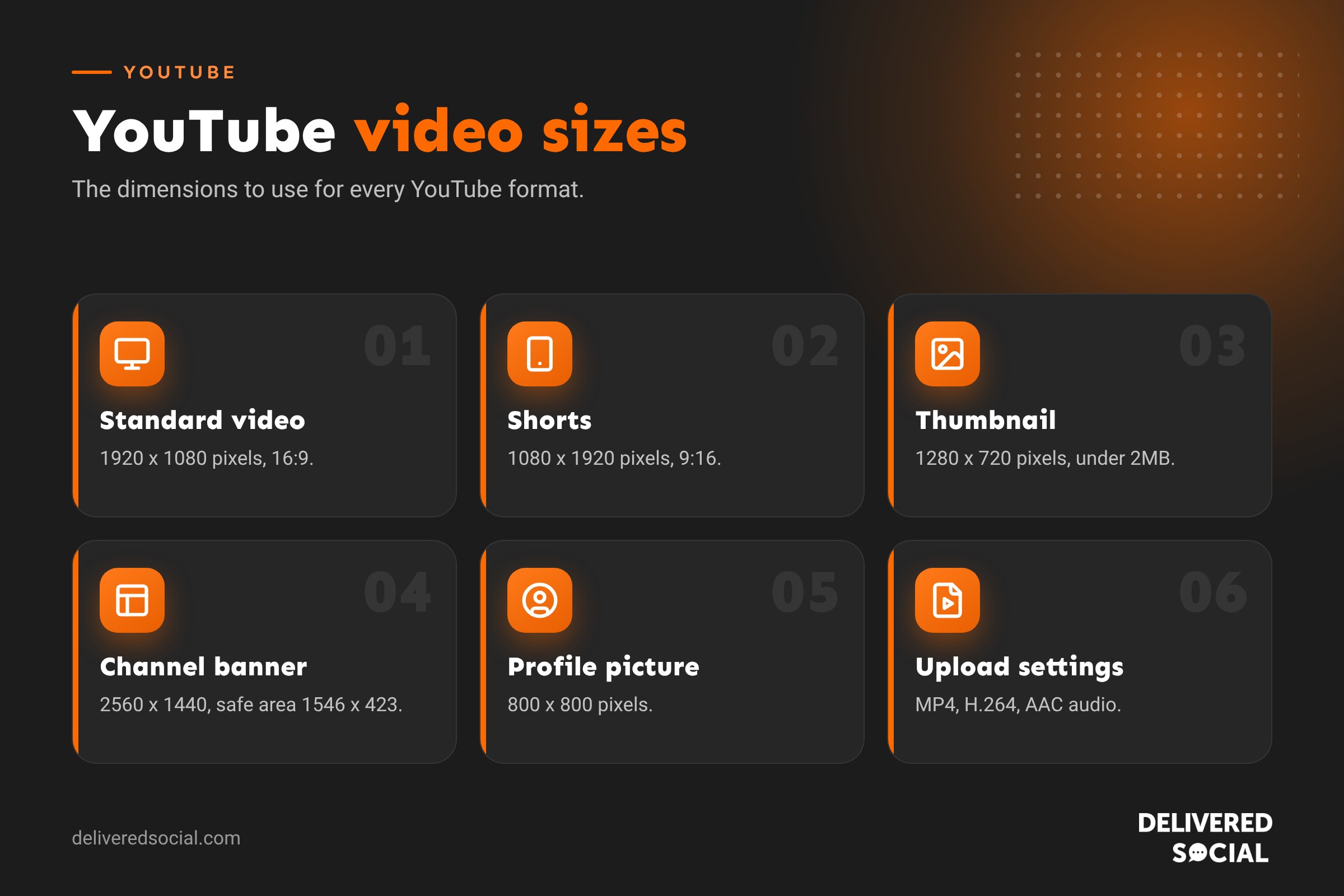
YouTube sizes at a glance
| Format | Recommended size | Aspect ratio |
|---|---|---|
| Standard video (1080p) | 1920 x 1080 pixels | 16:9 |
| Standard video (4K) | 3840 x 2160 pixels | 16:9 |
| YouTube Shorts | 1080 x 1920 pixels | 9:16 |
| Live stream | 1920 x 1080 pixels | 16:9 |
| Video thumbnail | 1280 x 720 pixels | 16:9 |
| Channel banner | 2560 x 1440 pixels (safe area 1546 x 423) | 16:9 |
| Profile picture | 800 x 800 pixels | 1:1, shown as a circle |
| Video watermark | 150 x 150 pixels | 1:1 |
YouTube video dimensions and resolutions
The standard aspect ratio for YouTube is 16:9, the shape of a TV or laptop screen. YouTube supports these 16:9 resolutions:
| Quality | Resolution |
|---|---|
| 2160p (4K) | 3840 x 2160 |
| 1440p (2K) | 2560 x 1440 |
| 1080p (Full HD) | 1920 x 1080 |
| 720p (HD) | 1280 x 720 |
| 480p | 854 x 480 |
| 360p | 640 x 360 |
We recommend uploading in at least 1080p. If you can, upload in 4K even if most people watch in HD, because YouTube uses better compression for higher resolution uploads, so your video looks sharper at every quality.
Videos in other shapes, such as square or vertical, still upload fine. YouTube adjusts the player to fit, rather than adding black bars, on most devices.
YouTube Shorts size
- Size: 1080 x 1920 pixels.
- Aspect ratio: 9:16 (vertical) or 1:1 (square).
- Length: up to three minutes.
- Safe zone: keep text and faces away from the bottom and right edge, where the title, buttons and comments sit.
The same vertical video works for Instagram Reels and TikTok too. See our Instagram size guide.
YouTube thumbnail size
- Size: 1280 x 720 pixels (minimum width 640 pixels).
- Format: JPG, PNG or GIF (not animated).
- File size: under 2MB.
Thumbnails matter more than almost anything else for clicks. Use a close-up face, three or four big words at most, strong contrast and a design that still reads when it’s tiny on a phone. Keep the bottom right corner clear, because the video length covers it.
YouTube banner size
Upload a 2560 x 1440 pixel image, under 6MB. Different devices show different parts of it, so keep your logo and text inside the central 1546 x 423 pixel safe area, which is visible everywhere.
Best upload settings for YouTube
| Setting | Recommendation |
|---|---|
| File format | MP4 |
| Video codec | H.264 |
| Audio codec | AAC-LC, stereo, 48kHz |
| Frame rate | The same as you filmed, commonly 24, 25, 30 or 60fps |
| Bitrate (1080p, 30fps) | About 8 Mbps |
| Bitrate (4K, 30fps) | About 35 to 45 Mbps |
YouTube accepts files up to 256GB or 12 hours long, whichever comes first. Accounts need to be verified to upload videos longer than 15 minutes.
Common YouTube size mistakes
- Uploading vertical video as a standard video: if it’s under three minutes, it may be treated as a Short; if not, it shows with wide side bars on desktop.
- Exporting at low resolution from editing apps to save time.
- Text too close to the edges in thumbnails and banners.
- Using a different frame rate from the original footage, which causes jerky playback.
Frequently asked questions
What is the best video size for YouTube?
1920 x 1080 pixels (16:9) for standard videos, and 1080 x 1920 (9:16) for Shorts.
What aspect ratio is YouTube?
16:9 for standard videos. Shorts are 9:16.
Why does my YouTube video look blurry?
YouTube processes the HD and 4K versions after the low quality one, so a new upload can look blurry for a while. Wait for processing to finish before sharing.
What size should a YouTube intro be?
The same as your main video, usually 1920 x 1080, and keep it under five seconds.
Want help with YouTube video?
We film and edit YouTube videos, Shorts and Reels for small businesses across Surrey, Hampshire and the UK. See our social media services or call us on 01483 608 303 for a friendly chat.































